Author: Alfred Rilloraza

  • Best Slow Cooker to Buy: Why, What, and How to Choose the Right One

    Best Slow Cooker to Buy: Why, What, and How to Choose the Right One

    Slow Cooker

    If you’re craving melt-in-your-mouth meals without the hassle of constantly checking the stove, a slow cooker might be your new best friend in the kitchen. This device has become a game-changer for people looking to prepare hearty meals with minimal effort. In this guide, we’ll dive into the best slow cookers on the market, compare top models, and talk about the good, the bad, and the downright delicious of cooking with a slow cooker. Let’s get slow cooking!

    What is a Slow Cooker and Why You Need One

    A slow cooker is essentially a pot that heats gradually and maintains low, steady heat to cook food over several hours. Think of it as the perfect kitchen helper for when you want to “set it and forget it.” Not only does it save time and energy, but it also enhances flavors and tenderizes meats, giving you restaurant-quality meals with minimal work.

    Best Slow Cookers of 2025 – Top Picks for Easy & Flavorful Meals

    1. Crock-Pot 6-Quart Cook & Carry Programmable Slow Cooker – The Classic Choice

    When it comes to slow cookers, Crock-Pot is practically a household name. The 6-Quart Cook & Carry Programmable Slow Cooker is one of the most popular models out there, and for good reason. It’s spacious enough to handle large meals, perfect for families, meal preppers, or potlucks. The programmable settings let you set the cooking time anywhere from 30 minutes to 20 hours, meaning you can throw in your ingredients, set it, and forget it until dinnertime.

    One of the standout features is the locking lid, which makes it easy to transport without spills—ideal for taking food to a party or family gathering. But, let’s be real, the lid lock can sometimes be a little stubborn. If you’re in a rush and don’t secure it properly, you might find yourself struggling to get it to stay in place.

    Despite this minor flaw, the Crock-Pot 6-Quart is a solid, no-fuss slow cooker that gets the job done. It’s budget-friendly, reliable, and simple to use, making it a great choice for anyone who just wants a dependable slow cooker without unnecessary bells and whistles. If you’re looking for something similar, you might also like the Crock-Pot 7-Quart Manual Slow Cooker for a slightly larger, more basic option, or the Crock-Pot Express Multi-Cooker, which adds pressure cooking to the mix.

    2. Instant Pot Aura Pro Multi-Use Programmable Slow Cooker – The Multi-Tasking Beast

    If you love slow cooking but wish your cooker could do more, the Instant Pot Aura Pro is a dream machine. Unlike traditional slow cookers that just simmer food all day, this one can do it allsauté, roast, steam, bake, and even sous vide. That means you can brown your meat first before slow cooking, giving your dishes extra depth of flavor.

    Its digital controls are super sleek, making it easy to switch between the 10 different cooking functions. Plus, the 24-hour delay start means you can set it up in the morning and come home to a perfectly cooked meal. The biggest downside? It’s not cheap. Compared to standard slow cookers, this one is on the pricier side. And while it’s packed with features, it’s not as durable as some of the simpler models like the Crock-Pot or Hamilton Beach. Some users have noted that the nonstick pot lining isn’t as long-lasting, so if you’re using it daily, you might need to replace it sooner than expected.

    Still, if you want a versatile slow cooker that can replace multiple kitchen appliances, the Instant Pot Aura Pro is absolutely worth considering. If you’re after similar multi-function appliances, you might also like the Ninja Foodi 9-in-1 Slow Cooker or the Instant Pot Duo Crisp, which adds an air fryer into the mix.

    3. Hamilton Beach 8-Quart Slow Cooker – The Budget-Friendly Workhorse

    For those who want a large slow cooker without spending a fortune, the Hamilton Beach 8-Quart Slow Cooker is an amazing value. With its massive 8-quart capacity, it’s perfect for big families, meal prepping, or cooking large roasts. It’s also one of the simplest models you’ll find—no digital displays, no complicated settings—just a simple dial with low, high, and keep-warm options.

    Because it doesn’t have fancy features, it’s super easy to use. Just turn it on, set the temperature, and let it do its thing. The stoneware crock is removable, making cleanup a breeze, and the glass lid lets you check on your food without losing heat.

    The trade-off? You don’t get programmable settings or timers, so you’ll need to keep track of the cooking time yourself. If you prefer a slow cooker that lets you set and forget, this might not be the best choice. But if you want a big, basic slow cooker that’s affordable and reliable, it’s hard to go wrong with Hamilton Beach.

    For similar budget-friendly options, check out the BLACK+DECKER 7-Quart Digital Slow Cooker, which adds a programmable timer at a slightly higher price, or the Elite Gourmet MST-900D, which is another great large-capacity slow cooker with digital controls.

    How to Choose the Best Slow Cooker for You

    When looking for a slow cooker, consider these key points:

    1. Capacity: Most slow cookers come in sizes ranging from 3 to 8 quarts. For singles or couples, a 3-4 quart model is usually sufficient, while families might prefer 6-8 quarts.
    2. Features: Many models today have programmable options, allowing you to set the cooking time and automatically switch to a warming mode. Decide if these are essential for your needs.
    3. Shape: Slow cookers come in round or oval shapes. Oval models are great for cooking larger cuts of meat, while round models are generally more compact.
    4. Ease of Cleaning: Look for slow cookers with removable stoneware pots and dishwasher-safe parts to make cleaning easier.

    Where Can You Get the Best Slow Cookers?

    The best places to buy a slow cooker include major retailers like Amazon, Target, and Walmart, as well as kitchen specialty stores. You can often find excellent deals during sales events, especially around Black Friday or Cyber Monday. Always make sure to read customer reviews—sometimes even top-rated models can have quirks.

    When to Use a Slow Cooker

    One of the biggest perks of using a slow cooker is the flexibility it provides. You can start a meal in the morning and come home to a warm, flavorful dinner. This makes it perfect for busy weekdays, lazy weekends, or prepping meals for the week ahead. Some popular recipes include stews, soups, chili, casseroles, and even desserts like cakes and cobblers.

    Pros and Cons of Slow Cookers

    No kitchen gadget is perfect, and the slow cooker is no exception. Here’s a quick rundown of what you’ll love (and maybe not love so much) about these devices.

    Pros:

    • Convenient: Just throw in your ingredients, set it, and go about your day.
    • Great Flavor: The slow cooking process allows flavors to meld beautifully.
    • Energy-Efficient: Slow cookers use less energy than a stove or oven.
    • Budget-Friendly: Perfect for making affordable cuts of meat tender and delicious.

    Cons:

    • Time: Slow cookers require planning ahead, which can be a hassle if you’re in a hurry.
    • Texture: Some veggies (like broccoli) can become mushy when cooked too long.
    • Bulky: Slow cookers can be heavy and take up a lot of kitchen space.

    Slow Cooker Recipes to Try

    If you’re wondering what to make with your slow cooker, here are some crowd-pleasers that are easy to prep and delicious:

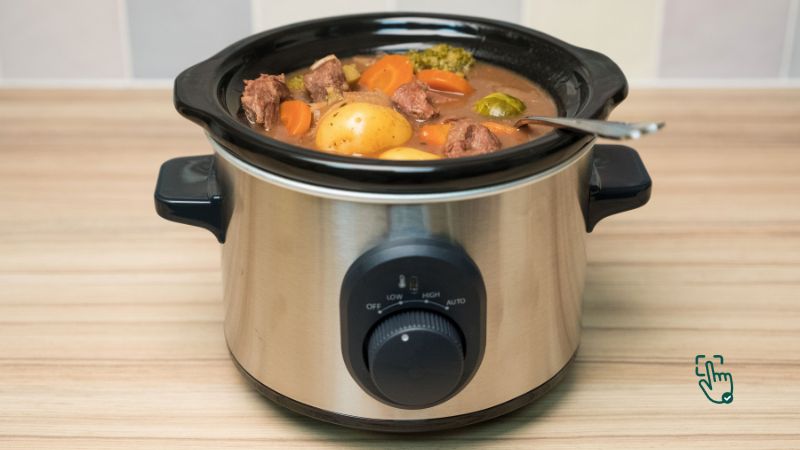
    1. Classic Beef Stew: A rich, hearty stew with carrots, potatoes, and tender beef.
    2. Chicken Chili: A lighter, spicy chili with shredded chicken, beans, and corn.
    3. Pulled Pork: Cooked low and slow until it’s fall-apart tender. Perfect for tacos or sandwiches.
    4. Vegetable Soup: A comforting, nutrient-packed soup that’s perfect for meal prep.

    Conclusion

    Is a Slow Cooker Worth It?

    Absolutely, but only if it fits your cooking style! A slow cooker is perfect for those who like hands-off cooking and don’t mind waiting a few hours for their meal. However, if you’re someone who needs quick meals in a flash, a slow cooker might not be the best choice. Still, its ability to turn inexpensive ingredients into flavorful dishes makes it a worthy investment for many home cooks.


  • Best Headphone Stand: Elevate Your Audio Gear in Style and Organization!

    Best Headphone Stand: Elevate Your Audio Gear in Style and Organization!

    Best Headphone Stand @ pickoutright.com

    Tired of your headphones always getting tangled or buried under clutter? It’s time to give your audio gear the organization it deserves with a stylish headphone stand. Not only does it provide a dedicated home for your headphones, but it also helps tidy up your desk while adding a sleek, professional touch to your space. With so many options available, choosing the best headphone stand can feel overwhelming. Don’t worry—we’ve got you covered! In this guide, we’ll explore various types, highlight top brands, and dive into what makes each stand unique, especially if you’re a gamer or music lover in need of a stand that can withstand heavy use. Whether you’re looking for something simple or a stand that can handle serious wear and tear, there’s a perfect option for you.

    What Is a Headphone Stand and Why Should You Have One?

    A headphone stand is a simple yet essential accessory that helps keep your headphones in good shape by giving them a dedicated resting place. Whether it’s a wired or wireless pair, hanging your headphones on a stand reduces wear and tear, keeps them from getting tangled, and just makes your desk look tidier. But there’s more! Some stands come with extra perks like USB ports, RGB lighting, or even wireless charging pads.

    Why You Need a Headphone Stand: Top Benefits

    1. Organization and Aesthetic Appeal

    • A clean desk not only looks great but helps you feel more organized. A good headphone stand adds style to your desk setup, giving it that polished, techy look.

    2. Protection for Your Headphones

    • Leaving your headphones on random surfaces or hanging by their cable can cause damage over time. A stand keeps them secure and prevents accidental falls.

    3. Extra Features for Gamers and Audiophiles

    • Many headphone stands come with built-in features like USB ports, phone holders, or RGB lighting, making them multifunctional tools for your desk. Some even double as gaming headphone stands with dynamic lighting to match your setup.

    Best Headphone Stands in 2025

    1. New Bee Headphone Stand – Simple, Sleek, and Gets the Job Done

    If you’re not into flashy setups or tech overload and just want a clean, minimal spot to rest your headphones, the New Bee Headphone Stand is the kind of no-fuss product you’ll appreciate. This thing is as simple as it gets — it’s got a nice, sleek design that doesn’t scream for attention, and it fits in pretty much anywhere: your desk, gaming corner, or even a recording setup. It’s super lightweight but still holds up surprisingly well. It’s made from a sturdy plastic that keeps your headphones safe without being bulky or awkward.

    This stand is all about doing one job and doing it well: holding your headphones. No USB ports, no RGB, no wireless charging pad — just straight-up utility. And let’s be real, not everyone wants or needs all those extras, especially if you’re working on a budget or just want to reduce cable clutter. What really stands out about this model is how budget-friendly it is. So if you’re trying to clean up your desk without spending a ton, this is a great go-to.

    Sure, if you’re a gamer looking for an RGB rave on your desk, or someone who wants multi-device charging from a single accessory, the New Bee probably won’t impress you. But for students, casual users, or folks just looking to organize their work-from-home station a bit better, it’s more than enough. Plus, it supports most headphone sizes, so you don’t have to worry about your fancy cans falling off.

    Related Products:

    • Lamicall Headphone Stand
    • OneSpace Headphone Stand
    • KAFRI RGB Headphone Stand

    2 . Razer Base Station V2 Chroma – RGB Madness with Real Functionality

    Now if you’re the kind of person who likes everything in your setup to glow, match, and look straight fire — the Razer Base Station V2 Chroma is calling your name. This isn’t just a headphone stand, it’s like a command center with RGB lighting that syncs up with your Razer gear using Chroma. You can totally personalize the lighting to match your keyboard, mouse, or even just your mood (rainbow wave anyone?). It’s definitely more than just something to hang your headset on.

    But the cool part? It’s actually useful. It’s got three USB 3.0 ports, which means you can connect other peripherals like your keyboard, mouse, or even your phone charger without crowding your actual PC ports. That’s clutch if you’re short on space or hate bending down to plug stuff into the back of your desktop. Also, the stand is weighted, so it won’t topple over when you throw your headphones on it after a long session.

    The only downside is the price. Yeah, it’s not cheap — you’re paying for both brand and features. Also, there’s no wireless charging here, which would’ve made it almost perfect. But if you already have Razer gear or you’re just obsessed with RGB setups, this stand fits right into the vibe. It’s perfect for gamers and streamers who care about both aesthetics and function.

    Related Products:

    • SteelSeries Arctis Pro Wireless Stand
    • ASUS ROG Throne Qi
    • Logitech G Powerplay Wireless Charging System

    3. Corsair ST100 RGB Premium – Audio and Aesthetic in One Stand

    Alright, so you’re a hardcore gamer or maybe a streamer who wants not just RGB lighting, but a full-on audio enhancement experience — meet the Corsair ST100 RGB Premium Headset Stand. This one’s not playing around. It’s got customizable RGB lighting that can sync with your other Corsair iCUE-enabled gear, making your desk look clean and coordinated. But that’s just the beginning.

    Plug your wired headphones into this thing, and suddenly you’ve got virtual 7.1 surround sound support. That’s right — it’s not just a stand, it’s an audio upgrade. Whether you’re deep into FPS games, immersive RPGs, or editing music, that spatial sound boost can really change how you experience audio. It’s powered through USB, and the stand has dual USB 3.1 inputs to help you connect or charge other devices too.

    Now let’s talk downsides. First off, it ain’t cheap. This one is premium for sure, so you’re paying for those extra perks. And, to get the most out of the surround sound and lighting options, you’ll need to install Corsair’s iCUE software. It’s not super heavy software, but yeah — it’s a must if you want to customize the experience fully.

    Design-wise, it looks super clean. The aluminum base gives it a premium vibe, and the rubberized top cradle ensures your headset doesn’t slip off. If you’re serious about gaming or content creation and want more than just a place to hang your gear, the ST100 is a solid investment.

    Related Products:

    • Elgato Stream Deck
    • Corsair K100 RGB Mechanical Gaming Keyboard
    • Creative Sound BlasterX G6 DAC

    4. Avantree Aluminum Headphone Stand – Elegant, Durable, and Budget-Friendly

    If you’re into sleek setups but don’t wanna break the bank, check out the Avantree Aluminum Headphone Stand. It’s got that clean metal look that works perfectly in professional, gaming, or creative spaces. This stand is made from solid aluminum and has a wide base, which means your headphones are staying put — no tip-overs or wobbles here.

    The best part? It’s affordable. You’re getting both form and function for a pretty low price. The top of the stand is padded and slightly curved to match the shape of most headbands, so there’s no damage or weird stretching going on with your expensive headphones. It’s designed for compatibility with a bunch of headphone types — gaming headsets, DJ headphones, studio cans, you name it.

    It doesn’t have USB ports or lighting, and there’s no built-in charger — but if you just want a good-looking, reliable stand to keep your headphones safe and your desk tidy, this does the job beautifully. It looks especially dope next to MacBooks, aluminum keyboards, or minimalist desk setups.

    This one’s especially great for creatives who care about keeping their setup clean and aesthetic. Whether you’re doing video editing, podcasting, or streaming, this stand just blends in and does its job like a champ.

    Related Products:

    • Sennheiser HD 599 SE Open Back Headphones
    • Anker USB-C Hub
    • Twelve South Curve Laptop Stand

    5. Satechi USB Headphone Stand – Sleek and Functional for Modern Desks

    Now let’s talk about a more high-tech look with practical benefits — the Satechi USB Headphone Stand. This one’s sleek AF with its aluminum body and modern finish, and it’s made to match your other desk gadgets — especially if you’re in the Apple ecosystem. MacBooks, iPads, AirPods Max — this stand was made to sit right next to them.

    What sets it apart? It’s got USB-A ports built in, which is a nice bonus if you’re trying to simplify your setup. You can plug in flash drives, charge your phone, or connect a mouse or keyboard. It saves space and reduces desk clutter, which we all love. The base is solid, so you don’t have to worry about tipping, and the design itself is very clean — it’s one of the more professional-looking stands on the list.

    However, it’s a little limited when it comes to colors — mostly silver or space gray — and it doesn’t offer RGB lighting if that’s your thing. Still, it brings functionality and modern aesthetics to the table, so it’s ideal for office setups, home studios, or anyone who wants a clean, efficient workspace.

    If you’ve got multiple gadgets or you’re working from a desk full of USB-needy devices, this stand is a smart and stylish pick.

    Related Products:

    • Satechi Aluminum USB Hub
    • AirPods Max
    • Logitech MX Master 3 Mouse

    Types of Headphone Stands: Which One Suits You?

    1. Basic Stands

    • These stands, like the New Bee, offer a simple solution with a minimal design. They’re often very affordable and work well for anyone who just needs a designated spot for their headphones without extra features.

    2. RGB and Gaming Stands

    • Stands like the Razer Base Station V2 Chroma or Corsair ST100 are designed with gamers in mind, featuring vibrant RGB lighting that can sync with other devices. They add a pop of color and customization to your gaming space.

    3. USB and Multifunctional Stands

    • These stands have USB ports, wireless charging, or additional features. They’re ideal if you want to reduce clutter or add more functionality to your desk.

    4. Wall-Mounted Stands

    • If desk space is at a premium, wall-mounted headphone holders can be an excellent alternative. They keep headphones out of the way but still within reach. Options like the Brainwavz Hengja are popular choices for this style.

    How to Choose the Best Headphone Stand for Your Setup

    1. Consider Your Desk Space

    • If you have a large setup, a bigger stand with USB ports or RGB lighting might be a good choice. But if your desk is smaller, a compact or wall-mounted option may suit you better.

    2. Look at Material and Durability

    • A headphone stand should be sturdy enough to support your headphones without tipping over. Look for materials like metal or high-quality plastic to ensure it lasts.

    3. Think About Extra Features

    • Do you need RGB lighting? USB ports? Wireless charging? If so, go for a multifunctional stand like the Satechi USB stand or the Razer Base Station. These can be incredibly useful for organizing your desk space and keeping everything charged.

    4. Match It to Your Style

    • If you’re someone who cares about aesthetics, choose a stand that complements your desk setup. Sleek aluminum or RGB-lit stands are great for modern, techy vibes, while wooden or matte black stands work well with minimalist setups.

    The Downsides of Headphone Stands: Are They Worth It?

    Despite their benefits, headphone stands aren’t perfect. Here’s what might put you off:

    • Price: Some models, especially those with extra features, can be quite expensive. For instance, gaming-focused models with RGB lighting and USB ports may be costly.
    • Space Consumption: Even though they’re handy, larger models with multiple functions can take up considerable desk space.
    • Not Always Necessary: If you’re someone who doesn’t use headphones frequently, a stand might feel like an unnecessary accessory.

    If you’re only after a simple organizer, a basic stand will do just fine. But if you’re into the gaming aesthetic or want a convenient charging hub, a more advanced stand might be worth the investment.

    Conclusion

    Finding Your Ideal Headphone Stand

    In the end, choosing the best headphone stand depends on your style, needs, and budget. For simplicity, go with the New Bee Stand; for gaming vibes, Razer’s Base Station has the edge. The Corsair ST100 is ideal for hardcore gamers with its immersive surround sound feature, while Satechi’s USB Headphone Stand is the best option for utility.

    Whether you’re looking to up your gaming setup or just want a clutter-free desk, there’s a headphone stand out there for you. Happy shopping, and may your desk setup be as stylish as it is functional!

  • Best CPU Casing for Your Build: A Guide to Picking the Right One

    Best CPU Casing for Your Build: A Guide to Picking the Right One

    Best CPU casing setup, PC case interior, airflow CPU case, minimalist CPU case @ pickoutright.com

    When it comes to building or upgrading your PC, the CPU casing (or PC case) is more than just a box to keep your parts safe. It affects cooling, noise, expandability, and even the style of your setup. With so many cases out there, picking the right one can be tricky—especially when you’re faced with a sea of choices promising the best airflow, sleek designs, and various budget-friendly or premium options. So, let’s dive in to explore some of the best CPU casings, what to look for, and which ones are worth your hard-earned cash.

    What Makes a Good CPU Casing?

    A CPU casing isn’t just a pretty shell. It impacts your PC’s performance, cooling, and ease of access when it comes to upgrades. Here’s what separates a solid case from a headache:

    1. Airflow: Good airflow is essential for keeping your CPU and other components cool. Look for cases with well-placed fans, mesh panels, and ventilation points.
    2. Cable Management: An ideal case should have enough space for cable routing to keep the interior neat, which helps airflow and makes future upgrades easier.
    3. Build Quality: High-quality materials not only improve aesthetics but also enhance durability.
    4. Size and Compatibility: Make sure your case fits your motherboard size and has enough room for all your components, especially your graphics card and CPU cooler.

    Best CPU Casing Options in 2024

    1. NZXT H510 – The Stylish All-Rounder

    • Pros: Sleek design, tempered glass panel, easy cable management.
    • Cons: Limited front airflow, only comes with two pre-installed fans.

    The NZXT H510 is a go-to for builders who love a minimalist look. It offers a tempered glass side panel that lets you showcase your hardware. While it doesn’t have the best front airflow, its rear and top fans do a good job with exhaust. It’s best suited for mid-range builds rather than high-performance systems that require extensive cooling.

    2. Corsair 4000D Airflow – Best for Cooling

    • Pros: Fantastic airflow, spacious interior, easy cable management.
    • Cons: Lacks a USB-C port in the front panel.

    If you’re all about keeping your components as cool as possible, the Corsair 4000D Airflow is a top pick. Designed with mesh panels and optimized fan placement, this case provides top-notch ventilation, making it perfect for high-performance CPUs and GPUs. It’s spacious enough for larger components and allows for great cable management, but it does lack a USB-C front port, which could be a downside for some users.

    3. Lian Li PC-O11 Dynamic – Perfect for Custom Builds

    • Pros: Dual-chamber design, tons of room for customization, stunning aesthetic.
    • Cons: Large footprint, not ideal for budget builds.

    The Lian Li PC-O11 Dynamic is famous in the PC building community, especially among those who like to go all-out with custom water-cooling setups. Its dual-chamber layout separates the power supply and cables from the main components, giving a clean look. This case is a bit on the pricey side, but for enthusiasts who want both function and form, it’s worth every penny.

    4. Cooler Master MasterBox Q300L – Best Budget-Friendly Option

    • Pros: Compact, affordable, decent airflow for the price.
    • Cons: Basic build quality, limited cable management options.

    For builders on a budget, the Cooler Master MasterBox Q300L provides a compact design that fits most basic setups. It’s a budget case that doesn’t skimp on airflow, thanks to its perforated front and top panels. However, don’t expect premium build quality or spacious cable management options.

    Why Choosing the Right Case Matters

    Selecting the right CPU casing affects more than just looks. Here’s why your choice can make or break your PC experience:

    • Thermal Performance: Poor airflow can lead to overheating, which might throttle your components and shorten their lifespan. A good case ensures your system stays cool under heavy loads.
    • Convenience and Upgradability: Easy access to internal parts means future upgrades or repairs are much simpler. Cases with removable drive cages, side panels, and tool-free features make life easier.
    • Noise Levels: Some cases come with noise-dampening materials that help keep your rig quieter. This is especially helpful if you’re planning on using powerful components or want a silent workspace.

    How to Choose the Best CPU Casing for Your Needs

    1. Size Matters
      • Mid Tower: Fits most standard builds and motherboards.
      • Full Tower: Ideal for larger setups with custom water cooling.
      • Mini Tower: Compact, but might be limited in terms of component compatibility.
    2. Cooling Options
      • Look for cases that offer multiple fan mounts or radiator support if you’re going for water cooling. Mesh panels provide better airflow than solid panels.
    3. Design and Aesthetic
      • Your PC case reflects your personality and style. Go for a case that aligns with your aesthetic preferences, whether it’s RGB lighting, a minimalist look, or a fully glass design.
    4. Front Panel Connectivity
      • If you frequently use USB-C or audio jacks, make sure your case’s front panel has the ports you need.

    Pros and Cons of Popular CPU Cases

    Let’s break down some popular cases and why they may (or may not) be the right fit:

    Case ModelProsCons
    NZXT H510Sleek design, good cable managementLimited airflow
    Corsair 4000D AirflowTop-notch cooling, spacious interiorNo USB-C front panel
    Lian Li PC-O11 DynamicTons of room, stylish dual-chamberLarge footprint, higher price
    Cooler Master Q300LBudget-friendly, decent airflowBasic build quality

    When and Where to Buy a CPU Casing

    Timing can make a big difference. Look out for discounts during big sale events like Black Friday and Cyber Monday. Check sites like Amazon, Newegg, and Best Buy for frequent sales and deals. Make sure to buy from reliable retailers to avoid issues with damaged or low-quality cases.

    Common Issues with CPU Casings

    It’s not all perfect. Some cases have their drawbacks, and it’s good to know about them before you hit “buy.”

    1. Temperature Control in Small Cases: Compact cases might look sleek, but they can get hot quickly. They lack the room for multiple fans or large GPUs, which can lead to overheating.
    2. Cable Management in Budget Cases: Low-cost cases often skimp on cable management space, making your build look messy and potentially blocking airflow.
    3. Heavy and Bulky Cases: High-performance or full-tower cases are often heavy, making it hard to move your setup around if you’re not settled into one spot.

    Conclusion

    Top Picks for the Best CPU Casing in 2024

    NZXT H510 for sleek design fans, Corsair 4000D Airflow for performance seekers, Lian Li PC-O11 Dynamic for custom build enthusiasts, and Cooler Master MasterBox Q300L if you’re on a tight budget. Each of these CPU casings brings something unique, catering to different needs, styles, and budgets.

  • Top Microwaves of 2024: How to Pick the Best One for Your Kitchen

    Top Microwaves of 2024: How to Pick the Best One for Your Kitchen

    Image of Panasonic microwave, Toshiba microwave, Breville microwave, GE Profile convection microwave, best microwaves @ pickoutright.com

    A microwave might just be the hardest-working appliance in your kitchen! From reheating leftovers to cooking popcorn in minutes, the right microwave can make life easier, tastier, and faster. But with so many options on the market, which one is truly the best microwaves? Whether you need something compact, powerful, or packed with features, I’ve got you covered!

    What’s the Hype About Microwaves?

    Microwaves use electromagnetic waves to heat up food quickly, making them a must-have for busy households. They’re energy-efficient, incredibly convenient, and can even preserve more nutrients in food compared to some other cooking methods. But not all microwaves are created equal—some excel at precise cooking, while others are better for basic reheating.

    Best Microwaves for Every Need

    1. Panasonic NN-SN966S Microwave Oven
      • Pros: Powerful, large capacity, advanced inverter technology.Cons: Pricey and slightly bulky for small kitchens.
      Panasonic’s NN-SN966S model is a favorite for power and precision. Its inverter technology means food heats evenly and doesn’t get overcooked, making it perfect for defrosting meats or cooking delicate dishes. The downside? It’s on the larger side, so if you’re short on counter space, this might not be the best choice.
    2. Toshiba EM131A5C-BS Microwave Oven
      • Pros: Affordable, great for everyday tasks, and compact.Cons: Limited features and no inverter technology.
      For those wanting a reliable microwave without all the bells and whistles, the Toshiba EM131A5C-BS is a winner. It’s compact and fits well in smaller spaces but still powerful enough for daily reheating and cooking. This model doesn’t have the advanced features of pricier models, but if simplicity is your game, it’s hard to beat.
    3. Breville BMO850BSS1BUC1 the Smooth Wave Countertop Microwave
      • Pros: Smart cooking features, sleek design, and quiet operation.Cons: Expensive, limited capacity.
      Breville’s BMO850BSS1BUC1 might sound complex, but this smart microwave is easy to use! It has intelligent sensor tech that adjusts power based on your food, so no more overcooking. Plus, the sleek design is an aesthetic win for any modern kitchen. The price and smaller capacity, however, could be deal-breakers if you cook large batches.
    4. GE Profile PEB9159SJSS Countertop Convection/Microwave Oven
      • Pros: Convection capabilities, great for baking and roasting, spacious.Cons: Heavier and takes longer to heat compared to basic models.
      If you’re after a hybrid microwave, this GE Profile model combines convection and microwave functions, allowing you to bake and roast with ease. Perfect for adventurous home chefs, but it’s a bit bulkier and might take longer to heat up than a standard microwave.

    How to Choose the Best Microwave for You

    1. Size and Space
      • Are you looking for a compact microwave for a small kitchen, or do you need something larger for family-sized portions? Microwave sizes range from small (0.7 cubic feet) to large (2.2 cubic feet or more), so measure your available counter or cabinet space before buying.
    2. Wattage Power
      • Microwaves with 700 watts or more are good for fast cooking. Anything below that might leave you waiting for longer cooking times, while 1000 watts and above usually provide fast, even heating.
    3. Cooking Technology
      • For even heating and precise cooking, models with inverter technology (like some Panasonic models) prevent food from getting rubbery or overcooked. Some microwaves also come with smart sensor technology to adjust power levels automatically, ensuring your food heats perfectly every time.
    4. Type of Microwave
      • Countertop Microwaves are the most common and can be placed anywhere with an outlet.
      • Over-the-Range Microwaves save counter space and double as range hoods, which is great for smaller kitchens.
      • Built-in Microwaves integrate seamlessly into cabinetry for a modern look but require professional installation.

    Where to Buy the Best Microwaves?

    Major retailers like Amazon, Best Buy, and Walmart are great spots to pick up a microwave with solid return policies and warranties. If you’re keen on a premium model, check out department stores or even specialty appliance stores for more high-end options. And don’t forget to keep an eye on big sales events like Black Friday for significant savings.

    Top Reasons People Love Microwaves: Here’s Why They’re Worth It

    • Speed: Microwaves heat food in minutes. No other appliance can turn frozen food to steaming hot so quickly.
    • Energy Efficiency: Compared to an oven, microwaves consume way less power, which is a plus for eco-conscious households.
    • Versatility: Some microwaves can cook, grill, bake, and even steam food, making them far more than just reheating machines.

    What About the Downsides? Honest Microwave Reviews

    Let’s be real, though. Microwaves aren’t perfect. Here’s where they can fall short:

    • Hot Spots & Uneven Heating: Some models, especially lower-end microwaves, can struggle with evenly heating food. You may end up with cold spots, meaning you’ll have to stir or reposition your meal halfway through cooking.
    • Size Issues: Not every microwave is designed to fit large dinner plates, so double-check your preferred model’s interior dimensions to ensure your favorite dishes fit.
    • Noise Levels: While some high-end models run quietly, others can be loud enough to disturb a peaceful kitchen, especially during longer cook cycles.

    If any of these drawbacks seem like deal-breakers, consider investing in a microwave with advanced heating technology or a more compact design.

    Microwave FAQs: What You Need to Know

    Q: Are microwaves safe to use?
    Yes, microwaves are designed with safety in mind. They use non-ionizing radiation, which means there’s no risk of harmful rays affecting your food or health. Just avoid standing directly in front of one while it’s running.

    Q: Can I put metal in a microwave?
    No! Metal reflects microwaves, which can cause sparks, damage to your microwave, or even a fire. Stick to microwave-safe containers like glass or certain plastics.

    Q: What foods shouldn’t be microwaved?
    Avoid heating things like whole eggs (they can explode!), certain plastics, or foods with low moisture content, as they can overheat or burn.

    Conclusion

    Which Microwave Is Right for You?

    If you’re looking for a quick-and-easy, no-fuss option, the Toshiba EM131A5C-BS is a solid choice for everyday needs. For those who want more advanced cooking features, the Breville Smooth Wave and GE Profile Convection Microwave are fantastic, albeit pricier, options.

  • Best Refrigerators in 2024: Find Your Perfect Fridge for Every Home

    Best Refrigerators in 2024: Find Your Perfect Fridge for Every Home

    Best Refrigerator in modern kitchen, LG InstaView, Samsung Family Hub, Whirlpool @ pickoutright.com

    Looking to upgrade your kitchen? A reliable refrigerator is one of the most essential home appliances—it keeps food fresh, drinks cold, and even preserves leftovers. With so many options, finding the best refrigerator can feel overwhelming. From smart tech and energy-saving features to stylish designs, there’s a lot to consider. Here’s a deep dive into the top refrigerators of 2024 to help you pick the perfect one for your needs!

    What to Look for in the Best Refrigerator?

    When you’re hunting for the ideal refrigerator, it’s important to consider size, features, energy efficiency, and, of course, the look. Refrigerators are no longer just boxes to keep food cold—they’ve come a long way with advanced features like touchscreens, ice makers, and more!

    Top Refrigerator Picks for 2024

    1. LG InstaView Door-in-Door Refrigerator
      • Pros: Energy-efficient, stylish glass panel, advanced cooling system.
      • Cons: Higher price tag; glass panel may require frequent cleaning.

    The LG InstaView is an innovative choice. Tap twice on the glass panel, and you can peek inside without opening the door, helping save energy and keep your groceries cool. However, this feature means the refrigerator isn’t budget-friendly, and frequent cleaning is required to keep fingerprints at bay.

    1. Samsung Family Hub Smart Refrigerator
      • Pros: Family Hub screen, Wi-Fi connectivity, lots of storage.
      • Cons: Expensive; may feel overwhelming if you’re not tech-savvy.

    The Samsung Family Hub is like having a digital assistant in your kitchen! You can sync calendars, play music, or even order groceries. The downside? The tech might be too much for those who prefer a simple refrigerator without a ton of digital bells and whistles.

    1. Whirlpool Double Drawer Refrigerator
      • Pros: Affordable, compact, energy-efficient.
      • Cons: Lacks smart features; fewer customization options.

    Whirlpool’s Double Drawer model is a solid, budget-friendly choice. With two freezer drawers and plenty of space in the fridge, it’s a versatile option for smaller households. It doesn’t have smart capabilities, but it’s reliable for those focused on quality over extra features.

    Why Energy Efficiency Matters in a Refrigerator

    One of the most critical factors in selecting the best refrigerator is energy efficiency. Look for Energy Star-rated refrigerators, which use less power and help you save on utility bills. Over time, an energy-efficient model is both better for the planet and your wallet.

    Types of Refrigerators: Which Style Suits You?

    The type of refrigerator you choose can impact both functionality and style in your kitchen. Here’s a quick breakdown:

    • Top-Freezer: Traditional and budget-friendly, with the freezer on top.
    • Bottom-Freezer: Easier to access the fridge section; often pricier.
    • Side-by-Side: Offers easy access to both fridge and freezer; typically narrower.
    • French Door: Popular for its style and convenience; freezer on the bottom, double doors on top.
    • Compact/Counter-Depth: Ideal for small spaces, as they align with the counters.

    The Pros and Cons of Smart Refrigerators

    Smart refrigerators like the Samsung Family Hub are becoming increasingly popular, offering features that go far beyond temperature control. But are these extra bells and whistles really worth it?

    Pros of Smart Refrigerators

    • Convenience: Manage your grocery list, set reminders, and monitor the fridge’s contents from your phone.
    • Entertainment: Many models let you play music, watch TV, or follow recipes right from your fridge.
    • Connectivity: Sync with other smart devices for a fully integrated home.

    Cons of Smart Refrigerators

    • Cost: Smart fridges are typically more expensive than standard models.
    • Complexity: They may be harder to operate, especially for people who prefer straightforward appliances.
    • Maintenance: Tech-based fridges can be more prone to issues, with repairs often requiring specialized technicians.

    How Much Should You Spend on a Refrigerator?

    The price of a refrigerator can vary widely depending on its size, brand, and features. A basic, no-frills model might cost between $500 and $1,000, while high-end, feature-packed models can reach upwards of $3,000 or more. Here’s a quick price guide:

    • Budget-Friendly: $500 – $1,200 (Whirlpool, Frigidaire models).
    • Mid-Range: $1,200 – $2,500 (GE, LG, Samsung).
    • High-End: $2,500+ (Viking, Sub-Zero, premium LG and Samsung models).

    Comparing Popular Refrigerator Brands

    With so many brands competing, it’s helpful to know the strengths of each.

    1. LG: Known for energy efficiency and smart features, LG models are reliable but often pricey.
    2. Samsung: Innovative with smart tech, but customer service may vary.
    3. Whirlpool: Affordable and dependable, but usually lacks advanced features.
    4. Frigidaire: Great for budget-friendly options, though longevity can be hit or miss.
    5. GE: High quality and durable with a range of styles, but can be on the pricier side.

    Common Frustrations: Where Refrigerators Fall Short

    No appliance is perfect, and refrigerators have their flaws too. Here’s what you need to watch out for:

    • Noise Levels: Some models are noisier than others, especially older or cheaper ones.
    • Frequent Repairs: Certain brands are notorious for issues with ice makers or temperature control.
    • Size Constraints: A big, bulky fridge can make kitchen arrangements tricky. Always double-check measurements before buying.

    FAQs About Refrigerators

    Q: How long should a refrigerator last? A: Most refrigerators have a lifespan of around 10-15 years. Maintenance and brand quality can impact this.

    Q: Is it worth getting an extended warranty? A: It depends. If you’re investing in a high-end model or one with advanced tech, an extended warranty could save you in the long run.

    Q: Are there any eco-friendly refrigerators? A: Yes! Look for Energy Star-certified refrigerators—they’re better for the environment and save on electricity.

    Final Verdict

    Which Refrigerator Is Right for You?

    In 2024, the best refrigerator for you depends on your kitchen needs, budget, and style. If you’re all about the latest tech, Samsung’s Family Hub will elevate your kitchen with its smart capabilities. If you’re more focused on energy efficiency and sleek design, LG InstaView models are top-tier. For those who prefer a budget-friendly and reliable option, Whirlpool is a fantastic pick.

  • Best Robot Vacuums of 2024: Why You’ll Love Having One in Your Home!

    Best Robot Vacuums of 2024: Why You’ll Love Having One in Your Home!

    Robot vacuum cleaning floor, iRobot Roomba i7+, Eufy RoboVac 11S, Shark IQ @ pickoutright.com

    Who wouldn’t want a little robot zipping around, keeping your floors spotless without you lifting a finger? Robot vacuums are no longer just a cool gadget; they’re a must-have for anyone who values a clean home with minimal effort. From pet hair and dust to crumbs and debris, these tiny cleaners handle it all. But with so many choices, it can be overwhelming to pick the right one. Here’s everything you need to know to choose the best robot vacuum for your home.

    What’s So Great About a Robot Vacuum?

    Robot vacuums are the ultimate convenience tool. Unlike traditional vacuums, which require your time and energy, robot vacuums work autonomously. You can schedule cleanings, control them from your phone, and even connect them to smart home devices like Alexa or Google Home. The best robot vacuums can navigate around furniture, detect obstacles, and even return to their docking stations when they need a recharge.

    Top Robot Vacuums of 2024

    1. iRobot Roomba i7+
      • Pros: Self-emptying dustbin, advanced mapping, ideal for pet hair.
      • Cons: Higher price point.

    The iRobot Roomba i7+ is perfect for pet owners and larger homes. One standout feature is its self-emptying dustbin. It maps out your home, so it knows exactly where it left off, ensuring no spot is missed. However, it does come with a premium price, so be prepared to invest.

    1. Eufy RoboVac 11S
      • Pros: Slim design, quiet operation, budget-friendly.
      • Cons: Lacks smart mapping and advanced features.

    If you’re on a budget, the Eufy RoboVac 11S is a solid choice. Its slim design allows it to glide under most furniture, and it operates quietly, making it perfect for homes with pets or kids. However, without advanced navigation, it might miss a few spots, especially in larger spaces.

    1. Shark IQ Robot Vacuum
      • Pros: Self-cleaning brush roll, affordable, smart mapping.
      • Cons: Tends to get stuck on certain objects.

    The Shark IQ Robot Vacuum is great for those with pets, thanks to its self-cleaning brush roll. It comes with a decent mapping feature that lets it create an efficient cleaning path. While it’s a bit more affordable than the iRobot Roomba, it can occasionally get hung up on cords or small objects.

    1. Roborock S6 MaxV
      • Pros: Dual cameras for advanced obstacle detection, mopping function.
      • Cons: Larger and takes up more space.

    The Roborock S6 MaxV is an impressive robot vacuum that doesn’t just clean but also mops! Its dual cameras provide advanced obstacle detection, so it avoids pet messes and toys. Though it’s on the larger side, its versatility makes it worth considering.

    1. Neato Botvac D7
      • Pros: Unique D-shape for corner cleaning, strong suction, laser mapping.
      • Cons: Pricey; app connectivity can be inconsistent.

    If corners are your main concern, the Neato Botvac D7 is a game-changer. Its unique D-shape is designed to get into corners and along walls better than most circular robot vacuums. Plus, it has strong suction, perfect for thicker carpets or rugs.

    How to Pick the Best Robot Vacuum for You

    1. Cleaning Performance
      • If you have thick carpets, look for a robot vacuum with strong suction. The Neato Botvac D7 and iRobot Roomba i7+ are top performers here.
      • For hard floors, most robot vacuums, even budget options like the Eufy RoboVac 11S, will do a great job.
    2. Smart Features
      • Do you want advanced features like mapping, voice control, or no-go zones? The Roborock S6 MaxV and Shark IQ offer excellent smart navigation options.
    3. Budget
      • Robot vacuums range from $200 to over $1,000, so set a budget. If you’re looking for affordable models, the Eufy RoboVac 11S is a reliable choice.
    4. Pet-Friendly Features
      • If you have pets, consider a model with a self-cleaning brush roll and strong suction. The Shark IQ and Roomba i7+ are great options for pet owners.

    Why Are Robot Vacuums So Popular?

    The best robot vacuums are smart, efficient, and truly life-changing. They save time and energy, and they’re fun to watch! Plus, with newer models featuring self-emptying bins, advanced mapping, and even mopping capabilities, they’re more useful than ever.

    Drawbacks of Robot Vacuums

    Robot vacuums are amazing, but they’re not perfect:

    • Battery Life: Some models need frequent recharging, especially in larger homes.
    • Maintenance: You’ll need to clean out dustbins and brushes regularly. Self-emptying models help, but they’re pricey.
    • Navigation Issues: Even advanced models can get stuck under furniture or tangled in cords.

    For some, these might be minor inconveniences, but they’re worth considering before investing in a robot vacuum.

    Conclusion

    Which Robot Vacuum is Right for You?

    Ultimately, the best robot vacuum for you depends on your home and budget. Here’s a quick recap:

    • Best for Pet Owners: iRobot Roomba i7+
    • Budget-Friendly: Eufy RoboVac 11S
    • Best for Smart Home Integration: Roborock S6 MaxV
    • Best for Corners and Carpets: Neato Botvac D7
  • Best Stand Mixer for Your Kitchen: How to Choose the Perfect One!

    Best Stand Mixer for Your Kitchen: How to Choose the Perfect One!

    Stand mixer on kitchen counter, KitchenAid Artisan, Cuisinart SM-50, Hamilton Beach @ pickoutright.com

    Dreaming of effortlessly whipped cream, flawless bread dough, and delicious cake batters? With the right stand mixer, it’s all within reach! Choosing the best stand mixer can seem overwhelming, though, with so many models, features, and price points. Whether you’re a beginner baker or a pro pastry chef, this guide breaks down the best options, so you can find the perfect mixer for your culinary needs.

    What is a Stand Mixer, and Why Do You Need One?

    A stand mixer is a powerful kitchen appliance that makes mixing, kneading, and whipping a breeze. With a powerful motor and sturdy attachments, it does all the hard work of beating ingredients together, leaving you free to enjoy the process—and the results! Whether you’re making bread, cookies, pasta, or even ice cream, a stand mixer can save you time and deliver a level of consistency that’s tough to achieve by hand.

    Why Invest in a Stand Mixer? (Spoiler: It’s a Game-Changer)

    Using a stand mixer elevates your cooking and baking by:

    1. Saving Time and Effort: No more exhausting hand-mixing or guessing at the right texture.
    2. Ensuring Consistency: The mixing bowl, attachments, and motor all work together to blend ingredients evenly.
    3. Expanding Recipe Possibilities: Many stand mixers come with or can use multiple attachments, from pasta makers to meat grinders, meaning more versatility in the kitchen.

    Top Stand Mixers to Buy in 2024

    1. KitchenAid Artisan Series 5-Quart Stand Mixer
      • Pros: Classic design, multiple color options, wide range of compatible attachments.
      • Cons: Heavier and takes up more counter space.

    This iconic mixer is a favorite among professionals and home bakers alike. Known for its durability and versatility, the KitchenAid Artisan is compatible with various attachments, allowing you to expand its functionality. However, it’s a bit heavy and can be quite an investment. But if you’re looking for a mixer that will last, it’s worth it.

    1. Cuisinart SM-50 5.5-Quart Stand Mixer
      • Pros: Powerful motor, slightly more affordable, includes essential attachments.
      • Cons: Doesn’t have as many attachment options as other models.

    The Cuisinart SM-50 is a great alternative to the KitchenAid, offering a similar mixing power and a clean, modern design. It’s a little more budget-friendly and comes with a stainless steel bowl, dough hook, whisk, and paddle, covering most baking needs. However, it doesn’t offer as many additional attachments, which may limit versatility.

    1. Hamilton Beach Electric Stand Mixer
      • Pros: Budget-friendly, compact size, good for light baking.
      • Cons: Not as powerful; may struggle with heavy doughs.

    For those just starting in baking or who don’t need an industrial-level machine, the Hamilton Beach Electric Stand Mixer is a fantastic entry-level choice. It’s compact and lightweight, ideal for smaller kitchens, and is easy on the budget. However, if you plan to tackle heavy bread dough regularly, this model might fall short.

    Features to Look for in the Best Stand Mixer

    Choosing the right stand mixer means considering a few key factors. Here’s what to keep in mind:

    1. Bowl Size
      • A 4- to 5-quart bowl is generally sufficient for most home bakers. If you frequently bake in bulk, a 6-quart or larger bowl might be ideal.
    2. Power and Motor Strength
      • If you plan on making doughs, look for a mixer with at least 300 watts of power. This ensures that the machine can handle tougher, stickier ingredients without burning out.
    3. Speeds and Control
      • Different recipes call for different mixing speeds. A good stand mixer should offer at least six speeds, allowing you to go from gentle stirring to powerful whipping.
    4. Attachments and Accessories
      • Many stand mixers come with a set of basic attachments, such as a flat beater, dough hook, and wire whisk. However, some models offer additional attachments, like pasta makers and ice cream churners, which can significantly expand the appliance’s functionality.

    Best Times to Use Your Stand Mixer

    Whenever you’re making baked goods, a stand mixer is your best friend. Whipping cream, beating egg whites, or making dough are tasks that are tedious by hand but a breeze with a mixer. Try using a stand mixer for:

    • Bread dough, pizza dough, and bagels
    • Cakes, cupcakes, and frosting
    • Mashed potatoes, meringues, and whipped cream

    Stand Mixer Showdown: Which One is Right for You?

    Let’s compare our top picks in a quick showdown to see which stand mixer suits different needs.

    FeatureKitchenAid ArtisanCuisinart SM-50Hamilton Beach
    Best ForVersatile useMid-level budgetBudget-conscious users
    Motor Power325 watts500 watts300 watts
    Bowl Capacity5 quarts5.5 quarts4 quarts
    Attachments AvailableWide rangeBasic setLimited
    Price$$$$$$

    Each model shines for different types of bakers. The KitchenAid Artisan is a long-term investment for avid bakers, while the Hamilton Beach is ideal for occasional users looking to keep costs down. The Cuisinart SM-50 falls somewhere in the middle, providing power without overwhelming your budget.

    Where to Buy the Best Stand Mixers?

    You can find most stand mixers online through major retailers like Amazon, Walmart, and Best Buy. For better deals, check during big sale events like Black Friday, Cyber Monday, or Prime Day. However, always read reviews and check for warranty details when buying online to ensure you get the best value for your money.

    Are There Downsides to Stand Mixers?

    Every appliance has its flaws, and stand mixers are no exception. Here are a few potential drawbacks:

    • Size & Weight: Stand mixers are hefty, especially the high-powered models. Make sure you have a dedicated spot on your counter because moving them frequently isn’t fun.
    • Price: Quality mixers can be pricey. While they’re a fantastic investment for frequent bakers, if you’re only baking occasionally, it might not feel worth the cost.
    • Noise: Mixing dough or heavy batters can get noisy, which might not be ideal if you have a sleeping baby or need a quiet environment.

    Conclusion

    Which Stand Mixer is the Best Choice?

    Ultimately, the best stand mixer is the one that meets your unique needs and fits your budget. If you’re looking for long-term durability and versatility, go for the KitchenAid Artisan. If budget is a concern but you want solid performance, the Cuisinart SM-50 is a wonderful middle ground. And for those just starting out, the Hamilton Beach Stand Mixer offers great value without breaking the bank.

  • Top Wireless Keyboards: Find the Best Fit for Every Typing Style!

    Top Wireless Keyboards: Find the Best Fit for Every Typing Style!

    Wireless keyboard on a desk, Logitech MX Keys, Apple Magic Keyboard, Keychron K2 @ pickoutright.com

    Looking for the best wireless keyboard that matches your typing needs? With so many options, it’s easy to get lost in a sea of features and tech jargon. The right wireless keyboard should not only free you from tangled wires but also enhance your typing experience—whether you’re a gamer, a coder, or someone who just wants a clutter-free desk. Let’s dive into the top options that bring both functionality and style to your workspace!

    What Makes a Wireless Keyboard “The Best”?

    Before we get into specific models, here’s what makes a wireless keyboard worth your investment:

    1. Connectivity Options: Bluetooth or USB dongle? Some keyboards let you switch between both. If you’re a multitasker hopping between devices, look for Bluetooth-enabled keyboards with multi-device pairing.
    2. Battery Life: A good wireless keyboard should last weeks—if not months—on a single charge or with AA/AAA batteries.
    3. Design and Ergonomics: From sleek and minimalistic to ergonomic designs, the best wireless keyboard fits your typing posture and personal style.
    4. Typing Experience: Mechanical vs. membrane? Quiet vs. clicky? Think about how it feels to type, as this can make or break your experience.

    Best Wireless Keyboards of 2024

    1. Logitech MX Keys
      • Pros: Multi-device pairing, USB-C charging, excellent key travel.
      • Cons: Pricey, slightly heavy for portable use.

    The Logitech MX Keys is a top-tier option for professionals who need a reliable, multi-device keyboard. It has a solid feel with low-profile keys that deliver a comfortable typing experience. It also features smart backlighting that adjusts to ambient lighting, which is a game-changer if you’re working in dim environments. However, its premium price tag and weight make it less ideal for frequent travel.

    1. Apple Magic Keyboard
      • Pros: Sleek design, seamless with Apple devices.
      • Cons: Expensive, no backlighting.

    The Apple Magic Keyboard is perfect for Mac users looking for a minimalist, slim keyboard. It’s a no-fuss, plug-and-play option that connects seamlessly with Apple devices. But, it lacks backlighting, which could be a downside if you often work late. Its short travel keys are great for those who like a quiet, non-clicky typing experience.

    1. Keychron K2 Wireless Mechanical Keyboard
      • Pros: Affordable, hot-swappable switches, great battery life.
      • Cons: Bulky, no dedicated USB dongle option.

    For mechanical keyboard enthusiasts, the Keychron K2 offers that satisfying typing feel without the hefty price tag of other premium brands. With hot-swappable switches, it’s customizable, letting you choose your preferred switch type (clicky, linear, or tactile). Its bulky build might take up some desk space, but if you’re in it for the typing experience, this one’s worth it.

    1. Microsoft Surface Keyboard
      • Pros: Great for Windows integration, sturdy build.
      • Cons: Basic features, not great for heavy typing.

    The Microsoft Surface Keyboard fits seamlessly with Windows devices, offering smooth compatibility and a solid typing feel. It’s perfect for users who prioritize style and want a reliable keyboard without too many frills. However, it lacks advanced features like backlighting or multi-device pairing, making it a simple but effective choice for work.

    Why Go Wireless?

    Less clutter, more flexibility: Wireless keyboards give you the freedom to type from any spot in your workspace, which is especially handy if you like to move around. Plus, they’re easy to stash away when you need a clear desk for other tasks.

    Best Features to Consider in a Wireless Keyboard

    1. Backlighting
      • If you’re working at night or in low light, backlit keys are a must. Some models, like the Logitech MX Keys, even adjust automatically to ambient lighting.
    2. Multi-Device Support
      • If you’re hopping between a laptop, tablet, and smartphone, a keyboard that pairs with multiple devices (like the Keychron K2 or Logitech MX Keys) can make your workflow seamless.
    3. Rechargeable vs. Disposable Batteries
      • Rechargeable keyboards are eco-friendly and save you from buying batteries, while disposable ones can be a hassle-free option if you’re always on the go.
    4. Typing Feedback
      • Mechanical keyboards offer tactile feedback with every press, which some typists and gamers love. Others may prefer membrane keyboards for their quieter, softer keys.

    Top Wireless Keyboards for Gamers

    Gaming on a wireless keyboard is all about low latency and quick response times. Here are the top picks:

    • Razer BlackWidow V3 Pro: Known for its low latency and mechanical switches, this keyboard offers the speed and precision gamers need.
    • Logitech G915 TKL: With a slim design and LIGHTSPEED wireless technology, this keyboard is a gamer’s dream, though its premium price might give some pause.
    • Corsair K63 Wireless: A budget-friendly option for gamers who want mechanical keys without the tangle of wires. Its compact size and good battery life make it a solid choice.

    Negative Reviews: What Users Didn’t Love

    No keyboard is perfect, and here’s the lowdown on where some of these options fall short:

    • Logitech MX Keys: While versatile, it’s not ideal for gamers due to its higher latency and low-profile keys, which can be frustrating during intense sessions.
    • Apple Magic Keyboard: Beautiful and minimalist, but the lack of backlighting and relatively high price make it hard to recommend for anyone who types a lot at night.
    • Keychron K2: Though a favorite among mechanical fans, it’s heavy and bulky, and its Bluetooth connection can occasionally lag.
    • Razer BlackWidow V3 Pro: This gaming keyboard is fantastic in performance but has a higher price point and is less portable due to its bulk.

    Tips for Choosing the Right Wireless Keyboard for You

    1. Consider Your Typing Style
      • Are you a heavy typist who loves mechanical feedback? Or do you prefer something quiet and low-profile? This will help you decide between mechanical vs. membrane keyboards.
    2. Workspace Setup
      • If you’re short on desk space, compact models or keyboards without a numeric pad are more practical.
    3. Battery Life
      • If you’re always on the move, look for a wireless keyboard with long battery life or a rechargeable option that holds a charge for weeks.

    Where to Buy the Best Wireless Keyboards

    You can find these wireless keyboards on major retail sites like Amazon, Best Buy, and directly from brand websites. Check out ongoing sales, especially during shopping events like Black Friday or Cyber Monday, for great deals on top brands.

    Conclusion

    Which Wireless Keyboard Should You Buy?

    If you’re looking for an all-in-one wireless keyboard, the Logitech MX Keys remains one of the best options. However, Mac users may find the Apple Magic Keyboard a perfect match, especially for its aesthetic and seamless compatibility. Gamers, on the other hand, would get the most value out of the Razer BlackWidow V3 Pro or Logitech G915 TKL for their low latency and precision.

  • Why a Clothes Steamer is Your New Laundry BFF: The Ultimate Guide!

    Why a Clothes Steamer is Your New Laundry BFF: The Ultimate Guide!

    Handheld clothes steamer, steamer removing wrinkles from shirt, Conair Turbo ExtremeSteam @ pickoutright.com

    Say goodbye to wrestling with your iron and hello to the magic of a steamer for clothes! Whether you’re new to the world of steamers or looking to upgrade, you’ll love how easy it is to make clothes look fresh and wrinkle-free without the hassle of ironing. But, with so many steamers on the market, how do you pick the right one? We’ve got you covered with everything you need to know—from the best models to tips for getting the most out of your new laundry sidekick!

    What is a Clothes Steamer and Why Use One?

    A clothes steamer is an appliance that releases hot steam to remove wrinkles from fabric without direct contact, making it a fantastic choice for delicate fabrics like silk, lace, and even velvet. Unlike traditional irons, which require a pressing motion, a steamer works by holding it close to the fabric and letting the steam do the heavy lifting.

    Top Picks for Clothes Steamers in 2024

    1. Jiffy Esteam Handheld Steamer
      • Pros: Compact and powerful; heats up in seconds.
      • Cons: Small water tank; may not last for very long sessions.

    This Jiffy steamer is ideal if you need a reliable, portable steamer. It’s great for touch-ups, travel, and keeping in your wardrobe for a quick steam before heading out. However, the smaller tank can be a bit of a hassle if you’re steaming a big load.

    1. Conair Turbo ExtremeSteam
      • Pros: Heavy-duty steam power; works on thicker fabrics.
      • Cons: On the pricier side; larger than most handheld models.

    The Conair Turbo ExtremeSteam brings serious steam power and is especially great for thicker fabrics like wool and upholstery. It’s larger, so not super travel-friendly, but for at-home use, it’s a powerhouse that will leave clothes looking professionally steamed.

    1. Rowenta X-Cel Steam First Handheld Steamer
      • Pros: Affordable, lightweight, and heats up quickly.
      • Cons: Not the best for thicker fabrics or long steaming sessions.

    Rowenta’s compact and budget-friendly model is perfect for people who want something lightweight without a ton of frills. This one is more for occasional use rather than a heavy-duty appliance. It’s effective, but you may need to go over thicker fabrics more than once.

    Types of Steamers: Which One is Best for You?

    • Handheld Steamer: Perfect for quick touch-ups and travelers.
    • Standing/Vertical Steamer: Great for heavy-duty steaming; best for households with a high volume of laundry.
    • Combination Iron and Steamer: Ideal for those who want the option of both steaming and ironing.

    Each type has its advantages, and depending on your lifestyle and the kinds of fabrics you usually wear, you may find that one fits your needs better than others.

    How to Choose the Right Steamer for Clothes

    When choosing the best clothes steamer, think about:

    1. Steam Power: This affects how quickly wrinkles are removed, especially from tougher fabrics.
    2. Water Tank Size: A larger tank means longer steam time without needing a refill.
    3. Weight and Size: For frequent travelers, a smaller, more portable steamer might be a better fit.
    4. Heat-up Time: Quick heat-up times are perfect for busy mornings when you need to dash out the door looking sharp.
    5. Ease of Use: Check reviews for any comments on ease of refilling, holding, and maintaining the steamer.

    Why Steamers are Better for Delicate Fabrics

    Not every fabric can handle the direct heat of an iron. Steamers are gentle on delicate materials like silk, satin, and lace, preventing scorch marks or damage. They’re also much easier to maneuver over tricky spots like ruffles and pleats, which can be challenging to iron.

    Pros and Cons of Clothes Steamers

    Steamers can be amazing, but they aren’t without flaws. Here’s a quick breakdown:

    Pros

    • Convenience: Quick and easy to use, especially for casual wear.
    • Travel-Friendly: Compact options make it easy to take along, ensuring you stay wrinkle-free on trips.
    • Versatile: Works on clothes, upholstery, curtains, and even bed linens.

    Cons

    • Water Refills: Some models have small tanks, meaning frequent refills for larger loads.
    • Less Precision: Unlike irons, you can’t create sharp creases, which might be a drawback if you need a polished look.
    • Heat Variability: Not all steamers work well on thicker fabrics, so you may need to go over an area more than once.

    Best Time to Use a Clothes Steamer

    Mornings can be chaotic, and waiting around for an iron to heat up is the last thing you want. A steamer for clothes heats up quickly and can handle most garments in minutes. If you’re looking to quickly freshen up outfits, steamers are also perfect for that—especially after sitting in the closet for a while or after travel.

    The Downsides: What to Consider Before Buying

    While steamers are versatile, they’re not for everyone. Here’s where they can fall short:

    1. Not Ideal for Sharp Creases: If you need a suit jacket or pants to have sharp, defined creases, a steamer won’t quite do the trick.
    2. Frequent Refills: Small handheld steamers are convenient but often require frequent water refills, which can be a hassle when you’re doing multiple outfits.
    3. Thicker Fabrics: Not all steamers perform equally on thicker fabrics like wool or heavy cotton. You might need to go over an area more than once, which can be time-consuming.

    Some users also find that steamers can drip or leave wet spots if the steam isn’t perfectly fine. It’s less common with high-quality models, but something to keep in mind!

    Expert Tips for Using Your Clothes Steamer Like a Pro

    • Use Distilled Water: This prevents mineral buildup in your steamer, extending its lifespan.
    • Keep the Steamer Upright: Most steamers work best held vertically. Tilting can cause them to sputter or leak water.
    • Start from the Top: Steam from the top down to let wrinkles fall out more naturally as you go.

    Where to Find the Best Deals on Clothes Steamers

    From online stores like Amazon to retail giants like Walmart and Target, there are plenty of options. However, for quality assurance, look for well-reviewed models and brands with established reputations. During sales events, like Black Friday or Prime Day, you can usually find great deals on high-end steamers.

    Conclusion

    Which Steamer for Clothes Should You Choose?

    The right clothes steamer can make all the difference in keeping your wardrobe fresh and wrinkle-free. If you need a basic model for light usage, the Rowenta X-Cel is budget-friendly and gets the job done. For those needing more power, the Conair Turbo ExtremeSteam offers heavy-duty steam suitable for thick fabrics and multiple garments in one go. And for those who are constantly on the go, the Jiffy Esteam is the ultimate travel companion.

  • Best Workout Headphones: Top Picks for 2024

    Best Workout Headphones: Top Picks for 2024

    Workout Headphones

    If you’re on the hunt for the best workout headphones that’ll stay in place, deliver quality sound, and endure your sweatiest sessions, you’re in the right place. This guide will walk you through the best options, their pros and cons, and what makes each unique. Let’s find the perfect pair to power your workouts!

    What Makes the Best Workout Headphones?

    The best workout headphones offer secure fit, durability, and high sound quality to enhance your exercise experience. Popular models like Sony WF-SP800N and Beats Powerbeats Pro stand out for features like noise cancellation and water resistance, making them ideal for any workout.

    What to Look for in Workout Headphones

    To find workout headphones that suit your fitness needs, focus on these key factors:

    1. Fit & Comfort: Look for snug designs like ear hooks or secure in-ear fits.
    2. Water & Sweat Resistance: Ensure an IPX rating (IPX4 or higher) for protection against sweat and rain.
    3. Battery Life: Go for models with 6–8 hours of playtime for reliable use.
    4. Sound Quality: Strong bass is motivating, but a balanced sound is ideal for podcasts or audiobooks too.
    5. Noise Cancellation & Ambient Sound: Choose noise-canceling headphones if you want focus, or ambient sound features to stay aware when outdoors.

    Top Workout Headphones for 2025: Comparisons & Features

    Disclosure: Pick Out Right contains affiliate links. If you purchase through these links, we may earn a commission at no extra cost to you. This helps support our work. Thank you!

    1. Sony WF-SP800N – Best Overall

    If you’re looking for the ultimate mix of sound quality, durability, and noise cancellation, the Sony WF-SP800N is a solid choice. These earbuds come with Sony’s signature bass-heavy sound, which is a dream for anyone who loves deep, punchy beats during their workouts. Plus, the active noise cancellation (ANC) keeps distractions out, so you can stay fully immersed in your music or podcast.

    The IP55 water and sweat resistance rating means they can handle intense workouts, light rain, or sweat-heavy gym sessions without a problem. The ear hooks also provide a snug fit, keeping them locked in place even during high-motion activities like jump rope, HIIT workouts, or sprints. Battery life is solid, offering up to 9 hours of playtime with noise cancellation on and 18 hours with the charging case.

    However, these aren’t the lightest earbuds on the market. The bulkier design might feel a little heavy compared to more compact options, but the fit is still secure and comfortable. If deep bass, noise cancellation, and durability are what you’re after, the WF-SP800N won’t disappoint.

    Related Products

    • Sony WF-1000XM4 – A premium alternative with better noise cancellation.
    • Bose QuietComfort Earbuds II – Great for gym-goers who prioritize ANC.

    2. Beats Powerbeats Pro – Best for Secure Fit

    For those who want earbuds that will NEVER fall out, the Beats Powerbeats Pro is a top contender. Featuring adjustable ear hooks, these earbuds are practically glued to your ears—ideal for workouts where you’re constantly moving, like cross-training, cycling, or weightlifting. The sound profile is exactly what you’d expect from Beats—deep, punchy bass that makes every rep feel like an action movie.

    With an impressive 9-hour battery life (plus an extra 24 hours with the case), you won’t have to charge them after every session. They’re IPX4-rated for sweat resistance, meaning they’ll survive even the toughest workouts. Unfortunately, they don’t have noise cancellation, which might be a downside if you work out in noisy environments. Also, the charging case is huge—you probably won’t want to carry it in your pocket.

    If you prioritize a rock-solid fit, powerful bass, and long battery life, the Powerbeats Pro are worth considering.

    Related Products

    • Beats Fit Pro – A smaller alternative with ANC.
    • JBL Endurance Peak II – Budget-friendly workout earbuds with ear hooks.

    3. Jabra Elite Active 75t – Best for Versatility

    The Jabra Elite Active 75t is the Swiss Army knife of workout earbuds. Whether you’re running, lifting, or doing yoga, these earbuds offer a secure fit, customizable sound, and strong durability. With an IP57 rating, they are dustproof and fully waterproof, meaning you can even rinse them under water after a sweaty workout.

    The Jabra Sound+ app lets you tweak the EQ to customize the sound to your liking. Need booming bass? Done. Crisp highs for podcasts? No problem. The earbuds last 7.5 hours per charge, with an extra 20.5 hours from the case.

    However, the physical controls can be a bit tricky to use mid-workout—especially if you’re drenched in sweat. That said, if you want versatile, customizable workout earbuds that are built to last, the Jabra Elite Active 75t is a fantastic pick.

    Related Products

    • Jabra Elite 7 Active – A newer version with better ANC.
    • Anker Soundcore Sport X10 – Affordable alternative with a secure fit.

    4. Bose Sport Earbuds – Best Sound Quality

    If you care about sound quality more than anything else, the Bose Sport Earbuds should be at the top of your list. Bose is known for its rich, crystal-clear audio, and these earbuds don’t disappoint. The sound profile is well-balanced with deep bass, crisp mids, and smooth highs, making your music sound clear and vibrant.

    They’re lightweight and comfortable, making them perfect for long workout sessions. Battery life is solid at 5 hours, with an extra 10 hours from the case. The touch controls can be a little unresponsive at times, which might be frustrating if you need to adjust the volume mid-run. Also, unlike other Bose models, these don’t have noise cancellation—something to keep in mind if you want to block out gym noise.

    If amazing sound quality is your priority and you don’t mind the lack of ANC, the Bose Sport Earbuds are a great pick.

    Related Products

    • Bose QuietComfort Earbuds – For those who want ANC.
    • Samsung Galaxy Buds Pro – Great sound and waterproof design.

    5. Aftershokz Aeropex – Best for Outdoor Workouts

    For outdoor runners and cyclists, the Aftershokz Aeropex is a game-changer. Unlike traditional earbuds, these use bone conduction technology, which means your ears stay open while still hearing your music. This is crucial for safety, as it allows you to hear traffic, conversations, or other environmental sounds while working out.

    They’re incredibly lightweight and comfortable, making them perfect for long runs or cycling sessions. Plus, with an IP67 rating, they can handle heavy sweat and even rain. Battery life is up to 8 hours, which is enough for multiple workouts before needing a recharge.

    That said, bass lovers might be disappointed. Since these don’t use traditional drivers, the sound lacks deep bass, making it less immersive compared to in-ear models. However, if awareness and comfort are more important than booming bass, the Aeropex is an unbeatable pick for outdoor athletes.

    Related Products

    • Shokz OpenRun Pro – An upgraded version with better bass.
    • Vidonn F1 Titanium – A budget alternative for bone conduction headphones.

    How to Choose the Best One

    • Runners & Cyclists: Open-ear models like the Aftershokz Aeropex are safer for outdoor settings.
    • Weightlifters: The bass-boosted Beats Powerbeats Pro keeps you motivated, while ear hooks secure them during heavy lifting.
    • All-Purpose Gym-Goers: The Jabra Elite Active 75t is compact, reliable, and has customizable sound, making it a versatile choice.

    Wireless vs. Wired: Which Is Better?

    Wireless Headphones: These are the most convenient, allowing freedom of movement. Battery life is a consideration, but many now come with quick-charge capabilities.

    Wired Headphones: No battery limits, making them dependable. However, wires can get in the way during active movement, so they’re often better for home workouts.

    Why Good Workout Headphones Are Worth It

    High-quality workout headphones provide comfort, secure fit, and durability for long-lasting use. They’re engineered to handle sweat, and with advanced sound technology, they bring your music to life. Investing in a reliable pair is key to a focused and enjoyable workout experience.

    Noise Cancellation for Workout Headphones: A Good Idea?

    Noise-canceling models like the Sony WF-SP800N are ideal for gym-goers who want full focus, while options like Aftershokz Aeropex let outdoor runners stay aware of their surroundings.

    Battery Life Matters

    Workout headphones need dependable battery life. The Powerbeats Pro offers 9 hours per charge, while others include fast-charging options to get you an extra hour with just a 5-minute charge. Some cases provide added hours, extending your total playback time.

    Downsides to Consider

    1. Fit: Not all headphones fit everyone. Ear-hook models like Beats Powerbeats Pro can feel bulky for some users.
    2. Sound Compromise: Some waterproof headphones don’t deliver top-notch sound. Bone-conduction options like Aftershokz Aeropex are safe but lack bass.
    3. Cost: Premium workout headphones often come at a higher price. For example, Bose Sport Earbuds deliver superior sound but may be pricey for budget shoppers.

    Conclusion

    Which Headphones Fit Your Workout Style?

    Your best workout headphones depend on your preferences. For all-around quality, Sony WF-SP800N offers impressive noise cancellation and a secure fit. Beats Powerbeats Pro is perfect for bass lovers, while Jabra Elite Active 75t combines versatility and affordability.

  • Best Mesh WiFi Systems: What They Are, Why You Need One, and Top Picks for 2025

    Best Mesh WiFi Systems: What They Are, Why You Need One, and Top Picks for 2025

    Best Mesh WiFi systems for seamless home coverage in 2024, including Google Nest, Eero Pro, and Netgear Orbi @ pickoutright.com

    Sick of watching your Netflix buffer just because you walked into another room? You’re not alone. In today’s hyper-connected world, a fast and reliable internet connection isn’t just a luxury—it’s a necessity. Whether you’re working from home, gaming online, or streaming your favorite shows, WiFi dead zones and weak signals can be downright frustrating. That’s where mesh WiFi systems come in.

    Unlike traditional routers that struggle to cover every corner of your space, mesh WiFi systems use multiple access points to blanket your entire home with consistent, high-speed coverage. In this guide, we’ll break down exactly what mesh WiFi is, why you absolutely need one in 2024, and which top-rated systems are worth your money.

    What Is a Mesh WiFi System?

    A mesh WiFi system consists of multiple devices, known as nodes, that work together to provide comprehensive wireless coverage. Unlike traditional routers, which rely on a single device to broadcast signals, mesh systems use several nodes placed strategically around your home. These nodes communicate with each other to create a unified network, ensuring that your devices always connect to the strongest signal available.

    Why Do You Need a Mesh WiFi System?

    If you’ve ever experienced buffering during a movie or dropped video calls, you understand the frustration of poor WiFi coverage. Mesh WiFi systems address these issues by eliminating dead zones and providing consistent speeds throughout your home. They’re particularly beneficial for larger homes or spaces with multiple floors, where a single router might not suffice.

    Benefits of Mesh WiFi Systems:

    • Seamless Coverage: Nodes work together to blanket your home in WiFi, reducing dead zones.
    • Unified Network: Unlike extenders, mesh systems maintain a single network name (SSID), allowing for seamless roaming.
    • Scalability: Easily add more nodes to extend coverage as needed.
    • Advanced Features: Many systems offer parental controls, guest networks, and enhanced security features.

    How to Choose the Best Mesh WiFi System

    Selecting the right mesh WiFi system can be daunting, given the plethora of options available. Here are some factors to consider:

    1. Coverage Area: Determine the size of your home and choose a system that can cover that area effectively.
    2. Speed Requirements: Consider your internet plan and ensure the system supports those speeds.
    3. Number of Nodes: Larger homes may require more nodes for optimal coverage.
    4. Advanced Features: Look for features like parental controls, security protocols, and compatibility with smart home devices.
    5. Budget: Mesh systems come in various price ranges; select one that offers the best value for your needs.

    Top Mesh WiFi Systems for 2025

    1. Asus ZenWiFi AX (XT8)

    Okay, so the Asus ZenWiFi AX (XT8) is one of those mesh systems that just screams premium—but in the best way. It’s a tri-band WiFi 6 beast, which basically means it gives you super-fast speeds, stable connections, and coverage that’ll blanket even a big house. The setup is chill, thanks to the slick mobile app, and you get lifetime access to parental controls and some solid network security tools too, which is perfect if you’ve got kiddos or just want to keep the hackers out.

    One thing that sets the XT8 apart is how smart it handles multiple devices. Got smart TVs, phones, laptops, tablets, and a fridge that connects to WiFi? No problem—it juggles them like a pro. It’s also got dedicated backhaul (that’s a fancy way of saying the routers talk to each other on their own private line), so your speeds stay consistent everywhere. Streaming Netflix upstairs or gaming in the basement? No lag.

    Now, this thing ain’t cheap, so if you’re on a tight budget, it might make you wince. And while the app is super friendly, some advanced settings are buried in the web console—which is kind of a pain if you’re not techy. But honestly? Totally worth it if you want top-tier performance and peace of mind.

    Pros:

    • Excellent performance, even in large homes
    • Super easy app setup and control
    • Lifetime parental controls and network protection

    Cons:

    • Definitely on the pricier side
    • Web console needed for deeper settings

    Related Products: TP-Link Deco X90, Netgear Orbi RBK852, Eero Pro 6E

    2. TP-Link Deco XE75

    The TP-Link Deco XE75 is kinda like the sweet spot of mesh WiFi. It’s not crazy expensive, but it still gives you that modern WiFi 6E speed with rock-solid performance. You get a tri-band setup that helps spread out your internet traffic, so your video calls stay clean and your YouTube videos don’t turn into pixel art.

    This one covers a ton of space—think 5,500+ square feet with a 3-pack—so if you’ve got a big house or tricky layout, it handles it like a champ. The app setup is super smooth, even for folks who aren’t exactly tech wizards. And the design is low-key enough that it doesn’t scream “router!” sitting on your shelf.

    You don’t get all the bells and whistles of more expensive models, like advanced QoS (quality of service) or in-depth parental tools, but for most homes, the essentials are all there. If you’re streaming, gaming, or just want fast, reliable internet without the crazy price tag, this one’s a top pick.

    Pros:

    • WiFi 6E support without the luxury price
    • Strong coverage and stable speeds
    • No-nonsense app and setup

    Cons:

    • Lacks the super advanced customization options
    • No built-in network security extras

    Related Products: TP-Link Deco X55, Asus ZenWiFi XD6, Linksys Velop MX4200

    3. Amazon Eero 6+

    Alright, now we’re getting into the budget-friendly territory with the Amazon Eero 6+. This thing is great if you want decent WiFi 6 performance without shelling out a bunch of cash. It’s compact, clean-looking, and integrates perfectly with your Alexa setup—so you can literally say, “Alexa, pause the WiFi,” and boom, your kid’s tablet is offline.

    Even though it’s small, it packs a punch. Coverage is solid for medium-sized homes and speeds are good enough for HD streaming, Zoom calls, and smart home stuff. If you just need the internet to work without babysitting your router all the time, this is a solid choice.

    One downside? Some of the best features are locked behind a subscription (like advanced parental controls and security stuff), which kind of sucks if you’re trying to avoid ongoing costs. And while it’s easy to use, you don’t get much control over how your network works under the hood.

    Pros:

    • Super easy to set up and manage
    • Nice price point for WiFi 6
    • Alexa-friendly for smart homes

    Cons:

    • Extra features = extra monthly costs
    • Limited customization options

    Related Products: Eero Pro 6, Google Nest WiFi, TP-Link Deco S4

    4. Netgear Orbi RBE973

    Now if money ain’t a thing and you want the best of the best, then the Netgear Orbi RBE973 is straight-up luxury WiFi. This system is nuts—in a good way. We’re talking WiFi 7, multi-gigabit speeds, a dedicated 6GHz band, and ridiculous coverage. Like, this thing could probably beam WiFi into your neighbor’s garage.

    The setup is a breeze, but it’s also stacked with pro-level features like multi-gig LAN ports, advanced QoS, and top-tier security with Netgear Armor (though it requires a subscription after the trial). If you’re a hardcore gamer, streamer, or just someone who wants zero compromise when it comes to internet, the Orbi RBE973 brings it. It even looks sleek enough to pass as a futuristic decor piece.

    But yeah… it’s expensive. Like, premium laptop expensive. And to really get everything it offers, you’ll need to either know your way around network settings or be cool with just using the app. Not for the faint of wallet, but absolutely unmatched in performance.

    Pros:

    • Jaw-dropping speeds and coverage
    • Packed with advanced features
    • Supports WiFi 7 for future-proofing

    Cons:

    • Seriously pricey
    • Subscription needed for full security suite

    Related Products: Netgear Orbi RBK863, Asus ROG Rapture GT6, TP-Link Deco BE95

    Setting Up Your Mesh WiFi System

    Once you’ve selected the right mesh WiFi system, proper setup is crucial to maximize its benefits. Here are some general steps to guide you:

    1. Placement of Nodes: Position the primary node near your modem and place additional nodes strategically to eliminate dead zones.
    2. Follow Manufacturer Instructions: Each system has specific setup procedures; follow the provided guidelines carefully.
    3. Update Firmware: Ensure all nodes are running the latest firmware for optimal performance and security.
    4. Configure Settings: Utilize the system’s app or web interface to customize settings like guest networks and parental controls.

    For a comprehensive setup guide, refer to this article:

    Conclusion

    Investing in a mesh WiFi system can transform your internet experience by providing seamless coverage and consistent speeds throughout your home. By understanding what mesh systems are, why they’re beneficial, and how to choose the right one, you’re well-equipped to make an informed decision that best suits your needs. Whether you live in a large house with multiple floors or simply want to eliminate frustrating dead zones, a mesh WiFi system is a game-changer.

    Final Thoughts

    If you’re tired of weak WiFi signals, slow speeds, or devices constantly disconnecting, a mesh WiFi system is worth considering. With options ranging from budget-friendly to high-end solutions, there’s a system for everyone.

    Before purchasing, evaluate your home size, internet speed requirements, and must-have features to find the best mesh WiFi system for you. With the right choice, you’ll enjoy seamless, high-speed connectivity in every corner of your home.

    For more information on optimizing your home network, check out these resources:

  • Top Washers and Dryers for a Sparkling Laundry Day: Why, What, and How to Choose

    Top Washers and Dryers for a Sparkling Laundry Day: Why, What, and How to Choose

    Washer and dryer set in a laundry room, front-load washer, stackable washer and dryer, LG washer and dryer @ pickoutright.com

    Ever feel like laundry day is more of a battle than a chore? Between overcrowded laundromats, outdated machines that leave your clothes damp, and dryers that sound like they’re about to blast off—it’s enough to make anyone dread doing laundry. But here’s the good news: the right washer and dryer combo can completely transform your routine. From time-saving features to energy efficiency and space-saving designs, today’s appliances are smarter and more powerful than ever.

    So, whether you’re upgrading an old unit or setting up your first laundry space, we’ve got you covered. Here’s a rundown of the top washers and dryers, what to look for, and how to choose the best one for your lifestyle.

    What Makes a Washer and Dryer Combo “The Best”?

    When it comes to washers and dryers, it’s not just about getting your clothes clean and dry. The top models are designed for efficiency, energy savings, and convenience. They’ve come a long way from your grandma’s top-loader and are packed with cool features like smart controls, eco-friendly cycles, and even steam functions to reduce wrinkles.

    Best Washer and Dryer Models of 2025

    1. LG WM4000HWA + DLEX4000W (Front Load Washer and Dryer Set)

    Okay, if you’re into techy stuff and want a washer and dryer that basically thinks for you, this LG duo is 🔥. The LG WM4000HWA front-load washer is packed with smart features. It’s got this cool AI fabric sensor that figures out the best washing pattern for whatever you’re throwing in there — whether it’s your stinky gym clothes or your delicate whites. It’s kinda like having a laundry butler, but without the awkward small talk. Pair it with the DLEX4000W dryer, and you’re golden.

    Performance-wise, it’s amazing with stain removal and is super quiet. If you hate loud machines that sound like a rocket taking off, this one’s a dream. Plus, you get Wi-Fi compatibility, so yeah, you can start your laundry from bed. Super handy when you’re already Netflix-deep and too lazy to get up. Downsides? Yeah, it’s a bit pricier and not the largest capacity, so if you’re doing laundry for a whole squad, keep that in mind.

    Related Products: Hamilton Beach

    2. Samsung WF45R6100AW + DVE45R6100W (Front Load Washer and Dryer Set)

    Samsung isn’t just killing it in the phone game — their appliances are right up there too. This front-load set is sleek, simple, and just does the job right. It’s got steam cycles, which means your clothes come out looking fresh and wrinkle-free — super clutch if you hate ironing. It’s also pretty quiet and super energy-efficient, so you won’t dread your utility bills.

    The washer’s design is modern and minimal, and the steam feature is solid for tackling smells and minor stains. Honestly, it’s perfect for everyday use — not too basic, but not overly complicated either. It’s the “just right” Goldilocks pick. Drawbacks? The controls are touch-sensitive, which some folks find a bit annoying, and you’re kinda stuck with basic color choices.

    Related Products: Single Unit Front Load LG WashTower™, SAMSUNG WA50R5200WPR, SAMSUNG WA40A3005WPR

    3. Whirlpool WTW5000DW + WED5000DW (Top Load Washer and Dryer Set)

    If you’re just tryna keep things simple and wallet-friendly, Whirlpool’s got your back. This top-load washer and matching dryer don’t have all the smart bells and whistles, but they absolutely get the job done. Perfect for bigger households or folks with a ton of laundry — the capacity is impressive.

    The washer uses an old-school agitator, which gives you that deep clean, though it can be a little rough on delicate fabrics. But hey, if you’re washing everyday clothes, towels, and jeans, it’s a total champ. The controls are super intuitive too — none of that confusing digital stuff. Just turn the dial and go.

    Biggest plus? You get solid performance without breaking the bank. Downside? No Wi-Fi, no fancy presets, and yeah, it’s kind of bulky-looking. But it’s reliable, durable, and easy to use. Honestly, it’s like that friend who’s not flashy but always shows up.

    Related Products: KoolMore 2-in-1 Front Load Washer and Dryer Combo, Splendide WDV2200XCD, GE Profile PFQ97HSPVDS

    GE GFW850SPNRS + GFD85ESPNRS (Smart Front Load Washer and Dryer Set)

    Alright, if you’re feeling fancy and want a laundry setup that basically runs itself, GE’s smart front-load duo is it. This bad boy comes loaded with features like odor-blocking vents, anti-mold tech, and full-on smart app integration. It’s like a washing machine from the future. Seriously, it even reminds you to clean the washer (because who remembers that on their own?).

    This washer-dryer set is ideal for folks who want top-tier performance and convenience. The washer adjusts everything from water temp to spin speed based on what you throw in. And the dryer? Just as smart, with options for delicate stuff, towels, heavy bedding — you name it. The SmartHQ app lets you monitor the cycle status, and the machine will even ping you when it’s done.

    Only thing? It’s kinda pricey. And because it’s front-load and packed with tech, it has a bigger footprint — so make sure your laundry space can handle it. But if you want laundry to be as brainless as possible, this one’s hard to beat.

    Related Products: LG WM6998HBA, LG WM3555HVA

    How to Choose the Best Washer and Dryer for Your Home

    Buying a washer and dryer isn’t a one-size-fits-all decision. Here are some key factors to consider:

    1. Space Available
      Before anything else, measure your laundry area. Stackable or front-loaders are usually ideal for smaller spaces, while top-loaders often work better in larger rooms where you have the clearance for the lid.
    2. Capacity
      • Small families or couples may be fine with a 3-4 cubic feet model.
      • For larger households or heavy loads, consider models with a 5+ cubic feet drum capacity.
    3. Features
      Do you want smart controls, or are you fine with traditional knobs? Extra features like steam and sanitize cycles can be handy but add to the cost.
    4. Energy Efficiency Energy Star-rated models consume less water and electricity, so they’re easier on the environment and your bills. Investing in an energy-efficient model often pays off in the long run.
    5. Noise Levels
      • Some machines are louder than others. If your laundry room is close to living spaces, go for a quiet model.

    Why Invest in a Washer and Dryer Combo?

    These aren’t just basic appliances anymore. The best washer and dryer sets save you time and even money in the long run. They help reduce water and electricity usage, offer precise cleaning that keeps clothes looking new for longer, and give you the freedom to customize your wash and dry cycles. Plus, newer models often come with sleek, modern designs that look great in any home!

    Downsides to Some Washer and Dryer Models

    Even the best washer and dryer sets have some drawbacks. Here’s the honest scoop:

    1. Complexity with Advanced Features
      Some models, especially smart washers and dryers, can be a bit complex to operate at first. If you’re not tech-savvy, it might be frustrating to figure out the controls or set up the Wi-Fi functions.
    2. Maintenance and Repairs Advanced technology means more parts that could break. High-end models might need repairs more often, and fixing Wi-Fi connectivity or other digital functions can be costly.
    3. Price The best washer and dryer combos aren’t cheap, especially when they come with advanced features. But the investment can pay off if you’re looking for durability and a good warranty.

    Top Washer and Dryer Brands to Consider

    1. LG
      Known for durability and tech features, LG models often include steam cycles, sanitizing options, and energy-efficient technology. They may be pricier but tend to last longer with fewer maintenance issues.
    2. Samsung
      Samsung appliances are stylish, easy to use, and energy-efficient. Their washers and dryers often include steam cycles and Wi-Fi connectivity, making them perfect for a high-tech home.
    3. Whirlpool Affordable and reliable, Whirlpool washers and dryers might not be as flashy, but they get the job done without breaking the bank. They’re a good choice for families who need a solid, simple machine.
    4. GE Known for innovative features like anti-mold technology and self-cleaning options, GE models are designed to keep your laundry fresh and clean for longer. They’re typically more expensive but worth it if you want a machine with extra care options.

    Where to Find the Best Deals

    Look for major sales events like Black Friday or Cyber Monday, which often have significant discounts on large appliances. Stores like Best Buy, Home Depot, and Lowe’s also frequently offer seasonal sales. If you’re okay with last year’s models, check out outlet stores or factory websites for even better savings on top brands.

    Conclusion

    Which Set is Right for You?

    In a nutshell:

    • For tech lovers: The LG WM4000HWA + DLEX4000W has everything you need in a smart, high-tech package.
    • For budget buyers: The Whirlpool WTW5000DW + WED5000DW is affordable and gets the job done without unnecessary features.
    • For families: Samsung and GE are both excellent for handling large loads, with Samsung leaning towards high efficiency and GE offering advanced care options.