Author: Alfred Rilloraza

  • The Unsung Hero of Your Setup: My No-BS Guide to Gaming Mouse Pads

    The Unsung Hero of Your Setup: My No-BS Guide to Gaming Mouse Pads

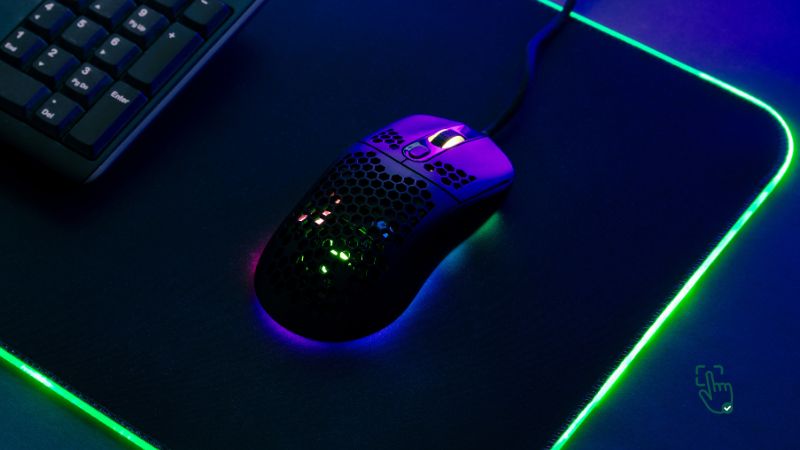
    Gaming mouse pad on desk, SteelSeries QcK, Corsair MM800 RGB, Logitech G440, RGB lighting @ pickoutright.com

    Alright, fellow gamers, let’s talk about something that often gets overlooked in the endless pursuit of the ultimate gaming setup: the humble gaming mouse pads. Yeah, I know, it sounds boring. But trust me, as someone who’s spent way too many hours chasing headshots and perfecting spell rotations, your mouse pad is way more than just a fancy coaster for your gaming mouse. It’s a foundational piece of gear that can genuinely make or break your game.

    Ever noticed how the pros always seem to have this perfectly smooth, often gigantic surface under their mouse? It’s not just for aesthetics (though, let’s be real, RGB mouse pads are cool). It’s because the right gaming mouse pad provides a consistent, controlled, and comfortable battlefield for your mouse. It’s the unsung hero that gives you that buttery-smooth movement, pixel-perfect precision, and just a much better feel when you’re locked into an intense session.

    If you’ve been rocking a basic, freebie mouse pad, or worse, just raw-dogging your desk, it’s time for a reality check. You’re leaving performance on the table, and your mouse is probably judging you. Let’s dive deep into why these things actually matter, what makes a great one, and how to pick the perfect partner for your gaming mouse.

    What Even Is a “Gaming” Mouse Pad, Anyway? (And Why You Absolutely Need One)

    Okay, so what’s the big fuss? Can’t any old piece of fabric do the job? Short answer: No.

    A gaming mouse pad isn’t just a bigger, fancier version of the freebie pad your internet provider gave you back in 2005. These bad boys are engineered. They’re designed with specific surfaces, materials, and features to give gamers an edge. We’re talking about enhanced grip, super smooth glide, and surfaces optimized for your mouse’s sensor to track perfectly.

    Think about it: Your high-DPI gaming mouse is a finely tuned sports car. Your desk? That’s a bumpy, inconsistent dirt road. A gaming mouse pad? That’s your perfectly paved, high-speed racetrack. Without it, you’re not getting the full potential out of your expensive mouse.

    Beyond just performance, a good gaming mouse pad can actually extend the life of your mouse’s tiny “feet” (those glide pads underneath) by reducing friction and wear. Plus, for those marathon gaming sessions, a comfortable pad can be a godsend for your wrist.

    Why Bother Investing? It All Comes Down to Consistency, Speed, and Accuracy

    Disclosure: Pick Out Right contains affiliate links. If you purchase through these links, we may earn a commission at no extra cost to you. This helps support our work. Thank you!

    Let’s cut to the chase. Here’s the honest truth about why gamers (including me!) genuinely swear by quality mouse pads:

    • Unmatched Consistency: Every gamer knows the frustration of your mouse suddenly feeling “sticky” or skipping. A dedicated gaming surface gives you the same, predictable glide and friction across the entire pad. No weird bumps, no inconsistent tracking. Just pure, unadulterated control.
    • Precision and Speed: Whether you’re a low-DPI sniper needing ultra-fine adjustments or a high-DPI berserker flicking across the screen, a good pad offers the perfect balance. It’s enough friction for controlled stops, but slick enough for rapid movements. This translates directly to better aim, faster reactions, and more clutch plays.
    • Protect Your Precious Gear: Those tiny glide feet on your gaming mouse? They wear down. A good mouse pad provides a smoother surface, significantly extending their lifespan and keeping your mouse gliding like new for longer.
    • Comfort for the Long Haul: This is huge, especially if you game for hours (and let’s be honest, who doesn’t?). Many pads offer cushioning or are thick enough to provide a soft landing for your wrist, reducing strain and fatigue. Your wrist will thank you.

    My Go-To Picks: Gaming Mouse Pads I’ve Seen, Used, or Heard Good Things About

    Alright, enough theory. You want names, right? As someone who’s spent a ridiculous amount of time gaming and testing gear, I’ve got my personal favorites. Full disclosure: if you click on these links and decide to grab one, I might earn a small commission. It helps keep this blog running, but rest assured, my recommendations are always based on my honest experience and what I genuinely believe delivers value for gamers. These are the solid choices that consistently come up in pro circles and passionate gamer discussions for a reason.

    • The No-Nonsense Workhorse: SteelSeries QcK Gaming Surface
      • The Good Stuff: This is the OG, the classic, the pad that practically defined what a gaming mouse pad should be. It’s known for its incredibly smooth, durable fabric surface that offers a perfect balance of control and glide. If you’re a low-DPI gamer who loves precision and consistent tracking, this is often the go-to. It’s reliable, no fuss, and just works.
      • The Real Talk: It’s plain. Like, really plain. No flashy RGB, no wild designs. If you want your desk to look like a spaceship cockpit, this ain’t it. But if you value pure performance above all else, it’s a solid choice.
    • For the RGB Enthusiast: Corsair MM RGB Polaris
      • The Good Stuff: If you live for that vibrant, synchronized RGB glow, this pad is a showstopper. It literally lights up your desk and can sync with all your other Corsair gear for a cohesive light show. Beyond the bling, it has a micro-textured surface that enhances accuracy and control, making it a favorite for high-DPI players who need quick, responsive movements.
      • The Real Talk: That RGB comes at a cost – literally, it’s usually pricier. And it needs a USB port to power all those pretty lights, which might be a cable management headache for some setups. It’s a hard surface, so some folks find it less comfortable for super long sessions.
    • The Hardcore Speedster: Logitech G440 Hard Gaming Mouse Pad
      • The Good Stuff: This pad is built for speed, pure and simple. It’s a hard-surface pad (think plastic or a similar rigid material) that offers incredibly low friction. If you’re a high-DPI gamer who thrives on fast, aggressive movements, especially in FPS games, this pad will feel incredibly responsive. Your mouse will glide like it’s on ice.
      • The Real Talk: The trade-off for that speed is usually comfort. Hard pads can feel a bit “rougher” or less forgiving than fabric pads, especially during extended play. Some people also find the noise of a mouse gliding on a hard surface a bit irritating. It’s definitely a preference thing.

    What Kind of Pad Are You? Understanding the Different Types

    Just like there are different types of gamers, there are different types of mouse pads. Knowing these will help you narrow down your search:

    • Soft Mouse Pads (The All-Rounders):
      • What they are: Most commonly made of fabric (like cloth or woven polyester). They often have a rubberized base to prevent slipping.
      • Who they’re for: These are the most versatile. They offer a comfortable, slightly cushioned feel for long sessions and provide a good balance of friction for controlled movements, making them great for low-to-mid DPI players and most game genres.
      • My take: If you’re unsure, start here. You can’t really go wrong with a good quality soft pad.
    • Hard Mouse Pads (The Speed Demons):
      • What they are: Made from rigid materials like plastic, aluminum, or even glass.
      • Who they’re for: Gamers who demand lightning-fast, ultra-low friction movements, typically high-DPI players in fast-paced games like competitive FPS (e.g., Valorant, CS:GO) or MOBAs. They offer incredibly consistent glide.
      • My take: These are for specific tastes. If you prefer a “slippery” feel and value speed above all else, give them a shot. Just be aware of the comfort trade-off.
    • Extended or Full Desk Pads (The Workspace Warriors):
      • What they are: These massive pads cover most (or all) of your desk, providing a continuous surface for both your keyboard and mouse.
      • Who they’re for: Anyone who wants maximum mouse movement space, a cohesive look for their setup, and doesn’t want their keyboard sliding around. Great for low-DPI gamers who make sweeping mouse movements.
      • My take: I’m a huge fan of these. They tie your whole setup together, protect your desk, and you never run out of mouse space. Just make sure you measure your desk!

    The Nitty-Gritty Details: Features You Actually Need to Consider

    So you’ve got an idea of the type. Now, let’s get down to the features that will fine-tune your choice:

    • Size Matters (Seriously, Measure Your Space!):
      • Why it matters: Your mouse movement style dictates this. If you’re an FPS gamer who uses low DPI and makes huge, sweeping arm movements, you need a large or extended pad. If you’re a high-DPI MOBA player who barely moves their wrist, a smaller, compact pad might be perfectly fine.
      • My take: Don’t just guess. Grab a tape measure and figure out how much space you genuinely have and how much you need for your gaming style. Better too big than too small.
    • Surface Material (Smooth as Silk vs. Raw Speed):
      • Fabric/Cloth: Generally more comfortable, offer good control (more friction), and are versatile. Can be rolled up for transport.
      • Hard (Plastic, Aluminum, Glass): Super fast, very low friction, precise tracking. Can be less comfortable and are less portable.
      • My take: This is largely personal preference. If you can, try out both at a friend’s place or a local tech store to see what “feels” right for your play style.
    • Thickness (Comfort vs. Desk Feel):
      • Thin (1-2mm): Feels very close to the desk, minimal wrist elevation. Great for those who like a direct, unbuffered feel.
      • Medium (3-4mm): A good balance of comfort and desk feel. Most common thickness.
      • Thick (5mm+): Offers more cushioning and wrist support, great for long sessions or uneven desk surfaces.
      • My take: Thicker pads tend to provide a bit more comfort. Thin pads can sometimes feel a bit harsh. Find your sweet spot.
    • RGB Lighting (Purely for the Vibe):
      • What it is: LED strips embedded around the edges of the mouse pad that light up in various colors and patterns.
      • Why it matters: It doesn’t affect performance at all. This is purely for aesthetics. If you love to match your setup’s lighting and create that immersive gaming environment, go for it!
      • My take: If you’re on a budget, this is the first thing to cut. If you’ve got cash to burn and love the flair, knock yourself out! It’s a nice extra, not a necessity.

    The Good, The Bad, and The Annoying: Quick Pros & Cons

    Just to be super honest, here’s a quick rundown of the overall positives and negatives of investing in a gaming mouse pad:

    Pros:

    • Better Game Performance: Seriously, consistent tracking, better control, faster flicks. It’s real.
    • Looks Awesome: Especially the RGB ones. They add that pro-gamer aesthetic to your battle station.
    • Comfort & Wrist Health: Your wrist will thank you for that extra cushion during marathon sessions.
    • Gear Protection: Less wear and tear on your expensive mouse feet.
    • Desk Protection: Keeps your desk surface looking nice.

    Cons:

    • Cost: Quality gaming mouse pads are more expensive than a basic $5 office pad.
    • Cleaning: Fabric pads especially can get dusty, dirty, and greasy over time. They need a bath sometimes.
    • Desk Space: Larger pads take up, well, a lot of desk space. Make sure you have room.
    • The “Rabbit Hole”: Once you get a good pad, you might start obsessing over glide, friction, and surface textures. Welcome to the club!

    Keeping Your Pad Pristine: A Quick Cleaning Guide

    Even the best mouse pad gets grimy. Dust, sweat, Cheeto dust (we’ve all been there) – it all adds up and affects performance.

    • Fabric Pads:
      • The Easy Way: For a quick clean, use a lint roller.
      • The Deep Clean: Gently hand wash with a tiny bit of mild soap (like dish soap or hand soap) and lukewarm water. Don’t scrub too hard. Rinse thoroughly to get all the soap out. Lay it flat to air dry completely (this can take a day or two, so plan ahead!). Do not put it in a washing machine or dryer unless the manufacturer specifically says you can.
    • Hard Pads:
      • The Easy Way: Just wipe it down with a damp cloth (water only, or a tiny bit of glass cleaner for really stubborn spots).
      • My take: Super easy to maintain. Just watch out for scratches.

    When to Upgrade? Signs Your Pad is Begging for Retirement

    Your mouse pad won’t last forever. Here’s when it’s probably time to give it the boot:

    • It Feels “Off”: If your mouse suddenly feels inconsistent, sticky in spots, or just generally not as smooth as it used to be.
    • Visible Wear: Fraying edges, faded spots, large stains that won’t come out.
    • New Mouse, New Pad: If you just splurged on a fancy new gaming mouse, consider a new pad to match its capabilities. A high-end sensor deserves a high-performance surface.
    • Changing Playstyle: If you switch from high-DPI to low-DPI or vice-versa, your old pad might no longer be optimal.
    • My take: Think of it like tires on a car. They wear down, and when they do, your performance suffers. Don’t be that guy trying to race on bald tires!

    The Final Verdict: Which Pad is Your Destiny?

    Look, there’s no single “best” gaming mouse pad out there. It’s like asking what the best flavor of ice cream is – it’s all about your personal preference, your gaming style, and your budget.

    • If you crave precision, comfort, and don’t care about flashy lights: The SteelSeries QcK is a timeless classic that won’t let you down. It’s a reliable workhorse.
    • If you want to illuminate your desk and love a fast, controlled surface: The Corsair MM800 RGB Polaris brings the style and the substance (just be ready for that USB cable).
    • If you’re a high-DPI maniac who needs raw speed and responsiveness: The Logitech G440 Hard Gaming Mouse Pad will feel like a dream, letting your mouse fly across the screen.

    Ultimately, investing in a quality gaming mouse pad is a simple, often overlooked upgrade that can seriously elevate your entire gaming experience. It’s not about being a “pro” – it’s about making your gameplay smoother, more comfortable, and giving you the best possible shot at those clutch moments.

    So, go ahead, treat your mouse (and your wrist) to the surface it deserves. Your K/D ratio might just thank you.

    Love this? Share it with your friends!

  • What’s the Best Game Pad for Ultimate Gaming? A Deep Dive into the Top Picks

    What’s the Best Game Pad for Ultimate Gaming? A Deep Dive into the Top Picks

    Game Pad with Xbox Elite Series 2, DualSense, Nintendo Switch Pro @ pickoutright.com

    Looking for the perfect Game Pad to up your gaming experience? With so many choices, finding the right game pad can be daunting. Whether you’re a hardcore gamer or just enjoy casual sessions, a good game pad can make all the difference in responsiveness, comfort, and control. Let’s dive into what makes a game pad great, some of the best options out there, and why you should consider one for your setup.

    What’s a Game Pad, and Why Do You Need One?

    A game pad (or controller) is a handheld device with buttons and sticks that allow players to interact with video games. While PC gamers often use keyboards and mice, a game pad can bring a whole new level of precision and ease, especially for console-style games. Think smooth joystick control, easy-to-reach buttons, and a more natural grip.

    Why Should You Invest in a High-Quality Game Pad?

    • Better Control and Precision: Game pads are built for accuracy, especially for games that require fast reflexes.
    • Enhanced Comfort: Ergonomically designed game pads reduce strain, letting you play longer without discomfort.
    • Game Compatibility: Many games are optimized for game pads, offering a better user experience.
    • Immersive Feedback: Advanced game pads provide features like haptic feedback, making games more immersive.

    If you’re into racing, action, or sports games, a high-quality game pad will definitely level up your game.

    The Best Game Pads for Gamers in 2025

    Disclosure: Pick Out Right contains affiliate links. If you purchase through these links, we may earn a commission at no extra cost to you. This helps support our work. Thank you!

    1. Xbox Elite Series 2 Wireless Controller – The Fancy Beast That’s Built Like a Tank

    Alright, if you’re the kind of gamer who’s constantly tweaking settings and trying to shave milliseconds off your reaction time, the Xbox Elite Series 2 Wireless Controller is basically your spirit animal in controller form. This isn’t just your average controller — it’s like the Swiss Army knife of gamepads. Fully customizable paddles? Check. Adjustable tension thumbsticks? Yup. Hair trigger locks for fast shooting? Absolutely. You can even remap the buttons and save different profiles, which is super handy if you jump between different games like Call of Duty, FIFA, and Elden Ring in one session.

    Now let’s be real — this controller doesn’t come cheap. You’re looking at something that costs more than a regular new release game. But if you’re serious about gaming, it might just be worth every penny. The build quality alone is amazing. It feels super premium in your hands — weighty in a good way — and everything just screams durability. That being said, the weight might be a turn-off for folks with smaller hands or those who prefer something lighter for those epic 6-hour gaming marathons.

    One thing that really stands out is the battery life. It lasts a good 30–40 hours depending on how heavily you’re using it, and it charges pretty fast too, especially if you’re using it with something like a USB-C hub or a modern charging dock. And the grip texture? Chef’s kiss. It’s got that nice rubberized finish that gives you better control during intense matches without making your palms sweaty.

    This controller is obviously designed for the Xbox ecosystem, but it also works great with PC. Whether you’re gaming on Game Pass titles or getting into Steam’s latest offerings, it syncs up super easily. There’s built-in Bluetooth, and you can use it wired too, which is perfect for competitive play when you want zero lag.

    So yeah, if you’re a serious gamer who wants a controller that feels more like a tool than a toy — one that grows with your skills — the Elite Series 2 is a solid investment. You might shell out more upfront, but what you get back in performance and customization is legit worth it.

    2. DualSense Wireless Controller for PS5 – The Game Changer That Made Rumble Look Boring

    If the Xbox controller is a beast, the DualSense Wireless Controller for PS5 is like the cool tech wizard of the group. It’s got all these futuristic bells and whistles that genuinely change how you experience games. We’re talking adaptive triggers that change resistance depending on what’s happening in-game — like drawing a bow or pulling a heavy lever — and incredibly detailed haptic feedback that lets you feel different surfaces, weather, or even character footsteps. Seriously, it makes rumble from the old days look like a party trick.

    For PS5 players, this controller is the default — and it’s kind of hard to go back to anything else once you’ve tried it. Games like Ratchet & Clank: Rift Apart or Returnal are absolute showcases for what this controller can do. The feedback is so good, it actually adds another layer of immersion that even high-end headsets can’t match.

    Comfort-wise, the DualSense is also a win. It’s got a nice, ergonomic shape that fits snug in most hands. The textured grips help with longer play sessions, and the button layout is familiar but just refined enough to feel fresh. Plus, the touchpad returns from the PS4 era, but it’s more integrated now and way more responsive.

    Battery life isn’t perfect though. With all those fancy haptics and adaptive features, you’re probably going to get about 8 to 10 hours before needing a recharge. That’s not terrible, but if you’re into marathon sessions, it helps to keep a charging cable close or maybe invest in a dual charging dock setup.

    Now here’s the thing: while the DualSense is phenomenal on the PS5, its compatibility outside that ecosystem is a little hit-or-miss. Some games on PC do support its features — especially if they’re on Steam — but you’ll lose most of the cool effects if you’re using it with non-PlayStation games. So, if you’re thinking of buying it for multi-platform gaming, just keep your expectations in check.

    But if you’re living in the PlayStation world and want a controller that genuinely levels up your immersion, this one is a no-brainer.

    3. Nintendo Switch Pro Controller – Your Hands Will Thank You

    Now let’s talk about the Switch Pro Controller, aka the savior for anyone who’s had enough of those Joy-Con cramps. If you’re the type who spends hours in Tears of the Kingdom, Mario Kart 8 Deluxe, or Smash Bros, this controller is going to be your best friend.

    Nintendo made a pretty big leap with this one, giving us a full-sized controller that actually feels comfortable for long sessions. It’s got a great weight to it — not too light, not too heavy — and the layout is super intuitive. The buttons have a satisfying click, the analog sticks feel smooth and accurate, and the D-pad is way better than what you get on Joy-Cons.

    Battery life is where this thing really shines. You can get up to 40 hours on a single charge, which is almost unheard of in the wireless controller world. You’ll seriously forget when you last charged it. The only thing to remember is that it charges via USB-C, so keep that cable handy.

    Customization isn’t really a strong suit here. There are no remappable buttons or swappable sticks, so if you’re coming from something like the Xbox Elite or 8BitDo, this might feel a bit basic. But for everyday Switch gaming — and especially for multiplayer or couch co-op games — this controller is kind of perfect.

    Even if you’re not a die-hard Nintendo fan, the comfort and performance of this controller make it a great pick. It’s also compatible with PC if you’re into emulation or just want a no-fuss controller to plug and play with.

    4. 8BitDo Pro 2 – The Indie Darling That’s Way More Than Just Nostalgia

    Last but definitely not least, we’ve got the 8BitDo Pro 2. At first glance, this one looks like a love letter to retro gaming — and it is — but don’t let that classic SNES-style design fool you. Under the hood, this controller is surprisingly powerful and incredibly flexible.

    It’s compatible with pretty much everything: Switch, PC, Android, iOS, Raspberry Pi — even Steam Deck. If you like to bounce between platforms, this one can go with you everywhere. You can even switch between devices with the flip of a switch on the back. Super convenient.

    It might not have all the fancy tech like haptics or adaptive triggers, but it does have customization options through its companion app. You can remap buttons, tweak sensitivity, and even set up macros, which is pretty wild for a controller in this price range.

    Comfort-wise, it’s great — especially if you grew up with older Nintendo controllers. It’s lightweight but solid, and the analog sticks and triggers feel precise. It’s perfect for 2D platformers, fighting games, and even some modern titles if you don’t need the bells and whistles.

    In short, the 8BitDo Pro 2 is like that one friend who shows up ready for anything. It’s got style, it’s got smarts, and it works hard no matter what game or device you throw at it. Whether you’re a retro junkie or just need a solid secondary controller, it’s a total win in 2025.

    How to Choose the Right Game Pad for You

    Choosing a game pad boils down to a few key factors:

    1. Compatibility
      • Not all game pads work with every platform. Check whether the game pad supports your console or PC. Many controllers like the Xbox Elite are cross-compatible with various devices.
    2. Ergonomics
      • Comfort is essential for long gaming sessions. Controllers like the Switch Pro or DualSense are ergonomically designed to reduce hand fatigue.
    3. Customization
      • For gamers who want more control, options like the Xbox Elite with customizable buttons and triggers are ideal. Some game pads even let you map buttons and set sensitivity.
    4. Special Features
      • Haptic feedback, Bluetooth connectivity, and adaptive triggers add depth to your gaming experience. Features like these can make a huge difference, especially for immersive games.

    Top Situations When a Game Pad Shines

    There are times when a game pad is just better than a keyboard and mouse setup. Here’s when you’ll want to grab that controller:

    • Action/Adventure Games: A game pad is often the most comfortable option for platformers and action-adventure games.
    • Racing and Sports Games: Precise control over analog sticks is crucial for racing and sports games.
    • Casual Couch Gaming: When you’re looking for a laid-back experience, a game pad lets you kick back and play with ease.

    For first-person shooters and real-time strategy, you might still prefer a mouse and keyboard. But for most other genres, a game pad feels natural and fluid.

    The Downside: Honest Thoughts on Game Pads

    Here’s the reality check—game pads aren’t perfect.

    • Battery Life: Wireless game pads like the DualSense might require frequent charging, which can interrupt gameplay. Some controllers offer long battery life, but it’s worth checking.
    • Cost: Premium game pads like the Xbox Elite Series 2 are an investment. Not everyone needs a high-end model, especially if they’re only gaming casually.
    • Limited Customization for Some Brands: Not all controllers offer the same level of customization as the Elite or 8BitDo Pro 2. If you’re looking to personalize every button, these limitations might be frustrating.

    Conclusion

    Which Game Pad Should You Choose?

    If you’re playing on a console, start with the game pad that’s optimized for that console. For those wanting the ultimate in customization, the Xbox Elite Series 2 is a powerful choice that’s compatible with a range of platforms. For retro enthusiasts or multi-platform gamers, 8BitDo Pro 2 is versatile and budget-friendly.

    Love this? Share it with your friends!

  • What’s the Best Gaming Steering Wheel for an Immersive Racing Experience?

    What’s the Best Gaming Steering Wheel for an Immersive Racing Experience?

    Gaming Steering Wheel setup, Logitech G923, Thrustmaster T300 RS, Hori Racing Wheel Apex, immersive gaming @ pickoutright.com

    Ever feel like your racing games are missing that real adrenaline rush? Like, no matter how sharp the graphics are, something just doesn’t feel complete? That’s where a gaming steering wheel comes in—and trust us, it’s a total game-changer. Imagine gripping a real wheel, feeling every twist, turn, drift, and even the rumble of the road right through your hands. Whether you’re a casual weekend gamer or a hardcore sim racing enthusiast, the right gear can turn your setup into a full-blown race simulator. But with so many options out there, it can get overwhelming fast. Don’t worry—we’re breaking down everything you need to know to pick the best gaming steering wheel for a truly immersive racing experience.

    Why Get a Gaming Steering Wheel?

    The thrill of racing games is all about immersion, and a gaming steering wheel enhances that like no other accessory. A high-quality steering wheel can make every curve and turn feel real, especially when it comes with features like force feedback, pedals, and shifters. Unlike using a controller, a steering wheel lets you experience the precise controls needed for a truly authentic racing feel.

    Best Gaming Steering Wheels to Buy in 2025

    1. Logitech G923

    If you’re even remotely into sim racing, you’ve probably already come across the Logitech G923—and for good reason. This beast of a wheel brings realism right into your living room, and it’s all thanks to something Logitech calls TrueForce. Now, this isn’t just marketing mumbo jumbo. What TrueForce does is make you feel everything—engine rumbles, tire traction, even that slight shift in road surface. It connects you to the game like you’re actually in a race car. The wheel’s force feedback is ridiculously smooth and reactive, and the pedals? Super responsive. Whether you’re speeding down straightaways or drifting through tight corners, this thing responds like a dream.

    The design itself is solid and durable—like, built-to-last kind of quality. It’s got that premium feel right from the get-go. You also get a good bit of customizability if you’re the kind of gamer who likes to fine-tune your experience. But yeah, let’s talk drawbacks real quick. First, it’s not the cheapest option out there. It’s definitely a bit of an investment. And if you want a gear shifter? You’ll need to grab that separately—yep, it doesn’t come bundled. But even with that said, if immersion and performance are top priorities for you, the G923 is a front-runner in the gaming steering wheel game.

    Related Products: Logitech G29, Thrustmaster T248, PXN V10 Force Feedback Racing Wheel

    2. Thrustmaster T300 RS

    Alright, the Thrustmaster T300 RS is for the serious racers. Like, if you’ve already tried entry-level wheels and want something smoother and more realistic, this one’s calling your name. This wheel uses belt-driven force feedback, which means it delivers super fluid and quiet movements—none of that gear grinding feel that cheaper wheels tend to have. Every turn and every bump on the track feels subtle and controlled, making it a favorite for intermediate to pro-level sim racers.

    The pedals it comes with are no joke either—fully customizable, meaning you can adjust them to match your preferred feel and pressure. The overall build of this thing screams quality. Sturdy wheel base, comfortable grip, and it looks sharp, too. That said, it’s not without its flaws. First, compatibility. It’s not universally plug-and-play across all consoles, so you gotta double-check if it’ll work with your setup. And, well, it’s not the cheapest wheel out there either. Definitely more of a long-term investment than a casual gaming splurge.

    But if you’ve been craving that next-level racing sim experience, the T300 RS should be right up there on your shortlist. It’s the kind of wheel that makes long gaming sessions feel even more legit.

    Related Products: Thrustmaster T150 Pro, MOZA R5, Turtle Beach VelocityOne Race Wheel & Pedal

    3. Hori Racing Wheel Apex

    Now if you’re just getting started in the sim racing world or maybe just want something chill without burning a hole in your wallet, the Hori Racing Wheel Apex is worth checking out. It’s one of the most affordable and easy-to-use options out there—and it doesn’t look too shabby either. Right out of the box, it’s super simple to set up. No crazy installs, no confusing software. Just plug it in and you’re good to go.

    It’s got a decent grip, a solid feel for the price point, and while it doesn’t have true force feedback (so no rumbling motors or super detailed tactile vibes), it does use something called bungee cord tension. Basically, you still get some resistance and realism when you turn, just not the high-end type. But again, for beginners? That’s totally fine.

    Another win is its compact design. If you don’t have a lot of desk or room space, this wheel fits in just fine. It’s compatible with PlayStation and Windows, which covers a good chunk of gamers out there. Of course, don’t expect it to hold up like the premium wheels—it’s plastic and lightweight, and won’t take abuse like a Logitech or Thrustmaster. But if you’re not pushing it to the extreme, it’ll get the job done and then some.

    In a nutshell: budget-friendly, beginner-approved, and good enough to make racing games way more fun.

    Related Products: Hori Force Feedback DLX, PXN V3II, Logitech G920

    How to Pick the Best Gaming Steering Wheel for Your Setup

    1. Force Feedback
      • If you want an authentic experience, a steering wheel with strong force feedback is key. Force feedback simulates the feel of the road by making the wheel resist or “push back” as you drive, making the game feel that much closer to reality. For realistic force feedback, brands like Logitech and Thrustmaster are at the top of their game.
    2. Compatibility
      • Always check that the wheel you’re eyeing is compatible with your gaming console or PC. While some gaming wheels work with multiple systems, others are exclusive to either PlayStation, Xbox, or PC. For instance, the Logitech G923 has versions for both Xbox and PlayStation, so choose according to your system.
    3. Pedal Quality
      • A good gaming steering wheel setup includes a responsive pedal set. Some budget models offer basic pedal quality, but pricier options give you separate, highly responsive gas, brake, and clutch pedals, which are crucial if you want to shift gears manually. High-end pedals even allow adjustments for sensitivity and resistance.
    4. Size and Design
      • Some wheels are compact, perfect for smaller setups, while others are bulkier with larger, more customizable pedals. Ensure the size fits your space, especially if you’re in a smaller room or planning to use it on your desk rather than a full rig.

    Pros and Cons

    Let’s get real about these steering wheels. While they’re undoubtedly thrilling and add tons of immersion, they’re not all sunshine and rainbows. Here are the highs and lows:

    • Pros:
      • Enhanced Immersion: Get the realistic, in-game racing experience you’ve been craving.
      • Better Control: Unlike a controller, a steering wheel allows for precise turns, making it easier to control your car.
      • Long-Term Investment: A good steering wheel can last years and works with a wide range of racing games.
    • Cons:
      • Pricey Investment: High-quality steering wheels aren’t cheap. You might be looking at a few hundred dollars for a decent setup.
      • Space-Intensive: If you’re low on space, these wheels can be cumbersome. Some setups require permanent space or a racing rig.
      • Learning Curve: There’s a bit of a learning curve, especially with force feedback. It might feel odd or challenging if you’re used to a controller.

    When Should You Buy a Gaming Steering Wheel?

    If you’re a racing game enthusiast, a gaming steering wheel is practically a must-have. And if you’re playing games like Forza Horizon, Gran Turismo, or F1, a steering wheel will make the gameplay way more engaging and realistic. The best times to buy are during major sales events, like Black Friday or Prime Day, as prices tend to drop. That said, gaming wheels can be limited in availability, so if you find a good deal, don’t hesitate too long.

    Comparing Budget vs. High-End Gaming Steering Wheels

    Not all wheels are created equal. Here’s a quick rundown on what to expect when comparing budget-friendly wheels to high-end models:

    1. Budget Wheels (e.g., Hori Racing Wheel Apex)
      • Build Quality: Typically plastic, which makes them lighter but also less durable.
      • Feedback: Usually lacks true force feedback, offering only vibration instead.
      • Pedals: Basic two-pedal setup, without adjustable resistance.
    2. High-End Wheels (e.g., Logitech G923, Thrustmaster T300 RS)
      • Build Quality: Premium materials, often with metal components for durability.
      • Feedback: Strong, realistic force feedback that simulates driving dynamics.
      • Pedals: Usually includes adjustable, high-quality pedal sets with resistance and a clutch.

    If you’re serious about racing games, investing in a high-end wheel like the Logitech G923 or Thrustmaster T300 RS will pay off. However, for casual gamers, budget models like the Hori Racing Wheel Apex can still deliver a fun experience.

    Conclusion

    In the end, the best gaming steering wheel is the one that fits your budget, setup, and gaming style. If you’re looking for the best immersive experience, the Logitech G923 or Thrustmaster T300 RS are top picks. For casual players or beginners, the Hori Racing Wheel Apex offers good value without the hefty price tag.

  • Top Foldable Laptop Tables: What to Know Before You Buy

    Top Foldable Laptop Tables: What to Know Before You Buy

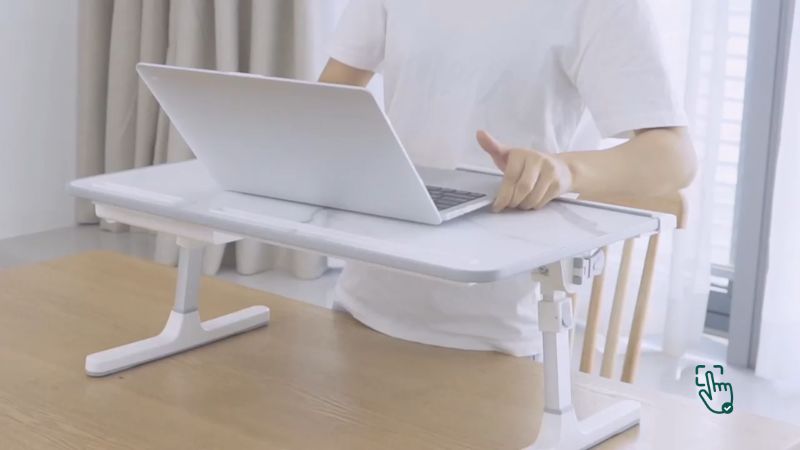
    A portable foldable laptop table on a couch, showcasing easy storage and mobility options @ pickoutright.com

    When it comes to practical, space-saving furniture, foldable laptop tables are an ideal solution. Compact, flexible, and versatile, they’re perfect for home offices, living rooms, dorm rooms, or any space where you need to work comfortably without a full desk setup. With options ranging in size, durability, and design, there’s a lot to consider. Let’s dive into what makes a foldable laptop table worthwhile, and look at a few standout brands—both the good and the bad.

    What is a Foldable Laptop Table?

    Looking for a portable workspace solution? A foldable laptop table offers a lightweight, adjustable, and space-saving option for working from bed, couch, or even outdoors. Here’s what to know about finding the best one for you.

    Why Choose a Foldable Laptop Table?

    A foldable laptop table is an efficient addition to your home. For many, it’s a game-changer, making remote work or studying from the couch far more comfortable. A few key reasons people love them include:

    • Space Saving: Perfect for smaller homes or apartments.
    • Portability: Easily move from one room to another or even take it on trips.
    • Health Benefits: Adjustable height options promote better posture.
    • Cost-Effective: Many are affordable compared to traditional desks.

    Let’s look at some models, covering both the positives and negatives, so you can make an informed choice!

    Best Foldable Laptop Tables on the Market

    1. Avantree Adjustable Laptop Table

    • Pros: This table boasts adjustability in height and angle, making it easy to find a comfortable position. It’s lightweight and easy to fold, making storage simple.
    • Cons: While it’s durable for basic use, some users report issues with stability if loaded with heavier items.

    The Avantree Adjustable Laptop Table is a popular choice due to its high customizability and affordability. However, its stability may vary depending on how you use it. This model is fantastic for light, quick sessions but could tip over when overburdened with heavy equipment.

    2. SAIJI Laptop Bed Tray Table

    • Pros: With its wide surface, phone slot, and anti-slip legs, the SAIJI model caters to anyone who likes more “extras” in a compact size.
    • Cons: While convenient, the extra features can sometimes feel excessive, especially if you only need a simple surface.

    This model is best for multitaskers who like to keep their gadgets within reach. However, some may find the phone slot unnecessary, as it takes up table space. It’s great for variety but could be overkill if you prefer simplicity.

    3. NEARPOW Foldable Lap Desk

    • Pros: Known for its durability, this foldable laptop table is sturdy and has multiple height options.
    • Cons: It’s heavier than other options, which can affect portability.

    The NEARPOW model prioritizes durability, which is fantastic if you need a table that’s built to last. However, the added weight can make it less ideal for those who need frequent portability.

    4. HUANUO Lap Desk

    • Pros: Lightweight, compact, and easy to fold with a sturdy build.
    • Cons: Some users report that the angle adjustments aren’t stable and may slip over time.

    This budget-friendly option is perfect for occasional use. However, it may not have the longevity or stability of pricier models. Still, for basic needs, it’s an affordable choice.

    Things to Consider When Buying a Foldable Laptop Table

    Choosing a foldable laptop table isn’t just about finding the cheapest option—it’s about finding the right balance of quality and functionality. Here’s what to look out for:

    Portability

    Look for lightweight designs if you plan to move it around often, especially if you’re taking it on the go. Some tables, like the HUANUO, are perfect for portability, but heavier options like the NEARPOW might be better if you need more stability.

    Height and Angle Adjustability

    Not all tables have adjustable height or angle, so check if you need that flexibility. Models like the Avantree offer great adjustability, while simpler ones may limit you to a single height.

    Weight Capacity

    A foldable laptop table should comfortably hold your laptop, but some models handle weight better than others. For instance, the SAIJI model supports a lot, while the Avantree may wobble if overloaded.

    Surface Space and Features

    Extra features like phone slots, mouse pads, or built-in fans can be helpful, but they can also take up space. The SAIJI is perfect if you want more features, while others might find these additions unnecessary.

    Honest Look at the Downside

    While foldable laptop tables are convenient, they’re not without drawbacks. Here’s what some users have noted:

    • Stability: Some tables are known to wobble, especially when loaded with heavy devices or multiple gadgets.
    • Adjustability Wear and Tear: Adjustable models often lose stability with frequent use, so if you need longevity, consider the sturdier models.
    • Surface Size: Not all tables are large enough to support extra devices, like a tablet and a mouse, alongside a laptop.

    Despite these downsides, foldable laptop tables offer undeniable convenience, especially if you select a model that suits your needs best.

    How to Maintain Your Foldable Laptop Table

    To extend the life of your laptop table, here are a few maintenance tips:

    • Avoid Overloading: Use only what it’s designed to support to avoid wear and tear.
    • Keep it Clean: Wipe the surface regularly, as dust and dirt can accumulate, especially on models with textured surfaces.
    • Handle Hinges with Care: Hinges and adjustment points are the most common areas for damage. Avoid forcing them if they’re resistant.

    Where to Buy the Best Foldable Laptop Tables

    You can find most models on popular sites like Amazon or check local stores like Walmart. Other reliable sites, such as Best Buy, offer various models with user reviews to help make your choice.

    Conclusion

    A foldable laptop table is a versatile solution for anyone who wants a flexible workspace that can move from room to room. Consider your main needs—like portability, adjustability, and stability—before deciding on a model. While they aren’t flawless, they’re a game-changer for many remote workers or students on the go.

  • Why Get a Coffee Grinder? Here’s the Top Options and How to Choose

    Why Get a Coffee Grinder? Here’s the Top Options and How to Choose

    Best Coffee Grinder on kitchen counter, Baratza Encore, Breville Smart Grinder Pro, Krups GX5000, grinding coffee beans @ pickoutright.com

    If you’re a coffee lover, owning the best coffee grinder is a game-changer! Picture this: freshly ground beans each morning, bringing out all the flavors in your favorite roast. Grinding your beans is the difference between “meh” coffee and a cup that tastes like it came straight from a café. But with so many options, which coffee grinder should you go for? Let’s dig in and find out!

    What’s a Coffee Grinder and Why Does It Matter?

    A coffee grinder is simply a machine that crushes coffee beans into the perfect consistency for brewing. Freshly ground coffee releases more oils and flavors, making each sip rich and aromatic. And believe it or not, the type of grinder—blade or burr—affects the flavor significantly. Getting the right grinder is all about taste and texture, so let’s get into the best options available.

    Best Coffee Grinders in 2024

    1. Baratza Encore Burr Grinder
      • Pros: Consistent grind, durable build, easy to use.
      • Cons: Can be a bit noisy, not the best for espresso-level fineness.

    The Baratza Encore is a top pick for beginners and coffee enthusiasts alike. With burr grinding, it produces even grounds, which are essential for great flavor extraction. However, if you’re aiming for super fine espresso grounds, it may take some tweaking. But for drip or French press coffee, it’s perfect!

    1. Breville Smart Grinder Pro
      • Pros: High-quality, versatile grind settings, sleek design.
      • Cons: Pricey; takes up more counter space.

    If you’re all about experimenting with different brewing methods, the Breville Smart Grinder Pro is your best bet. This grinder has multiple settings for everything from espresso to cold brew, making it super versatile. Just keep in mind it’s on the pricier side, and the size can be a bit overwhelming if you have limited counter space.

    1. Krups GX5000 Electric Coffee Grinder
      • Pros: Affordable, compact size, easy to clean.
      • Cons: Limited settings, more basic than higher-end grinders.

    The Krups GX5000 is a budget-friendly option that still delivers decent grinding performance. It’s compact, which is great for small kitchens, but it doesn’t offer as many grind sizes as pricier models. Still, it’s perfect if you’re just getting into home grinding without a huge investment.

    How to Choose the Best Coffee Grinder for You

    When picking a coffee grinder, think about your coffee habits and space:

    1. Grind Type (Blade vs. Burr)
      • Burr grinders (like the Baratza Encore) crush beans consistently, which extracts better flavors. Blade grinders, however, can create uneven grounds, resulting in an inconsistent brew.
    2. Grind Settings
      • If you enjoy different coffee types—drip, espresso, French press—you’ll want a grinder with adjustable settings. Burr grinders like the Breville offer multiple options, while simpler models like Krups are limited.
    3. Price & Space
      • Higher-end burr grinders often have premium prices and larger footprints. Smaller or budget grinders are great if you don’t need all the bells and whistles.

    Where’s the Best Place to Buy Coffee Grinders?

    Most coffee grinders can be found on Amazon, Williams Sonoma, or specialty coffee shops. Check for sales during big events like Black Friday or holiday seasons. Be wary of super cheap grinders, though; often, they lack consistency, which could ruin your morning cup.

    When Should You Grind Your Coffee Beans?

    The answer is: just before you brew. Freshly ground coffee tastes best within minutes of grinding. Pre-ground coffee tends to lose flavor and aroma, while freshly ground beans release all those incredible oils and smells right before brewing. It’s a whole new level of coffee bliss.

    Honest Coffee Grinder Reviews: What’s Not So Great?

    Here’s the thing: not every coffee grinder will blow your mind. Some are downright disappointing. Here are a few common complaints:

    • Inconsistent Grinds: Blade grinders, especially lower-end models, often lead to uneven grounds, which can result in a weak or bitter brew.
    • Noise: Even top models like the Baratza Encore can be noisy, especially early in the morning.
    • Size: Burr grinders like the Breville Smart Grinder Pro take up a lot of counter space, which might not be ideal for smaller kitchens.

    Not all coffee grinders are created equal. If you’re serious about coffee, a burr grinder is generally worth the investment. But if you’re just testing the waters, a budget-friendly option like the Krups can get the job done without too many complaints.

    Conclusion

    Which Coffee Grinder is Right for You?

    Choosing the right coffee grinder boils down to your personal needs and budget. If you want a reliable, easy-to-use grinder for drip or French press, the Baratza Encore is fantastic. If you want versatility and don’t mind a splurge, the Breville Smart Grinder Pro is worth every penny. And if budget is key, the Krups GX5000 offers good value for the price.

  • Best Dishwashers for Spotless Dishes: Why, How, and Which One to Pick!

    Best Dishwashers for Spotless Dishes: Why, How, and Which One to Pick!

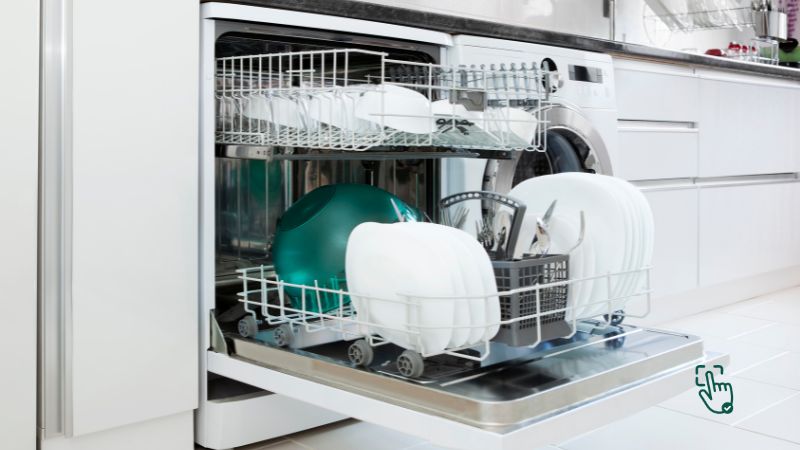
    Best Dishwasher in kitchen, Bosch 300 Series, Samsung StormWash, Miele G 7316, dishwasher cycle @ pickoutright.com

    Tired of scrubbing dishes by hand? The best dishwasher can save you time, water, and energy while giving your dishes a sparkling clean! But with so many options on the market, picking the right dishwasher can be as exhausting as washing dishes by hand. Let’s dive in to find the perfect dishwasher for your needs, covering everything from top picks to budget-friendly options, and even where some models fall short.

    What Makes a Dishwasher the “Best” Choice?

    A dishwasher does more than just clean dishes; it brings convenience and efficiency to your kitchen. It uses high-temperature water and detergents to remove grease and grime without you lifting a finger. But not all dishwashers are equal. The “best” dishwasher combines powerful cleaning, quiet operation, energy efficiency, and features that match your kitchen’s needs.

    Why You Need a Dishwasher

    Efficiency. Convenience. Cost Savings.

    With a good dishwasher, you’ll spend less time scrubbing, save on water and energy costs, and get your dishes cleaner than by hand. Plus, modern dishwashers come with smart features that let you schedule washes or adjust settings. So if you’re not using a dishwasher yet, it’s time to consider the upgrade!

    Top Dishwashers to Buy in 2024

    1. Bosch 300 Series Dishwasher
      • Pros: Quiet, energy-efficient, customizable racks.
      • Cons: Higher price point, cycles can be a bit longer.

    Bosch is known for making some of the quietest dishwashers around, perfect if you have an open-plan kitchen. The 300 Series is particularly popular, combining top-notch performance with energy efficiency. However, its cycles tend to run longer than some other models.

    1. Samsung StormWash Dishwasher
      • Pros: Affordable, powerful StormWash technology, sleek design.
      • Cons: Can be louder, lacks some premium features.

    Samsung’s StormWash tech is a standout—it blasts away food debris with extra power, so there’s no need to pre-rinse. This model is on the affordable side, but you may miss some premium features like a third rack or auto-open drying.

    1. Miele G 7316 SCU Dishwasher
      • Pros: Incredible cleaning power, long-lasting durability, flexible rack system.
      • Cons: Expensive, limited availability.

    Miele is the luxury brand in the dishwasher world. It’s designed to last for years and has specialized features like “auto-open” drying. But with the price tag, it’s more of a splurge, best for those who take their dishwashing seriously.

    How to Pick the Best Dishwasher for You

    When choosing the perfect dishwasher, consider these key factors:

    1. Size and Capacity
      • Dishwashers come in standard (24-inch) or compact (18-inch) sizes. For families, a 24-inch with a spacious interior is ideal, while an 18-inch model works for small kitchens or singles.
    2. Cleaning Power
      • Some dishwashers, like Samsung’s StormWash, excel at removing tough stains. Others might need a pre-rinse to get the same results.
    3. Noise Level
      • Bosch and Miele are famous for their quiet operation, while budget-friendly models can be a bit louder. If noise is a big concern, look for models under 50 decibels.
    4. Energy Efficiency
      • Most dishwashers are energy-efficient, but some use less water and power than others. Look for ENERGY STAR-rated models to save on utility bills.

    Where to Get a Great Dishwasher Deal?

    Big-box stores like Best Buy, Home Depot, and Lowe’s offer competitive prices on dishwashers, especially during holiday sales like Black Friday. Amazon also stocks a wide variety of models, often with discounts. But always check for warranties and customer reviews to ensure you’re getting a model that lasts.

    When’s the Best Time to Use a Dishwasher?

    The best time? Anytime you have a load ready. Many dishwashers come with delay-start features, so you can set them to run during off-peak hours (usually at night) to save on electricity bills. It’s also more water-efficient to run a full load instead of washing a few dishes by hand each time.

    The Downsides of Dishwashers: Honest Opinions

    Not every dishwasher is perfect. Here are some common drawbacks:

    • Long Cycle Times: Some models, especially energy-efficient ones, run longer cycles that can last up to three hours.
    • Noise Levels: Although premium brands are quiet, some mid-range or budget options can be noisy, especially during intense wash cycles.
    • Costly Repairs: Brands like Miele and Bosch can be expensive to fix if they break down, as specialized parts may not be readily available.
    • Water Spots: Certain dishwashers, especially lower-end models, may not fully dry dishes, leaving water spots. Models with a heated drying option usually do a better job.

    Conclusion

    Which Dishwasher Should You Choose?

    Each brand brings something unique to the table. For quiet operation, Bosch is a standout, and if you’re willing to spend for luxury, Miele is worth considering. If you’re budget-conscious but still want power, Samsung’s StormWash is a strong contender. Whatever you choose, make sure it fits your lifestyle, and you’ll never have to scrub another plate again!

  • Best Workout Bike: What to Know Before You Buy

    Best Workout Bike: What to Know Before You Buy

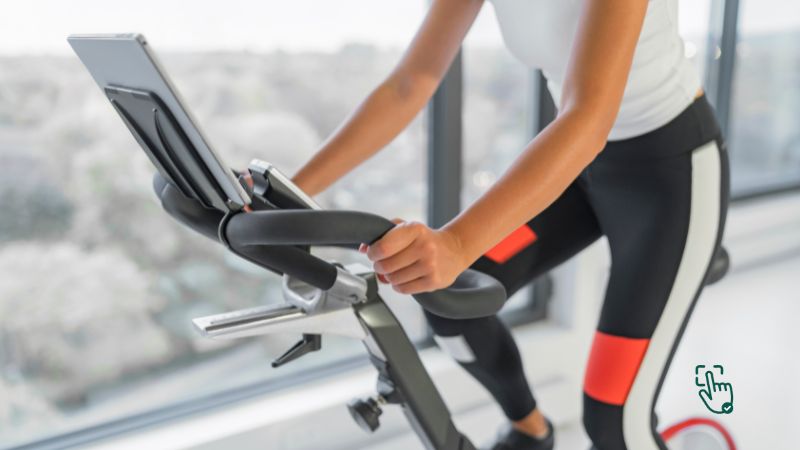
    Best Workout bike in a home gym setup, Peloton Bike+, Schwinn IC4, Sunny Health Fitness @ pickoutright.com

    Looking for the best workout bike to get fit at home? You’re in the right place! Workout bikes are perfect for all fitness levels, offering low-impact cardio that’s easy on your joints but hard on those calories. But not all bikes are made equal, and choosing the right one can be confusing with so many options. Let’s dive into what makes a great workout bike and which brands are worth your time (and money) in 2024.

    What is a Workout Bike, and Why Should You Get One?

    A workout bike is a stationary cycle designed for indoor use, helping you get a fantastic cardio workout from home. Think of it as a mini-gym that doesn’t take up much space and can help you reach your fitness goals. The best part? They’re suitable for beginners and pro athletes alike.

    Why Choose a Workout Bike?

    Low-Impact, High-Reward. Workout bikes allow you to break a sweat without putting strain on your knees or back. Great for burning calories, toning your legs, and keeping your heart healthy, these bikes come in different forms—spin bikes, upright bikes, and recumbent bikes—all suited for different fitness goals.

    Top Workout Bikes to Buy in 2024

    1. Peloton Bike+
      • Pros: Access to live and on-demand classes, smooth operation, engaging community.
      • Cons: Very expensive, requires a monthly subscription for full access.

    The Peloton Bike+ is known for its incredible library of live classes and interactive community. If you love a challenge and thrive with guided classes, Peloton might be perfect. However, the cost of both the bike and the ongoing subscription might be too steep for some.

    1. Schwinn IC4
      • Pros: Bluetooth compatibility, quiet ride, excellent price for the features.
      • Cons: Basic display; doesn’t offer built-in classes.

    The Schwinn IC4 is a budget-friendly alternative to Peloton, offering a quality, quiet ride without breaking the bank. You can pair it with third-party apps like Peloton or Zwift, but it lacks its own built-in class system. It’s a solid choice for those who don’t need all the extras but still want a quality ride.

    1. Sunny Health & Fitness Indoor Cycling Bike
      • Pros: Very affordable, sturdy, and straightforward.
      • Cons: Lacks connectivity, no advanced features or metrics.

    The Sunny Health & Fitness bike is a simple, no-frills option that’s perfect for beginners or anyone who just wants an efficient, basic bike. With its affordable price, you won’t get all the advanced metrics or app compatibility, but it’s a fantastic choice if you’re sticking to the basics.

    How to Pick the Best Workout Bike for You

    When choosing a workout bike, keep these points in mind:

    1. Bike Type
      • Spin Bikes: These mimic outdoor cycling, perfect for intense cardio and strength training.
      • Upright Bikes: Ideal for a more traditional bike feel.
      • Recumbent Bikes: A low-impact choice, great for people with back issues.
    2. Price Range
      • Higher-end bikes like Peloton offer interactive classes and advanced metrics but come at a premium price. More affordable options, like Sunny Health & Fitness, can deliver a great workout without all the extras.
    3. Space and Size
      • Make sure you have enough space to store and comfortably use your bike. Some models fold or have compact designs, while others may require more room.

    Where’s the Best Place to Buy a Workout Bike?

    Most major retailers stock workout bikes, from Amazon and Walmart to specialized fitness retailers like Dick’s Sporting Goods. Watch for discounts during seasonal sales, especially around New Year’s, when fitness equipment is often discounted. Some manufacturers like Peloton also offer financing options.

    When to Use a Workout Bike

    Workout bikes are perfect anytime, whether for an intense cardio session or a quick, low-impact warm-up. They’re especially convenient for those early mornings or late evenings when going to the gym isn’t practical. Plus, with adjustable resistance settings, you can target different muscle groups or go all-out on a cardio blitz.

    The Downside: Honest Review on Workout Bikes

    It’s not all smooth riding with these bikes. Here’s where some fall short:

    • Subscription Fees: High-end bikes often require subscriptions for access to classes, which can get expensive.
    • Limited Features on Budget Models: Cheaper bikes may lack features like heart rate monitors, app connectivity, or resistance tracking.
    • Comfort: Some users find the seats uncomfortable on certain models, especially during longer sessions. You might need to get a gel seat cover or adjust to make it bearable.

    Despite these minor setbacks, workout bikes remain one of the most effective pieces of equipment for home fitness.

    Conclusion

    Which Workout Bike is Right for You?

    If you’re looking for an immersive experience with live classes, the Peloton Bike+ is top-notch. For a more budget-friendly but still reliable option, the Schwinn IC4 holds up well and has plenty of features for most users. On a strict budget? The Sunny Health & Fitness bike delivers a solid workout without the extra cost.

  • Best Coffee Machine: What, Why, and How to Choose the Perfect One for Your Home

    Best Coffee Machine: What, Why, and How to Choose the Perfect One for Your Home

    Best Coffee machine on kitchen counter, Breville Barista Express, Keurig K-Elite, De'Longhi Dinamica @ pickoutright.com

    Craving that perfect cup of coffee? The best coffee machine can turn your mornings from “meh” to “amazing” with just a push of a button. Whether you’re a hardcore espresso fan or someone who loves a creamy latte, finding the right coffee machine makes all the difference. But with so many options on the market, how do you pick the best one? Relax, we’ve got you covered.

    What is a Coffee Machine?

    In simple terms, a coffee machine is a device that brews coffee by forcing hot water through ground coffee beans. Some machines are simple drip brewers, while others come loaded with high-tech features like milk frothers, grinders, and even app control. So, whether you’re a beginner or a seasoned coffee connoisseur, there’s a coffee machine for you.

    Why Do You Need the Best Coffee Machine?

    Here’s the thing: life’s too short for bad coffee. A good coffee machine ensures consistency, taste, and saves you from spending $5 on a cappuccino every day. Plus, having a reliable machine means you can enjoy your favorite brew at home, any time you like. But not all coffee machines are created equal, and picking the wrong one could lead to a lot of frustration (and bad coffee).

    Best Coffee Machines in 2024

    1. Breville Barista Express
      • Pros: Built-in grinder, easy-to-use interface, amazing for espresso lovers.
      • Cons: Pricey and takes up a lot of counter space.

    The Breville Barista Express is like having a mini coffee shop at home. With a built-in grinder and steam wand, you can make everything from espresso to lattes. However, it does require some learning, and the price tag might make you hesitate, but it’s worth it if you’re serious about your coffee.

    1. Keurig K-Elite
      • Pros: Fast brewing, single-serve convenience, perfect for quick coffee fixes.
      • Cons: Limited to pod-based coffee, not eco-friendly.

    The Keurig K-Elite is all about convenience. Pop in a pod, press a button, and boom—you’ve got a hot cup of coffee. While it’s great for busy mornings, the downside is that it limits you to pod coffee, which doesn’t offer as rich a taste as freshly ground beans, and those pods can pile up in the trash.

    1. De’Longhi Dinamica Plus
      • Pros: Automatic bean-to-cup brewing, easy to clean, customizable options.
      • Cons: Expensive and might be overkill for casual coffee drinkers.

    The De’Longhi Dinamica Plus is for those who love the idea of a “bean-to-cup” machine. It does all the hard work for you, grinding beans and frothing milk with minimal effort. However, it’s on the pricier side and may not be the best fit for someone who just wants a simple morning coffee.

    How to Choose the Best Coffee Machine for You

    Let’s break it down to make choosing easier:

    1. Your Coffee Preferences
      • Are you an espresso person, or do you love a frothy cappuccino? Machines like the Breville Barista Express cater to more specialized tastes, while a Keurig might be all you need if you’re a fan of simple black coffee.
    2. Budget
      • Coffee machines range from under $100 to well over $1000. Figure out what you’re comfortable spending, but remember: you often get what you pay for. Cheaper models may not last long, while higher-end machines offer more features and durability.
    3. Ease of Use
      • Some machines are plug-and-play, while others need more finesse. If you’re someone who wants a no-hassle cup of coffee, go for something user-friendly like the Keurig K-Elite. But if you enjoy the ritual of brewing, something like the Breville Barista Express will give you that coffee shop experience at home.
    4. Counter Space
      • Don’t forget to check the size! Some coffee machines are quite bulky and might take up a lot of room in your kitchen. If space is tight, consider compact models like the Nespresso Essenza Mini.

    Where’s the Best Place to Buy a Coffee Machine?

    Major retailers like Amazon, Best Buy, and Walmart offer a huge selection of coffee machines, often with discounts. If you’re looking for deals, Black Friday or Cyber Monday are the best times to shop. You might also score a great deal at local department stores or coffee-specific retailers.

    When is the Best Time to Use a Coffee Machine?

    Anytime you’re craving a hot cup of joe, your coffee machine will be your best friend. Whether it’s the first thing in the morning, a mid-day pick-me-up, or even a late-night espresso, your machine should be ready when you are.

    The Downsides of Coffee Machines: Real Talk

    Okay, while coffee machines are awesome, they’re not perfect. Here are a few honest drawbacks:

    • Pods and Waste: Machines like the Keurig are convenient but create a lot of waste with single-use pods. Plus, the flavor isn’t as rich compared to freshly ground beans.
    • Price: High-end models like Breville and De’Longhi can be expensive, and while they deliver quality, not everyone can justify spending that much on a coffee maker.
    • Complexity: Some machines, especially ones like the Breville Barista, can be tricky to learn. If you’re not into learning how to use steam wands or adjust grind sizes, these might not be for you.

    Conclusion

    Which Coffee Machine Should You Get?

    It all comes down to what you want from your coffee experience. If you’re after speed and convenience, the Keurig K-Elite is your best bet. For those who want a more hands-on, barista-style brew, the Breville Barista Express will make you feel like a pro. If you’re serious about fresh beans and want everything automated, go for the De’Longhi Dinamica Plus.

  • Best Pizza Ovens: Why, How, and Where to Get the Perfect One for Your Home

    Best Pizza Ovens: Why, How, and Where to Get the Perfect One for Your Home

    Best Pizza oven outdoor setup, Ooni Koda 16, Roccbox by Gozney, Bertello @ pickoutright.com

    Ready to take your pizza game to the next level? A pizza oven is the magic ingredient that can transform homemade pies into restaurant-quality perfection! Whether you’re a fan of Neapolitan-style pizzas with crispy crusts or deep-dish lovers, the right pizza oven can give you those ideal results in your very own kitchen or backyard. But with so many options out there, how do you pick the best one for your needs? Let’s dig into the best pizza ovens in 2024, and I promise, by the end of this, you’ll be dreaming of your next pizza night!

    What’s a Pizza Oven and Why Do You Need One?

    A pizza oven is a specialized cooking device that gets extremely hot (much hotter than your regular kitchen oven) to cook pizzas perfectly. With temperatures soaring as high as 900°F, pizza ovens cook your pizza evenly, crisping up the crust while keeping the toppings fresh and melty. So, if you’re serious about pizza, a pizza oven is the way to go.

    Why Invest in a Pizza Oven?

    Flavor. Speed. Fun.

    Those are the three magic words when it comes to pizza ovens. Your regular kitchen oven just can’t achieve that crispy crust without drying out your toppings. With a pizza oven, you get restaurant-quality pizzas in a matter of minutes. Plus, it’s a fun way to impress friends and family, whether indoors or outdoors.

    But like all things, not all pizza ovens are created equal. Some are fantastic, while others will leave you with half-burnt crusts and soggy middles. Let’s help you avoid that.

    Best Pizza Ovens to Buy in 2024

    1. Ooni Koda 16 Gas Powered Pizza Oven
      • Pros: Reaches 950°F in 20 minutes, large size for 16-inch pizzas, gas-powered convenience.
      • Cons: Pricey, requires a propane tank.

    The Ooni Koda 16 is an absolute favorite for pizza enthusiasts who want restaurant-quality pies without the hassle of wood or charcoal. This gas-powered beauty heats up super quickly and gives you that stone-baked crust every pizza lover craves. It’s perfect for outdoor use but be ready to invest in propane refills.

    1. Roccbox by Gozney Portable Outdoor Pizza Oven
      • Pros: Reaches 950°F, can use both wood and gas, compact and portable.
      • Cons: Small cooking surface, expensive.

    The Roccbox by Gozney is a sleek, portable oven that brings versatility to your pizza-making experience. The ability to switch between wood and gas gives you complete control over flavor, and its compact size makes it easy to take on the go. The only downside? The cooking surface is on the smaller side, so you might be limited to smaller pizzas.

    1. Bertello Outdoor Pizza Oven
      • Pros: Affordable, multi-fuel (wood, charcoal, and gas), compact.
      • Cons: Small capacity, slower cooking time compared to competitors.

    For budget-conscious pizza lovers, the Bertello is a solid choice. You can experiment with wood, charcoal, or even gas to find your favorite cooking method. However, don’t expect it to churn out pizzas as fast as the more high-end ovens like the Ooni or Roccbox.

    How to Pick the Best Pizza Oven for Your Needs

    Here’s the deal: pizza ovens come in all shapes and sizes, and picking the right one depends on how and where you want to use it. Here are some quick tips:

    1. Fuel Source
      • Gas: Convenient and fast to heat, but doesn’t offer that traditional wood-fired flavor.
      • Wood: Gives the pizza a distinct smoky taste but takes longer to heat.
      • Multi-Fuel: The best of both worlds, but usually more expensive.
    2. Size
      • Are you cooking for a crowd or just for you and your partner? Larger ovens can handle 16-inch pizzas, while smaller ones may only accommodate 10 to 12-inch pies.
    3. Portability
      • If you’re planning to take your pizza oven to the beach or a friend’s house, look for a compact, lightweight model like the Roccbox.

    Where to Buy the Best Pizza Ovens

    You can find top-rated pizza ovens at major retailers like Amazon, Walmart, and specialized stores like Sur La Table. Always be on the lookout for deals during holidays or events like Black Friday for the best prices.

    When’s the Best Time to Use Your Pizza Oven?

    Summer barbecues, winter get-togethers, or just a random Tuesday night. There’s no wrong time for pizza, honestly. And with your own pizza oven, you can have fresh, hot pizza anytime. Whether you prefer Neapolitan or New York style, you’re in control of the dough and toppings, which is half the fun!

    The Downside of Pizza Ovens: What No One Talks About

    Sure, pizza ovens are awesome, but let’s keep it real for a second—there are a few downsides:

    • Learning Curve: Most pizza ovens require some trial and error. You may burn a few pizzas before mastering the right heat levels and cook times.
    • Fuel Costs: If you’re using a wood or gas-powered oven, there’s an ongoing cost for the fuel. Wood ovens can also be messy to clean.
    • Storage & Space: Some pizza ovens are bulky, especially outdoor models. Make sure you have enough space to store it when it’s not in use.

    While these issues are totally manageable, they’re worth considering before you buy.

    Conclusion

    Which Pizza Oven Should You Choose?

    If you want the top-tier pizza experience and have the budget, the Ooni Koda 16 is hard to beat. Its large size and gas-powered convenience make it a no-brainer for pizza lovers who don’t want to mess with wood. For those who want portability with a bit of versatility, the Roccbox by Gozney is an excellent choice, especially if you enjoy playing with different fuel types. If you’re on a budget, the Bertello offers great value without compromising too much on performance.

  • What’s the Best Office Chair for 2024? Here’s Why You Need the Right One!

    What’s the Best Office Chair for 2024? Here’s Why You Need the Right One!

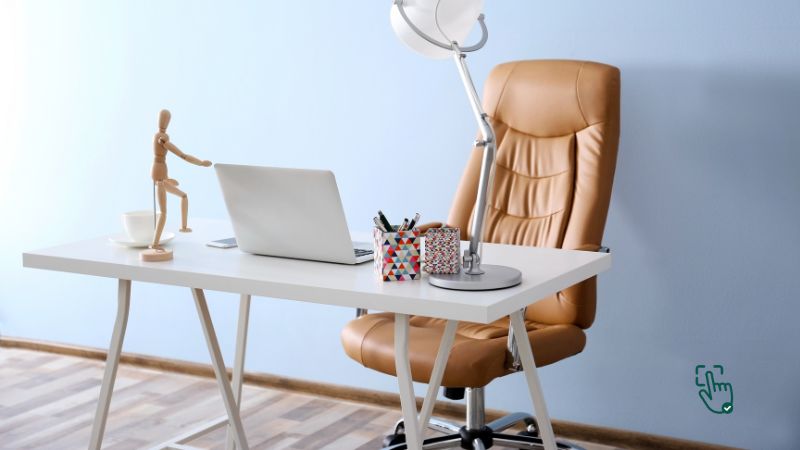
    Best Office chair in a modern workspace, Herman Miller Aeron, Steelcase Series 1, Secretlab TITAN Evo @ pickoutright.com

    Ever feel like your back’s on strike after sitting all day? Yeah, same here. The best office chair can totally change that. A good chair isn’t just about comfort; it’s about supporting your body while you’re hustling, gaming, or binge-watching Netflix (no judgment). But with a million options out there, how do you pick the one that’s perfect for you? Let’s break it down so you don’t get stuck with a chair that feels like sitting on bricks.

    What Exactly Makes an Office Chair “The Best”?

    Not all office chairs are created equal. A quality office chair is more than just a place to park your rear—it supports your posture, helps reduce back pain, and keeps you comfy for long stretches. Whether you’re working from home or in the office, a good chair can make or break your productivity.

    Why Investing in a Great Office Chair Matters

    Your health. Your comfort. Your productivity.

    That’s the trifecta of benefits you get from the right office chair. Sitting in a poorly designed chair can lead to slouching, back pain, and even long-term health issues. But a chair with the right ergonomic support keeps you feeling fresh, focused, and (bonus!) pain-free. Plus, let’s be real: you spend a LOT of time sitting, so why not make it worth your while?

    Best Office Chairs to Buy in 2024

    1. Herman Miller Aeron Chair
      • Pros: Iconic design, exceptional lumbar support, adjustable armrests.
      • Cons: Pricey, but you’re paying for high-end quality.

    The Herman Miller Aeron is like the Ferrari of office chairs. It’s got a cult following, and for good reason. This chair is built to last and designed with ergonomics in mind. The mesh back keeps you cool during long work sessions, and the lumbar support adjusts to your needs. But hey, it’s not cheap. You might need to save up or wait for a sale to grab one.

    1. Steelcase Series 1 Office Chair
      • Pros: Affordable, highly adjustable, durable.
      • Cons: Basic aesthetic, not as cushy as some competitors.

    If you’re looking for a balance between performance and price, the Steelcase Series 1 is a strong contender. It’s got plenty of adjustable features, so you can tweak it until it fits like a glove. While it doesn’t have the luxe look of higher-end chairs, it gets the job done, especially if you’re on a budget.

    1. Secretlab TITAN Evo 2024 Series
      • Pros: Sleek design, excellent for gamers, and great lumbar support.
      • Cons: Heavy and takes up a lot of space.

    The Secretlab TITAN Evo is technically a gaming chair, but its ergonomic features make it a great choice for office work too. With adjustable armrests, recline function, and a cushioned seat, you’ll feel comfortable whether you’re working or gaming. However, it’s big and heavy, so make sure you’ve got the space.

    How to Choose the Best Office Chair for You

    When picking an office chair, it’s crucial to keep these factors in mind:

    1. Ergonomics
      • Your chair should support your posture, with adjustable lumbar support, armrests, and tilt functions. This ensures you can sit comfortably for hours without feeling stiff or sore.
    2. Material
      • Mesh chairs like the Herman Miller Aeron are great for keeping cool, while leather or fabric chairs provide a more cushioned feel. Which one’s better? It depends on your preference.
    3. Adjustability
      • Everyone’s body is different, so having adjustable height, armrests, and seat depth is a game changer. Look for chairs that let you make these tweaks to fit your body perfectly.
    4. Durability
      • A chair is an investment. If you’re spending a lot of time sitting, don’t skimp on quality. Brands like Herman Miller and Steelcase offer durable chairs designed to last for years.

    Where to Buy the Best Office Chairs

    You can find these office chairs at popular retailers like Amazon, Wayfair, or directly from the manufacturers’ websites. Keep an eye out for sales during Black Friday, Cyber Monday, or other seasonal deals. If you’re looking for a more budget-friendly option, stores like IKEA and Walmart have decent chairs, though they might not have the same long-term durability.

    When Should You Upgrade to a New Office Chair?

    If you’re dealing with constant backaches, stiffness, or discomfort after sitting for a while, it’s probably time for a new office chair. Chairs wear down over time, and even the best models might need to be replaced after 7-10 years of heavy use.

    The Downside of Some Office Chairs: Honest Thoughts

    As much as we’d love to say that every office chair is awesome, the truth is, some can be a bit of a letdown. Here’s where they fall short:

    • Expensive Price Tags: High-quality chairs like the Herman Miller Aeron can cost a small fortune. Sure, they last for years, but not everyone can justify spending over $1,000 on a chair.
    • Bulk & Weight: Some ergonomic chairs, especially gaming ones like the Secretlab TITAN Evo, are huge and take up a lot of space. If you’ve got a small office, this could be a dealbreaker.
    • Not Always Easy to Assemble: Depending on the chair, assembly can be tricky. If you’re not handy with tools, you might need a second pair of hands to help you put everything together.

    Conclusion

    Which Office Chair Should You Choose?

    Ultimately, the best office chair for you depends on your needs and budget. If you’re willing to invest in long-term comfort, the Herman Miller Aeron is top-tier. For a solid mid-range option, the Steelcase Series 1 offers great value. And if you want something that doubles as a gaming chair, the Secretlab TITAN Evo will keep you comfy and looking cool.

  • What’s the Best Laser Printer? Here’s Why You Need One and How to Choose the Best for Your Needs

    What’s the Best Laser Printer? Here’s Why You Need One and How to Choose the Best for Your Needs

    Best Laser printers from HP, Brother, Canon, and Lexmark in various office settings @ pickoutright.com

    Tired of slow, ink-guzzling printers that constantly break down? It’s time to make the switch to a laser printer! Known for their speed, reliability, and cost efficiency, laser printers are the ultimate solution for anyone who needs high-quality prints without the hassle. Whether you’re printing documents at home, managing office tasks, or running a small business, a laser printer can easily handle everything from simple text to more complex graphics. But with so many options on the market, it can be overwhelming to pick the right one. Don’t worry—we’ve got you covered. Let’s break down the top laser printers of 2025 and find the perfect match for your needs.

    Why Should You Choose a Laser Printer?

    Speed, durability, and lower long-term costs.

    If you’re tired of dealing with the slow speeds and constant ink cartridge replacements that come with inkjet printers, a laser printer might be the upgrade you need. Laser printers use toner cartridges that last much longer and print faster, making them ideal for high-volume tasks. Plus, they tend to offer sharper text, which is great for professional documents.

    Best Laser Printers of 2025

    1. HP Color LaserJet Pro MFP M479fdw

    Alright, if you’re after a do-it-all beast of a printer that doesn’t slow down or mess around, the HP Color LaserJet Pro MFP M479fdw might just be your new best friend. This thing is basically the Swiss Army knife of laser printers—it prints, scans, copies, and faxes. Everything you could need, all packed into one solid machine. It’s super quick too, pumping out pages without making you wait forever. Whether you’re running a small business or just want something heavy-duty for your home office, this printer can handle it.

    One of the coolest things about it? The security features. You won’t have to stress about random print jobs popping up from who-knows-where. It’s got password protection and other smart settings to keep everything locked down. Plus, the print quality—especially in color—is seriously sharp. Presentations, marketing materials, even family photos look crisp and clean.

    That said, it ain’t tiny. It’s got some bulk to it, so if your desk is already crowded, you might need to clear some space. Also, it’s not the cheapest printer out there—but you’re definitely getting a powerhouse for what you pay.

    Pros: Fast printing, solid color quality, all-in-one features, great security.
    Cons: Pretty bulky, costs more upfront.

    Related Products: HP LaserJet M234sdw, Brother MFC-L3770CDW, Canon Color imageCLASS MF656Cdw

    2. Brother HL-L2350DW

    Okay, let’s say you don’t need anything too flashy. Maybe you just want something that prints plain ol’ black-and-white documents without any drama. Enter the Brother HL-L2350DW. It’s affordable, super simple to use, and takes up barely any space. Perfect for students, home offices, or anyone just trying to keep it lowkey.

    This little guy prints fast—like, 32 pages per minute fast. And it does it quietly, which is always a bonus. Setup is easy too. It connects wirelessly, so no need to mess with a bunch of cables. Just hook it up to your Wi-Fi and you’re golden. It’s got auto-duplex printing as well, which means it can print on both sides of the paper without you flipping anything manually. That’s a paper-saver for sure.

    Now, it’s not an all-in-one. No scanning, no copying, no color. It’s strictly print-only, black-and-white. But for what it does, it does it really well.

    Pros: Compact, reliable, fast black-and-white printing, budget-friendly.
    Cons: No color printing, no scanning or copying features.

    Related Products: Brother HL-L2395DW, Canon imageCLASS LBP6230dw, HP LaserJet MFP M114w

    3. Canon imageCLASS MF743Cdw

    Now, if you’re all about that high-quality color printing life, the Canon imageCLASS MF743Cdw is where it’s at. This thing was made for vibrant prints—like those brochures, flyers, or reports that need to pop. It’s a full-on workhorse, built with businesses in mind, but still totally usable in a serious home setup.

    Speed? Yup, it’s quick. Duplex printing? Got it. Touchscreen interface? Oh yeah. And the interface makes navigation super easy—even if you’re not tech-savvy. The print quality is honestly one of the best in this price range, and the build itself feels sturdy enough to last for years.

    But here’s the kicker: the toner cartridges. They’re not cheap. And if you’re printing in color a lot, they’ll run out quicker than you’d like. So, while the initial investment in the printer is worth it, make sure to plan ahead for ongoing costs.

    Pros: Gorgeous color prints, duplex printing, solid build quality, user-friendly.
    Cons: Toner gets pricey, a bit on the heavier side.

    Related Products: Canon MF644Cdw, HP Color LaserJet Pro M255dw, Brother MFC-L8905CDW

    4. Lexmark B2236dw

    Looking for a cheap, compact, black-and-white laser printer that still delivers on speed and quality? The Lexmark B2236dw should definitely be on your radar. It’s one of those printers that just gets straight to the point—print fast, print sharp, and don’t make a fuss.

    You’re not gonna find a bunch of bells and whistles here. No scanning, no fax, and definitely no color. But what it does give you is a reliable and fast printing experience, especially for text-heavy docs. Whether you’re printing essays, invoices, or just your usual work-from-home stuff, this little machine handles it like a champ.

    Setup is super easy too. Wireless printing means you don’t have to deal with messy cords, and it plays nicely with both Windows and Mac systems. Plus, it’s compact enough to fit even in tight spaces. If you’re just after something that works and doesn’t cost a fortune, this is a solid pick.

    Pros: Fast, reliable black-and-white prints, compact design, affordable.
    Cons: No extra features, only prints in black-and-white.

    Related Products: Brother HL-L2325DW, HP LaserJet Pro M118dw, Canon imageCLASS LBP6030w

    How to Choose the Best Laser Printer for You

    Not all laser printers are created equal, and the one that’s right for you depends on what you need it for. Here’s a quick guide to help you decide:

    1. Purpose
      • Are you printing mostly documents or do you need high-quality color images? If you just need black-and-white documents, the Brother HL-L2350DW or Lexmark B2236dw are great options. If color is a priority, look into models like the Canon imageCLASS MF743Cdw.
    2. Speed and Volume
      • If you’re printing in bulk, speed matters. For offices, a fast, multifunction printer like the HP Color LaserJet Pro MFP M479fdw can handle heavy workloads. For more casual home use, something simpler and slower will save you money.
    3. Budget
      • Factor in not just the cost of the printer but also the cost of toner. While laser printers save you money in the long run, some models, like the Canon imageCLASS, have higher toner prices.

    Where to Buy the Best Laser Printers

    The best laser printers can be found online or in tech stores like Best Buy, Amazon, or directly from the brand websites like HP, Brother, and Canon. Keep an eye out for deals, especially around Black Friday or back-to-school season. Some retailers offer extended warranties and service plans, which can be a good idea for more expensive models.

    When Should You Upgrade to a Laser Printer?

    If you’re dealing with high-volume printing, tired of slow inkjet printers, or need professional-quality text and color prints, it might be time to invest in a laser printer. They’re perfect for businesses, home offices, or even students who print a lot of reports and documents.

    The Downsides: What Are the Negative Aspects of Laser Printers?

    Even the best laser printers have a few drawbacks. Here are some things to keep in mind:

    • High Upfront Costs: While they save money over time, laser printers tend to have higher upfront costs compared to inkjets. You’ll need to budget for the initial investment.
    • Toner Prices: Though toner lasts longer than ink, it can be pricey. Brands like Canon tend to have more expensive toner cartridges, so make sure to factor that into your long-term costs.
    • Size: Some laser printers, especially those with multifunction features, can be quite bulky. Make sure you have enough space for it in your home or office.

    Conclusion

    Which Laser Printer Should You Buy?

    Ultimately, the best laser printer for you depends on your needs. If you’re looking for something powerful and versatile, the HP Color LaserJet Pro MFP M479fdw is your best bet. For budget-conscious shoppers, the Brother HL-L2350DW offers great value for everyday black-and-white printing. If high-quality color prints are essential, go for the Canon imageCLASS MF743Cdw.

  • What’s the Best Camera Drone? Here’s How, Why, and Where to Get Yours!

    What’s the Best Camera Drone? Here’s How, Why, and Where to Get Yours!

    Aerial shots captured by the DJI Air 2S, Autel EVO Lite+, DJI Mini 3 Pro, Skydio 2+, and DJI Mavic 3 @ pickoutright.com

    Ever dreamed of capturing jaw-dropping aerial shots like a pro—without needing a Hollywood budget? The Best Camera Drone is the game-changing gadget everyone’s raving about in 2024. Whether you’re a professional photographer, a content creator building your brand, or just a tech-savvy adventurer, camera drones unlock a whole new level of creative freedom. From sweeping 4K landscapes to ultra-smooth cinematic footage, these flying marvels are built to impress.

    But here’s the kicker—there are so many drones on the market, and not all of them are worth your time (or money). That’s why we’ve done the digging for you. In this guide, we’ll break down the top camera drones of 2024 and what makes them stand out—so you can pick the perfect one without second-guessing your choice.

    Why Do You Need a Camera Drone?

    Whether you want to capture stunning landscapes, shoot smooth video footage, or just explore the skies, a camera drone can unlock a world of possibilities. But it’s not just about the fun factor—camera drones are incredibly useful for professional photographers, videographers, and even real estate agents. Drones like the DJI Air 2S and Autel EVO Lite+ are making waves for their features and ease of use, but is one really better than the other? Let’s find out!

    Best Camera Drones of 2024

    Disclosure: Pick Out Right contains affiliate links. If you purchase through these links, we may earn a commission at no extra cost to you. This helps support our work. Thank you!

    1. DJI Air 2S

    Alright, if you’re serious about camera drones but don’t want to lug around a beast, the DJI Air 2S is your best buddy. It hits the sweet spot between pro-level quality and travel-friendly design. The highlight? That juicy 1-inch sensor that lets you shoot in glorious 5.4K—yep, that’s cinematic-level crispness. Whether you’re filming scenic trails, cityscapes, or just messing around in the backyard, this drone’s got your back. And because it’s DJI, the build quality is top-notch. Super smooth footage, intelligent flight modes, and solid GPS stability make it a blast to fly. Plus, it’s compact enough to throw in your backpack without needing a separate suitcase.

    But hey, no drone is perfect. The obstacle avoidance is a bit limited—mainly front, back, and bottom. So, if you’re planning to zip it sideways through a forest, be extra careful. Battery life? Around 31 minutes, which is respectable but not class-leading. Still, it’s enough to get plenty of epic shots. This drone is ideal for intermediate users or even pros who want a secondary travel drone that doesn’t skimp on camera quality.

    Related Products: DJI Air 3, DJI Mavic Air 2, Autel Robotics EVO Nano+

    2. Autel EVO Lite+

    Now if low-light shooting is your thing or you just love vibrant, rich colors in your aerial shots, the Autel EVO Lite+ is worth a serious look. This drone is no slouch—it boasts up to 40 minutes of flight time (yes, really), and the low-light performance is just killer thanks to the 1-inch CMOS sensor. It’s great for golden hour shots, nightscapes, and anything that needs a little extra light magic. You can crank out some really cinematic footage without too much post-editing.

    It does weigh more than some of its competitors, so portability takes a bit of a hit. But for what it offers, the trade-off is pretty fair. You’ll also get smart flight features like dynamic tracking and obstacle sensing, though it’s not quite as polished in autonomous flight as something like the Skydio 2+. Build-wise, it feels premium, and it flies like a dream—smooth controls and quick responsiveness.

    Bottom line? The EVO Lite+ is ideal for creators who want high-end performance without the DJI price tag or ecosystem. It’s super underrated and deserves more hype.

    Related Products: Autel EVO II Pro, DJI Air 2S, Holy Stone HS720G

    3. DJI Mini 3 Pro

    If you’re just getting into drones or want something that won’t stress you out when flying, the DJI Mini 3 Pro is the move. This thing is featherlight—just 249g—which means it dodges FAA registration (in the US), and it’s ridiculously easy to carry around. Don’t let the size fool you, though. It shoots stunning 4K video, and the gimbal stabilization is crazy smooth. It’s practically a vlog drone that fits in your hoodie pocket.

    The UI and flight control are super beginner-friendly. Plus, you’ve got cool features like True Vertical Shooting (hello TikTok and Insta Reels lovers), and obstacle sensors—oh wait, actually, scratch that, it doesn’t have full obstacle avoidance. That’s the one downside. So yeah, you’ll need to fly smart and be extra cautious when near trees or buildings.

    All that said, it’s easily one of the most powerful lightweight drones on the market. Perfect for hobbyists, travelers, and social content creators who want pro-like quality without breaking the bank—or their backs.

    Related Products: DJI Mini 2 SE, DJI Mini 4 Pro, Ryze Tello Boost Combo

    4. Skydio 2+

    Now here’s a drone that’s basically smarter than half the people I know (kidding… kinda). The Skydio 2+ is built for autonomous flying like no other. It’s got some of the most advanced obstacle avoidance tech you’ll find—like, it can literally weave through trees without your help. For creators who want to be in front of the camera (think action sports, travel vlogs, etc.), this drone is a game-changer. It can follow you while you skateboard, bike, or hike without crashing into stuff.

    Image quality? Super solid—4K at 60fps with HDR. But it’s not really a competitor to the Mavic 3 in terms of raw camera power. It’s more about the flying experience. The Skydio 2+ isn’t exactly compact either, and the price tag leans towards premium territory. So, you’re definitely investing in AI flight smarts more than portability or pro-level video specs.

    Still, for people who film solo and want epic drone shots without needing a second person as a pilot, this is a dream machine.

    Related Products: Skydio X2, DJI Air 2S, Parrot Anafi USA

    5. DJI Mavic 3

    And now we’ve reached the top of the drone food chain. The DJI Mavic 3 is straight-up beast mode. If you’re a professional filmmaker or photographer and want the best aerial shots money can buy, this is where you look. Dual-camera setup with a 20MP wide-angle lens and a 12MP telephoto? Yes, please. Plus, a monstrous 46-minute flight time—almost double what you get from entry-level drones. It’s a whole aerial cinema rig in your backpack.

    The obstacle avoidance is 360-degree, super smart, and responsive. Battery life is legendary, and you’ve got all the high-end features you’d expect—like omnidirectional sensing, advanced RTH, and intelligent flight modes. But yeah, this thing costs a pretty penny, so it’s not exactly your casual weekend flyer.

    It’s a powerhouse meant for creators and pros who demand the best. If you’re shooting documentaries, real estate videos, or cinematic projects, this drone is worth every dime.

    Related Products: DJI Inspire 2, Autel EVO II Pro 6K, DJI Air 3

    How to Choose the Best Camera Drone for You

    When picking the best camera drone, consider these factors:

    1. Camera Quality
      • The camera is the most crucial element. Look for drones with larger sensors (like the DJI Air 2S) if high image quality is a priority, especially in low-light conditions.
    2. Flight Time
      • Longer flight times allow you to capture more footage without having to stop and recharge. Drones like the Autel EVO Lite+ offer up to 40 minutes, giving you plenty of time in the air.
    3. Obstacle Avoidance
      • If you’re a beginner or planning to fly in tight spaces, obstacle avoidance is a must. Drones like the Skydio 2+ come with some of the best autonomous flying and obstacle avoidance capabilities.
    4. Portability
      • If you’re always on the go, portability is key. The DJI Mini 3 Pro is perfect for travelers who want something lightweight and easy to carry.

    Where to Buy the Best Camera Drones

    You can buy camera drones from various retailers, but it’s best to go with reputable sources. Check out brands like DJI, Autel, and Skydio on their official websites or trusted retailers like Amazon, B&H Photo Video, or Best Buy. Be sure to look for warranty options and customer support, especially if you’re investing in a higher-end model.

    When’s the Best Time to Use a Camera Drone?

    Whether you’re a professional filmmaker or just a drone enthusiast, there’s never a wrong time to fly a drone. However, using your camera drone during golden hour (just after sunrise or before sunset) will give you the most stunning shots. For those in it for fun, any clear day is perfect for taking your drone for a spin and capturing unique aerial footage.

    The Downsides of Camera Drones: Honest Reviews

    While drones are amazing for aerial photography, they’re not without their flaws:

    • Battery Life: Even though many drones have extended flight times, most will only last about 30-40 minutes per charge. Make sure you have extra batteries if you plan to fly for longer periods.
    • Price: High-quality drones like the DJI Mavic 3 can be quite expensive, so be prepared to spend if you’re looking for professional-level features.
    • Learning Curve: Drones like the DJI Air 2S are designed for ease of use, but some models, especially those without obstacle avoidance, can be tricky to fly for beginners.
    • Weather Sensitivity: Windy or rainy conditions can affect flight stability, so always check the weather before flying!

    Conclusion

    Which Camera Drone Should You Buy?

    If you’re a beginner, go for the DJI Mini 3 Pro or Autel EVO Lite+—they strike a great balance between ease of use and high-quality footage. For professionals looking for the best camera drone, the DJI Mavic 3 is unbeatable with its dual-camera system and long flight time. However, if obstacle avoidance and autonomous flying are your top priorities, the Skydio 2+ is your best bet.

    Got a great photography business idea and need the perfect name? Visit Startup Names for inspiration!