Author: Alfred Rilloraza

  • Best Photo Editing Laptop: Perfect Picks for Creative Pros!

    Best Photo Editing Laptop: Perfect Picks for Creative Pros!

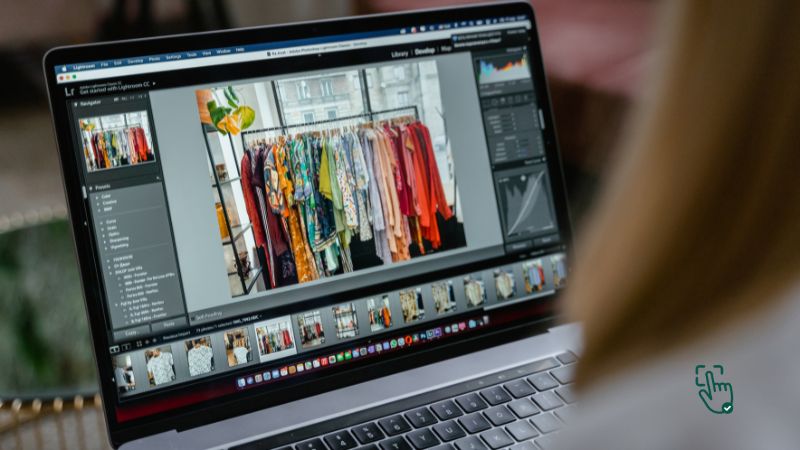
    Best Photo Editing Laptop - MacBook Pro for photo editing, Dell XPS laptop, ASUS ROG Zephyrus, HP Spectre 2-in-1, laptop setup for photo editing @ pickoutright.com

    When it comes to photo editing, having the best photo editing laptop is a game-changer. From vibrant displays to powerful processors, a good laptop ensures your creative process runs smoothly and efficiently. But with so many options out there, how do you find the right one? Whether you’re a professional photographer or a hobbyist, this guide will help you pick the ideal laptop for all your photo editing needs.

    What to Look for in the Best Photo Editing Laptop

    Before diving into specific models, let’s talk about what makes a laptop great for photo editing. It’s not just about a sleek design or a hefty price tag—it’s about functionality and performance. Here are the must-have features:

    • Color Accuracy: A high-quality display with 100% sRGB or AdobeRGB is crucial.
    • Processing Power: An Intel Core i7, i9, or equivalent AMD Ryzen processor is ideal.
    • RAM: At least 16GB of RAM ensures smooth multitasking.
    • Storage: SSD storage is faster and more reliable, with 512GB or more being optimal.
    • Graphics Card: A dedicated GPU like NVIDIA GeForce or AMD Radeon enhances performance with editing software.

    Why You Need a Photo Editing Laptop

    If you’re still editing photos on a standard laptop or desktop, you’re missing out. A specialized photo editing laptop not only improves your workflow but also elevates the quality of your work. Here’s why:

    • Precision: See true-to-life colors and details on a professional-grade display.
    • Speed: Process large files and batch edits without delays.
    • Portability: Edit on the go without compromising performance.
    • Software Compatibility: Run demanding applications like Adobe Photoshop, Lightroom, or Capture One effortlessly.

    Best Photo Editing Laptops for Every Budget

    Disclosure: Pick Out Right contains affiliate links. If you purchase through these links, we may earn a commission at no extra cost to you. This helps support our work. Thank you!

    1. Apple MacBook Pro 16″ (M2 Max)

    If you’re serious about photo editing and you’re looking for a laptop that just gets it done, the 16-inch Apple MacBook Pro with the M2 Max chip is an absolute beast. Like, not just a “hey this is fast” kind of beast—this thing eats 4K photo layers for breakfast and still has room for dessert.

    Let’s start with the display. You get Apple’s signature Liquid Retina XDR display, which isn’t just buzzwords—it’s straight-up dazzling. Blacks are super deep, whites are crisp, and the color accuracy is insane. If you’re a photographer or creative pro dealing with high-res images and color grading, you’re gonna see the difference. Everything just looks alive. Even your mistakes look good, ha!

    What’s crazy about this laptop is how well it handles heavy tasks. With the M2 Max chip, it plows through editing sessions on Lightroom, Photoshop, or Capture One like it’s nothing. Rendering previews, running filters, batch exporting—no lag, no spinny wheels of doom. Add to that up to 96GB of unified memory, and you’ve got enough muscle to edit a 500-image wedding album without breaking a sweat.

    Battery life? Chef’s kiss. You’re looking at around 14 to 16 hours of battery on a full charge, even with demanding software. It’s the kind of machine that makes you forget where your charger is. Just be warned—it’s not light on your wallet. This laptop easily slides into that premium price range, so it’s not for casual dabblers. Also, the ports situation? Meh. You get a few (like Thunderbolt 4 and an HDMI), but if you’re hoping to plug in all your gadgets without a dongle, you’ll be mildly disappointed.

    Still, there’s a reason you see this model in so many pro studios. For those who want power, beauty, and Apple’s smooth workflow, it’s a no-brainer.

    If you’re kitting out your creative workstation, other related tools like the Logitech MX Master 3S mouse, SanDisk Extreme Portable SSD, or even the CalDigit TS4 Thunderbolt dock really make the experience buttery smooth.

    2. Dell XPS 15 (9520) – Used

    Now if you’re not into the Apple ecosystem and you’re more of a Windows loyalist, then let me introduce you to the Dell XPS 15 (9520)—a machine that practically screams “editor’s choice”.

    The first thing you’ll notice is the 4K OLED touchscreen, and honestly, it’s drop-dead gorgeous. It offers deep contrast, fantastic brightness, and rich colors that are absolutely perfect for color grading or retouching. The display alone puts it in a whole different league, especially if you’re working on HDR photos or just want to experience your edits in their full glory.

    Under the hood, this thing is no slouch either. Powered by Intel’s 12th-gen processors and up to 64GB of RAM, it can juggle Photoshop, Lightroom, and a dozen browser tabs like a boss. And the NVIDIA RTX 3050 GPU doesn’t just boost photo rendering—it also lets you dabble in some casual 4K video editing when you’re feeling bold.

    Where the XPS 15 really wins, though, is its slim, ultra-modern chassis. It’s got that minimalist premium look, and it’s super portable considering how powerful it is. You could legit carry this around to coffee shops or client meetings and still feel like you’re showing off.

    But here’s the real talk: it gets warm when you’re deep into editing marathons. Not “frying eggs” hot, but enough to make you wish for a cooling pad. Battery life is solid but not outstanding—expect around 7–9 hours, depending on how intense your workflow is.

    If you want to kit it out properly, pairing it with stuff like the Dell PremierColor monitor, Logitech MX Keys, or a WD Black SN850X external SSD will level up your editing workflow without having to jump into the Mac ecosystem.

    3. ASUS ROG Zephyrus G14

    Now, I know what you’re thinking: Isn’t the ASUS ROG Zephyrus G14 a gaming laptop? Yep, you’re totally right. But here’s the thing—this little monster is surprisingly perfect for photo editing, especially if you’re someone who likes versatility and speed without lugging around a 5-pound brick.

    Let’s break it down. The 14-inch QHD display is punchy and vibrant, offering great color reproduction and crisp visuals. ASUS has come a long way with their screen tech, and even though it leans toward gamers, it’s more than capable for creatives. You might not get the pinpoint color accuracy of a MacBook Pro, but for 99% of users, it’s more than enough for detailed photo work, especially if you calibrate it properly.

    Under the hood, this thing’s got serious power. You’re working with up to AMD Ryzen 9 CPUs and NVIDIA RTX 4060 graphics, which is a dream combo for fast processing and GPU-accelerated tasks in Lightroom or Photoshop. Load up those big RAW files, throw in some complex layers, run filters, and it still doesn’t blink. Also, the cooling system is better than what you’d expect in a laptop this size—it keeps thermals in check so your legs don’t melt during late-night edits.

    Another huge win? Portability. The G14 is compact and super lightweight for a performance laptop, which makes it perfect if you travel a lot or work out of cafes. Battery life is decent too—about 9 to 10 hours depending on your workflow. For a machine with a discrete GPU, that’s seriously impressive.

    On the downside, the port selection could be a little better. You get the basics—USB-C, USB-A, HDMI, etc.—but you might miss having a dedicated SD card slot or multiple Thunderbolt ports. That said, a small USB-C hub or dongle easily fixes that, so not a dealbreaker.

    What makes the Zephyrus G14 so cool for photo editors is its flexibility. You can edit, game, stream, even do a little 3D work if you’re dabbling in that space. And once you’re done editing, you can kick back and run AAA games at high settings—try that on most ultrabooks!

    If you’re rounding out your setup, tools like the X-Rite i1Display Pro color calibrator, Samsung T7 SSD, or even an ASUS ProArt external monitor pair super well with the Zephyrus for serious photo work.

    4. HP Spectre x360 16″

    Alright, next up is the HP Spectre x360 16-inch, and let me tell you—this one’s a smooth operator. If you’re into sleek designs, flexibility, and working on both photo edits and the occasional sketch or presentation, this is your laptop.

    First off, the OLED display is absolutely gorgeous. It’s got deep blacks, saturated colors, and all the contrast you’d want for photo editing. It’s big too—16 inches gives you a nice spacious canvas to work on, whether you’re fine-tuning highlights in Photoshop or reviewing full-page magazine layouts. Touch support is super responsive, and if you’re into drawing or retouching by hand, the included stylus feels natural and smooth.

    What makes the Spectre stand out is its 2-in-1 design. You can flip it into tablet mode, prop it up for presentations, or go full laptop when you’re deep in edit mode. It’s great for creatives who don’t just stick to one workflow. Whether you’re sitting at a desk or lounging on the couch, this thing adapts.

    Power-wise, it comes with Intel’s latest 13th-gen Core i7 or i9 chips, optional Intel Iris Xe or Arc graphics, and up to 32GB RAM. That means you can run Adobe Creative Cloud apps, multitask, and batch edit like a pro. It doesn’t have the same GPU power as a gaming laptop, but unless you’re rendering 3D content, you’re not gonna feel it.

    One thing to keep in mind—it’s slightly heavier than your average ultrabook, thanks to the bigger screen and the 2-in-1 hinge. But honestly, for the flexibility it gives, it’s worth it. Battery life is solid too, hanging around 11–12 hours, which is awesome considering the screen quality and performance.

    The Spectre also nails the small stuff—keyboard is comfy, speakers are surprisingly good, and the build quality just feels premium. HP did a great job making this feel like a laptop made for creatives, not just another business tool.

    To complete the setup, something like a HP 27h Full HD Monitor, Lacie Rugged SSD, or even a Wacom Intuos tablet would slide right into your creative workflow.

    5. Microsoft Surface Laptop Studio

    Last on the list—but by no means least—is the Microsoft Surface Laptop Studio, and this thing is like the Swiss Army knife of laptops for photo editors. If you love the idea of flexibility, touchscreen, stylus input, and solid editing performance all wrapped up in one slick package, keep reading.

    The Surface Laptop Studio isn’t your average clamshell laptop. Thanks to its unique hinge design, you can flip the screen into multiple modes: standard laptop, stage mode (for presenting or editing with a stylus), or full flat canvas mode (like a tablet). It’s super handy for anyone doing detailed retouching or sketching edits directly on the screen.

    The 14.4-inch PixelSense Flow display is beautiful. It’s super sharp with a 120Hz refresh rate, and it covers a wide color gamut, making it perfect for photo editing. You also get awesome Surface Pen compatibility with haptic feedback, which gives a much more tactile feel when editing or sketching.

    Performance-wise, the latest Surface Laptop Studio models come with Intel Core i7 or i9 processors, NVIDIA GeForce RTX 4050/4060 GPU options, and up to 64GB RAM. That’s more than enough for most photography workloads, even if you’re stacking layers or exporting massive image files.

    The biggest highlight? The experience. Windows 11 on this thing feels buttery smooth, and the editing apps run clean and fast. You also get Thunderbolt 4, Wi-Fi 6E, and a great keyboard and trackpad. Downsides? Yeah, it’s pricey, especially when fully loaded. But Microsoft built this for serious creators, not casual users.

    Battery life is decent—around 9–11 hours on mixed use—and it runs cool most of the time. It’s one of those machines you fall in love with the more you use it, especially if you’re using pen input often.

    If you’re leveling up your studio space, throwing in a Surface Dock, Seagate OneTouch SSD, or a BenQ PhotoVue monitor will take your workflow to pro levels without switching ecosystems.

    Budget-Friendly Photo Editing Laptops

    Not everyone has a hefty budget for the top-of-the-line models. Here are some affordable options that still pack a punch:

    • Acer Swift 3: Reliable performance with a bright display at a budget-friendly price.
    • Lenovo IdeaPad 5 Pro: Decent color accuracy and processing power without breaking the bank.
    • Dell Inspiron 14 2-in-1: A versatile option for entry-level photo editors.

    Common Challenges with Photo Editing Laptops

    It’s not all sunshine and rainbows when it comes to choosing the best photo editing laptop. Here are some potential downsides:

    • Price: High-end laptops can be expensive, especially models with 4K displays and dedicated GPUs.
    • Battery Life: Power-hungry components often drain the battery quickly.
    • Weight: Some models, like the MacBook Pro or Dell XPS, can feel heavy for frequent travelers.

    External Monitors: A Worthy Addition?

    If you already own a capable laptop but lack a high-quality display, investing in an external monitor might be a smarter choice. Many professional editors pair their laptops with 4K or ultra-wide monitors for precise editing.

    How to Choose the Right Photo Editing Laptop

    Here’s how to narrow down your options:

    1. Define Your Needs: Are you a hobbyist or a professional? Your requirements will vary.
    2. Set a Budget: Know your financial limits before diving into specs.
    3. Research and Compare: Check out user reviews and benchmarks for the laptops on your shortlist.
    4. Test Before Buying: Whenever possible, visit a store to get a feel for the laptop’s display, keyboard, and build quality.

    Where to Buy the Best Photo Editing Laptops

    The following retailers are reliable sources for laptops:

    • Amazon: Offers competitive prices and frequent discounts.
    • Apple Store: For the latest MacBook models.
    • Best Buy: A great place to test laptops in person before buying.
    • B&H Photo Video: Ideal for professionals who need high-end photo editing gear.

    When to Upgrade Your Laptop

    If your current laptop struggles with lag, color calibration, or compatibility issues, it’s time to upgrade. Photo editing software demands a lot of processing power, and an outdated device could slow you down.

    Final Verdict: Which Laptop Is the Best?

    The best photo editing laptop ultimately depends on your needs and budget. Here’s a quick recap:

    • For professionals: Apple MacBook Pro 16″ or Dell XPS 15.
    • For portability: ASUS ROG Zephyrus G14 or HP Spectre x360.
    • For budget buyers: Acer Swift 3 or Lenovo IdeaPad 5 Pro.

    Whichever you choose, investing in a reliable photo editing laptop will make your creative journey so much smoother—and let’s be honest, way more fun!

    Love this? Share it with your friends!

  • Best Photo Printer: Your Guide to Stunning Prints Anytime, Anywhere!

    Best Photo Printer: Your Guide to Stunning Prints Anytime, Anywhere!

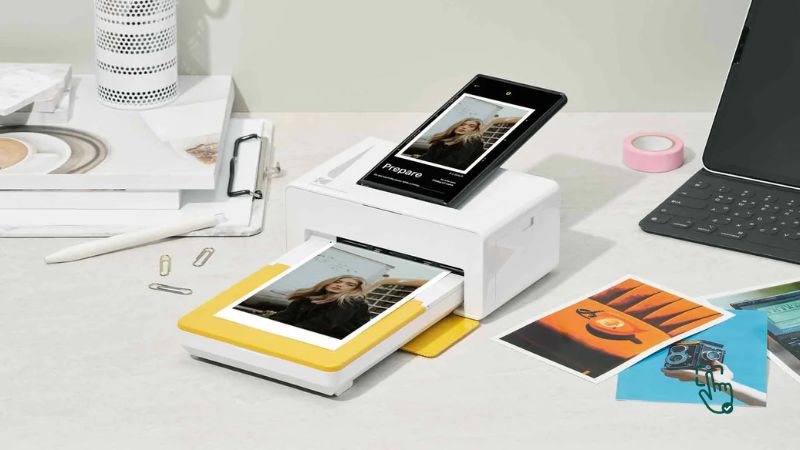
    Photo printer on desk, HP Sprocket mini photo printer, Canon SELPHY CP1500, Epson SureColor P700, portable photo printer in action @ pickoutright.com

    Printing photos at home or on the go has never been easier, thanks to the best photo printers on the market. Whether you’re looking for a compact mini photo printer, a versatile portable photo printer, or even an iPhone photo printer, there’s something out there to fit your needs perfectly. In this guide, we’ll break down the top options, their perks and pitfalls, and help you find the right fit for your photo printing dreams.

    What Makes a Printer the “Best Photo Printer”?

    The best photo printer doesn’t just churn out pictures—it delivers vibrant, sharp images that capture every detail and color. But not all photo printers are created equal. While some models specialize in portability, others shine in professional-quality prints. So, what should you look for?
    Here’s a quick rundown:

    • Print Quality: Crisp resolution and color accuracy are non-negotiable.
    • Size: Do you need a full-sized printer or a compact one?
    • Connectivity: Look for wireless printing options like Bluetooth or Wi-Fi, especially if you want an iPhone photo printer or a phone photo printer.
    • Cost: Factor in not just the printer price but also the ongoing cost of ink and paper.

    Why Do You Need a Photo Printer?

    Imagine this: You’ve taken the perfect picture on your phone, but instead of it living in your camera roll forever, you print it instantly, hold it, and frame it. That’s the magic of having a photo printer. Here’s why they’re worth it:

    • Instant Gratification: No more waiting for prints at the store.
    • Personalized Gifts: Printed photos make thoughtful, personal gifts.
    • Creative Projects: From scrapbooking to collages, printed photos unleash creativity.
    • On-the-Go Memories: With portable photo printers, you can print pictures anywhere—be it at a party, wedding, or vacation.

    Best Photo Printers for Every Need

    1. Canon SELPHY CP1500

    If you’re looking for a photo printer that feels like it belongs in every home, the Canon SELPHY CP1500 is a total gem. Seriously, it’s super easy to fall in love with this little guy. It’s portable enough to move around the house or even take to parties, and it punches way above its weight when it comes to print quality. You can churn out lab-quality photos that look like you got them professionally done — all without leaving your cozy couch. It prints in multiple sizes too, which is super handy depending on what you’re going for, whether it’s wallet-sized memories or something a little bigger for a frame.

    Now, real talk — the biggest downside is the ink. Those cartridges are not cheap. If you’re planning to print your entire camera roll, your wallet might cry a little. It’s definitely better suited for those special occasions when you want a few top-quality prints rather than non-stop mass production. Think birthdays, holidays, or just showing off your best selfie. But when you do fire it up, the prints come out vibrant, detailed, and dry instantly. Zero smudging drama!

    The Canon SELPHY CP1500 is ideal for casual photo lovers, crafters, scrapbookers, and anyone who values print quality over quantity. If you’re fine with occasional splurges on ink, it’s honestly a solid investment that’ll make your memories look stunning. Plus, it’s cute enough to leave out on your desk without being an eyesore.

    Related Products:

    2. HP Sprocket Select

    If your phone is basically your second brain and you live for sharing moments instantly, then the HP Sprocket Select is gonna feel like magic. It’s insanely portable — like, it can legit fit into your jacket pocket. Pull it out at a party, a family gathering, or even during a weekend hike, and boom — instant photos straight from your phone via Bluetooth. No cables, no weird setup, just open the app and start printing your memories on the go.

    The print size is small, like palm-of-your-hand small, which is perfect for journals, scrapbooks, locker decor, or gifting quick snapshots. But heads up — if you’re dreaming of big, frame-worthy prints, you’ll probably feel a little limited. Editing options are also pretty basic, so if you like heavy photo tweaking, you might want to do that before printing.

    Still, the HP Sprocket Select is just pure fun. It’s easy to use, prints fast, and honestly makes for a super cool conversation starter. Great for teens, travelers, and pretty much anyone who wants a tangible way to share memories beyond social media. Plus, it’s got that sleek, stylish vibe that makes it feel more like a fashion accessory than a tech gadget.

    Related Products:

    3. Epson SureColor P700

    Now, if you’re playing in the big leagues and you want to seriously flex your photography skills, the Epson SureColor P700 is where it’s at. This isn’t your basic home photo printer — it’s a professional-grade beast. We’re talking gallery-quality, jaw-dropping prints that capture every tiny detail, from the deep shadows to the bright highlights. The resolution is mind-blowing, and it supports large-format printing up to 13 inches wide. Perfect for photographers who want to showcase their work or even sell prints.

    But let’s not sugarcoat it — the P700 is a commitment. It’s bulky, it’s expensive, and it needs its own dedicated spot. You can’t just shove it on a cluttered desk between your coffee mug and your laptop. Also, ink costs can creep up if you’re printing a lot, so budget accordingly. But once you see your first print come out, it’s hard to be mad at it. The colors are so rich and true-to-life, and the black levels are unreal, thanks to Epson’s advanced printing tech.

    Overall, the SureColor P700 is for serious photographers and artists who want total control over their work. It’s a splurge, no doubt, but if you need professional results without sending stuff out to a print lab, this is absolutely worth it.

    Related Products:

    4. Polaroid Hi-Print Pocket Printer

    Looking for something easy, fun, and affordable? Say hello to the Polaroid Hi-Print Pocket Printer. This little machine is great for people who just want quick, cute prints without getting all techy about it. You literally pop it open, connect your phone, and start printing. No stress, no hassle. Plus, it’s super compact, so it can travel with you just about anywhere.

    Sure, it has a few limitations. You need to buy Polaroid’s specific paper, and it doesn’t have the heavy editing features you might find in fancier printers. But for casual users? It totally nails the assignment. It’s awesome for printing party pics, random travel shots, or even little “just because” photos you can stick in cards or on your mirror. The print quality is surprisingly decent for the size and price, with vibrant colors that pop nicely.

    Basically, the Polaroid Hi-Print is a no-brainer if you’re just after a no-fuss, fun way to bring your digital memories into the real world. It’s perfect for kids, teens, or anyone who misses the good old days of holding a photo in your hand.

    Related Products:

    5. Kodak Mini 3 Retro

    If you’re vibing with retro style but still want modern tech, the Kodak Mini 3 Retro is definitely worth checking out. First of all, the look is just chef’s kiss — it’s got that old-school feel that makes it look like a vintage gadget, but inside it’s packed with reliable photo printing tech. It’s small, lightweight, and super easy to use, which means you can pop it in your bag and print memories anywhere you want.

    The color vibrancy is a huge win here. Pictures come out looking lively and bright, which is exactly what you want when you’re printing snapshots of friends, pets, vacations, and everything in between. It’s not the fastest printer on the block, so if you’re in a rush, you might get a little impatient. But the payoff is worth it because the prints are durable and look great.

    Honestly, the Kodak Mini 3 Retro is perfect for anyone who loves a bit of nostalgia mixed with convenience. It’s affordable, fun, and it captures those little life moments in a way that feels super special. Great for gift-givers, partygoers, and anyone who’s always snapping pics on their phone and actually wants to do something with them.

    Related Products:

    How to Choose the Right Photo Printer for You

    Here’s the million-dollar question: What’s your priority? Is it portability? Top-notch quality? Budget? Answering this will make your choice clearer.

    1. For Everyday Use: Go for a mid-range printer like the Canon SELPHY CP1500.
    2. For Parties and Events: The HP Sprocket is unbeatable for quick, fun prints.
    3. For Professionals: Invest in the Epson SureColor P700 for flawless results.
    4. For Budget Buyers: The Polaroid Hi-Print is simple, effective, and easy on the wallet.

    Portable vs. Full-Sized Photo Printers

    • Portable Photo Printers
      • Pros: Lightweight, great for on-the-go printing.
      • Cons: Smaller print sizes and slightly lower quality.
    • Full-Sized Photo Printers
      • Pros: Superior image quality, larger print formats.
      • Cons: Bulkier and less convenient to move around.

    The Good, The Bad, and the Honest Truth

    Let’s be real—no printer is perfect. While the best photo printers offer great features, there are always trade-offs.

    Pros of Photo Printers:

    • Instant results and convenience.
    • High-quality prints for personal and professional use.
    • Easy connectivity with smartphones and other devices.

    Cons of Photo Printers:

    • Some are pricey, both upfront and in terms of running costs.
    • Mini and portable photo printers often have smaller print sizes.
    • Ink and paper refills can add up over time.

    Best Places to Buy Photo Printers

    You can snag great deals online at trusted retailers like:

    • Amazon: Tons of options, user reviews, and competitive prices.
    • Best Buy: Known for deals on electronics, including iPhone photo printers.
    • B&H Photo Video: Perfect for professional-grade photo printers.

    Always check for discounts during Black Friday or Cyber Monday to save big!

    When Should You Invest in a Photo Printer?

    The best time to invest in a photo printer is when you find yourself constantly printing pictures. Whether it’s for work, hobbies, or fun, having your own printer saves time and money in the long run.

    Final Verdict: Which Photo Printer Takes the Crown?

    If portability is your thing, the HP Sprocket is a winner. For professional results, you can’t beat the Epson SureColor P700. And if you’re after the best of both worlds, the Canon SELPHY CP1500 strikes a great balance.

    Whatever you choose, having the best photo printer means you can bring your memories to life in seconds—and that’s priceless.

    Love this? Share it with your friends!

  • Which Is the Best Gaming Console? A Complete Buyer’s Guide

    Which Is the Best Gaming Console? A Complete Buyer’s Guide

    Best Gaming Consoles

    Are you ready to level up your gaming experience? Whether you’re a hardcore gamer or just starting out, picking the best gaming console can feel like trying to beat a final boss. But don’t worry—we’ve got you covered. This guide will walk you through the top gaming consoles on the market, with pros, cons, and honest reviews to help you score the perfect setup.

    What Is the Best Gaming Console and How to Choose One?

    The best gaming console depends on your gaming style, budget, and preferences. Whether you’re into high-resolution graphics, fast refresh rates, or exclusive titles, there’s a console for you. The top gaming consoles of 2025 offer incredible performance, vast game libraries, and seamless online experiences.

    For gamers wondering, “Which gaming console should I buy?”, this guide compares the top options, highlighting their strengths, weaknesses, and best uses.

    Why Should You Invest in a Gaming Console?

    A gaming console is more than just a device to play video games—it’s a home entertainment hub. Here’s why investing in one is worth it:

    Access to Exclusive Games – Play titles that aren’t available on PC or other platforms.
    Ease of Use – No complicated setups or hardware compatibility issues.
    Affordable Compared to Gaming PCs – Consoles deliver high performance at a fraction of the cost.
    Multimedia Features – Stream movies, browse the internet, and even use apps like Netflix and Spotify.
    Online Multiplayer & Cloud Gaming – Connect with players worldwide and access cloud gaming services.

    Now, let’s dive into the best gaming consoles available today!

    Top Gaming Consoles in 2025: A Head-to-Head Comparison

    1. PlayStation 5 (PS5) – Best for Exclusive Games

    If you’re after a console that delivers jaw-dropping graphics, super smooth performance, and some of the best exclusive titles out there, the PlayStation 5 (PS5) is still at the top of the game. Sony nailed it with the PS5’s hardware, packing in a powerful AMD Ryzen Zen 2 processor and an RDNA 2 GPU capable of pushing up to 8K resolution (if you have a screen that supports it). Pair that with ray tracing, and you’ve got a gaming experience that feels almost too real.

    One of the biggest selling points? The exclusive games—and Sony doesn’t mess around. You’re getting Spider-Man 2, God of War: Ragnarok, Horizon Forbidden West, and many more that you just can’t play anywhere else. Plus, thanks to the 825GB SSD, loading times are nearly nonexistent—no more waiting forever to jump back into the action.

    Of course, no console is perfect. The PS5’s biggest downside? Storage space—825GB sounds like a lot, but with modern games eating up 100GB+ each, it fills up fast. Sony does let you expand it, but that means dropping extra cash on a compatible NVMe SSD. And speaking of extra cash, accessories (like the DualSense controller and PSVR2) don’t come cheap.

    🛠 Related Products:

    2. Xbox Series X – Best for Performance & Game Pass

    For gamers who want raw power, the Xbox Series X is an absolute beast. Microsoft went all-in on performance, giving this console 12 teraflops of GPU power, making it the most powerful gaming console available. It can handle 4K gaming at 120FPS like a champ and even supports 8K resolution for future-proofing.

    One of the biggest reasons to grab an Xbox Series X? Game Pass—this subscription service gives you access to hundreds of games for a small monthly fee, making it hands-down the best value in gaming. And unlike PlayStation, Xbox is fully backward compatible, meaning you can still play your old Xbox One, 360, and even some OG Xbox games without a hitch.

    But while the Series X wins in sheer power and affordability, it falls short on exclusives. Yes, you get Halo Infinite, Starfield, and Forza Horizon 5, but compared to PlayStation’s lineup, it’s just not as strong. Another downside? This console is huge and heavy, making it less appealing if you’re short on space.

    🛠 Related Products:

    3. Nintendo Switch OLED – Best for Portable Gaming

    Sometimes, you don’t want to be stuck on the couch—that’s where the Nintendo Switch OLED shines. Whether you’re playing on the go or docking it to a TV, this console delivers the best of both worlds. The upgraded 7-inch OLED screen makes colors pop, and games look sharper than ever in handheld mode.

    Nintendo’s real power lies in exclusive games—you won’t find titles like The Legend of Zelda: Tears of the Kingdom, Mario Kart 8 Deluxe, or Super Smash Bros. Ultimate anywhere else. It’s also a great family console, with tons of co-op and party games that are perfect for casual gamers.

    Of course, there are trade-offs. Compared to the PS5 or Xbox Series X, the Switch OLED is way less powerful. You’re looking at 720p resolution in handheld mode and 1080p when docked, so don’t expect cutting-edge graphics. Also, third-party game support isn’t as strong, meaning you might miss out on big AAA titles that land on PlayStation and Xbox.

    🛠 Related Products:

    4. Steam Deck – Best for PC Gamers on the Go

    If you’re a PC gamer but hate being tied to your desk, the Steam Deck is the answer. Think of it as a portable gaming PC in a handheld console form factor. It runs SteamOS, meaning you have instant access to your entire Steam library, and it supports Windows, so you can even install Game Pass or Epic Games Store if you want.

    The Steam Deck is packed with AMD Zen 2 + RDNA 2 hardware, which means it’s powerful enough to run even graphically demanding games like Elden Ring and Cyberpunk 2077 on the go. But like a PC, it’s also super customizable—you can tweak settings, install mods, and even run emulators.

    That said, it’s not for casual gamers. If you’re not comfortable messing with settings or troubleshooting issues, you might find it frustrating. Also, battery life varies a lot—some games will drain it in under two hours, while others let you game for five or six. It’s also a bit bulkier than something like the Switch, making it less pocket-friendly.

    🛠 Related Products:

    How to Choose the Best Gaming Console for You?

    When deciding which gaming console to buy, consider these key factors:

    🎮 Game Library – Do you prefer PlayStation exclusives, Xbox Game Pass, or Nintendo classics?
    Performance & Graphics – Are you looking for 4K gaming or a portable console?
    💰 Price & Budget – How much are you willing to invest? Consoles range from $300 to $700.
    📡 Online Services – Xbox has Game Pass, PlayStation has PS Plus, and Nintendo has Switch Online.

    FAQs About Gaming Consoles

    🔹 What is the most powerful gaming console?
    👉 Xbox Series X has the highest processing power with 12 teraflops of GPU performance.

    🔹 Which console has the best exclusive games?
    👉 PlayStation 5 dominates with Spider-Man, God of War, The Last of Us, and more.

    🔹 Which console is best for kids and families?
    👉 Nintendo Switch OLED is the best option for kids, thanks to Mario, Pokémon, and family-friendly games.

    🔹 Is PC gaming better than consoles?
    👉 PC gaming offers better customization, but consoles provide plug-and-play convenience and exclusives.

    Final Verdict: Which Gaming Console Is Best?

    The best gaming console depends on your gaming preferences.

    ✔️ If you want next-gen power and exclusives, go for the PlayStation 5.
    ✔️ If you love Game Pass and backward compatibility, pick the Xbox Series X.
    ✔️ If you need portability and Nintendo games, grab the Nintendo Switch OLED.
    ✔️ If you prefer PC gaming in a handheld form, the Steam Deck is for you.

    Each console has its own strengths, so choose the one that fits your gaming style best! 🎮

    Love this? Share it with your friends!

  • Black Friday Android Smart Watch Deals: Which One Is Right for You?

    Black Friday Android Smart Watch Deals: Which One Is Right for You?

    Android Smart Watches - Samsung Galaxy Watch on wrist, Garmin Venu 2 outdoors, Pixel Watch close-up, Fossil Gen 6 @ pickoutright.com

    Looking for the best Android smart watches this Black Friday? Whether you’re chasing fitness goals, staying connected, or just rocking a sleek wearable, an Android smartwatch is your ultimate sidekick. But with so many choices, finding “the one” can be a total head-scratcher. No worries—I’ve got you covered with the top picks, honest reviews, and even the stuff no one tells you about these gadgets. Let’s dive in, shall we?

    Why Get an Android Smart Watch?

    Here’s the deal: an Android smart watch isn’t just about telling time. It’s your fitness tracker, mini phone, health monitor, and fashion statement—all strapped to your wrist. But before you snag one on Black Friday, ask yourself why you need it:

    1. Fitness Buff?
      Track steps, monitor heart rate, and even get nudges to move when you’ve been binging Netflix for too long.
    2. Always On-the-Go?
      Stay connected with calls, texts, and app notifications without fishing for your phone every two seconds.
    3. Tech Enthusiast?
      Smartwatches sync seamlessly with Android phones, letting you control music, access Google Assistant, and even pay on the go.

    Best Android Smart Watches for 2024

    1. Samsung Galaxy Watch 6 Classic

    • Pros: Stunning display, advanced health tracking, and sleek rotating bezel.
    • Cons: Pricey compared to competitors.

    Samsung has knocked it out of the park with the Galaxy Watch 6 Classic. Its rotating bezel makes navigation a breeze, and the AMOLED display is chef’s kiss. From ECG readings to body composition analysis, it’s a fitness enthusiast’s dream. But if you’re on a tight budget, this might feel a bit extra.

    2. Google Pixel Watch

    • Pros: Perfect for Google Pixel users, seamless Fitbit integration.
    • Cons: Smaller display and shorter battery life.

    The Google Pixel Watch is the new kid on the block, and it’s a gem for anyone in the Google ecosystem. While it doesn’t have the largest screen, its Fitbit-powered health features make it a solid contender. But that battery life? Meh—it won’t survive a full weekend getaway.

    3. Garmin Venu 2 Plus

    • Pros: Best for fitness tracking; accurate GPS and long battery life.
    • Cons: Limited third-party app support.

    If you’re all about workouts and outdoor adventures, the Garmin Venu 2 Plus is a beast. It nails fitness tracking with detailed stats, but don’t expect the app ecosystem to wow you. This one’s strictly for the fit squad.

    4. Fossil Gen 6 Smartwatch

    • Pros: Stylish design, Wear OS 3 compatibility.
    • Cons: Average battery life.

    For those who want a balance between function and fashion, the Fossil Gen 6 is a no-brainer. It’s perfect for casual users who want smart features without sacrificing style. Just don’t expect it to keep up with hardcore fitness tracking.

    What Should You Look For?

    Picking the right Android smart watch is a bit like dating—you need the perfect match for your lifestyle. Here are the non-negotiables:

    1. Compatibility
      Make sure your smartwatch syncs seamlessly with your Android phone. Bonus points if it plays nice with other devices in your tech arsenal.
    2. Battery Life
      Nothing’s worse than your watch dying midday. Some options last a full week, while others barely make it through a day.
    3. Fitness Features
      Heart rate monitoring, sleep tracking, GPS—if these matter to you, prioritize them.
    4. Style vs. Substance
      Do you want a sleek, stylish wearable or something rugged and utilitarian? Brands like Fossil lean toward fashion, while Garmin focuses on functionality.

    Where to Score the Best Black Friday Deals

    Black Friday is a goldmine for smart watch deals, and big names like Amazon, Best Buy, and Samsung are your go-to spots. Keep an eye out for early bird deals—you’ll often find Samsung Galaxy Watches and Garmin Venu models at irresistible prices. Also, don’t sleep on retailers like Target and Walmart—they’re known to slash prices on Android wearables.

    Common Complaints About Android Smart Watches

    1. Battery Life Letdowns
    One of the most grumbled-about issues is poor battery life. Models like the Pixel Watch need nightly charging, which can be annoying.

    2. Learning Curve
    If you’re new to smartwatches, figuring out all the features can feel overwhelming. Some users find the apps clunky or hard to navigate.

    3. Price vs. Value
    Not every Android smart watch justifies its hefty price tag. Many entry-level options can feel overpriced for what they offer.

    Final Verdict: Which One Should You Choose?

    If you want the best of the best this Black Friday, grab the Samsung Galaxy Watch 6 Classic. It’s versatile, powerful, and downright gorgeous. On a budget? The Fossil Gen 6 will give you a mix of style and substance without breaking the bank. Fitness junkie? The Garmin Venu 2 Plus has your back.

    Love this? Share it with your friends!

  • Best Buy MacBook Air: Your Ultimate Black Friday Tech Grab!

    Best Buy MacBook Air: Your Ultimate Black Friday Tech Grab!

    MacBook Air Black Friday deal at Best Buy, M1 and M2 models, Best Buy shopping cart @ pickoutright.com

    Black Friday is almost here, and if you’ve had your eye on the sleek, lightweight MacBook Air, this is the moment to strike. Known for its exceptional performance and portability, the MacBook Air is a top choice for students, professionals, and creatives alike. With Best Buy Macbook Air Black Friday deals, you can snag this beauty at a fraction of the price! But which model should you go for? And is the hype worth it? Let’s unpack everything you need to know before making that swipe (or click).

    Why the MacBook Air?

    Let’s be real—Apple’s MacBook Air is a tech masterpiece. Whether you’re editing videos, crunching numbers, or binge-watching your favorite series, this laptop handles it all effortlessly. Here’s what makes it stand out:

    1. Light as a Feather: At just around 2.7 lbs, you’ll barely feel it in your bag.
    2. M1 and M2 Powerhouses: With Apple’s custom M1 and M2 chips, performance is lightning-fast. Apps open in a blink, and multitasking is a breeze.
    3. Battery Life that Won’t Quit: Up to 18 hours of juice—yes, you read that right.
    4. Eco-Friendly Design: Made from 100% recycled aluminum. Saving the planet? Check.

    But hey, not every MacBook Air model is created equal. Knowing what you’re buying is key, especially during the frenzy of Black Friday sales.

    Which MacBook Air is Best for You?

    Best Buy typically offers deals on both M1 MacBook Air and M2 MacBook Air during Black Friday. Let’s compare these two:

    1. MacBook Air M1 (2020):
      • Pros: Affordable, still powerful, and perfect for everyday use.Cons: Lacks the latest design tweaks and slightly less capable for heavy workloads.
      This model is perfect if you’re on a budget but still want an Apple laptop that delivers. With Black Friday discounts, you could see prices dip below $799. Talk about value!
    2. MacBook Air M2 (2022):
      • Pros: Gorgeous new design, faster performance, and brighter display.Cons: Slightly pricier, even with discounts.
      The M2 version is the crème de la crème of MacBook Air models, especially if you’re a power user. With up to 24GB of unified memory and improved graphics, it’s ready to tackle anything you throw at it.

    What Makes Best Buy the Place to Buy Your MacBook Air?

    Why Best Buy? It’s not just about the deals (although they’re epic). Best Buy offers:

    • Apple Care Packages: You can add protection to your purchase without hassle.
    • Open-Box Options: Looking to save even more? Check out open-box deals for gently used MacBooks at jaw-dropping prices.
    • Trade-In Offers: Got an old laptop lying around? Trade it in for store credit towards your new MacBook Air.

    And if that wasn’t enough, Best Buy’s financing options make it easier than ever to upgrade your tech without breaking the bank.

    Black Friday Shopping Tips for the Best Buy MacBook Air

    Shopping during Black Friday can feel like a battle royale. But don’t worry—I’ve got you covered. Follow these tips to grab the best MacBook Air deal:

    1. Shop Early: Some deals drop before Black Friday, so keep an eye on Best Buy’s website.
    2. Bookmark Your Favorites: Create a wishlist to avoid fumbling around during the sale.
    3. Sign Up for Memberships: Best Buy Totaltech members often get early access to deals.
    4. Compare Prices: Check Amazon and Walmart to make sure you’re getting the best price.

    Real Talk: Are There Any Downsides?

    No product is perfect, not even the beloved MacBook Air. Here’s the tea:

    • Limited Ports: You get two USB-C ports. If you’re someone who loves plugging in multiple devices, you’ll need a dongle.
    • No Touch Screen: For the price, a touch screen would’ve been a nice addition.
    • Pricey Upgrades: Upgrading the storage or RAM can get expensive.

    While these cons aren’t dealbreakers for most people, they’re worth keeping in mind.

    When and Where to Find the Best MacBook Air Deals

    • When: Mark your calendar! Most Black Friday deals start a few days early, but the best discounts usually go live on Thanksgiving evening or Black Friday itself.
    • Where: Best Buy is the go-to retailer for Apple products. They often have exclusive deals you won’t find elsewhere. Plus, their in-store pickup option is a lifesaver during the holiday rush.

    Honest Reviews: What Are People Saying?

    1. Positive Feedback:
      • “The M1 MacBook Air is a game-changer! I can’t believe how fast it is, even with multiple apps open.” – Tech Enthusiast
      • “Love the new M2 design—it’s sleek and feels premium. Totally worth the upgrade.” – College Student
    2. Negative Feedback:
      • “I wish it had more ports. Constantly using a dongle is annoying.” – Graphic Designer
      • “The upgrades are a bit overpriced, especially for storage.” – Freelancer

    Why You Shouldn’t Wait Too Long

    If you’re thinking of waiting for Cyber Monday, think again. Black Friday often has the best stock and the steepest discounts. By the time Cyber Monday rolls around, the most popular configurations could already be sold out. Don’t miss your chance to grab the MacBook Air you’ve been dreaming about.

    Final Verdict: Is the MacBook Air Worth It?

    Absolutely. Whether you go for the M1 or M2, the MacBook Air delivers unmatched value in terms of performance, design, and reliability. And with Best Buy’s Black Friday deals, there’s never been a better time to invest in one. So, get your game face on and make this Black Friday count!

    Love this? Share it with your friends!

  • Upgrade Your Tech This Black Friday: The Ultimate Guide to Choosing the Best iPad Generation

    Upgrade Your Tech This Black Friday: The Ultimate Guide to Choosing the Best iPad Generation

    iPad Pro, iPad 10th Generation, iPad 9th Generation, Black Friday iPad Deals @ pickoutright.com

    Are you ready to upgrade your tablet game this Black Friday? From the advanced iPad Pro to the versatile iPad 10th Generation, Apple’s iPads continue to dominate the tech world. Whether you’re a student, professional, or casual user, there’s a model tailored to your needs. But with so many options available, picking the right iPad generation can feel like solving a puzzle. Let’s break it down and help you find the perfect match.

    Why Shop for an iPad This Black Friday?

    Black Friday is the ultimate shopping event for tech lovers. With significant discounts across all iPad generations, it’s the best time to invest in Apple’s sleek and powerful devices. Whether you’re hunting for the latest iPad Pro or a budget-friendly iPad 6th Generation, there’s no shortage of deals. Plus, grabbing your iPad during this sale season can leave room in your budget for accessories like the Apple Pencil or a protective case.

    Exploring the iPad Generations: Which One Is Right for You?

    Each iPad generation offers unique features. Let’s dive into the details of some of the most popular models:

    1. iPad Pro
      • Why It Stands Out: Powered by Apple’s M2 chip, the iPad Pro is a beast in terms of performance. It supports ProMotion technology for ultra-smooth visuals and boasts compatibility with the 2nd Gen Apple Pencil.
      • Best For: Professionals who demand high performance for design, video editing, or multitasking.
      • What’s Missing? It’s pricier than other models, so it may not suit casual users.
    2. iPad 10th Generation
      • Latest Innovation: Released in 2022, this model features an A14 Bionic chip and USB-C connectivity. Its vibrant 10.9-inch display makes it a favorite among students.
      • Best For: Everyday tasks, note-taking, and light gaming.
      • What’s Missing? Artists may miss the compatibility with the 2nd Gen Apple Pencil.
    3. iPad 9th Generation
      • Classic Value: With an A13 Bionic chip, this model strikes the perfect balance between affordability and functionality. It supports the 1st Gen Apple Pencil, making it great for digital sketching or note-taking.
      • Best For: Those seeking an affordable yet capable iPad.
      • What’s Missing? Its design feels dated compared to newer generations.
    4. iPad 8th Generation
      • Affordable Performance: Built with the A12 Bionic chip, this device handles basic tasks like streaming and browsing with ease.
      • Best For: Families or kids needing a durable, reliable tablet.
      • What’s Missing? Heavy apps or multitasking may cause performance lags.
    5. iPad 6th and 7th Generations
      • Budget-Friendly Options: Both are equipped with the A10 Fusion chip, offering decent performance for light users. The iPad 6th Generation is particularly attractive due to its lower price.
      • Best For: Entry-level users or those on a tight budget.
      • What’s Missing? Outdated software support and slower performance.

    Why the iPad Pro Stands Out

    If you’re considering the iPad Pro, it’s a worthy investment for tech enthusiasts and creatives. Its Liquid Retina XDR display delivers breathtaking visuals, making it perfect for designers and video editors. Paired with the Magic Keyboard, it easily transforms into a laptop alternative. However, its premium features come at a cost, so consider your needs carefully before splurging.

    A Side-by-Side Comparison of iPad Generations

    ModelChipDisplayApple Pencil SupportIdeal For
    iPad ProM211” or 12.9” Liquid Retina2nd GenProfessionals, Creatives
    iPad 10th GenA14 Bionic10.9” Liquid Retina1st GenStudents, Casual Users
    iPad 9th GenA13 Bionic10.2” Retina1st GenBudget-Conscious Buyers
    iPad 8th GenA12 Bionic10.2” Retina1st GenFamilies, Basic Tasks
    iPad 6th & 7th GenA10 Fusion9.7”-10.2” Retina1st GenLight Usage, Beginners

    How to Score the Best Black Friday iPad Deals

    If you’re hunting for Black Friday bargains, start by checking these retailers:

    1. Apple Store
      • Offers trade-in discounts, which can make upgrading more affordable.
    2. Amazon
      • Known for aggressive discounts, especially on older models like the iPad 8th Generation and iPad 6th Generation.
    3. Best Buy
      • Often features bundle deals with accessories like the Apple Pencil or Smart Keyboard.
    4. Walmart and Target
      • Perfect for budget-friendly deals on models like the iPad 7th Generation.

    Transitioning to an iPad: What You Need to Know

    Moving from a traditional laptop or smartphone to an iPad can be a game-changer. For instance, the iPad Pro provides laptop-level performance in a more portable design. Meanwhile, models like the iPad 9th Generation are ideal for those who need a simple device for browsing, watching videos, or jotting down notes.

    FAQs About iPad Generations

    1. What is the best iPad generation for students?
      • The iPad 10th Generation offers a great mix of performance and affordability, making it a top pick for students.
    2. Can I use the iPad Pro as a laptop replacement?
      • Absolutely! With its M2 chip and Magic Keyboard compatibility, the iPad Pro is a powerhouse for professionals.
    3. Are older models like the iPad 6th Generation worth buying?
      • If you’re on a tight budget and need a basic tablet, older models like the iPad 6th Generation can still deliver solid performance for everyday tasks.

    Final Thoughts: Which iPad Should You Choose?

    Picking the right iPad generation depends on your needs and budget. If you crave cutting-edge features, the iPad Pro or iPad 10th Generation might be your best bets. On the other hand, if you’re looking for something simpler and more affordable, consider older models like the iPad 6th or 7th Generation. Black Friday is the perfect time to make your purchase, with deals on every model ensuring you get the best value.

    Love this? Share it with your friends!

  • Best Black Friday Lawn Mower Deals: Find Your Perfect Mower for 2024!

    Best Black Friday Lawn Mower Deals: Find Your Perfect Mower for 2024!

    Lawn mower, electric lawn mower, gas lawn mower, Black Friday lawn mower deals @ pickoutright.com

    Looking for a lawn mower? Black Friday is the perfect time to score major discounts on top brands. Whether you need a compact electric mower or a powerful gas model, we’ve got you covered! This guide will help you find the best Black Friday deals, compare popular brands, and choose the right lawn mower for your yard.

    Why Buy a Lawn Mower on Black Friday?

    Lawn mowers are a significant investment, so why not take advantage of Black Friday discounts? These sales events bring excellent deals on various models, from eco-friendly electric mowers to robust gas-powered ones. Plus, this is the season when leading brands often reduce prices on their best models, making it a great opportunity to get a premium mower without breaking the bank.

    Types of Lawn Mowers: Which One Suits Your Yard?

    With so many types of lawn mowers available, it helps to understand each kind so you can choose the best fit for your yard’s size and needs:

    1. Push Lawn Mowers
      • Budget-friendly and manually powered, these mowers are perfect for small lawns. They’re easy to maneuver and provide a bit of a workout while you mow.
    2. Self-Propelled Lawn Mowers
      • For medium-sized yards or hilly terrain, self-propelled mowers reduce the effort required by helping you push them forward.
    3. Riding Lawn Mowers
      • Ideal for large properties, these mowers make it easy to cover more ground without breaking a sweat. They are a bit more costly but save you significant time.
    4. Electric Lawn Mowers
      • These come in both corded and cordless varieties. Electric mowers are quiet, low maintenance, and great for eco-conscious users with small to medium lawns.
    5. Robotic Lawn Mowers
      • Best for busy homeowners, robotic mowers are a hands-free way to keep your lawn trimmed. Though pricey, they work well in smaller spaces.

    Best Black Friday Lawn Mower Deals in 2024

    Here’s a roundup of top lawn mowers to watch for Black Friday this year:

    1. Greenworks 40V Cordless Lawn Mower
      • Why It’s Popular: Quiet, efficient, and environmentally friendly, this mower is great for small to medium yards.
    2. Honda HRX217VKA Gas-Powered Lawn Mower
      • Fan Favorite: Known for durability and power, this self-propelled mower is ideal for large lawns and handles thick grass effortlessly.
    3. EGO Power+ 21-Inch Self-Propelled Cordless Lawn Mower
      • Standout Feature: A powerful battery option that rivals gas mowers, perfect for medium-sized yards without the hassle of fuel.
    4. Husqvarna Automower 430X Robotic Lawn Mower
      • Ultimate Convenience: Fully automated, with GPS navigation, it’s perfect for small or hilly lawns if you prefer minimal effort.
    5. Troy-Bilt Pony 42-Inch Riding Lawn Mower
      • Great for Big Yards: Covers large areas efficiently, with a comfortable seat and controls for longer mowing sessions.

    How to Pick the Right Lawn Mower for Your Needs

    When choosing a lawn mower, think about the following factors:

    1. Lawn Size: Small yards are fine with push or electric mowers. Medium and large lawns might need self-propelled or riding mowers.
    2. Terrain: Hilly or uneven lawns benefit from self-propelled or riding mowers for easier navigation.
    3. Storage: Electric mowers are compact, while riding mowers require more storage space.
    4. Maintenance: Electric models are low maintenance, whereas gas mowers need regular upkeep.
    5. Budget: Black Friday sales make it easier to get high-end models within budget. Consider what you’re willing to spend and prioritize the features that matter most to you.

    Electric vs. Gas Lawn Mowers: Which One Should You Choose?

    Knowing the difference between electric and gas-powered mowers will help you make the best choice for your yard:

    Electric Lawn Mowers
    Electric mowers are quiet and easy to maintain, with no fuel or oil required. Corded versions need an outlet, while cordless models offer more flexibility, though they may require recharging for larger yards.

    Gas Lawn Mowers
    Gas-powered mowers are known for their strength and consistency, ideal for larger lawns or thick grass. While they require more maintenance, they deliver longer mowing times and a powerful cut.

    Where to Find the Best Black Friday Lawn Mower Deals

    Make sure to check these retailers for Black Friday lawn mower deals:

    1. Amazon: A go-to for discounts on brands like Greenworks, Honda, and EGO Power+.
    2. Home Depot: Known for a variety of lawn tools, they often run significant Black Friday sales.
    3. Lowe’s: Offers both gas and electric mowers at competitive prices.
    4. Walmart: Features budget-friendly models along with seasonal Black Friday promotions.
    5. Brand Websites: Some brands, like Husqvarna and Greenworks, may offer exclusive deals on their official sites.

    Tips for Maintaining Your Lawn Mower

    Proper maintenance can keep your lawn mower in top shape for years to come:

    • Clean the Deck and Blades: Grass clippings can build up, so be sure to clean them regularly.
    • Check Oil Levels: For gas mowers, it’s essential to keep the oil at the right level.
    • Sharpen the Blades: Sharp blades make a big difference in cutting efficiency. Try to sharpen them every few months.
    • Replace Spark Plugs and Filters: Gas models benefit from fresh spark plugs and air filters once a year.
    • Store It Properly: Keeping your mower in a dry area helps prevent rust and damage.

    Pros and Cons of Popular Lawn Mowers

    Greenworks 40V Cordless Lawn Mower

    • Pros: Quiet, eco-friendly, easy for small yards.
    • Cons: Limited battery life for larger areas.

    Honda HRX217VKA Gas-Powered Lawn Mower

    • Pros: Reliable, powerful, self-propelled for big lawns.
    • Cons: Heavier and needs more maintenance.

    EGO Power+ 21-Inch Self-Propelled Cordless Lawn Mower

    • Pros: Long-lasting battery, no gas needed.
    • Cons: Higher price, may struggle with very tall grass.

    Husqvarna Automower 430X Robotic Lawn Mower

    • Pros: Automated, great for small lawns, navigates uneven terrain.
    • Cons: Pricey, not ideal for very large yards.

    Troy-Bilt Pony 42-Inch Riding Lawn Mower

    • Pros: Comfortable and efficient for large lawns.
    • Cons: Requires ample storage, needs regular upkeep.

    Conclusion

    Which Lawn Mower Is Right for You?

    Black Friday is your chance to grab a lawn mower that fits your yard, style, and budget. For small to medium lawns, consider the Greenworks 40V Cordless or EGO Power+ for a blend of eco-friendliness and efficiency. Larger lawns will benefit from the Honda HRX217VKA or Troy-Bilt Pony 42-Inch, both offering power and durability. And if you want a hands-off approach, the Husqvarna Automower 430X robotic mower will make lawn care effortless.

    Love this? Share it with your friends!

  • Stay Warm & Save Big: Top Winter Jackets to Grab This Black Friday

    Stay Warm & Save Big: Top Winter Jackets to Grab This Black Friday

    Best winter jacket, Canada Goose parka, Patagonia jacket, The North Face puffer, Black Friday sales @ pickoutright.com

    Winter’s chill is setting in, and the search for the best winter jacket begins. Luckily, Black Friday has you covered with unbeatable deals on everything from down-filled parkas to sleek, insulated jackets. Whether you’re tackling harsh winds, snowy treks, or just need a cozy layer for everyday wear, choosing the right winter jacket is essential. In this guide, we’ll walk you through the top picks, styles, and tips to help you find your ideal winter jackets while the Black Friday savings are hot.

    What to Look for in a Winter Jacket?

    Winter jackets are about more than just looking stylish—they’re built to withstand the cold, keep you warm, and sometimes even protect you from wet weather. Here’s what to consider when hunting for the perfect winter jacket:

    • Insulation Type: Down-filled jackets offer lightweight warmth, while synthetic insulation works well for damp or wet conditions.
    • Water Resistance: For snowy or rainy climates, waterproof or water-resistant materials are a must.
    • Wind Protection: Windproof jackets prevent icy gusts from chilling you through your layers.
    • Breathability: If you’ll be active, look for breathable fabrics that prevent overheating.
    • Fit and Style: Choose a fit that’s comfortable and versatile for layering over sweaters.

    Types of Winter Jackets: Which One is Best for You?

    1. Parka Jackets
      • Why Choose It: Known for their long length and substantial insulation, parkas offer maximum coverage, making them ideal for extremely cold climates. Look for parkas with fur-lined hoods for added style and warmth.
    2. Puffer Jackets
      • Why Choose It: Puffer jackets are a popular choice due to their lightweight build and excellent insulation. Filled with either down or synthetic materials, they’re easy to pack and great for city wear or outdoor adventures.
    3. Wool Coats
      • Why Choose It: Wool coats are classic and stylish, offering natural warmth. They’re best for moderately cold environments or as a sophisticated winter layer in urban settings.
    4. Ski Jackets
      • Why Choose It: If you’re hitting the slopes or just want a jacket that can handle snow and wet weather, ski jackets are a smart choice. They’re waterproof, windproof, and often come with added features like snow skirts and goggle pockets.
    5. Insulated Jackets
      • Why Choose It: These winter jackets combine style and warmth with their lightweight, breathable fabrics and insulated layers. They’re versatile enough for both urban and outdoor settings.

    Black Friday: The Best Time to Buy Your Winter Jacket

    Black Friday is prime time for winter jacket shopping, with prices slashed on top brands and styles. Whether you’re looking for a best winter jacket for the coldest weather or a lighter coat for cool fall days, you’ll find a wide range of options on sale. Shopping during Black Friday not only saves you money but also lets you choose from a wider selection of sizes and colors before they sell out. This season, watch for discounts from popular retailers, both online and in-store, to snag the jacket that will keep you warm all winter long.

    Top Winter Jackets to Watch for This Black Friday

    1. Canada Goose Parka
      • Why It’s Popular: Known for its luxurious warmth, the Canada Goose parka is a favorite among those facing harsh winters. With real down insulation and durable construction, it’s built to last.
      • Pro Tip: This jacket often has a higher price tag, so Black Friday is an ideal time to look for discounts on these premium parkas.
    2. The North Face ThermoBall Eco
      • Why It’s Popular: The North Face ThermoBall Eco combines sustainable materials with excellent warmth. Its lightweight, packable design makes it ideal for travelers or those on the go.
      • Best For: Mild to moderately cold climates, especially when layering with sweaters.
    3. Patagonia Down Sweater
      • Why It’s Popular: This jacket is eco-friendly, lightweight, and very warm. It’s perfect for outdoor lovers who want reliable insulation and a jacket that can withstand rougher wear.
      • Best For: Active winter sports or everyday wear in moderately cold areas.
    4. Columbia Whirlibird IV Interchange Jacket
      • Why It’s Popular: With its 3-in-1 design, the Whirlibird IV lets you adapt to varying weather conditions. You can wear the outer shell for rain, the inner jacket for cold, or combine them for wintery weather.
      • Best For: Versatile needs, especially if you want an all-in-one solution for unpredictable weather.
    5. Arc’teryx Camosun Parka
      • Why It’s Popular: Arc’teryx is known for its high-performance winter gear, and the Camosun Parka is no exception. It’s water-resistant, windproof, and highly insulating.
      • Best For: Extremely cold, wet conditions.

    What to Avoid When Shopping for Winter Jackets

    • Cheap Imitations: If you see deals that look too good to be true on high-end brands, they probably are. Stick to reputable retailers to avoid low-quality copies.
    • Oversized Jackets: While layering is essential, oversized jackets can make layering awkward and reduce warmth retention.
    • Non-Waterproof Fabrics in Snowy Climates: If you live in a snowy or rainy area, avoid wool or cotton jackets without waterproofing. Choose materials that offer at least water resistance.

    Where to Find the Best Winter Jacket Deals This Black Friday

    Some retailers to keep an eye on for excellent deals include:

    • REI: Known for its outdoor wear, REI has frequent discounts on high-quality jackets from brands like Patagonia, Columbia, and The North Face.
    • Backcountry: This store often carries premium brands like Arc’teryx and Marmot and offers substantial Black Friday discounts.
    • Amazon: The marketplace is full of Black Friday deals, but double-check for authenticity, especially with big names like Canada Goose.
    • Nordstrom: For those after more stylish options, Nordstrom’s sale often includes popular brands like North Face and Patagonia.

    Quick Tips for Maintaining Your Winter Jacket

    1. Store Properly: Keep your winter jacket in a cool, dry place during off-seasons. Use breathable garment bags if possible.
    2. Wash Carefully: Follow the care instructions on your jacket, especially with down or waterproof materials. Hand-wash or use gentle cycles.
    3. Reproof as Needed: If your jacket loses its water-resistance, use a reproofing spray to maintain its protection against the elements.

    Top Reasons to Invest in a Quality Winter Jacket

    While it may be tempting to save on a cheap winter coat, investing in a quality jacket pays off in durability, warmth, and style. High-quality jackets like Patagonia’s Down Sweater or the Canada Goose Parka are designed to last for years, saving you from frequent replacements. They’re also more comfortable, with thoughtful design elements like breathable insulation and windproof fabrics that keep you warmer without bulk.

    Conclusion

    Which Winter Jacket Is Right for You?

    The best winter jacket depends on your lifestyle and climate. If you live in a region with freezing winters, an investment in a Canada Goose Parka or Arc’teryx Camosun Parka will serve you well. For those in milder areas, puffer jackets or a Patagonia Down Sweater offer versatility and style without unnecessary bulk. And for the versatile wearer, a Columbia Whirlibird IV Interchange Jacket is ideal for unpredictable weather.

    Black Friday is your chance to grab these quality jackets at a fraction of the price, so take advantage and get ready to stay warm in style.

    Love this? Share it with your friends!

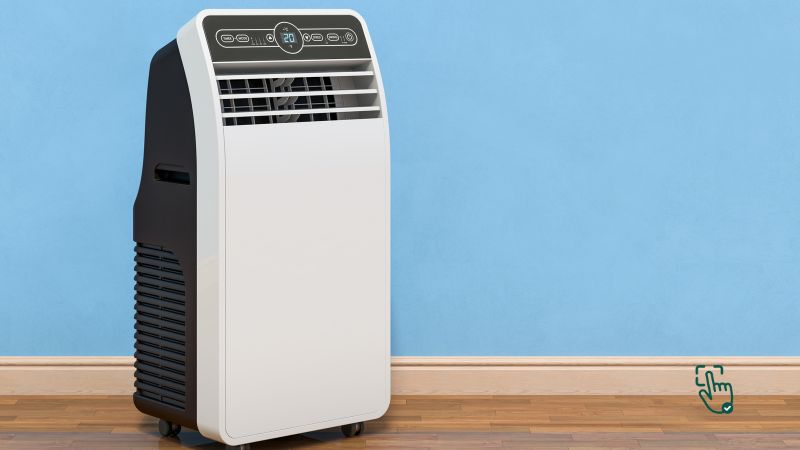
  • Stay Cool This Black Friday: Guide to Finding the Best Portable Air Conditioner

    Stay Cool This Black Friday: Guide to Finding the Best Portable Air Conditioner

    Portable air conditioner, best portable AC, Black Friday air conditioner deals @ pickoutright.com

    Looking for a way to beat the heat without a massive installation hassle? This Black Friday is the perfect time to score deals on portable air conditioners that keep your home cool and comfortable, even on the hottest days. With a range of options—from compact units to more powerful models—finding the best portable air conditioner comes down to knowing what you need and spotting the best features on the market. In this guide, we’ll cover everything from cooling power to energy efficiency, while also exploring popular models so you can make an informed decision this Black Friday.

    What Makes a Portable Air Conditioner Worth Buying?

    Portable air conditioners are ideal for renters, small spaces, or anyone looking to cool a specific room. Unlike traditional units, these don’t require permanent installation, and most models have wheels, so you can move them easily from room to room. They’re flexible, affordable, and can save on energy costs if you only need to cool one area instead of your entire home.

    However, choosing the best portable air conditioner depends on factors like the size of the room, noise level, and energy efficiency. Let’s break down what to look for to ensure you get the right model for your needs.

    Types of Portable Air Conditioners: Which One Suits You?

    1. Single-Hose Portable AC Units
      • These are the most common and usually the most affordable. Single-hose units pull in warm air, cool it down, and then expel the heat outside. They’re great for smaller spaces and tend to be more energy-efficient but may struggle in larger rooms.
    2. Dual-Hose Portable AC Units
      • Dual-hose units have two hoses: one for intake and one for exhaust. This setup is more efficient and cools spaces faster, making it ideal for larger rooms. While typically more expensive, these units offer more power and help maintain room pressure for better airflow.
    3. Evaporative Coolers (Swamp Coolers)
      • Evaporative coolers are not technically air conditioners, but they’re popular for hot, dry climates. They use water to cool the air, making them energy-efficient and eco-friendly. If you live in a humid area, however, an evaporative cooler may not be the best choice.

    Why Buy a Portable Air Conditioner on Black Friday?

    Black Friday is one of the best times to buy a portable air conditioner due to massive discounts. Retailers slash prices across the board, making it a great opportunity to get a high-quality unit at a fraction of the cost. Whether you’re looking for a best-rated portable air conditioner for a large space or a compact, quiet model for your bedroom, you’re likely to find something that fits your needs and budget.

    Top Portable Air Conditioners to Watch for on Black Friday

    1. Whynter ARC-14S Dual Hose Portable Air Conditioner
      • Best For: Large rooms or offices
      • Features: This model is a powerhouse with 14,000 BTU, capable of cooling rooms up to 500 square feet. Its dual-hose system provides efficient cooling, and it also has a dehumidifier mode, making it perfect for humid climates. The Whynter ARC-14S is on the higher end but frequently sees discounts on Black Friday.
    2. Black + Decker BPACT08WT Portable Air Conditioner
      • Best For: Small rooms and apartments
      • Features: Compact and efficient, this 8,000 BTU unit is ideal for smaller spaces. It’s lightweight, affordable, and easy to install, making it a go-to for bedrooms or home offices. Known for its quiet operation, the Black + Decker model is perfect if you need a unit that won’t disrupt your sleep.
    3. Honeywell HF0CESVWK6 Smart Wi-Fi Portable Air Conditioner
      • Best For: Tech-savvy users who want smart home integration
      • Features: With Wi-Fi capabilities, you can control this air conditioner from your smartphone, Amazon Alexa, or Google Assistant. This unit offers 10,000 BTUs, great for medium-sized rooms, and it also doubles as a dehumidifier. Its smart features make it one of the most versatile portable air conditioners available.
    4. LG LP1419IVSM Portable Air Conditioner
      • Best For: Energy efficiency
      • Features: The LG LP1419IVSM is designed with inverter technology, which allows it to cool rooms more efficiently, saving on energy costs in the long run. This 14,000 BTU unit is great for larger rooms and operates quietly, making it an excellent choice for eco-conscious buyers who prioritize efficiency.
    5. SereneLife SLPAC10 Portable Air Conditioner
      • Best For: Budget-friendly cooling
      • Features: The SereneLife SLPAC10 is affordable and effective, offering 10,000 BTUs for small to medium spaces. Its compact design and remote control make it easy to use, and it’s often featured at lower prices, making it a great choice for those on a budget.

    Key Features to Look for in a Portable Air Conditioner

    1. BTU Rating: The BTU rating indicates the unit’s cooling capacity. Higher BTUs cool larger spaces. For example, an 8,000 BTU unit is ideal for a small bedroom, while a 14,000 BTU unit can handle larger rooms or open-plan living spaces.
    2. Energy Efficiency: Energy-efficient models save on electricity costs, which can be important if you plan to use the air conditioner frequently. Look for units with an Energy Efficiency Ratio (EER) above 9.0 for the best results.
    3. Noise Level: Some air conditioners can be quite loud. If you’re sensitive to noise or plan to use the unit in a bedroom, look for models specifically designed to be quiet. The best units operate below 60 decibels.
    4. Additional Features: Many portable air conditioners come with features like dehumidifiers, fan-only modes, and even heating capabilities for winter use. While these features may increase the price, they can add year-round value to the unit.

    Pros and Cons of Portable Air Conditioners

    Pros:

    • No permanent installation: Perfect for renters or anyone looking for a temporary solution.
    • Mobility: Wheels and compact designs make it easy to move units around.
    • Affordable: Portable ACs tend to be more budget-friendly than central air systems.

    Cons:

    • Limited Cooling Power: They’re typically not as powerful as central or window units.
    • Noise: Many portable air conditioners generate noticeable noise, which can be bothersome for some users.
    • Hose Requirement: Most units require a hose that needs to vent outside, which can limit placement options.

    Care Tips for Your Portable Air Conditioner

    To get the most from your portable air conditioner, keep these maintenance tips in mind:

    1. Clean the Filters: Dirty filters reduce efficiency and can impact air quality. Clean or replace filters regularly.
    2. Check the Drain: Portable air conditioners often collect moisture that needs draining. Some units have self-evaporative systems, but you’ll need to empty the water reservoir on others.
    3. Keep It Dust-Free: Wipe down the exterior and check for dust buildup around the vents. Regular cleaning keeps the unit running smoothly.

    What to Avoid When Buying a Portable Air Conditioner on Black Friday

    Some units may look tempting, but they aren’t always worth the price. Here’s what to avoid:

    • Underpowered Units: Choose a unit with adequate BTUs for your room size. Underpowered models will struggle to keep the space cool.
    • Loud Models: If you’re sensitive to noise, avoid units that operate at high decibel levels.
    • Complex Installation Requirements: While they’re portable, some units have difficult setups. Look for models with easy-to-install exhaust hoses.

    Conclusion

    Which Portable Air Conditioner is Best for You?

    Finding the best portable air conditioner this Black Friday means knowing what features you value. If energy efficiency and low noise are top priorities, consider models like the LG LP1419IVSM. For tech lovers, the Honeywell Smart AC offers great connectivity. And if you’re looking for budget-friendly cooling, the SereneLife SLPAC10 is a solid choice.

    Love this? Share it with your friends!

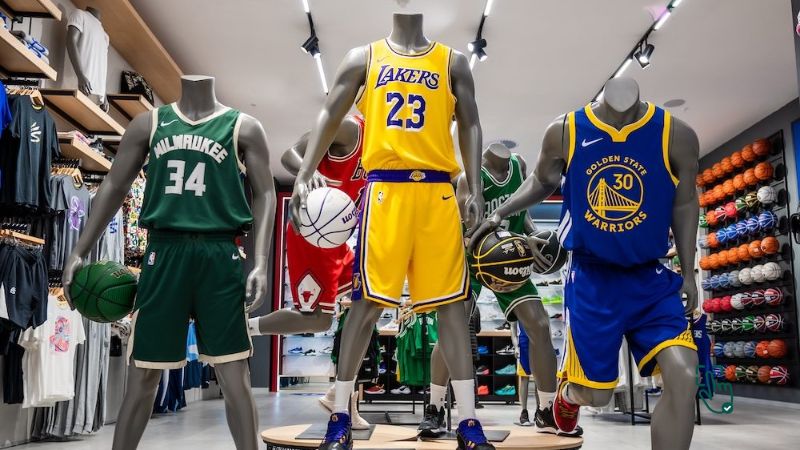
  • Score Big This Black Friday: How to Choose the Best NBA Jerseys

    Score Big This Black Friday: How to Choose the Best NBA Jerseys

    NBA jerseys, Michael Jordan jersey, LeBron James jersey, Steph Curry jersey, Black Friday sales @ pickoutright.com

    Looking for the perfect NBA jersey this Black Friday? Whether you’re after a Steph Curry jersey to rep the Golden State Warriors or a classic Michael Jordan jersey from the Chicago Bulls era, there’s an option for every fan this season. NBA jerseys aren’t just about showing team spirit—they’re iconic fashion statements that bridge the gap between sports and style. But with so many options, which jersey should you pick? We’ll break down the best NBA jerseys, including fan-favorites like Kobe Bryant jerseys, LeBron James jerseys, and more, so you can score big deals and style points.

    What Makes an NBA Jersey Worth Buying?

    NBA jerseys are more than just clothing; they represent dedication to your favorite players and teams. For die-hard fans, the right jersey captures memorable seasons, legendary plays, and even personal achievements. But not all NBA jerseys are made the same. Some jerseys focus on performance, while others are all about authenticity or nostalgia. Whether you’re a casual fan or a hardcore collector, knowing what makes a jersey worth the buy can save you from regretting your choice later.

    Types of NBA Jerseys: Which One is Right for You?

    1. Authentic Jerseys
      • These are the real deal, just like the ones worn on court. Authentic jerseys are made with premium materials, feature stitched numbers, and often come with a higher price tag. If you’re a big fan of someone like Michael Jordan or LeBron James, investing in an authentic jersey brings you closer to the game.
    2. Swingman Jerseys
      • Swingman jerseys offer a middle ground, giving fans a quality jersey without the high cost of an authentic one. Made for everyday wear, they often feature heat-pressed numbers instead of stitching. For those wanting a Steph Curry or Kobe Bryant jersey without splurging, swingman options are ideal.
    3. Replica Jerseys
      • As the most affordable type, replica jerseys are great for fans on a budget. Although they’re not as high-quality as authentic or swingman jerseys, they’re perfect for casual fans who want to show their support. Replica jerseys often feature printed logos and player names, making them lightweight and comfortable for casual wear.

    Why NBA Jerseys Are the Perfect Buy on Black Friday

    During Black Friday, NBA jerseys often go on sale, so it’s the perfect time to snag that iconic Michael Jordan or LeBron James jersey you’ve been eyeing. Retailers offer deep discounts on sports apparel, making this an ideal time to buy jerseys for yourself or as a gift for a basketball fan. With prices typically slashed across various stores, this Black Friday might be the best chance to grab an iconic Kobe Bryant jersey or a fresh Steph Curry jersey to update your collection.

    Top NBA Jerseys to Watch for on Black Friday

    1. Michael Jordan Jersey
      • Why It’s a Must-Have: The GOAT’s jersey is timeless. Jordan’s legacy with the Chicago Bulls made the number 23 jersey iconic. The black and red colors scream history and dedication. It’s not just a jersey; it’s a piece of basketball legend.
    2. LeBron James Jersey
      • Fan Appeal: Whether you want a Cleveland Cavaliers, Miami Heat, or Los Angeles Lakers edition, a LeBron James jersey holds immense value. As an active legend, owning a LeBron jersey gives you a piece of current history in the making.
    3. Kobe Bryant Jersey
      • Legacy Factor: Kobe’s legacy with the Lakers lives on, and his jersey is an honor to wear. Whether you choose number 8 or 24, a Kobe Bryant jersey is one of the most meaningful picks for any NBA fan.
    4. Steph Curry Jersey
      • Why Fans Love It: Known for changing the game with his shooting, Steph Curry’s jersey is a top-seller. His Warriors blue and yellow jersey is ideal for fans of the current era who appreciate Curry’s unique impact.
    5. Giannis Antetokounmpo Jersey
      • Rising Star Appeal: Representing the Milwaukee Bucks, Giannis has captured the hearts of fans worldwide. A Giannis Antetokounmpo jersey is a smart buy, especially with his rising star status and championship win.
    6. Luka Dončić Jersey
      • Next Generation: Luka’s exceptional skills have already made him a fan favorite. His jersey symbolizes the future of the NBA, making it a trendy choice for younger fans who admire his European flair and dynamic play.

    How to Spot an Authentic NBA Jersey This Black Friday

    With so many deals on the market, knowing how to spot an authentic NBA jersey can save you from disappointment. Here are some quick tips:

    • Stitching: Authentic jerseys often have stitched numbers and letters.
    • Branding: Look for NBA and Nike logos on authentic jerseys.
    • Fabric Quality: Authentic jerseys use heavier, breathable materials. Avoid thin fabrics for top-quality picks.
    • Seller Reputation: If buying online, stick to trusted retailers like Fanatics, NBA Store, and reputable e-commerce sites like Amazon to avoid knock-offs.

    Where to Find NBA Jersey Deals this Black Friday

    During Black Friday, look out for deals from these top retailers:

    • NBA Store: They often run Black Friday specials on jerseys and accessories.
    • Fanatics: Known for sportswear, Fanatics usually discounts jerseys by popular players.
    • Nike.com: Since Nike has exclusive rights to manufacture NBA jerseys, their site is a great option for authentic gear.
    • Amazon: The marketplace is filled with third-party sellers, so you can find deals across all types of jerseys.

    Care Tips: How to Make Your NBA Jersey Last

    Once you’ve snagged your new NBA jersey, proper care will keep it looking fresh:

    1. Wash Gently: Turn it inside out and use a gentle cycle with cold water.
    2. Air Dry Only: Avoid the dryer to prevent numbers from cracking or fading.
    3. Avoid Harsh Detergents: Use mild detergents to preserve colors and logos.

    What to Avoid When Buying NBA Jerseys on Black Friday

    It’s easy to get swept up in a sale, but some jerseys aren’t worth the buy. Here’s what to keep in mind:

    • Avoid No-Name Sellers: Unknown online shops may offer deep discounts but could deliver low-quality items.
    • Cheap Prints: Jerseys with printed logos and names instead of stitching are usually lower quality.
    • Suspiciously Low Prices: If it seems too good to be true, it probably is. Authentic jerseys don’t come cheap, even on Black Friday.

    Conclusion

    Which NBA Jersey Should You Buy?

    Your ideal NBA jersey should be a reflection of your basketball passion. If you’re all about classics, go for a Michael Jordan or Kobe Bryant jersey. For fans of today’s game, LeBron James or Steph Curry jerseys capture the current NBA excitement. And if you’re looking to rep rising stars, Giannis or Luka Dončić jerseys are fantastic choices.

    Love this? Share it with your friends!

  • Best 75 Inches TV: Top Picks for Stunning Picture and Big Screen Action

    Best 75 Inches TV: Top Picks for Stunning Picture and Big Screen Action

    Best 75 inches TV, Samsung QN90B Neo QLED, LG C2 OLED, Vizio P-Series Quantum @ pickoutright.com

    Looking to upgrade your home theater with a massive 75 inches TV? Whether you’re into gaming, binge-watching shows, or enjoying movies with a cinematic experience, a 75 inches TV is a game-changer. But finding the best 75 inches TV can be a bit overwhelming with so many options out there. Don’t worry—I’ve got you covered with some of the best models you can grab this year. Let’s dive into what makes these TVs the ultimate choice for a home viewing experience!

    Why Choose a 75 inches TV?

    A 75 inches TV isn’t just big—it’s bold. The sheer size makes it the centerpiece of any living room or entertainment space. Imagine sinking into your couch and feeling like you’re at the movies every night. Plus, with the increase in streaming services offering high-definition content, these large screens are the perfect way to enjoy that quality without squinting at the screen. A 75 inches screen is ideal for larger rooms, but even in a medium-sized room, it can provide a truly immersive experience.

    Best 75 inches TVs to Buy in 2024

    1. Samsung QN90B Neo QLED TV
      • Pros: Outstanding picture quality with Neo QLED, super bright, fantastic color accuracy.
      • Cons: Expensive, sound quality could use improvement without a soundbar.

    Samsung’s QN90B Neo QLED TV is one of the top picks for anyone looking for the absolute best in picture quality. With its Neo QLED technology, you get a fantastic viewing experience with crisp, vibrant colors, even in bright rooms. It also has an impressive 4K resolution and a refresh rate of 120Hz, which makes it perfect for gamers as well as movie buffs. However, at this price point, it’s definitely an investment. And if you’re not willing to spring for a soundbar, the built-in sound might not be as immersive as the picture quality.

    1. LG C2 OLED TV
      • Pros: Stunning OLED display with deep blacks, perfect for movie lovers and gamers.
      • Cons: Pricey, susceptible to screen burn-in with static content.

    If you want to take your viewing experience to the next level, the LG C2 OLED is a perfect choice. OLED technology is renowned for delivering perfect blacks and stunning contrast, making your viewing experience more immersive than ever before. It’s great for movies, gaming, and watching content in dark environments. The only downside is that OLED panels can be prone to burn-in if you leave static images on the screen for too long. Still, if you’re a fan of a high-quality viewing experience, the LG C2 OLED is one of the best 75-inch TVs out there.

    1. Sony X90K LED TV
      • Pros: Excellent color accuracy, great for bright rooms, good value for the price.
      • Cons: Lacks the black levels of OLED, sound could be better.

    Sony’s X90K offers exceptional picture quality and a great all-around experience without the sky-high price tag of the QLED or OLED models. It uses Full Array LED technology, which delivers amazing color accuracy and contrast. Whether you’re streaming your favorite shows or playing the latest games, this TV will impress. The sound might not blow you away, but it’s solid enough to enjoy without needing external speakers unless you’re a true audiophile.

    1. Vizio P-Series Quantum 75-Inch TV
      • Pros: Great value for money, stunning picture quality with Quantum Dot tech.
      • Cons: Interface is a bit clunky, mediocre sound.

    For those on a budget who still want something that looks incredible, the Vizio P-Series Quantum is a fantastic choice. The Quantum Dot technology delivers vibrant, accurate colors and fantastic brightness levels. While it might not match the top-tier models in terms of contrast or sound, it’s an excellent value option for anyone looking for a great deal on a large TV.

    Key Features to Consider When Choosing the Best One

    When choosing the best 75 inches TV, there are a few features to keep in mind to make sure you’re getting the best value for your money:

    1. Resolution: Look for at least 4K resolution (3840 x 2160 pixels) to ensure that your TV looks sharp and clear. 8K TVs are available, but they come at a premium price with limited content, so 4K is still the sweet spot for most buyers.
    2. HDR (High Dynamic Range): HDR provides greater contrast and more vivid colors. Look for TVs that support HDR10, Dolby Vision, or both for the best experience.
    3. Refresh Rate: A higher refresh rate, such as 120Hz, is great for gaming or watching fast-moving action, like sports or action movies.
    4. Smart TV Features: Most 75 inches TVs come with smart TV functionality, which means built-in access to streaming apps like Netflix, Hulu, and Disney+. Look for models with Google TV, Apple TV, or Roku TV for the best interface and ease of use.
    5. Sound Quality: While modern TVs are better than ever with their built-in sound, you may still want to invest in a soundbar or surround sound system if you’re an audiophile.

    Conclusion

    Which 75 inches TV Is Right for You?

    Choosing the best 75 inches TV comes down to your preferences, budget, and how you plan to use it. If you’re willing to spend a little extra for OLED perfection, the LG C2 OLED is unbeatable for its picture quality. For those who want something bright, vibrant, and at the top of the tech game, the Samsung QN90B Neo QLED is a solid choice. And if you’re after a more budget-friendly option that doesn’t compromise on quality, check out the Sony X90K or the Vizio P-Series Quantum.

    Ultimately, each of these options offers great value depending on your needs. Whether you’re binge-watching your favorite Netflix series, gaming, or just enjoying a family movie night, these 75 inches TVs are sure to elevate your entertainment experience.

  • The Best Coffee Makers for a Perfect Brew Every Morning!

    The Best Coffee Makers for a Perfect Brew Every Morning!

    Coffee Maker

    Craving a barista-quality cup right at home? The right Coffee Maker can transform your mornings, brewing rich, aromatic coffee that’ll give you that much-needed morning boost. But, finding the best coffee maker is like finding the perfect roast—personal and based on taste, ease, and budget. Whether you’re a drip, espresso, or cold brew fan, there’s a coffee machine that’s just right for you. Let’s dive into what makes the top coffee makers stand out and explore how to pick one that’ll kickstart your day the right way.

    Why a Coffee Maker Matters

    Let’s face it, coffee fuels many of us. Having a coffee maker at home means skipping those long café lines and saving money on pricey cups. A good coffee maker also allows you to customize your coffee just the way you like it—strong, mild, hot, iced, or frothy. With so many options available, it can be overwhelming, but we’re here to help break down what really matters when choosing a coffee maker.

    What’s the Best Coffee Maker in 2025?

    If there’s one thing that gets people out of bed in the morning, it’s coffee. And let’s be real—no one wants to start their day with a mediocre cup. That’s where a solid coffee maker comes in. Whether you’re a die-hard espresso fan, need your caffeine fix ASAP, or love brewing a big pot for the fam, there’s a perfect machine for you.

    So, let’s break it down—the best coffee makers of 2025 that are totally worth your money.

    1. Breville Barista Express – Best Espresso Coffee Maker

    If you’re serious about real espresso, the Breville Barista Express is basically a mini coffee shop for your kitchen. This machine grinds, tamps, and brews espresso in one smooth process, so you get fresh, barista-quality coffee every single time. The built-in grinder means you don’t have to buy a separate one, and trust me, freshly ground beans make a HUGE difference in flavor. Plus, the steam wand lets you froth milk like a pro, so you can whip up lattes, cappuccinos, and macchiatos right at home.

    But here’s the thing—it’s not exactly cheap, and if you’re new to espresso machines, it’s going to take a little trial and error to master. It’s also a bit on the bulky side, so if you’re low on counter space, be ready to rearrange some things.

    Why You’ll Love It:

    • Grinds fresh beans on the spot – No need for a separate grinder.
    • Steam wand for creamy froth – Makes perfect lattes and cappuccinos.
    • High-quality espresso at home – No more coffee shop runs.

    Things to Consider:

    • Pricey – Definitely an investment.
    • Takes practice – Not the easiest machine for beginners.

    Related Products:

    • Breville Bambino Plus – A smaller, beginner-friendly alternative.
    • De’Longhi La Specialista – Another high-end espresso machine with a built-in grinder.
    • Lavazza Super Crema Espresso Beans – A great choice for fresh espresso brewing.

    If you’re ready to ditch the coffee shop and make café-level drinks at home, the Breville Barista Express is 100% worth it.

    2. Keurig K-Elite – Best Single-Serve Coffee Maker

    Not everyone has time to mess around with grinding beans and frothing milk. If you just need a quick, solid cup of coffee, the Keurig K-Elite is your best friend. This thing brews in under a minute—just pop in a pod, press a button, and boom, coffee’s ready. Whether you’re a fan of classic black coffee, flavored drinks, or even iced coffee, this machine can handle it.

    The downside? Those pods aren’t cheap, and if you’re drinking coffee multiple times a day, the cost adds up fast. Also, pod coffee doesn’t always have that fresh-ground flavor, but if convenience is your priority, you won’t care. The good news is, Keurig has reusable filter options, so you can still use your own coffee grounds and save some cash.

    Why You’ll Love It:

    • Brews in under a minute – Perfect for busy mornings.
    • Strong brew option – Great if you like bold coffee.
    • Works with pods & ground coffee – More flexibility with a reusable filter.

    Things to Consider:

    • Pods can get expensive – Costs more in the long run.
    • Not as fresh as grinding your own beans – But still decent.

    Related Products:

    • Keurig K-Slim – A smaller, space-saving Keurig model.
    • Keurig Reusable Coffee Filter – Lets you use your own ground coffee.
    • Starbucks Pike Place K-Cups – A popular medium roast pod option.

    If you want fast, easy coffee without the hassle, the Keurig K-Elite is a solid pick.

    3. Ninja DualBrew Pro – Best Drip Coffee Maker

    Need the best of both worlds? The Ninja DualBrew Pro is like having two coffee makers in one. It can brew a full pot of coffee when you need it, but it also has a single-serve option for those solo coffee moments. Even better, it’s compatible with both coffee grounds AND K-cups, so whether you prefer the traditional route or the quick and easy pod method, you’re covered.

    The multiple brew sizes are a game-changer—brew just one cup, a travel mug, or a full carafe. It also comes with a built-in milk frother, which is a nice bonus if you enjoy lattes and cappuccinos. The only downside? It’s a little bulky, and with all those features, it takes a minute to figure out. If you’re someone who just wants to press a single button and go, this might feel too complicated.

    Why You’ll Love It:

    • Brews both drip coffee and K-cups – Ultimate flexibility.
    • Different brew sizes – Customize your cup or brew a whole pot.
    • Built-in milk frother – Adds an extra level of versatility.

    Things to Consider:

    • Takes up some counter space – Not ideal for small kitchens.
    • More settings to figure out – Might be overwhelming at first.

    Related Products:

    • Ninja Hot & Cold Brewed System – Similar, but with tea brewing features.
    • Hamilton Beach FlexBrew – A more budget-friendly dual brewer.
    • Dunkin’ Original Blend Coffee – A great medium roast for drip coffee.

    If you want a coffee maker that does it all, the Ninja DualBrew Pro is worth every penny.

    How to Choose the Right Coffee Maker for You

    1. Brewing Style – Are you a drip coffee lover, or do you prefer the intensity of espresso? Different machines cater to specific tastes, and some offer multiple brewing options if you enjoy variety.
    2. Ease of Use – Not all coffee makers are created equal in terms of simplicity. Single-serve machines are straightforward, while espresso machines may need more hands-on work and maintenance.
    3. Budget – Coffee makers range from budget-friendly to luxury models. Make sure to factor in long-term costs, like coffee pods, filters, or regular maintenance.

    Top Coffee Maker Features to Look For

    • Programmable Settings: Want to wake up to fresh coffee? Some machines let you schedule brewing times.
    • Adjustable Brew Strength: Allows you to control the intensity of your coffee, especially handy if you switch between strong and mild preferences.
    • Built-in Grinder: Freshly ground beans make a world of difference. If you’re serious about flavor, opt for a machine with a grinder.
    • Self-Cleaning Function: It’s a lifesaver for busy mornings, ensuring your machine stays clean and your coffee remains pure.

    Where to Buy the Best Coffee Maker?

    Most major retailers like Amazon, Best Buy, and Walmart offer a wide range of coffee makers, often with deals on popular brands. For those looking for a high-end espresso machine, check specialty stores or brand-specific sites like Breville’s official store. Always watch out for promotions during big sales events, and don’t forget to look at customer reviews—they’re golden for insights.

    When Should You Replace Your Coffee Maker?

    Even the best coffee makers need replacing every now and then. Here are signs that it’s time for an upgrade:

    • Decline in Brew Quality: If your coffee starts tasting off or weaker than usual, your machine might be past its prime.
    • Slower Brew Time: If brewing takes longer than usual, your machine may have a clog or other issue.
    • Visible Wear and Tear: Leaks, cracks, or broken buttons are telltale signs that it’s time for a new coffee maker.

    The Downsides of Popular Coffee Makers: What’s Not So Great?

    1. Breville Barista Express – It’s expensive and takes up a chunk of counter space. While the taste is top-notch, the maintenance can be a hassle, especially for those new to espresso machines.
    2. Keurig K-Elite – The convenience of pods is undeniable, but the environmental impact is a major downside. Plus, the flavor just isn’t as rich as with freshly ground coffee beans.
    3. Ninja DualBrew Pro – While versatile, it’s also bulky and can be overwhelming with its numerous settings. If you just want a quick coffee, this might be overkill.

    Quick Comparison of Our Top Picks

    Coffee MakerBest ForPrice RangeKey Features
    Breville Barista ExpressEspresso Lovers$$$Built-in grinder, steam wand
    Keurig K-EliteSingle-Serve Fans$$Fast brew time, variety of pods
    Ninja DualBrew ProDrip Coffee Lovers$$Drip + pod options, various sizes

    Conclusion

    Which Coffee Maker Is Right for You?

    Choosing the best coffee maker depends on your lifestyle and coffee preferences. For espresso enthusiasts, the Breville Barista Express is hard to beat. If you’re all about convenience, the Keurig K-Elite’s quick brew time might be a dream. Finally, for drip coffee fans or families, the Ninja DualBrew Pro provides a flexible, multi-option approach.

    No matter which one you choose, you’ll be stepping up your coffee game in a big way!