Category: Printers

  • Best Photo Printer: Your Guide to Stunning Prints Anytime, Anywhere!

    Best Photo Printer: Your Guide to Stunning Prints Anytime, Anywhere!

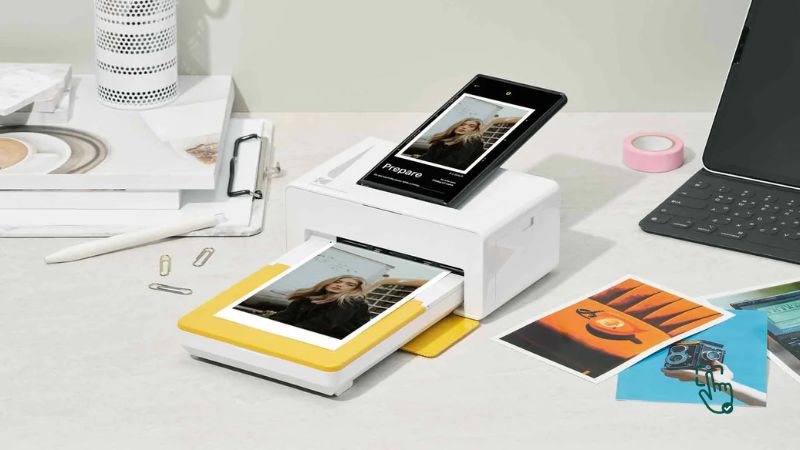
    Photo printer on desk, HP Sprocket mini photo printer, Canon SELPHY CP1500, Epson SureColor P700, portable photo printer in action @ pickoutright.com

    Printing photos at home or on the go has never been easier, thanks to the best photo printers on the market. Whether you’re looking for a compact mini photo printer, a versatile portable photo printer, or even an iPhone photo printer, there’s something out there to fit your needs perfectly. In this guide, we’ll break down the top options, their perks and pitfalls, and help you find the right fit for your photo printing dreams.

    What Makes a Printer the “Best Photo Printer”?

    The best photo printer doesn’t just churn out pictures—it delivers vibrant, sharp images that capture every detail and color. But not all photo printers are created equal. While some models specialize in portability, others shine in professional-quality prints. So, what should you look for?
    Here’s a quick rundown:

    • Print Quality: Crisp resolution and color accuracy are non-negotiable.
    • Size: Do you need a full-sized printer or a compact one?
    • Connectivity: Look for wireless printing options like Bluetooth or Wi-Fi, especially if you want an iPhone photo printer or a phone photo printer.
    • Cost: Factor in not just the printer price but also the ongoing cost of ink and paper.

    Why Do You Need a Photo Printer?

    Imagine this: You’ve taken the perfect picture on your phone, but instead of it living in your camera roll forever, you print it instantly, hold it, and frame it. That’s the magic of having a photo printer. Here’s why they’re worth it:

    • Instant Gratification: No more waiting for prints at the store.
    • Personalized Gifts: Printed photos make thoughtful, personal gifts.
    • Creative Projects: From scrapbooking to collages, printed photos unleash creativity.
    • On-the-Go Memories: With portable photo printers, you can print pictures anywhere—be it at a party, wedding, or vacation.

    Best Photo Printers for Every Need

    1. Canon SELPHY CP1500

    If you’re looking for a photo printer that feels like it belongs in every home, the Canon SELPHY CP1500 is a total gem. Seriously, it’s super easy to fall in love with this little guy. It’s portable enough to move around the house or even take to parties, and it punches way above its weight when it comes to print quality. You can churn out lab-quality photos that look like you got them professionally done — all without leaving your cozy couch. It prints in multiple sizes too, which is super handy depending on what you’re going for, whether it’s wallet-sized memories or something a little bigger for a frame.

    Now, real talk — the biggest downside is the ink. Those cartridges are not cheap. If you’re planning to print your entire camera roll, your wallet might cry a little. It’s definitely better suited for those special occasions when you want a few top-quality prints rather than non-stop mass production. Think birthdays, holidays, or just showing off your best selfie. But when you do fire it up, the prints come out vibrant, detailed, and dry instantly. Zero smudging drama!

    The Canon SELPHY CP1500 is ideal for casual photo lovers, crafters, scrapbookers, and anyone who values print quality over quantity. If you’re fine with occasional splurges on ink, it’s honestly a solid investment that’ll make your memories look stunning. Plus, it’s cute enough to leave out on your desk without being an eyesore.

    Related Products:

    2. HP Sprocket Select

    If your phone is basically your second brain and you live for sharing moments instantly, then the HP Sprocket Select is gonna feel like magic. It’s insanely portable — like, it can legit fit into your jacket pocket. Pull it out at a party, a family gathering, or even during a weekend hike, and boom — instant photos straight from your phone via Bluetooth. No cables, no weird setup, just open the app and start printing your memories on the go.

    The print size is small, like palm-of-your-hand small, which is perfect for journals, scrapbooks, locker decor, or gifting quick snapshots. But heads up — if you’re dreaming of big, frame-worthy prints, you’ll probably feel a little limited. Editing options are also pretty basic, so if you like heavy photo tweaking, you might want to do that before printing.

    Still, the HP Sprocket Select is just pure fun. It’s easy to use, prints fast, and honestly makes for a super cool conversation starter. Great for teens, travelers, and pretty much anyone who wants a tangible way to share memories beyond social media. Plus, it’s got that sleek, stylish vibe that makes it feel more like a fashion accessory than a tech gadget.

    Related Products:

    3. Epson SureColor P700

    Now, if you’re playing in the big leagues and you want to seriously flex your photography skills, the Epson SureColor P700 is where it’s at. This isn’t your basic home photo printer — it’s a professional-grade beast. We’re talking gallery-quality, jaw-dropping prints that capture every tiny detail, from the deep shadows to the bright highlights. The resolution is mind-blowing, and it supports large-format printing up to 13 inches wide. Perfect for photographers who want to showcase their work or even sell prints.

    But let’s not sugarcoat it — the P700 is a commitment. It’s bulky, it’s expensive, and it needs its own dedicated spot. You can’t just shove it on a cluttered desk between your coffee mug and your laptop. Also, ink costs can creep up if you’re printing a lot, so budget accordingly. But once you see your first print come out, it’s hard to be mad at it. The colors are so rich and true-to-life, and the black levels are unreal, thanks to Epson’s advanced printing tech.

    Overall, the SureColor P700 is for serious photographers and artists who want total control over their work. It’s a splurge, no doubt, but if you need professional results without sending stuff out to a print lab, this is absolutely worth it.

    Related Products:

    4. Polaroid Hi-Print Pocket Printer

    Looking for something easy, fun, and affordable? Say hello to the Polaroid Hi-Print Pocket Printer. This little machine is great for people who just want quick, cute prints without getting all techy about it. You literally pop it open, connect your phone, and start printing. No stress, no hassle. Plus, it’s super compact, so it can travel with you just about anywhere.

    Sure, it has a few limitations. You need to buy Polaroid’s specific paper, and it doesn’t have the heavy editing features you might find in fancier printers. But for casual users? It totally nails the assignment. It’s awesome for printing party pics, random travel shots, or even little “just because” photos you can stick in cards or on your mirror. The print quality is surprisingly decent for the size and price, with vibrant colors that pop nicely.

    Basically, the Polaroid Hi-Print is a no-brainer if you’re just after a no-fuss, fun way to bring your digital memories into the real world. It’s perfect for kids, teens, or anyone who misses the good old days of holding a photo in your hand.

    Related Products:

    5. Kodak Mini 3 Retro

    If you’re vibing with retro style but still want modern tech, the Kodak Mini 3 Retro is definitely worth checking out. First of all, the look is just chef’s kiss — it’s got that old-school feel that makes it look like a vintage gadget, but inside it’s packed with reliable photo printing tech. It’s small, lightweight, and super easy to use, which means you can pop it in your bag and print memories anywhere you want.

    The color vibrancy is a huge win here. Pictures come out looking lively and bright, which is exactly what you want when you’re printing snapshots of friends, pets, vacations, and everything in between. It’s not the fastest printer on the block, so if you’re in a rush, you might get a little impatient. But the payoff is worth it because the prints are durable and look great.

    Honestly, the Kodak Mini 3 Retro is perfect for anyone who loves a bit of nostalgia mixed with convenience. It’s affordable, fun, and it captures those little life moments in a way that feels super special. Great for gift-givers, partygoers, and anyone who’s always snapping pics on their phone and actually wants to do something with them.

    Related Products:

    How to Choose the Right Photo Printer for You

    Here’s the million-dollar question: What’s your priority? Is it portability? Top-notch quality? Budget? Answering this will make your choice clearer.

    1. For Everyday Use: Go for a mid-range printer like the Canon SELPHY CP1500.
    2. For Parties and Events: The HP Sprocket is unbeatable for quick, fun prints.
    3. For Professionals: Invest in the Epson SureColor P700 for flawless results.
    4. For Budget Buyers: The Polaroid Hi-Print is simple, effective, and easy on the wallet.

    Portable vs. Full-Sized Photo Printers

    • Portable Photo Printers
      • Pros: Lightweight, great for on-the-go printing.
      • Cons: Smaller print sizes and slightly lower quality.
    • Full-Sized Photo Printers
      • Pros: Superior image quality, larger print formats.
      • Cons: Bulkier and less convenient to move around.

    The Good, The Bad, and the Honest Truth

    Let’s be real—no printer is perfect. While the best photo printers offer great features, there are always trade-offs.

    Pros of Photo Printers:

    • Instant results and convenience.
    • High-quality prints for personal and professional use.
    • Easy connectivity with smartphones and other devices.

    Cons of Photo Printers:

    • Some are pricey, both upfront and in terms of running costs.
    • Mini and portable photo printers often have smaller print sizes.
    • Ink and paper refills can add up over time.

    Best Places to Buy Photo Printers

    You can snag great deals online at trusted retailers like:

    • Amazon: Tons of options, user reviews, and competitive prices.
    • Best Buy: Known for deals on electronics, including iPhone photo printers.
    • B&H Photo Video: Perfect for professional-grade photo printers.

    Always check for discounts during Black Friday or Cyber Monday to save big!

    When Should You Invest in a Photo Printer?

    The best time to invest in a photo printer is when you find yourself constantly printing pictures. Whether it’s for work, hobbies, or fun, having your own printer saves time and money in the long run.

    Final Verdict: Which Photo Printer Takes the Crown?

    If portability is your thing, the HP Sprocket is a winner. For professional results, you can’t beat the Epson SureColor P700. And if you’re after the best of both worlds, the Canon SELPHY CP1500 strikes a great balance.

    Whatever you choose, having the best photo printer means you can bring your memories to life in seconds—and that’s priceless.
    Love this? Share it with your friends!

  • What’s the Best Laser Printer? Here’s Why You Need One and How to Choose the Best for Your Needs

    What’s the Best Laser Printer? Here’s Why You Need One and How to Choose the Best for Your Needs

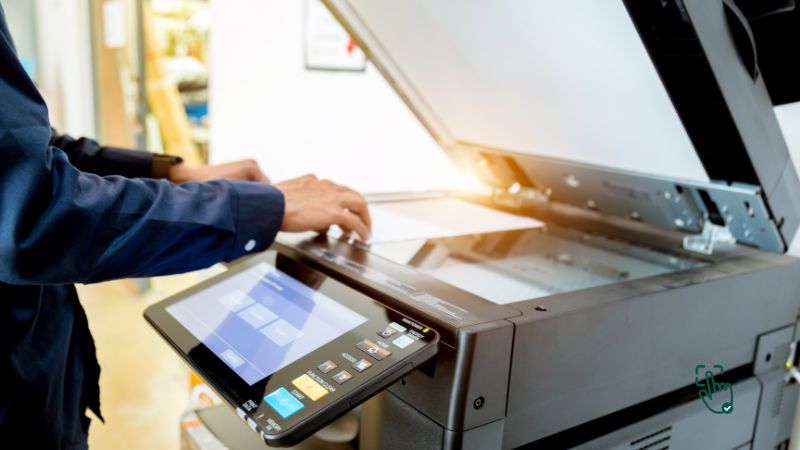
    Best Laser printers from HP, Brother, Canon, and Lexmark in various office settings @ pickoutright.com

    Tired of slow, ink-guzzling printers that constantly break down? It’s time to make the switch to a laser printer! Known for their speed, reliability, and cost efficiency, laser printers are the ultimate solution for anyone who needs high-quality prints without the hassle. Whether you’re printing documents at home, managing office tasks, or running a small business, a laser printer can easily handle everything from simple text to more complex graphics. But with so many options on the market, it can be overwhelming to pick the right one. Don’t worry—we’ve got you covered. Let’s break down the top laser printers of 2025 and find the perfect match for your needs.

    Why Should You Choose a Laser Printer?

    Speed, durability, and lower long-term costs.

    If you’re tired of dealing with the slow speeds and constant ink cartridge replacements that come with inkjet printers, a laser printer might be the upgrade you need. Laser printers use toner cartridges that last much longer and print faster, making them ideal for high-volume tasks. Plus, they tend to offer sharper text, which is great for professional documents.

    Best Laser Printers of 2025

    1. HP Color LaserJet Pro MFP M479fdw

    Alright, if you’re after a do-it-all beast of a printer that doesn’t slow down or mess around, the HP Color LaserJet Pro MFP M479fdw might just be your new best friend. This thing is basically the Swiss Army knife of laser printers—it prints, scans, copies, and faxes. Everything you could need, all packed into one solid machine. It’s super quick too, pumping out pages without making you wait forever. Whether you’re running a small business or just want something heavy-duty for your home office, this printer can handle it.

    One of the coolest things about it? The security features. You won’t have to stress about random print jobs popping up from who-knows-where. It’s got password protection and other smart settings to keep everything locked down. Plus, the print quality—especially in color—is seriously sharp. Presentations, marketing materials, even family photos look crisp and clean.

    That said, it ain’t tiny. It’s got some bulk to it, so if your desk is already crowded, you might need to clear some space. Also, it’s not the cheapest printer out there—but you’re definitely getting a powerhouse for what you pay.

    Pros: Fast printing, solid color quality, all-in-one features, great security.
    Cons: Pretty bulky, costs more upfront.

    Related Products: HP LaserJet M234sdw, Brother MFC-L3770CDW, Canon Color imageCLASS MF656Cdw

    2. Brother HL-L2350DW

    Okay, let’s say you don’t need anything too flashy. Maybe you just want something that prints plain ol’ black-and-white documents without any drama. Enter the Brother HL-L2350DW. It’s affordable, super simple to use, and takes up barely any space. Perfect for students, home offices, or anyone just trying to keep it lowkey.

    This little guy prints fast—like, 32 pages per minute fast. And it does it quietly, which is always a bonus. Setup is easy too. It connects wirelessly, so no need to mess with a bunch of cables. Just hook it up to your Wi-Fi and you’re golden. It’s got auto-duplex printing as well, which means it can print on both sides of the paper without you flipping anything manually. That’s a paper-saver for sure.

    Now, it’s not an all-in-one. No scanning, no copying, no color. It’s strictly print-only, black-and-white. But for what it does, it does it really well.

    Pros: Compact, reliable, fast black-and-white printing, budget-friendly.
    Cons: No color printing, no scanning or copying features.

    Related Products: Brother HL-L2395DW, Canon imageCLASS LBP6230dw, HP LaserJet MFP M114w

    3. Canon imageCLASS MF743Cdw

    Now, if you’re all about that high-quality color printing life, the Canon imageCLASS MF743Cdw is where it’s at. This thing was made for vibrant prints—like those brochures, flyers, or reports that need to pop. It’s a full-on workhorse, built with businesses in mind, but still totally usable in a serious home setup.

    Speed? Yup, it’s quick. Duplex printing? Got it. Touchscreen interface? Oh yeah. And the interface makes navigation super easy—even if you’re not tech-savvy. The print quality is honestly one of the best in this price range, and the build itself feels sturdy enough to last for years.

    But here’s the kicker: the toner cartridges. They’re not cheap. And if you’re printing in color a lot, they’ll run out quicker than you’d like. So, while the initial investment in the printer is worth it, make sure to plan ahead for ongoing costs.

    Pros: Gorgeous color prints, duplex printing, solid build quality, user-friendly.
    Cons: Toner gets pricey, a bit on the heavier side.

    Related Products: Canon MF644Cdw, HP Color LaserJet Pro M255dw, Brother MFC-L8905CDW

    4. Lexmark B2236dw

    Looking for a cheap, compact, black-and-white laser printer that still delivers on speed and quality? The Lexmark B2236dw should definitely be on your radar. It’s one of those printers that just gets straight to the point—print fast, print sharp, and don’t make a fuss.

    You’re not gonna find a bunch of bells and whistles here. No scanning, no fax, and definitely no color. But what it does give you is a reliable and fast printing experience, especially for text-heavy docs. Whether you’re printing essays, invoices, or just your usual work-from-home stuff, this little machine handles it like a champ.

    Setup is super easy too. Wireless printing means you don’t have to deal with messy cords, and it plays nicely with both Windows and Mac systems. Plus, it’s compact enough to fit even in tight spaces. If you’re just after something that works and doesn’t cost a fortune, this is a solid pick.

    Pros: Fast, reliable black-and-white prints, compact design, affordable.
    Cons: No extra features, only prints in black-and-white.

    Related Products: Brother HL-L2325DW, HP LaserJet Pro M118dw, Canon imageCLASS LBP6030w

    How to Choose the Best Laser Printer for You

    Not all laser printers are created equal, and the one that’s right for you depends on what you need it for. Here’s a quick guide to help you decide:

    1. Purpose
      • Are you printing mostly documents or do you need high-quality color images? If you just need black-and-white documents, the Brother HL-L2350DW or Lexmark B2236dw are great options. If color is a priority, look into models like the Canon imageCLASS MF743Cdw.
    2. Speed and Volume
      • If you’re printing in bulk, speed matters. For offices, a fast, multifunction printer like the HP Color LaserJet Pro MFP M479fdw can handle heavy workloads. For more casual home use, something simpler and slower will save you money.
    3. Budget
      • Factor in not just the cost of the printer but also the cost of toner. While laser printers save you money in the long run, some models, like the Canon imageCLASS, have higher toner prices.

    Where to Buy the Best Laser Printers

    The best laser printers can be found online or in tech stores like Best Buy, Amazon, or directly from the brand websites like HP, Brother, and Canon. Keep an eye out for deals, especially around Black Friday or back-to-school season. Some retailers offer extended warranties and service plans, which can be a good idea for more expensive models.

    When Should You Upgrade to a Laser Printer?

    If you’re dealing with high-volume printing, tired of slow inkjet printers, or need professional-quality text and color prints, it might be time to invest in a laser printer. They’re perfect for businesses, home offices, or even students who print a lot of reports and documents.

    The Downsides: What Are the Negative Aspects of Laser Printers?

    Even the best laser printers have a few drawbacks. Here are some things to keep in mind:

    • High Upfront Costs: While they save money over time, laser printers tend to have higher upfront costs compared to inkjets. You’ll need to budget for the initial investment.
    • Toner Prices: Though toner lasts longer than ink, it can be pricey. Brands like Canon tend to have more expensive toner cartridges, so make sure to factor that into your long-term costs.
    • Size: Some laser printers, especially those with multifunction features, can be quite bulky. Make sure you have enough space for it in your home or office.

    Conclusion

    Which Laser Printer Should You Buy?

    Ultimately, the best laser printer for you depends on your needs. If you’re looking for something powerful and versatile, the HP Color LaserJet Pro MFP M479fdw is your best bet. For budget-conscious shoppers, the Brother HL-L2350DW offers great value for everyday black-and-white printing. If high-quality color prints are essential, go for the Canon imageCLASS MF743Cdw.

  • Why You Should Consider Getting a 3D Printer

    Why You Should Consider Getting a 3D Printer

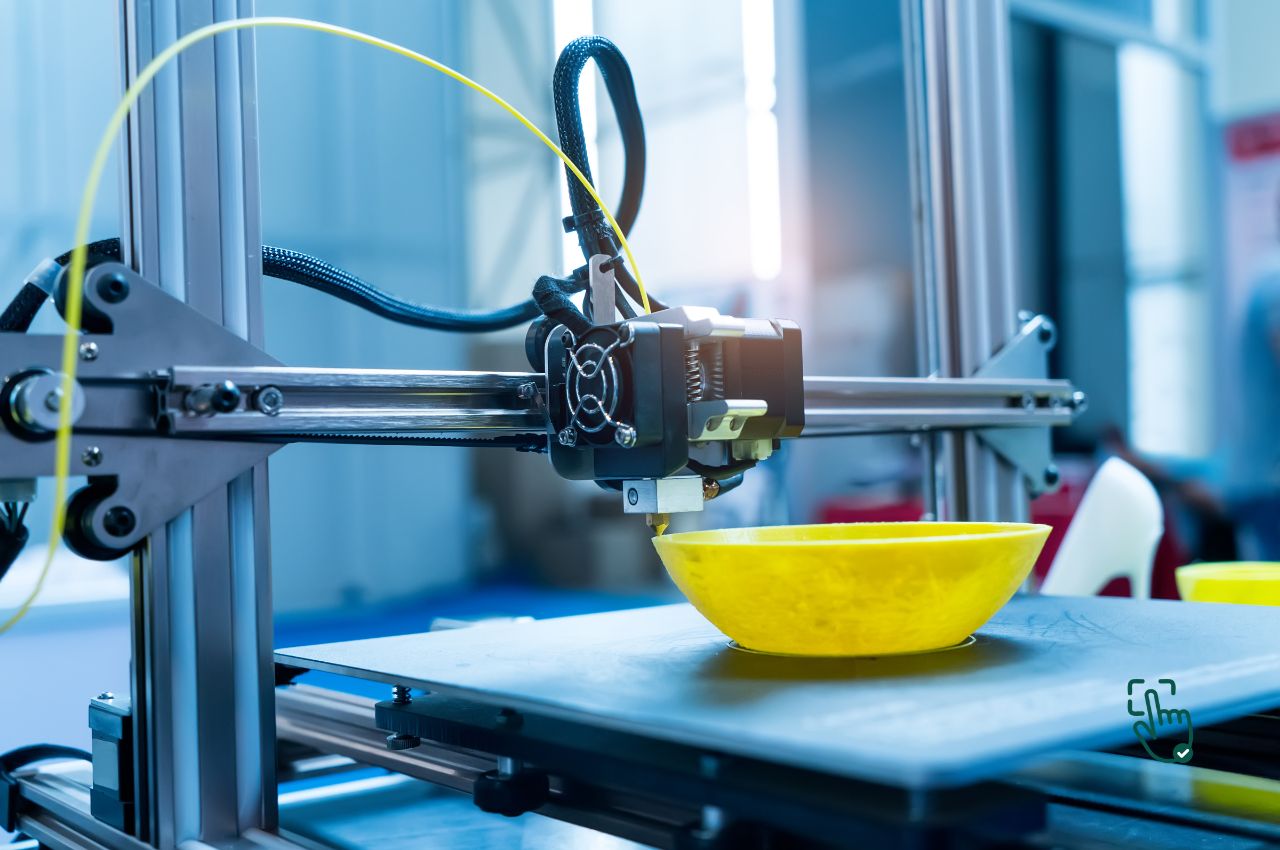
    3D Printer

    If you’re thinking about getting a 3D printer, you’re not alone. The idea of printing your own custom objects, from tools to toys, is incredibly appealing. But before you dive in, let’s have an honest talk about the experience—it’s exciting, but it’s not all smooth sailing. We’ll break down everything you need to know, from the benefits and challenges of 3D printing technology to the best 3D printing machine options out there. Spoiler: a home 3D printer can be a game-changer, but it comes with some quirks.

    What Makes 3D Printing Exciting

    The short answer is that desktop 3D printers are amazing for anyone who loves DIY projects, creativity, or even prototyping. Whether you’re designing custom parts or making gifts, the possibilities are endless. You can print almost anything, which is why so many people find them worthwhile. But, if you’re looking for a quick, perfect print every time, well… let’s manage those expectations a bit.

    The Real Deal with 3D Printing

    Learning Curve: Real Talk

    Using a 3D printing machine is not as easy as plug-and-play. You’ll need to learn how to set up the machine, handle print bed adjustments, and manage the occasional 3D printer filament jam. Sure, there are plenty of tutorials, but if you don’t love troubleshooting, this could be a hurdle. A flawless object on the first try? Rarely happens, my friend.

    Time-Consuming and Slow

    Let’s be honest: 3D printing can be pretty slow. Printing a small, simple item can take hours. More complex 3D printing projects? We’re talking all-day events. And you can’t just walk away and hope for the best. Mid-print failures like filament snags or misalignments can ruin the entire process. If you’re looking for quick results, this might test your patience.

    Costs Beyond the Printer

    Yes, you can find an affordable 3D printer for a few hundred bucks, but that’s not the whole story. 3D printer filament costs money, and you’ll likely have to experiment with different brands or materials to find one that works well for your 3D printing projects. And don’t forget about replacement parts. Printers need regular maintenance, and things can (and will) break.

    Best 3D Printers: Comparing Options

    Now that you know the reality, let’s look at some of the best home 3D printers out there and what makes them stand out. Here’s a comparison of two popular models, each with its own pros and cons.

    Creality Ender 3 V2: Budget-Friendly but Requires Some Work

    The Creality Ender 3 V2 is an excellent choice for beginners. It’s affordable, has a decent print area, and is known for being fairly easy to use once you get the hang of it. However, it’s not perfect out of the box. Manual bed leveling can be frustrating, and the setup might take some trial and error. Still, if you’re willing to put in the effort, it’s a solid starter machine. Check out more about it at All3DP.

    Prusa i3 MK3S+: Top-Tier Quality for Serious Users

    If you’re ready to take things up a notch, the Prusa i3 MK3S+ is one of the best options available. It has automatic bed leveling, power recovery, and produces near-flawless prints. But the premium quality comes with a premium price tag. This is more for advanced users or those who are committed to 3D printing technology as a long-term hobby. If that sounds like you, check out the full review on Tom’s Hardware.

    The Not-So-Glamorous Side of 3D Printing

    3D Printer Noise Levels

    Here’s something not everyone talks about: 3D printing machines are noisy. Most models hum and buzz while they work, which could drive you crazy if you’re trying to focus. High-end models may be quieter, but noise is something you’ll have to live with if you’re in the same room as the printer.

    Filament Troubles

    Switching 3D printer filament seems straightforward, but it can become a mess quickly. If the filament breaks mid-print, or doesn’t feed properly, you’re looking at a big problem. Storage is another issue—filament needs to be kept in dry conditions to avoid absorbing moisture and degrading. This means more money spent on proper storage solutions.

    Eco-Unfriendly Aspects

    Although 3D printers are cool, they’re not necessarily eco-friendly. Most common 3D printing materials like PLA or ABS are made of plastic, which is not biodegradable. There are greener alternatives, but they’re expensive and often tricky to work with. If sustainability is important to you, you might want to explore those options.

    When a 3D Printer Is Totally Worth It

    Prototyping and Product Development

    For inventors and designers, having a desktop 3D printer at home is a game-changer. You can prototype your ideas in real-time, tweak designs on the fly, and cut down on production costs. But if you’re a casual hobbyist or someone who just likes to tinker, the hassle of maintenance might outweigh the fun.

    STEM and Learning

    3D printers are incredible tools for education, especially in STEM subjects. They offer hands-on learning opportunities that bring engineering and creativity together. However, these machines require tech-savvy users to manage any issues that pop up.

    Final Thoughts on 3D Printer

    In conclusion, 3D printers are a fantastic investment—if you’re willing to put in the time to learn, maintain, and troubleshoot. They open up endless possibilities for DIY projects, custom designs, and even product development. But they’re not without their challenges. Be prepared for a steep learning curve, unexpected maintenance costs, and some frustrating print failures along the way. If that doesn’t scare you off, then yes, a 3D printer is totally worth it.