Category: PCs

  • Best Gaming Tables for Ultimate Setup: A 2024 Guide

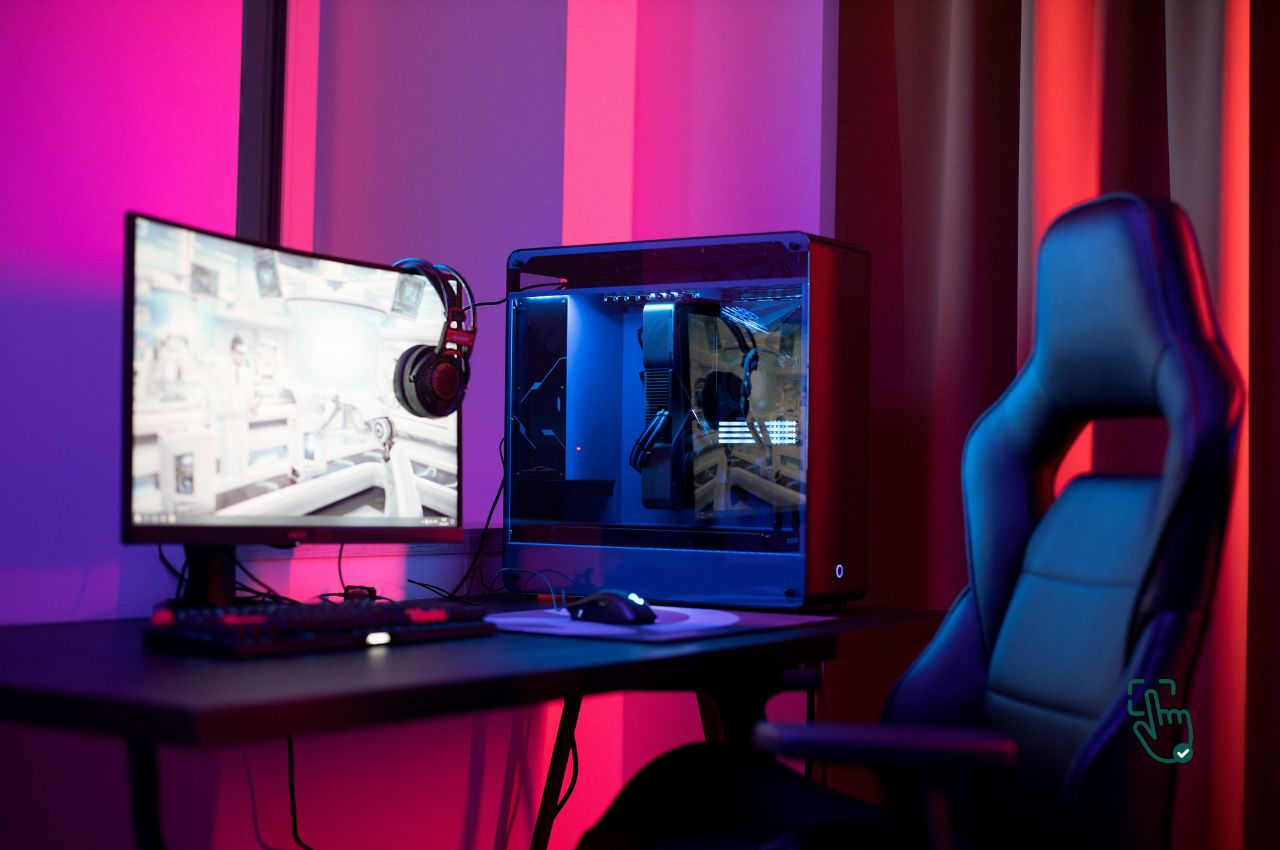
    Best Gaming Tables for Ultimate Setup: A 2024 Guide

    Best gaming tables, gaming desk setup, Eureka Ergonomic Z1-S, Arozzi Arena, RESPAWN 2000 at pickoutright.com

    When it comes to creating the ultimate gaming experience, the best gaming table can make all the difference. Whether you’re a console enthusiast, a PC gamer, or even into tabletop RPGs, having the right gaming table elevates both comfort and performance. Let’s explore the top gaming tables in 2024, comparing options for style, durability, and features that every gamer should know about.

    What is a Gaming Table?

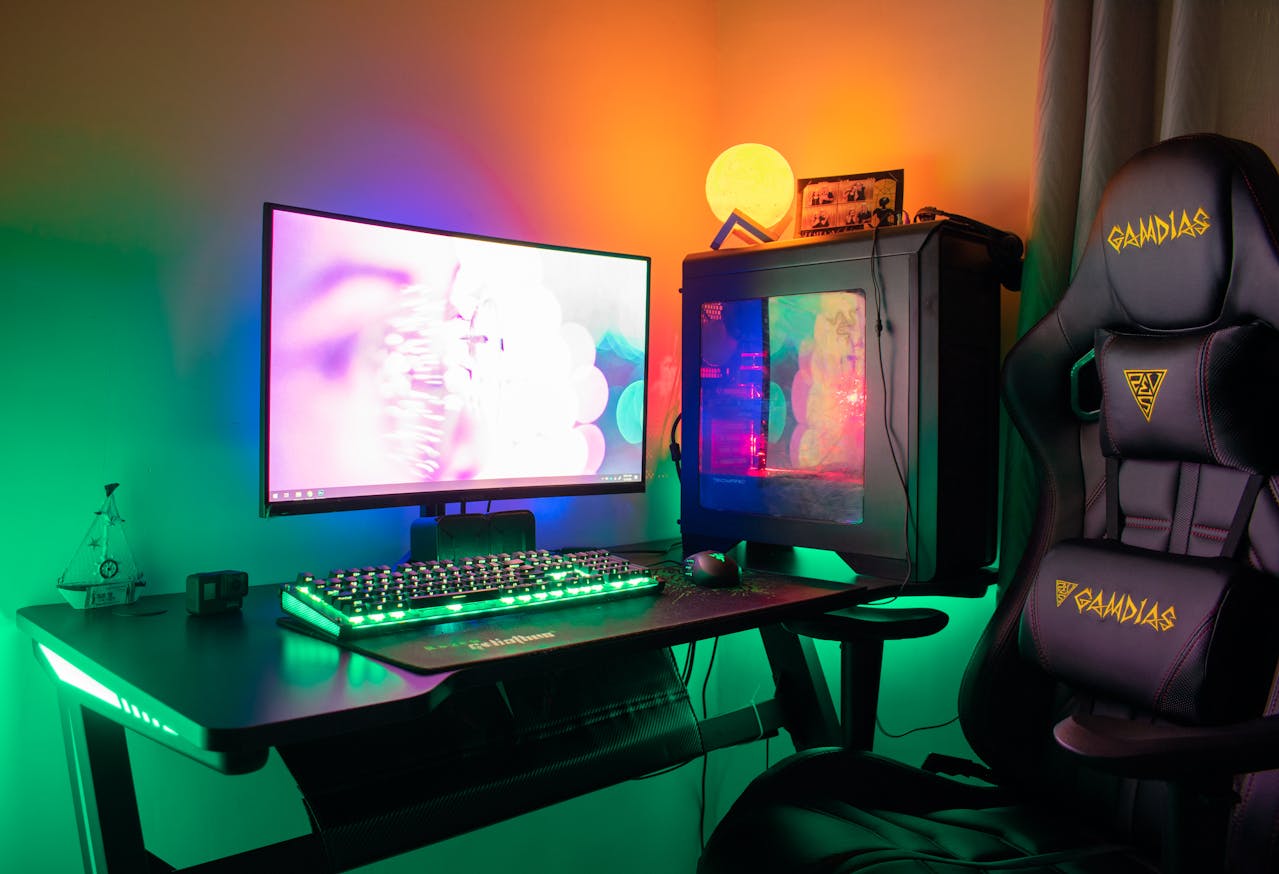
    A gaming table is a specially designed desk or surface optimized for gaming. These tables come equipped with features like cable management, adjustable height, and LED lighting to enhance the gaming experience. Unlike regular desks, gaming tables often prioritize space for multiple monitors, accessories, and even snacks!

    Top Gaming Tables of 2024

    1. Eureka Ergonomic Z1-S Gaming Desk

    This Eureka Ergonomic Z1-S is packed with features like an LED lighting system, a carbon fiber texture, and a sturdy build that can handle all your gaming gear.

    • Pros: Built-in LED lighting, sleek carbon fiber finish, sturdy build.
    • Cons: No storage space, requires a larger room.

    You can find more in-depth reviews at Tom’s Guide and TechRadar.

    2. Arozzi Arena Gaming Desk

    The Arozzi Arena is designed for those who want a large surface area. It can fit multiple monitors and has a water-resistant surface—ideal for those intense gaming sessions.

    • Pros: Massive surface area, water-resistant, great for multiple monitors.
    • Cons: Expensive, heavy to move.

    For more on this gaming desk, check out IGN and PC Gamer.

    3. RESPAWN 2000 Gaming Table

    The RESPAWN 2000 is an ergonomic option with plenty of storage, cable management, and a sleek design. It’s perfect for PC gamers looking for comfort and organization.

    • Pros: Built-in storage, ergonomic design, cable management system.
    • Cons: Pricey, limited availability.

    Visit Digital Trends for additional insights on this table.

    Key Features to Look for in a Gaming Table

    • Space: If you have a multi-monitor setup, look for tables like the Arozzi Arena that offer ample surface area.
    • Ergonomics: For long gaming sessions, an ergonomic design is crucial. Tables like the RESPAWN 2000 are built with comfort in mind.
    • Lighting: RGB or LED lighting is not just for aesthetics; it can also improve your gaming atmosphere. The Eureka Ergonomic Z1-S is perfect if you’re looking for that extra glow.
    • Storage: Keep your setup clean with built-in storage options like those in the RESPAWN 2000.

    Honest Reviews of Gaming Tables

    Eureka Ergonomic Z1-S: This gaming desk is packed with cool features like RGB lighting and a sleek carbon fiber finish. However, its lack of built-in storage might be a downside for gamers with lots of accessories. It’s best for those who value aesthetics and sturdiness over storage space.

    Arozzi Arena: Known for its large surface area, this table is perfect for gamers who need room for multiple monitors. Its water-resistant surface makes it a practical choice for long gaming sessions, but it’s on the pricier side and quite heavy to move.

    RESPAWN 2000: This is the table you want if you’re into ergonomics and organization. The built-in storage and cable management system are excellent, though the price may be a bit steep for some.

    For further details, you can explore reviews on PCMag and CNET.

    Pros and Cons of Gaming Tables

    Pros:

    • Eureka Ergonomic Z1-S: Great design, LED lighting, sturdy build.
    • Arozzi Arena: Large surface, water-resistant, perfect for multi-monitor setups.
    • RESPAWN 2000: Ergonomic, good storage options, cable management.

    Cons:

    • Eureka Ergonomic Z1-S: Lacks storage, takes up a lot of space.
    • Arozzi Arena: Heavy, expensive.
    • RESPAWN 2000: High price, limited availability.

    Conclusion

    Which Gaming Table is Best for You?

    Choosing the best gaming table depends on your gaming style and setup. If you’re all about aesthetics and lighting, the Eureka Ergonomic Z1-S is a fantastic option. If you need a lot of space for multiple monitors, the Arozzi Arena is the way to go. For those who prioritize ergonomics and storage, the RESPAWN 2000 is the top pick.

    Got a great gaming business idea and need the perfect name? Visit Startup Names for inspiration!
  • Best Laptop Monitor Extenders for 2024: Boost Your Productivity

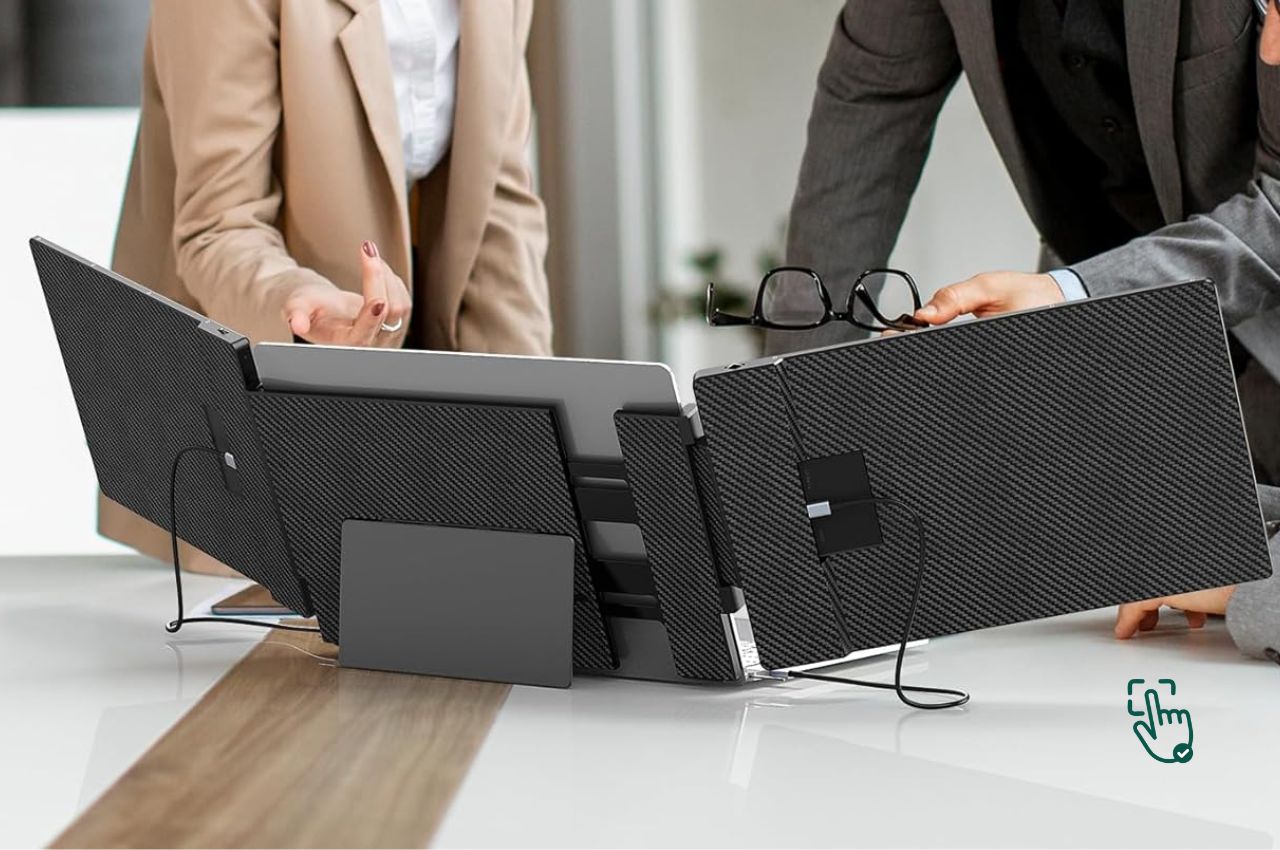
    Best Laptop Monitor Extenders for 2024: Boost Your Productivity

    Best laptop monitor extenders, portable second screen, SideTrak, Lepow, ASUS ZenScreen at pickoutright.com

    If you’re searching for the best laptop monitor extender, you’re in the right spot! These handy tools can transform your single-screen setup into a multi-screen powerhouse, giving you more screen real estate to work or play. Let’s dive into the top picks for laptop monitor extenders in 2024, covering their pros, cons, and key features to help you choose the best one.

    What is a Laptop Monitor Extender?

    A laptop monitor extender is a portable second screen that connects to your laptop, allowing you to multitask more efficiently. These extenders are lightweight, easy to set up, and perfect for improving your workflow, whether you’re working, gaming, or watching videos.

    Top Laptop Monitor Extenders for 2024

    1. SideTrak Portable Monitor

    SideTrak is one of the best-known names when it comes to laptop monitor extenders. It’s portable, compact, and offers an easy solution for people who want to add a second screen to their setup.

    • Pros: Extremely portable, comes with a durable carrying case, easy attachment.
    • Cons: Limited adjustability, slightly pricier than other models.

    For more in-depth reviews, check out PCMag and Digital Trends.

    2. Lepow Portable Monitor

    The Lepow portable monitor is another favorite, known for its sleek design and affordability. It offers both USB-C and HDMI inputs, making it compatible with a wide range of devices.

    • Pros: Affordable, lightweight, supports multiple connection options.
    • Cons: Not as durable as more expensive models, limited color accuracy.

    For more detailed reviews, you can visit TechRadar and The Verge.

    3. ASUS ZenScreen

    The ASUS ZenScreen offers high-quality visuals with a sleek design. It’s a favorite for professionals who need a reliable external display while traveling or working remotely.

    • Pros: High-quality display, excellent portability, durable build.
    • Cons: Slightly more expensive, needs a stable surface for support.

    Check out reviews at CNET for more insights into the ASUS ZenScreen.

    Key Features to Look for in a Laptop Monitor Extender

    • Portability: Look for a monitor extender that’s lightweight and easy to carry. If you’re constantly on the go, models like the Lepow Portable Monitor or SideTrak are ideal.
    • Connectivity: Make sure the extender offers multiple connection options such as USB-C, HDMI, or even wireless connectivity.
    • Screen Quality: You want a sharp, clear display. The ASUS ZenScreen is well-known for its excellent screen quality, while more affordable options may compromise on resolution or color accuracy.

    Honest Reviews of Laptop Monitor Extenders

    SideTrak Portable Monitor: It’s one of the easiest monitor extenders to set up, with a durable design and convenient carrying case. However, its limited adjustability might make it less flexible for different work environments. Overall, it’s a solid choice for those who need a quick, reliable second screen.

    Lepow Portable Monitor: This is the go-to for budget-conscious buyers. It’s lightweight and versatile, but lacks some of the features found in more expensive models. It’s great for casual users but might not satisfy those needing high-end visuals.

    ASUS ZenScreen: This is a premium choice, especially for professionals. Its sleek design and sharp visuals make it a favorite, but it comes with a higher price tag.

    For more insights, read reviews from Laptop Mag and Engadget.

    Pros and Cons of Laptop Monitor Extenders

    Pros:

    • SideTrak Portable Monitor: Portable, easy to set up, durable design.
    • Lepow Portable Monitor: Affordable, lightweight, supports USB-C and HDMI.
    • ASUS ZenScreen: High-quality display, professional look, durable.

    Cons:

    • SideTrak Portable Monitor: Limited adjustability, slightly expensive.
    • Lepow Portable Monitor: Less durable, lower color accuracy.
    • ASUS ZenScreen: Higher price tag, needs a stable surface.

    Conclusion

    Which Laptop Monitor Extender is Best for You?

    Choosing the best laptop monitor extender really comes down to your specific needs. If portability and ease of use are your top priorities, the SideTrak Portable Monitor is a fantastic choice. For budget-conscious buyers, the Lepow Portable Monitor offers a good balance of affordability and versatility. If you’re after the best display quality, the ASUS ZenScreen is the way to go.

  • Top Bluetooth Speakers to Amp Up Your Music Experience

    Top Bluetooth Speakers to Amp Up Your Music Experience

    Bluetooth Speaker at pickoutright.com

    When it comes to jamming out to your favorite tunes, a Bluetooth speaker can make all the difference. These portable, wireless devices are essential for anyone who wants to take their music on the go without compromising on sound quality. But with so many options out there, which ones truly deliver? Let’s dive into the best Bluetooth speakers of 2024 and what makes them stand out from the competition.

    Why You Need a Great Bluetooth Speaker

    A Bluetooth speaker isn’t just about portability—it’s about getting high-quality sound wherever you go. Whether you’re hosting a backyard party or chilling at the beach, these devices give you the freedom to enjoy music wirelessly. Plus, modern Bluetooth speakers have come a long way with features like waterproofing, powerful bass, and extended battery life. If you’re searching for the best portable Bluetooth speaker, we’ve got you covered with some top options.

    Honest Review: Not every Bluetooth speaker on the market will blow you away. While many offer great features, others may fall short in areas like bass strength, durability, or battery life. Let’s break down the top brands and provide an honest comparison to help you make an informed choice.

    Top Picks for Best Bluetooth Speakers in 2024

    1. JBL Flip 6: Best for Durability and Outdoor Use

    The JBL Flip 6 is a rugged, waterproof Bluetooth speaker that’s perfect for outdoor adventures. It offers powerful sound with strong bass and a long battery life (up to 12 hours), making it ideal for pool parties or camping trips. Its compact size also makes it easy to carry around.

    Honest Review: While the JBL Flip 6 delivers solid performance for its size, some users have reported that the bass can get distorted at higher volumes. However, for outdoor enthusiasts looking for a durable option, this speaker is a great choice.

    Check out the JBL Flip 6 on JBL’s official site.

    2. Bose SoundLink Revolve II: Best for Sound Quality

    When it comes to crystal-clear sound, the Bose SoundLink Revolve II stands out. This Bluetooth speaker with bass offers 360-degree sound, which means you get a consistent, immersive experience no matter where you are in the room. It’s a little pricier, but the sound quality is unbeatable.

    Honest Review: The Bose SoundLink Revolve II is excellent for indoor use, but it might not be the best option for outdoor settings since it’s not fully waterproof. If you’re prioritizing sound quality and plan to use it primarily indoors, this speaker is worth the investment.

    Learn more about the Bose SoundLink Revolve II on Bose’s website.

    3. Anker Soundcore Motion Boom: Best Budget Bluetooth Speaker

    Looking for an affordable Bluetooth speaker that still packs a punch? The Anker Soundcore Motion Boom is a solid pick. It’s waterproof, lightweight, and offers up to 24 hours of battery life. While it might not have the premium sound quality of a Bose or JBL, it’s one of the best budget options on the market.

    Honest Review: The Anker Soundcore Motion Boom is great for those who don’t want to break the bank. However, some users feel the sound can be a bit flat compared to more expensive models. Still, it’s a fantastic option for casual use or as a secondary speaker for outdoor activities.

    Check out the Anker Soundcore Motion Boom at Amazon.

    4. Ultimate Ears Megaboom 3: Best for Party Mode

    The Ultimate Ears Megaboom 3 is a powerhouse Bluetooth speaker for parties. It delivers thumping bass and 360-degree sound, making it perfect for large gatherings. Plus, it’s waterproof and dustproof, so it can handle any environment you throw at it.

    Honest Review: While the sound quality is impressive, some users feel that the bass could be stronger for its price point. That said, the speaker’s durability and party-friendly features make it a popular choice.

    Learn more about the UE Megaboom 3 on Ultimate Ears’ website.

    What to Look for in a Bluetooth Speaker

    When shopping for a Bluetooth speaker, it’s important to consider how and where you plan to use it. Here’s what to keep in mind:

    • Sound Quality: If you’re an audiophile, go for speakers with rich bass and clear mids and highs, like the Bose SoundLink Revolve II.
    • Portability: For on-the-go use, smaller and more lightweight speakers like the JBL Flip 6 or Anker Soundcore Motion Boom are ideal.
    • Battery Life: Look for speakers with long battery life (at least 12 hours) if you plan on using them for extended periods without recharging.
    • Durability: If you’re using the speaker outdoors, opt for waterproof Bluetooth speakers like the Ultimate Ears Megaboom 3 or JBL Flip 6.
    • Budget: If you’re on a budget, you can still find excellent options like the Anker Soundcore Motion Boom that don’t compromise on performance.

    Pros and Cons of the Best Bluetooth Speakers

    Pros:

    • Portability: Bluetooth speakers are lightweight and easy to take anywhere, from the beach to a picnic.
    • Wireless Convenience: They eliminate the hassle of dealing with cables, offering seamless connection with your devices.
    • Durable Designs: Many modern speakers are waterproof and dustproof, making them perfect for outdoor use.
    • Wide Range of Options: From budget-friendly choices to premium brands, there’s a Bluetooth speaker for everyone.

    Cons:

    • Price: High-quality Bluetooth speakers can be expensive, especially if you want top-tier sound quality.
    • Battery Life: Some cheaper models may have shorter battery life, which can be inconvenient for long trips or events.
    • Limited Sound Range: Compact speakers often lack the deep bass or high volume of larger, more expensive systems.

    Conclusion

    Which Bluetooth Speaker is Right for You?

    Choosing the best Bluetooth speaker depends on your personal needs. Whether you’re after the high-quality sound of the Bose SoundLink Revolve II, the durability of the JBL Flip 6, or the budget-friendly Anker Soundcore Motion Boom, there’s a speaker that suits your lifestyle. Always consider factors like sound quality, portability, and battery life before making your decision to ensure you get the best experience.

    Love this? Share it with your friends!

  • What Makes the Best Gaming Mouse a Game-Changer?

    What Makes the Best Gaming Mouse a Game-Changer?

    Best Gaming Mouse

    If you’re serious about gaming, you already know that precision and speed matter. That’s where having the best gaming mouse comes into play. Whether you’re diving into an intense FPS game or exploring an open-world RPG, a high-quality mouse can make all the difference. Featuring options like customizable DPI settings, RGB lighting, and ergonomic designs, a gaming mice can give you the precision and control you need to dominate the competition.

    Why Choose a Gaming Mouse?

    A regular office mouse just won’t cut it when you’re in the middle of a high-stakes battle. The best gaming mouse is built specifically for speed, accuracy, and long gaming sessions. From adjustable DPI settings for precise movements to side buttons that allow for quick action, a gaming mice transform your gameplay experience. Plus, a lot of them are RGB gaming mice, letting you customize your setup to fit your style.

    Top Features to Look For in a Gaming Mouse

    Customizable DPI Settings: Control Your Speed

    One of the biggest advantages of a high-performance gaming mouse is the ability to adjust DPI settings. DPI, or dots per inch, refers to how sensitive the mouse is to movement. A mouse with DPI settings allows you to switch between slow, precise movements for sniping and faster speeds for running through game maps. Popular models like the Logitech G Pro X Superlight allow you to easily adjust DPI on the fly, which is crucial for competitive gameplay.

    Ergonomics: Don’t Sacrifice Comfort

    Long gaming sessions can lead to hand cramps if you don’t have the right mouse. That’s why an ergonomic mouse is essential. Look for a gaming mice that’s designed to fit comfortably in your hand for extended periods. The Razer DeathAdder V2 is a great example of an ergonomic model, with its contoured shape that supports your hand’s natural position.

    Wired vs. Wireless Gaming Mice

    The choice between a wireless gaming mouse and a wired one often comes down to personal preference. While wireless gaming mice offer freedom from cords, some players feel there’s a tiny amount of lag compared to wired options. However, Logitech’s G Pro Wireless is one of the few wireless mice with virtually no latency, making it a top pick for competitive gaming. On the other hand, a wired mouse like the Razer Basilisk V3 provides zero input lag but might clutter up your desk with its cord.

    RGB Lighting: Aesthetic Meets Functionality

    Let’s be real—who doesn’t love a flashy RGB gaming mouse? Not only do they look cool, but the customizable lighting can also help you keep track of different settings. Models like the Corsair Dark Core RGB Pro offer a wide range of lighting options, which can be synchronized with other RGB-enabled peripherals for a fully immersive setup.

    Top Picks for the Best Gaming Mouse

    1. Logitech G Pro X Superlight: Lightweight and High-Performance

    The Logitech G Pro X Superlight is considered one of the best high-performance gaming mice on the market. It’s ultra-light, weighing in at just 63 grams, and offers adjustable DPI up to 25,600. This mouse is perfect for FPS gamers who need speed and precision. Check out the reviews on Tom’s Hardware.

    2. Razer DeathAdder V2: Ergonomics Done Right

    Known for its ergonomic design, the Razer DeathAdder V2 is a solid choice for gamers who want comfort without sacrificing performance. It features Razer’s own optical switches and a 20,000 DPI sensor, making it incredibly responsive. You can learn more on Razer’s website.

    3. SteelSeries Rival 600: Perfect for Customization

    The SteelSeries Rival 600 stands out with its customizable weight system and dual sensors, giving you maximum control over your gameplay. It’s also got fully customizable RGB lighting. The only downside? It’s a bit bulkier than some other models. More info at SteelSeries.

    4. Logitech G502 Hero: Best Budget Gaming Mouse

    If you’re looking for the best budget gaming mouse, the Logitech G502 Hero delivers great performance without the hefty price tag. It features 11 programmable buttons and adjustable weights, making it ideal for gamers who love to tweak their setup. Find reviews at PCMag.

    5. Corsair Dark Core RGB Pro: Best Wireless Gaming Mouse

    The Corsair Dark Core RGB Pro is an excellent wireless gaming mouse with low-latency Bluetooth and a customizable grip. The only drawback is that it’s on the heavier side, which may not be ideal for fast-paced games like FPS. Check out more on Corsair’s site.

    Negative Aspects of Gaming Mice

    Wireless Mice May Still Have Some Latency

    Even though technology has come a long way, some wireless gaming mice still suffer from minor input lag. While brands like Logitech and Corsair have greatly improved wireless technology, wired options still tend to offer the lowest latency for competitive gamers.

    Customization Isn’t Always Necessary

    While having a customizable gaming mouse is great, it’s not essential for all gamers. In fact, some players find that too many customization options—like weights, side buttons, and adjustable DPI—can be more confusing than helpful.

    Conclusion

    Should You Invest in a Gaming Mouse?

    If you’re serious about gaming, a gaming mouse is a worthwhile investment. The precision offered by adjustable DPI settings, the comfort of an ergonomic mouse, and the freedom of wireless gaming mice can greatly enhance your gaming experience. Whether you opt for a high-performance gaming mouse like the Logitech G Pro X Superlight or a budget gaming mouse like the Logitech G502 Hero, there’s a perfect fit for every gamer out there. Ultimately, the best mouse will depend on your playstyle and preferences, but having the right mouse can truly make or break your gaming sessions.

  • What Makes the Best Gaming Keyboard a Must-Have for Gamers

    What Makes the Best Gaming Keyboard a Must-Have for Gamers

    Best Gaming Keyboard

    When it comes to gaming, having the right gear can make all the difference. And if you’re serious about your gameplay, getting the best gaming keyboard should be at the top of your list. Whether you’re a casual gamer or a hardcore enthusiast, a solid mechanical gaming keyboard with RGB lighting and mechanical switches can take your experience to the next level. In this blog, we’ll break down why you need a gaming keyboard, what features to look for, and which models are worth your hard-earned cash.

    Why Choose a Gaming Keyboard?

    The key difference between a regular keyboard and a gaming keyboard is the level of precision and customizability. A good gaming keyboard often comes with mechanical switches that provide faster response times, giving you an edge during intense gameplay. Plus, the ability to customize your lighting with an RGB keyboard and assign functions to macro keys means you can tailor your setup to fit your style and strategy. Gone are the days of basic black keyboards—now, your keyboard is part of your gaming arsenal.

    Top Features to Look For in a Gaming Keyboard

    Mechanical Switches: Precision at Your Fingertips

    If you’re in the market for the best gaming keyboard, it’s all about the switches. Mechanical keyboards are widely considered the gold standard because of their durability, tactile feedback, and quick actuation. Brands like Cherry MX or Razer’s Green Switches are popular for their reliability and performance. However, some gamers find mechanical switches to be noisy, so if sound is a concern, look for quieter alternatives like Razer Yellow Switches or Cherry MX Silent.

    RGB Lighting: Customizable for Every Setup

    An RGB keyboard is not just about aesthetics—though, let’s be real, they look awesome. The color coding can also help you keep track of different game functions or profiles. For example, you can set specific colors for your WASD keys, making it easier to spot them during intense gameplay. Models like the Corsair K95 RGB Platinum offer vibrant lighting effects that can be fully customized to match your gaming rig.

    Wired vs. Wireless Gaming Keyboards

    A wireless gaming keyboard offers the convenience of a cable-free setup, but they may introduce slight input lag, which can be a deal-breaker for competitive gaming. On the other hand, wired keyboards are more reliable but come with the hassle of managing cords. If you want the best of both worlds, go for a wireless gaming keyboard like the Logitech G915 Lightspeed, which boasts virtually no input lag and long battery life. However, if you prioritize speed and accuracy above all, a wired keyboard like the SteelSeries Apex Pro might be a better option.

    Ergonomics: Don’t Compromise on Comfort

    If you spend hours gaming, you need an ergonomic keyboard to avoid strain on your wrists. Look for models that include a wrist rest or that are designed to keep your hands in a natural position during long gaming sessions. The Razer Ornata V2, for instance, comes with a plush wrist rest to maximize comfort during those marathon gaming sessions.

    The Best Gaming Keyboards of 2024

    1. Corsair K95 RGB Platinum: A Beast for Customization

    If you’re looking for the ultimate customizable experience, the Corsair K95 RGB Platinum is one of the best on the market. It offers an array of macro keys, customizable RGB lighting, and sturdy Cherry MX Brown switches. The only downside? It’s a bit on the pricier side, but it’s a fantastic investment for serious gamers. Check out the reviews on PC Gamer.

    2. Razer Huntsman Elite: Speed Meets Comfort

    The Razer Huntsman Elite features Razer’s proprietary optical switches, which are lightning fast compared to traditional mechanical switches. The keyboard also comes with a plush wrist rest, making it one of the most ergonomic keyboards out there. It’s not the most affordable option, but if you’re after performance, it’s hard to beat. Check it out on Razer’s official site.

    3. SteelSeries Apex Pro: Best for High Performance

    The SteelSeries Apex Pro stands out due to its customizable actuation points, meaning you can adjust how much force is needed to press each key. This is a high-performance gaming keyboard that’s perfect for competitive play. While the OLED display is a neat touch, it’s not necessary for everyone, and it does bump up the price. You can learn more on SteelSeries’ website.

    4. Logitech G915 Lightspeed: The Best Wireless Gaming Keyboard

    For those who want to go wireless, the Logitech G915 Lightspeed is a stellar option. It features low-profile mechanical switches and a slim design, all while offering impressive wireless performance with minimal lag. However, it’s more expensive than many wired options, so keep that in mind if you’re on a budget. Explore more at Logitech.

    5. HyperX Alloy FPS Pro: Best Budget Gaming Keyboard

    If you’re hunting for the best budget gaming keyboard, the HyperX Alloy FPS Pro delivers solid performance without breaking the bank. It’s compact, durable, and comes with Cherry MX Blue switches, though it lacks some of the bells and whistles like RGB lighting or macro keys. Perfect for no-frills gamers who just need the basics. Check out the reviews on Tom’s Guide.

    Negative Aspects of Gaming Keyboards

    Noisy Keyboard Can Be Distracting

    While mechanical keyboards are praised for their performance, they can also be quite noisy. This may not be an issue for everyone, but if you’re gaming in a shared space, it could be a deal-breaker. Some models offer quieter switches, but they’re often at the expense of the tactile feel that gamers love.

    Expensive Doesn’t Always Mean Better

    While the best gaming keyboards offer excellent features, they can also be quite expensive. However, some models come loaded with features that you might never use, like OLED displays or extra macro keys. It’s important to balance your needs with your budget and avoid spending more than necessary.

    Conclusion

    Is a Gaming Keyboard Worth the Investment?

    In short, if you’re serious about gaming, investing in a good gaming keyboard is definitely worth it. The precision, durability, and customizable features offered by mechanical gaming keyboards make them a valuable addition to any gaming setup. From the customizable lighting of an RGB keyboard to the speed of optical switches, the right keyboard can improve your gameplay experience significantly. Whether you’re a casual gamer or a competitive player, there’s a best gaming keyboard out there for you.

  • What Gaming Accessories Do You Need for the Ultimate Setup?

    What Gaming Accessories Do You Need for the Ultimate Setup?

    Gaming Accessories

    If you’re serious about gaming, then you know it’s not just about having the right console or PC. The real magic happens when you start adding the perfect gaming accessories to your setup. Whether you’re into competitive eSports or just love a good single-player adventure, the right gear can make all the difference. So, let’s dive into the must-have gaming accessories that will take your gameplay to the next level.

    Why Gaming Accessories Matter

    Before we get into the specifics, let’s talk about why gaming accessories are so important. Sure, you can get by with the basics, but if you really want to immerse yourself in the game, the right accessories are key. They can enhance your comfort, improve your performance, and even protect your equipment.

    Top Gaming Accessories You Need

    1. Gaming Headsets: Crystal Clear Audio

    A quality gaming headset is a game-changer—literally. It’s not just about hearing the sound; it’s about feeling it. With surround sound and noise-cancellation features, a good headset lets you pinpoint enemy locations or enjoy the rich, immersive soundscapes of your favorite RPGs. Brands like SteelSeries Arctis and Razer Kraken are top choices for both comfort and audio quality.

    2. Mechanical Keyboards: Speed and Precision

    When every millisecond counts, you’ll want a mechanical keyboard under your fingers. These bad boys offer tactile feedback and faster response times, which is crucial in fast-paced games. The Corsair K95 RGB Platinum and the Razer BlackWidow Elite are popular among serious gamers for their durability and customizable backlighting.

    3. Gaming Mice: Precision Control

    A standard mouse just won’t cut it for gaming. You need something designed for precision, with customizable buttons and high DPI settings. The Logitech G502 HERO and Razer DeathAdder V2 are both top contenders, offering excellent accuracy and comfort.

    4. Gaming Chairs: Comfort is Key

    Let’s face it: you’re going to spend hours in that chair, so it better be comfortable. A good gaming chair offers proper back support and adjustability to keep you in the game without sacrificing your posture. The Secretlab Omega and Herman Miller x Logitech G Embody are some of the best options out there, providing both style and comfort.

    5. External Hard Drives: Extra Storage

    Games are getting bigger and bigger, and your hard drive is filling up fast. An external hard drive gives you the extra space you need to keep your library intact. Check out the WD Black P10 and Seagate Game Drive.

    How to Choose the Right Gaming Accessories

    Budget vs. Performance

    Not all gaming accessories are created equal, and you don’t have to break the bank to get quality gear. Start by prioritizing what’s most important to you—whether it’s sound quality, comfort, or responsiveness—and budget accordingly. You can always upgrade later.

    Compatibility

    Make sure your accessories are compatible with your gaming setup. Whether you’re on PC, PlayStation, or Xbox, some accessories are platform-specific, while others work across the board.

    Aesthetic and Personal Preference

    Finally, your gaming setup is your personal space, so make sure your accessories fit your style. Whether you prefer sleek and minimalistic or bright RGB lighting, there’s something out there for everyone.

    Conclusion

    Investing in the right gaming accessories can take your experience from good to epic. Whether it’s the immersive sound of a quality headset, the precision of a mechanical keyboard, or the comfort of a great chair, each accessory adds value to your setup. So, gear up and get ready to game like a pro!

    Got a great gaming business idea and need the perfect name? Visit Startup Names for inspiration!

  • How to Choose the Best Gaming PC for Your Needs

    How to Choose the Best Gaming PC for Your Needs

    Gaming PC

    Selecting the best gaming PC is crucial for an exceptional gaming experience. With numerous options available, finding the right one can be overwhelming. This guide will help you understand how to choose the best gaming PC that meets your specific needs and preferences.

    Why Choosing the Right Gaming PC Matters

    Before diving into the specifics of selecting a gaming PC, it’s important to understand why this decision is crucial:

    • Performance: A powerful gaming PC ensures smooth gameplay and can handle demanding games.
    • Graphics Quality: High-quality graphics are essential for an immersive gaming experience.
    • Future-Proofing: Investing in a good one ensures it can handle future game releases.
    • Customization: A well-chosen gaming PC allows for upgrades and modifications to meet evolving gaming needs.

    Given these benefits, choosing the best gaming PC is essential for maximizing your gaming experience.

    Key Features to Look for in the Best Gaming PC

    Processor (CPU)

    A powerful processor is critical for running games smoothly. Look for PCs with the latest Intel Core i7 or i9, or AMD Ryzen 7 or 9 processors. These CPUs provide the necessary speed and efficiency for gaming.

    Graphics Card (GPU)

    The graphics card is one of the most important components of a gaming PC. Look for PCs with dedicated GPUs like NVIDIA GeForce RTX series or AMD Radeon RX series. These GPUs offer high performance and realistic graphics.

    RAM

    For gaming, at least 16GB of RAM is recommended. More RAM ensures better multitasking and smooth gameplay, especially for resource-intensive games.

    Storage

    Solid State Drives (SSDs) provide faster load times and better performance compared to traditional Hard Disk Drives (HDDs). Look for PCs with at least 512GB SSD, and consider additional HDD storage for larger game libraries.

    Cooling System

    Gaming PCs generate a lot of heat, so an efficient cooling system is crucial to maintain performance and prevent overheating. Look for PCs with advanced cooling technologies, such as liquid cooling or multiple fans.

    Upgradability

    Consider a PC for gaming that allows for future upgrades. This ensures your system can keep up with new game releases and technological advancements without needing a complete replacement.

    Connectivity

    Ensure the gaming PC has sufficient ports (USB, HDMI, DisplayPort) for connecting peripherals such as monitors, keyboards, mice, and VR headsets.

    Top Gaming PCs

    Alienware Aurora R11

    The Alienware Aurora R11 is known for its powerful performance and futuristic design. It features Intel Core i7 or i9 processors, NVIDIA GeForce RTX 3080 or 3090 GPUs, and customizable RGB lighting. Its advanced cooling system ensures optimal performance during intense gaming sessions.

    ASUS ROG Strix GA15

    The ASUS ROG Strix GA15 offers excellent value with its AMD Ryzen 7 processor, NVIDIA GeForce RTX 3070 GPU, and efficient cooling system. Its sleek design and customizable RGB lighting make it a popular choice among gamers.

    HP Omen Obelisk

    The HP Omen Obelisk is a compact and powerful gaming PC featuring Intel Core i7 or i9 processors, NVIDIA GeForce RTX 2080 or 2080 Ti GPUs, and a sleek design. Its tool-less access allows for easy upgrades and maintenance.

    MSI Trident X

    The MSI Trident X is a compact yet powerful gaming PC with Intel Core i7 or i9 processors and NVIDIA GeForce RTX 3070 or 3080 GPUs. Its small form factor and efficient cooling system make it ideal for gamers with limited space.

    CyberPowerPC Gamer Supreme

    The CyberPowerPC Gamer Supreme offers high performance at a competitive price. It features AMD Ryzen 9 processors, NVIDIA GeForce RTX 3080 GPUs, and a robust cooling system. Its customizable design allows for easy upgrades and modifications.

    Dell G5 Gaming Desktop

    The Dell G5 Gaming Desktop is an affordable option with impressive specs. It features Intel Core i7 or i9 processors, NVIDIA GeForce GTX or RTX GPUs, and a compact design. It’s a great choice for gamers on a budget.

    Steps to Choosing the Best Gaming PC

    Assess Your Needs

    Consider the type of games you play and the level of performance you need. Determine your budget and prioritize the features that matter most to you, such as processor speed, graphics quality, and storage capacity.

    Compare Gaming PC Key Features

    Evaluate the key features of different gaming PCs, including CPU, GPU, RAM, storage, cooling system, and upgradability. Compare these features to find the best fit for your gaming needs.

    Read Reviews and Testimonials

    Check online reviews and testimonials from other gamers. Their experiences can provide insights into the PC’s performance, build quality, and overall user experience.

    Test for Performance

    If possible, visit a store and test out the gaming PCs. Assess their performance, build quality, and overall user experience to ensure they meet your expectations.

    Finalize Your Choice

    After thorough research and comparisons, finalize your choice and purchase the gaming PC that best suits your needs. Consider your budget and prioritize features that matter most to your gaming experience.

    Conclusion

    Choosing the best gaming PC involves evaluating your needs and comparing key features among various options. By focusing on performance, graphics quality, RAM, storage, cooling system, and upgradability, you can find a PC that meets your requirements. Explore the top options available, read reviews, and make an informed decision based on your gaming needs. A good gaming PC enhances your gaming experience, providing the power and speed you need to enjoy your favorite games.

    For more tips on selecting the right gaming gear, check out our other resources on gaming essentials. For further reading on gaming PC reviews and comparisons, visit this authoritative guide.

  • Why Choose a Curved Gaming Monitor for an Immersive Experience?

    Why Choose a Curved Gaming Monitor for an Immersive Experience?

    Curved Gaming Monitor

    Curved gaming monitors have become increasingly popular among gamers, offering an immersive and visually stunning experience. Understanding the benefits and features of curved gaming monitors can help you make an informed decision for your gaming setup. This guide will explore why you should choose a curved gaming monitor and how it enhances your gaming experience.

    Why Choosing the Right Gaming Monitor Matters

    Before diving into the specifics of curved gaming monitors, it’s essential to understand why selecting the right monitor is crucial:

    • Immersion: A good monitor enhances immersion, making games feel more realistic.
    • Visual Quality: High-quality monitors provide clear, vibrant, and detailed visuals.
    • Performance: A monitor with high refresh rates and low response times ensures smooth gameplay.
    • Comfort: A well-designed monitor reduces eye strain and improves viewing comfort.

    Given these benefits, choosing the right curved gaming monitor is essential for maximizing your gaming experience.

    Key Features of Curved Gaming Monitors

    Curvature and Immersion

    Curved gaming monitors are designed with a slight curve to the screen, typically measured in radius (e.g., 1800R, 1500R). This curvature matches the natural field of view of the human eye, providing a more immersive experience by wrapping the display around your vision.

    Screen Size and Resolution

    Curved monitors are available in various sizes, typically ranging from 27 to 49 inches. Larger screens with higher resolutions (e.g., 1440p, 4K) provide more detail and enhance immersion. Choose a size and resolution that suits your gaming space and preferences.

    Refresh Rate

    A high refresh rate is crucial for smooth gameplay. Look for monitors with at least a 144Hz refresh rate, with options going up to 240Hz or higher. Higher refresh rates reduce motion blur and provide a more fluid gaming experience.

    Response Time

    Low response times (1ms to 4ms) are important for reducing ghosting and motion blur. This ensures that fast-moving images remain sharp and clear, providing a competitive edge in fast-paced games.

    Panel Technology

    Curved gaming monitors typically use VA (Vertical Alignment) or IPS (In-Plane Switching) panels. VA panels offer better contrast ratios and deeper blacks, while IPS panels provide superior color accuracy and wider viewing angles. Choose a panel type that aligns with your priorities.

    Connectivity

    Ensure the monitor has sufficient connectivity options, such as HDMI, DisplayPort, and USB ports, to connect your gaming PC, console, and other peripherals. Multiple ports provide flexibility and convenience.

    Additional Features

    Look for additional features like G-Sync or FreeSync technology, which synchronize the monitor’s refresh rate with your graphics card to eliminate screen tearing and stuttering. Adjustable stands, RGB lighting, and built-in speakers are other features that can enhance your gaming experience.

    Top Curved Gaming Monitors

    Samsung Odyssey G9

    The Samsung Odyssey G9 offers an ultra-wide 49-inch display with a 1000R curvature, providing an immersive gaming experience. It features a 240Hz refresh rate, 1ms response time, and G-Sync/FreeSync compatibility. Its high resolution and impressive specs make it a top choice for serious gamers.

    ASUS ROG Strix XG32VQR

    The ASUS ROG Strix XG32VQR features a 32-inch display with a 1800R curvature, 144Hz refresh rate, and 4ms response time. It supports FreeSync 2 HDR, offering excellent color accuracy and contrast for an enhanced gaming experience.

    Acer Predator X34

    The Acer Predator X34 is a 34-inch curved monitor with a 1900R curvature, 3440×1440 resolution, and 100Hz refresh rate (overclockable to 120Hz). It features G-Sync technology, providing smooth and tear-free gameplay.

    MSI Optix MAG272CQR

    The MSI Optix MAG272CQR offers a 27-inch display with a 1500R curvature, 165Hz refresh rate, and 1ms response time. It supports FreeSync technology and provides vibrant colors and sharp details, making it a great choice for immersive gaming.

    LG UltraGear 34GN850-B

    The LG UltraGear 34GN850-B features a 34-inch curved display with a 1440p resolution, 160Hz refresh rate, and 1ms response time. It uses an IPS panel for superior color accuracy and offers G-Sync compatibility for smooth gameplay.

    Steps to Choosing the Best Curved Gaming Monitor

    Assess Your Needs

    Consider the types of games you play and the level of immersion you desire. Determine your budget and prioritize the features that matter most to you, such as screen size, resolution, refresh rate, and response time.

    Compare Key Features

    Evaluate the key features of different curved gaming monitors, including curvature, screen size, resolution, refresh rate, response time, panel technology, and connectivity. Compare these features to find the best fit for your gaming needs.

    Read Reviews and Testimonials

    Check online reviews and testimonials from other gamers. Their experiences can provide insights into the monitor’s performance, build quality, and overall user experience.

    Test for Comfort and Usability

    If possible, visit a store and test out the monitors. Assess their visual quality, comfort, and usability to ensure they meet your expectations and preferences.

    Finalize Your Choice

    After thorough research and comparisons, finalize your choice and purchase the curved gaming monitor that best suits your needs. Consider your budget and prioritize features that matter most to your gaming experience.

    Conclusion

    Choosing the best curved gaming monitor involves evaluating your needs and comparing key features among various options. By focusing on curvature, screen size, resolution, refresh rate, response time, and additional features, you can find a monitor that meets your requirements. Explore the top options available, read reviews, and make an informed decision based on your gaming needs. A good curved gaming monitor enhances your gaming experience, providing the immersive visuals and smooth performance you need to enjoy your favorite games.

    For more tips on selecting the right gaming gear, check out our other resources on gaming essentials. For further reading on curved gaming monitor reviews and comparisons, visit this authoritative guide.

  • Top Choices for the Best 4K Gaming Monitor

    Top Choices for the Best 4K Gaming Monitor

    best 4k gaming monitor

    Choosing the best 4K gaming monitor can significantly enhance your gaming experience with stunning visuals and high performance. With numerous options available, finding the right 4K gaming monitor can be overwhelming. This guide will help you understand how to choose the best 4K gaming monitor that meets your specific needs and preferences.

    Why Choosing the Right 4K Gaming Monitor Matters

    Before diving into the specifics of the best 4K gaming monitors, it’s essential to understand why selecting the right monitor is crucial:

    • Visual Quality: 4K resolution provides sharp, detailed, and vibrant visuals, enhancing your gaming experience.
    • Performance: A monitor with high refresh rates and low response times ensures smooth gameplay.
    • Immersion: Larger screens and wider color gamuts provide a more immersive gaming experience.
    • Future-Proofing: Investing in a good 4K gaming monitor ensures it can handle future game releases and technology advancements.

    Given these benefits, choosing the best 4K gaming monitor is essential for maximizing your gaming experience.

    Key Features of the Best 4K Gaming Monitor

    Resolution and Screen Size

    4K resolution (3840×2160) is the standard for ultra-high-definition gaming monitors. Larger screens (27 inches and above) take full advantage of the increased pixel density, providing a more immersive experience.

    Refresh Rate

    A high refresh rate (at least 60Hz, preferably 120Hz or higher) is crucial for smooth gameplay. Higher refresh rates reduce motion blur and provide a more fluid gaming experience, especially in fast-paced games.

    Response Time

    Low response times (1ms to 4ms) are important for reducing ghosting and motion blur. This ensures that fast-moving images remain sharp and clear, providing a competitive edge in fast-paced games.

    HDR Support

    High Dynamic Range (HDR) enhances color and contrast, providing more realistic and vibrant visuals. Look for monitors with HDR support (HDR10 or higher) for the best visual experience.

    Panel Technology

    4K gaming monitors typically use IPS (In-Plane Switching) or VA (Vertical Alignment) panels. IPS panels offer superior color accuracy and wider viewing angles, while VA panels provide better contrast ratios and deeper blacks.

    Connectivity

    Ensure the monitor has sufficient connectivity options, such as HDMI 2.1, DisplayPort 1.4, and USB ports, to connect your gaming PC, console, and other peripherals. Multiple ports provide flexibility and convenience.

    Additional Features

    Look for additional features like G-Sync or FreeSync technology, which synchronize the monitor’s refresh rate with your graphics card to eliminate screen tearing and stuttering. Adjustable stands, RGB lighting, and built-in speakers are other features that can enhance your gaming experience.

    Top 4K Gaming Monitors

    LG 27GN950-B

    The LG 27GN950-B is one of the best 4K gaming monitors, featuring a 27-inch Nano IPS display, 144Hz refresh rate, and 1ms response time. It supports HDR600 and G-Sync compatibility, providing stunning visuals and smooth gameplay.

    ASUS ROG Swift PG27UQ

    The ASUS ROG Swift PG27UQ offers a 27-inch IPS display with a 144Hz refresh rate, 4ms response time, and HDR1000 support. It features G-Sync Ultimate, ensuring smooth and tear-free gameplay. Its exceptional color accuracy and brightness make it a top choice for serious gamers.

    Acer Predator XB273K

    The Acer Predator XB273K is a 27-inch IPS display with a 144Hz refresh rate and 4ms response time. It supports DisplayHDR 400 and G-Sync compatibility, offering vibrant colors and smooth performance. Its ergonomic design and robust build quality make it a reliable option.

    Dell UltraSharp U3219Q

    The Dell UltraSharp U3219Q features a 32-inch IPS display with 4K resolution, 60Hz refresh rate, and 5ms response time. While it doesn’t offer the highest refresh rates, its color accuracy, HDR support, and extensive connectivity options make it a great choice for both gaming and productivity.

    Samsung Odyssey G7

    The Samsung Odyssey G7 is a 32-inch curved VA panel with a 240Hz refresh rate and 1ms response time. While it is primarily known for its 1440p version, the 4K variant offers incredible performance and immersion, making it one of the best 4K gaming monitors available.

    BenQ EL2870U

    The BenQ EL2870U is a 28-inch TN panel with 4K resolution, 60Hz refresh rate, and 1ms response time. It supports HDR and FreeSync, providing a good balance of performance and affordability for gamers on a budget.

    Steps to Choosing the Best 4K Gaming Monitor

    Assess Your Needs

    Consider the types of games you play and the level of visual quality you desire. Determine your budget and prioritize the features that matter most to you, such as resolution, refresh rate, and response time.

    Compare Key Features

    Evaluate the key features of different 4K gaming monitors, including resolution, screen size, refresh rate, response time, HDR support, panel technology, and connectivity. Compare these features to find the best fit for your gaming needs.

    Read Reviews and Testimonials

    Check online reviews and testimonials from other gamers. Their experiences can provide insights into the monitor’s performance, build quality, and overall user experience.

    Test for Comfort and Usability

    If possible, visit a store and test out the monitors. Assess their visual quality, comfort, and usability to ensure they meet your expectations and preferences.

    Finalize Your Choice

    After thorough research and comparisons, finalize your choice and purchase the 4K gaming monitor that best suits your needs. Consider your budget and prioritize features that matter most to your gaming experience.

    Conclusion

    Choosing the best 4K gaming monitor involves evaluating your needs and comparing key features among various options. By focusing on resolution, screen size, refresh rate, response time, HDR support, and additional features, you can find a monitor that meets your requirements. Explore the top options available, read reviews, and make an informed decision based on your gaming needs. A good 4K gaming monitor enhances your gaming experience, providing the stunning visuals and smooth performance you need to enjoy your favorite games.

    For more tips on selecting the right gaming gear, check out our other resources on gaming essentials. For further reading on 4K gaming monitor reviews and comparisons, visit this authoritative guide.

  • Why You Need a Monitor Stand for Your Workspace

    Why You Need a Monitor Stand for Your Workspace

    Monitor Stand

    Choosing the right monitor stand can significantly enhance your workspace ergonomics, organization, and overall productivity. With a variety of options available, finding the perfect monitor stand can be overwhelming. This guide will help you understand why a stand is essential and how to choose the best one for your needs.

    Why Choosing the Right Monitor Stand Matters

    Before diving into the specifics of selecting a monitor stand, it’s essential to understand why this decision is crucial:

    • Ergonomics: A good stand improves your posture and reduces neck and back strain.
    • Workspace Organization: It helps declutter your desk, providing more space and a cleaner look.
    • Productivity: An ergonomic setup can increase your efficiency and comfort during long working hours.
    • Aesthetics: A stylish stand can enhance the overall appearance of your workspace.

    Given these benefits, choosing the right monitor stand is essential for maximizing your comfort and productivity.

    Key Features of a Good Monitor Stand

    Adjustability

    The best monitor stands offer adjustable height, tilt, and swivel options. This flexibility allows you to position your monitor at the ideal viewing angle, reducing eye strain and improving posture.

    Stability and Build Quality

    Look for monitor stands made from sturdy materials like metal or high-quality plastic. A stable and durable stand ensures your monitor remains secure and in place, preventing accidents and damage.

    Compatibility

    Ensure the stand is compatible with your monitor’s size and weight. Most stands list the supported monitor sizes and maximum weight capacity. Check these specifications before purchasing.

    Cable Management

    Integrated cable management features help keep your workspace tidy by organizing and hiding cables. Look for stands with built-in cable clips or channels to reduce clutter.

    Design and Aesthetics

    A monitor stand should complement your workspace’s design and aesthetics. Choose a stand that matches your desk and overall decor to create a cohesive and attractive setup.

    Additional Features

    Some stands offer extra features like USB ports, built-in shelves, or drawers for additional storage. These features can enhance the functionality and convenience of your workspace.

    Top Monitor Stands

    VIVO Height Adjustable Single Monitor Stand

    The VIVO Height Adjustable Single Stand offers excellent adjustability with tilt, swivel, and height adjustment options. It supports monitors up to 32 inches and features integrated cable management.

    AmazonBasics Premium Single Monitor Stand

    The AmazonBasics Premium Single Stand is known for its stability and build quality. It supports monitors up to 32 inches and offers easy height adjustment with a pneumatic lift system.

    Ergotron LX Desk Mount Monitor Arm

    The Ergotron LX Desk Mount Monitor Arm provides exceptional flexibility with full-motion adjustability. It supports monitors up to 34 inches and includes a sleek design with integrated cable management.

    HUANUO Dual Monitor Stand

    The HUANUO Dual Monitor Stand is ideal for users with multiple monitors. It supports two monitors up to 27 inches each and offers height, tilt, and swivel adjustments. Its sturdy design ensures stability and reliability.

    WALI Free Standing Dual LCD Monitor Fully Adjustable Desk Mount

    The WALI Free Standing Dual LCD Monitor Desk Mount supports two monitors up to 27 inches each and provides excellent adjustability. It features a stable base and integrated cable management for a clutter-free workspace.

    3M Adjustable Monitor Stand

    The 3M Adjustable Monitor Stand offers a simple and sturdy design with height adjustability. It supports monitors up to 20 pounds and includes a built-in drawer for additional storage.

    Steps to Choosing the Best Monitor Stand

    Assess Your Needs

    Consider the type of monitor you have and the level of adjustability you need. Determine your budget and prioritize the features that matter most to you, such as adjustability, stability, and design.

    Compare Key Features

    Evaluate the key features of different monitor stands, including adjustability, build quality, compatibility, cable management, and additional features. Compare these features to find the best fit for your workspace.

    Read Reviews and Testimonials

    Check online reviews and testimonials from other users. Their experiences can provide insights into the monitor stand’s performance, build quality, and overall user experience.

    Test for Stability and Usability

    If possible, visit a store and test out the stands. Assess their stability, adjustability, and overall usability to ensure they meet your expectations and preferences.

    Finalize Your Choice

    After thorough research and comparisons, finalize your choice and purchase the monitor stand that best suits your needs. Consider your budget and prioritize features that matter most to your workspace.

    Conclusion

    Choosing the best monitor stand involves evaluating your needs and comparing key features among various options. By focusing on adjustability, stability, build quality, compatibility, and additional features, you can find a stand that meets your requirements. Explore the top options available, read reviews, and make an informed decision based on your workspace needs. A good stand enhances your comfort and productivity, providing the ergonomic support and organization you need for an efficient work environment.

    For more tips on selecting the right office gear, check out our other resources on workspace essentials. For further reading on monitor stand reviews and comparisons, visit this authoritative guide.


  • Why Choose a Touch Screen Monitor for Your Workspace?

    Why Choose a Touch Screen Monitor for Your Workspace?

    touch screen monitor

    Choosing the right touch screen monitor can significantly enhance your workspace, providing interactivity, efficiency, and a modern user experience. With numerous options available, finding the perfect touch screen monitor can be overwhelming. This guide will help you understand why a touch screen monitor is essential and how to choose the best one for your needs.

    Why Choosing the Right Touch Screen Monitor Matters

    Before diving into the specifics of selecting a touch screen monitor, it’s essential to understand why this decision is crucial:

    • Interactivity: A touch screen monitor allows for direct interaction, enhancing usability and productivity.
    • Efficiency: It streamlines tasks, reducing the need for peripherals like a mouse or keyboard.
    • Modern Experience: Touch screens offer a sleek, contemporary interface that is intuitive and user-friendly.
    • Versatility: They are suitable for various applications, from professional use to entertainment and gaming.

    Given these benefits, choosing the right touch screen monitor is essential for maximizing your workspace’s potential.

    Key Features of a Good Touch Screen Monitor

    Display Quality

    The best touch screen monitors offer high-resolution displays (1080p or higher) with vibrant colors and sharp images. Look for monitors with IPS panels for better color accuracy and wider viewing angles.

    Touch Technology

    Different touch technologies, such as capacitive and resistive, offer varying levels of responsiveness and durability. Capacitive screens are more sensitive and provide a smoother experience, while resistive screens are more durable and work with any touch object.

    Size and Aspect Ratio

    Touch screen monitors come in various sizes, typically ranging from 15 to 27 inches. Choose a size that fits your workspace and meets your specific needs. The aspect ratio (16:9, 16:10) also affects the display area and should match your usage requirements.

    Connectivity

    Ensure the monitor has sufficient connectivity options, such as HDMI, DisplayPort, USB, and VGA, to connect your PC and other peripherals. Multiple ports provide flexibility and convenience.

    Adjustability

    Look for monitors with adjustable stands that allow you to change the height, tilt, and swivel. This ensures ergonomic comfort and better viewing angles during extended use.

    Additional Features

    Some touch screen monitors offer extra features like built-in speakers, USB hubs, and VESA mount compatibility. These features can enhance the functionality and convenience of your workspace.

    Top Touch Screen Monitors

    Dell P2418HT

    The Dell P2418HT is a 24-inch touch screen monitor with a 1080p resolution and an IPS panel. It features a highly adjustable stand, multiple connectivity options, and a sleek, bezel-less design, making it a top choice for professional use.

    ASUS VT229H

    The ASUS VT229H is a 21.5-inch monitor with a 1080p resolution and 10-point multi-touch support. It offers a slim design, wide viewing angles, and extensive connectivity options, providing excellent value for its price.

    Acer T272HUL

    The Acer T272HUL features a 27-inch display with a 1440p resolution and 10-point multi-touch support. Its high resolution, adjustable stand, and robust build quality make it ideal for both professional and entertainment purposes.

    Planar Helium PCT2785

    The Planar Helium PCT2785 is a 27-inch touch screen monitor with a 1080p resolution and an IPS panel. It features an ergonomic stand that supports multiple tilt angles and includes integrated speakers and a USB hub for added convenience.

    ViewSonic TD2230

    The ViewSonic TD2230 is a 22-inch touch screen monitor with a 1080p resolution and an IPS panel. It offers 10-point multi-touch support, robust connectivity options, and a durable design, making it suitable for various applications.

    HP EliteDisplay E230t

    The HP EliteDisplay E230t is a 23-inch touch screen monitor with a 1080p resolution and an IPS panel. It features an adjustable stand, wide viewing angles, and multiple connectivity options, providing a versatile and ergonomic solution for your workspace.

    Steps to Choosing the Best Touch Screen Monitor

    Assess Your Needs

    Consider the type of tasks you will be performing and the level of interactivity you require. Determine your budget and prioritize the features that matter most to you, such as display quality, touch technology, and adjustability.

    Compare Key Features

    Evaluate the key features of different touchscreen monitors, including display quality, touch technology, size, connectivity, adjustability, and additional features. Compare these features to find the best fit for your workspace.

    Read Reviews and Testimonials

    Check online reviews and testimonials from other users. Their experiences can provide insights into the monitor’s performance, build quality, and overall user experience.

    Test for Interactivity and Usability

    If possible, visit a store and test out the touch screen monitors. Assess their responsiveness, interactivity, and overall usability to ensure they meet your expectations and preferences.

    Finalize Your Choice

    After thorough research and comparisons, finalize your choice and purchase the touch screen monitor that best suits your needs. Consider your budget and prioritize features that matter most to your workspace.

    Conclusion

    Choosing the best touchscreen monitor involves evaluating your needs and comparing key features among various options. By focusing on display quality, touch technology, size, connectivity, adjustability, and additional features, you can find a monitor that meets your requirements. Explore the top options available, read reviews, and make an informed decision based on your workspace needs. A good touch screen monitor enhances your productivity, providing the interactivity and modern interface you need for an efficient work environment.

    For more tips on selecting the right office gear, check out our other resources on workspace essentials. For further reading on touchscreen monitor reviews and comparisons, visit this authoritative guide.

  • Why Choose a Dual Monitor Setup for Enhanced Productivity?

    Why Choose a Dual Monitor Setup for Enhanced Productivity?

    Dual Monitor

    Choosing a dual monitor setup can significantly enhance your productivity, providing more screen real estate and improving multitasking capabilities. With numerous options available, setting up the perfect dual monitor configuration can be overwhelming. This guide will help you understand why a dual monitor setup is essential and how to choose the best one for your needs.

    Why Choosing the Right Dual Monitor Setup Matters

    Before diving into the specifics of selecting a dual monitor setup, it’s essential to understand why this decision is crucial:

    • Increased Productivity: Dual monitors allow you to work on multiple tasks simultaneously without constantly switching between windows.
    • Better Multitasking: You can run different applications side by side, such as having a document on one screen and a spreadsheet on the other.
    • Enhanced Collaboration: Sharing information with colleagues is easier when you have more screen space.
    • Improved Workflow: A dual monitor setup can streamline your workflow, making it easier to organize and access information.

    Given these benefits, choosing the right dual monitor setup is essential for maximizing your efficiency and productivity.

    Key Features of a Good Dual Monitor Setup

    Screen Size and Resolution

    The best dual monitor setups feature screens that are large enough to provide ample workspace. Consider monitors that are at least 24 inches with resolutions of 1080p or higher for clear and sharp visuals. Matching the resolution of both monitors ensures a seamless viewing experience.

    Connectivity Options

    Ensure your monitors have sufficient connectivity options, such as HDMI, DisplayPort, and USB ports, to connect to your computer and other peripherals. Having multiple ports provides flexibility and convenience.

    Adjustability

    Look for monitors with adjustable stands that allow you to change the height, tilt, and swivel. This ensures ergonomic comfort and better viewing angles during extended use. VESA mount compatibility is also a plus if you plan to use monitor arms.

    Bezel Size

    Thin bezels are ideal for dual monitor setups as they minimize the gap between screens, providing a more cohesive viewing experience. This is especially important if you frequently move windows between screens.

    Panel Technology

    Monitors with IPS (In-Plane Switching) panels offer better color accuracy and wider viewing angles compared to TN (Twisted Nematic) panels. Choose IPS panels for tasks that require color precision, such as graphic design or photo editing.

    Additional Features

    Some monitors offer extra features like built-in speakers, USB hubs, and blue light filters. These features can enhance the functionality and comfort of your dual monitor setup.

    Top Dual Monitor Options

    Dell UltraSharp U2415

    The Dell UltraSharp U2415 is a 24-inch monitor with an IPS panel and 1920×1200 resolution. It features ultra-thin bezels, multiple connectivity options, and an adjustable stand, making it a top choice for a dual monitor setup.

    ASUS ProArt PA248QV

    The ASUS ProArt PA248QV is a 24.1-inch monitor with an IPS panel and 1920×1200 resolution. It offers excellent color accuracy, a wide range of connectivity options, and a fully adjustable stand, making it ideal for creative professionals.

    HP VH240a

    The HP VH240a is a 24-inch monitor with an IPS panel and 1080p resolution. It features thin bezels, built-in speakers, and a highly adjustable stand, providing great value for a dual monitor setup.

    LG 27UK850-W

    The LG 27UK850-W is a 27-inch 4K monitor with an IPS panel. It offers USB-C connectivity, HDR10 support, and an adjustable stand. Its high resolution and excellent color accuracy make it a great choice for a dual monitor setup.

    BenQ PD2700Q

    The BenQ PD2700Q is a 27-inch monitor with a 1440p resolution and IPS panel. It offers excellent color accuracy, multiple connectivity options, and a fully adjustable stand, making it suitable for professionals who need precise color reproduction.

    Samsung CH890

    The Samsung CH890 is a 34-inch ultra-wide monitor with a 3440×1440 resolution and VA panel. It offers USB-C connectivity, excellent contrast ratios, and an ergonomic stand. Its wide screen provides ample space for multitasking in a dual monitor setup.

    Steps to Setting Up the Best Dual Monitor Configuration

    Assess Your Needs

    Consider the type of tasks you will be performing and the level of screen space you require. Determine your budget and prioritize the features that matter most to you, such as screen size, resolution, and adjustability.

    Compare Key Features

    Evaluate the key features of different monitors, including screen size, resolution, connectivity, adjustability, bezel size, and panel technology. Compare these features to find the best fit for your dual monitor setup.

    Read Reviews and Testimonials

    Check online reviews and testimonials from other users. Their experiences can provide insights into the monitor’s performance, build quality, and overall user experience.

    Test for Comfort and Usability

    If possible, visit a store and test out the monitors. Assess their visual quality, comfort, and overall usability to ensure they meet your expectations and preferences.

    Finalize Your Choice

    After thorough research and comparisons, finalize your choice and purchase the monitors that best suit your needs. Ensure they are compatible with your computer and other peripherals.

    Conclusion

    Choosing the best dual monitor setup involves evaluating your needs and comparing key features among various options. By focusing on screen size, resolution, connectivity, adjustability, bezel size, and panel technology, you can find a setup that meets your requirements. Explore the top options available, read reviews, and make an informed decision based on your workspace needs. A good double monitor setup enhances your productivity, providing the screen space and versatility you need for an efficient work environment.

    For more tips on selecting the right office gear, check out our other resources on workspace essentials. For further reading on dual monitor reviews and comparisons, visit this authoritative guide.