Category: Gaming Accessories

  • The Ultimate Gear Gaming Guide: Build the Setup You Deserve

    The Ultimate Gear Gaming Guide: Build the Setup You Deserve

    Gear Gaming Guide

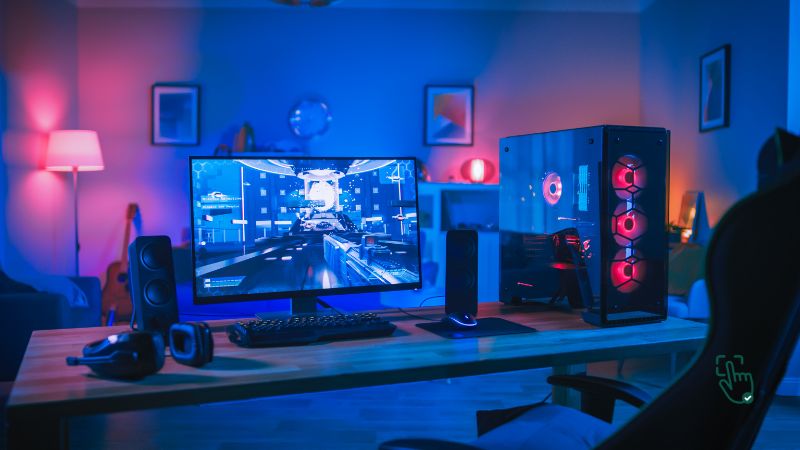
    Gaming in 2025 is about more than just powerful graphics cards or blazing-fast internet—it’s about crafting the perfect gear gaming setup that makes every second immersive. Whether you’re battling in esports arenas, streaming your gameplay, or simply gaming to unwind, having the right gear makes all the difference. This guide explores the essentials of gear gaming—from your mouse to your monitor—and provides helpful resources to help you build your ideal setup.

    Disclosure: Pick Out Right contains affiliate links. If you purchase through these links, we may earn a commission at no extra cost to you. This helps support our work. Thank you!

    🎯 Gaming Mice: Precision Starts Here

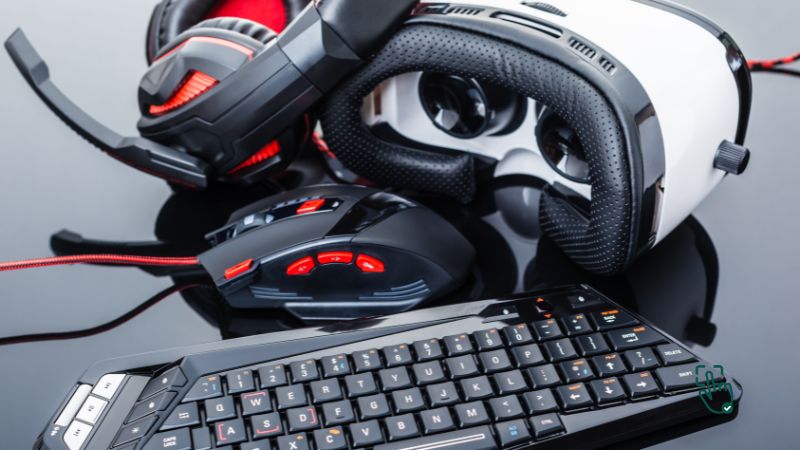
    The first thing most gamers upgrade is their mouse, and for good reason. A great gaming mouse should feel like an extension of your hand. If you’re someone with larger hands or who plays for long hours, ergonomics are key. Look for a design that supports your palm fully, offers thumb rest, and reduces wrist strain. The polling rate—essentially how fast the mouse talks to your computer—should be at least 1,000Hz to minimize lag. Additionally, adjustable DPI (dots per inch) lets you fine-tune sensitivity, which is crucial for shooters and MOBA games alike. Many top-tier mice feature durable mechanical switches that can withstand over 50 million clicks.

    One standout example is the Razer Basilisk V3. It offers precise control, a customizable scroll wheel, and programmable buttons—making it a versatile choice for gamers who play across genres.

    Related Links:
    What Makes the Best Gaming Mouse a Game‑Changer?

    🧘‍♂️ Gaming Chairs: Comfort That Keeps You Playing

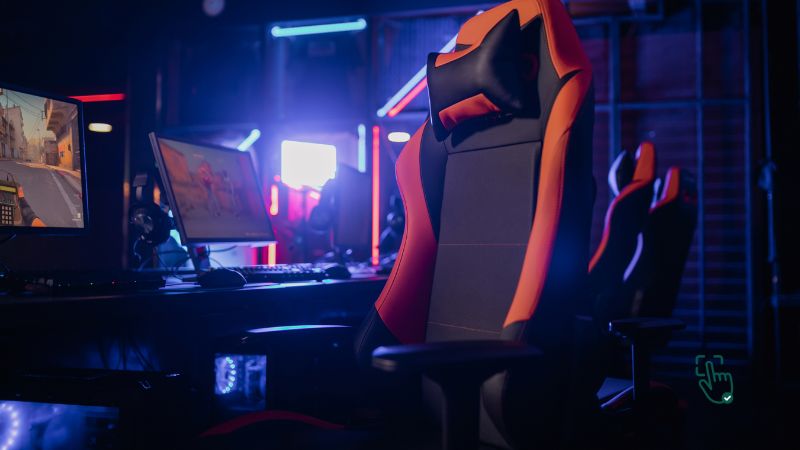
    Spending hours in front of your screen requires more than determination—it requires lumbar support. A quality gaming chair isn’t just about flashy aesthetics. It supports your spine, relieves pressure from your hips, and helps keep your posture healthy. Look for chairs that offer adjustable height, a recline function, and adjustable armrests to suit different desk setups. Breathable fabrics or high-quality PU leather can make a huge difference in comfort.

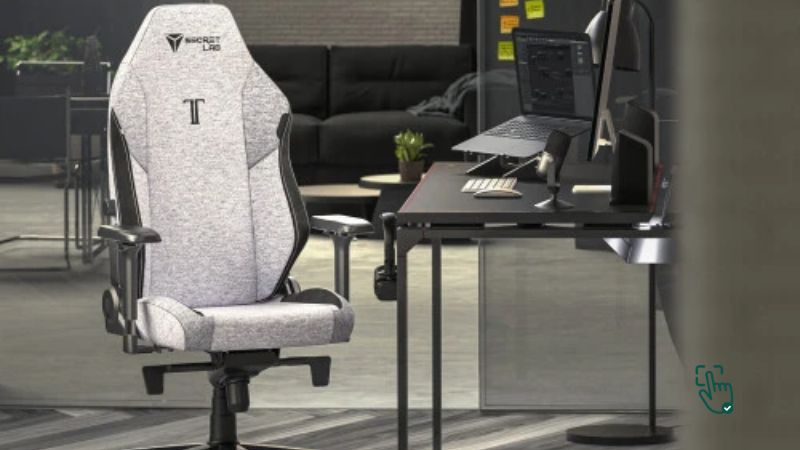
    Take, for example, the Secretlab Titan Evo. It’s designed for extended sitting, with advanced ergonomic features like 4D armrests, memory foam lumbar support, and a multi-tilt mechanism that lets you find your perfect angle.

    Related Links:
    Which GTracing Gaming Chair Is Best for You?
    Why a Massage Gaming Chair Is the Ultimate Gamer Upgrade
    Why Choose a Fabric Gaming Chair and How to Pick the Best One

    🪑 Desks for Gamers: Function Meets Form

    A great gaming desk isn’t just about how much space it has. It’s about how well it helps you stay organized and comfortable. L-shaped desks are becoming especially popular for their efficient use of space and ergonomic flow. Look for a desk with sturdy metal frames, carbon fiber finishes, built-in cable management systems, and features like headphone hooks or cup holders. Some even include RGB lighting zones for ambiance.

    An L-shaped standing desk, for instance, offers generous real estate for dual monitors, extra space for accessories, and the flexibility to sit or stand while gaming.

    Related Links:
    L‑Shaped Gaming Desks in 2025: Why Gamers Are Making the Switch
    What Are the Best Gaming Desk Accessories and Why Do You Need Them?

    🖥️ Monitors: Visual Clarity for Competitive Edge

    Your display dictates what you see and how fast you see it. If you’re serious about gaming, especially in competitive FPS titles, you’ll want a monitor that combines high resolution with high refresh rates. A 1440p QHD resolution provides crisp detail, while a 144Hz or 240Hz refresh rate ensures fluid motion with less screen tearing. A 1ms response time helps eliminate motion blur. IPS panels are great for vibrant color accuracy, while VA panels offer excellent contrast for dark scenes.

    A great example is the Samsung Odyssey 27-inch QHD monitor, with its high refresh rate, fast response, and curved design that immerses you deeper into the action.

    Related Links:
    Why Choose a QHD Gaming Monitor for Your Setup?
    What’s the Best 27‑Inch Gaming Monitor? Top Picks for 2025!
    Why Choose a Curved Gaming Monitor for an Immersive Experience?
    Top Choices for the Best 4K Gaming Monitor

    ⌨️ Keyboards: The Right Feel at Your Fingertips

    Gamers often underestimate the power of a good keyboard. Mechanical keyboards with quiet switches can offer satisfying feedback without disturbing the household. Features like RGB backlighting, macro support, anti-ghosting, and customizable profiles can give you a competitive edge. Tenkeyless designs (keyboards without number pads) are great for gamers who want more mouse space and portability.

    One popular option is a compact mechanical board with silent red switches—great for both gaming and productivity, with a minimal aesthetic that fits into any gear gaming setup.

    Related Links:
    What Makes the Best Gaming Keyboard a Must‑Have for Gamers
    What’s the Best Quiet Mechanical Keyboard for Gamers and Typists?

    🎧 Audio: Play It, Hear It, Feel It

    A quality headset lets you hear every footstep, reload, and shout, giving you a real edge in competitive play. Choose headphones that have surround sound support for spatial awareness, a high-fidelity mic with noise-canceling features, and a lightweight frame for comfort. Over-ear designs often offer better isolation and fuller sound profiles compared to on-ear models.

    An example would be a wireless headset with 7.1 surround sound and memory foam padding—delivering performance without fatigue.

    Related Links:
    What Are the Best Earbuds for iPhone and How Do You Pick the Perfect Pair?
    Choosing the Right Type of Wireless Headphones for You
    Elevate Your Workout: The Best Wireless Headphones for Gym

    🎮 Accessories: Finishing Touches That Matter

    Once the major items are in place, it’s the accessories that tie your gear gaming setup together. A wide mouse pad ensures consistent sensor tracking and allows for sweeping arm movements. Gamepads and racing wheels are essential for players who switch between PC and console-style games. Adding stands for your headset or microphone helps maintain order, while RGB lighting strips can personalize your space.

    Small additions like an adjustable laptop table or foldable gaming surface also bring added flexibility to your setup.

    Related Links:
    The Unsung Hero of Your Setup: My No‑BS Guide to Gaming Mouse Pads
    What’s the Best Game Pad for Ultimate Gaming?
    What’s the Best Gaming Steering Wheel for an Immersive Racing Experience?
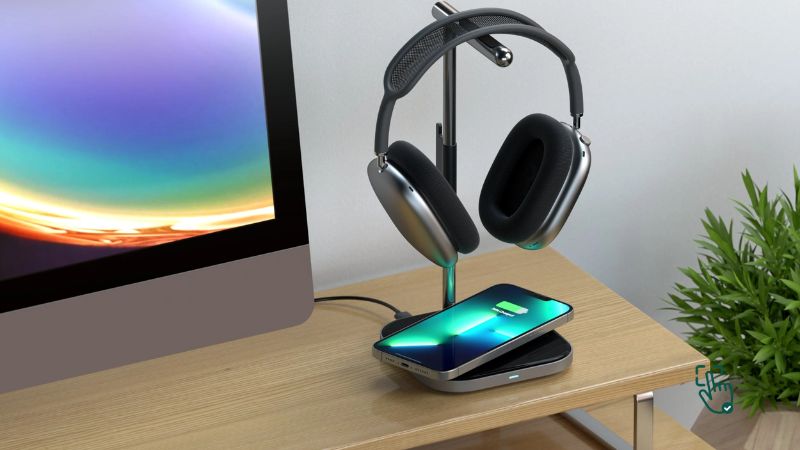
    Best Headphone Stand: Elevate Your Audio Gear in Style and Organization!

    🎲 Portable Gaming Gear: Play Anywhere

    Gaming doesn’t have to stop when you leave your room. In 2025, portable gear is more powerful than ever. Handheld consoles now support AAA titles. Mobile gaming phones are optimized with high-refresh displays, dedicated gaming modes, and enhanced cooling. Foldable laptop tables and Bluetooth peripherals make it easy to convert any space into your command center.

    If you’re a gamer on the go, the newest handhelds and gaming phones offer console-level power, long battery life, and seamless connectivity.

    Related Links:
    Top Handheld Gaming Devices of 2025
    Best Gaming Mobile Phones: Why They’re the Future of Mobile Gaming
    Top Foldable Laptop Tables: What to Know Before You Buy


    💡 Final Thoughts on Building a Gear Gaming Setup

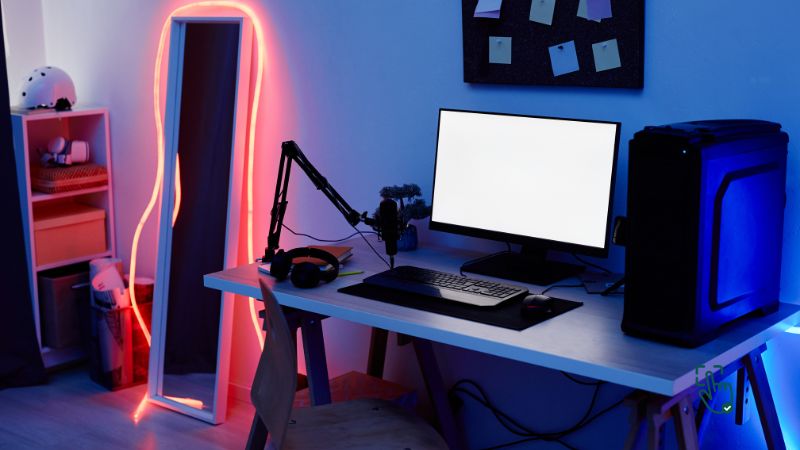
    A solid gear gaming setup isn’t built overnight. It evolves with your budget, space, and goals. Whether you’re just starting or fine-tuning your battlestation, remember to choose products that match your playstyle and comfort. And don’t forget to consider things like power management, ambient lighting, and good cable routing for a cleaner setup.

    With the right desk, chair, peripherals, and accessories, your gaming experience can transform from functional to phenomenal. If you’re unsure where to begin, explore the related guides and reviews linked throughout this post to go deeper into each component.


    Love this? Share it with your friends!

  • L-Shaped Gaming Desks in 2025: Why Gamers Are Making the Switch

    L-Shaped Gaming Desks in 2025: Why Gamers Are Making the Switch

    In 2025, more gamers and content creators are ditching traditional straight desks in favor of something smarter: the L-shaped gaming desk. Whether you’re optimizing a small corner setup or building a full-blown streaming command center, this desk style is gaining major traction in both gaming and productivity circles.

    Across Reddit threads, TikTok desk tour videos, and even Twitch streams, the L-shaped desk is becoming a quiet essential—especially for users looking to balance dual monitors, space efficiency, and better cable control. It’s not just about aesthetics anymore. For many, it’s become the backbone of a more immersive, organized, and ergonomic setup.

    We dug into what’s trending, what streamers are actually using, and how different users are customizing these desks to fit their lifestyles. Here’s what you need to know if you’re planning a setup upgrade this year.

    Why L Shaped Desks Are a Gamer’s Best Friend

    L shaped desks aren’t just a cool aesthetic choice; they’re engineered for efficiency. Here’s why gamers love them:

    1. More Surface Area

    The “L” layout gives you dual workspaces without needing a massive room. One side can house your monitors and keyboard, while the other holds accessories, snacks, and maybe even a console or second PC.

    2. Better Ergonomics

    The corner position naturally allows you to pivot between tasks or screens with ease, reducing strain on your neck and shoulders. When paired with a good chair, your posture and comfort level go way up.

    3. Ultimate Multitasking Station

    If you’re a streamer, content creator, or a gamer who also works/studies, you can designate one side for gaming and the other for productivity. It’s like having two desks in one!

    How to Choose the Right L Shaped Gaming Desk for Your Space

    Not all L shaped desks are created equal. Here’s how to choose the right one:

    1. Measure Your Space

    Grab a tape measure and check the width and depth of your room’s corners. Make sure there’s enough space to fully utilize both sides of the “L” without blocking walkways.

    2. Pick the Right Side Orientation

    Some L shaped desks come with fixed corners, while others are reversible. Know whether you want the shorter side on the left or right depending on room layout.

    3. Materials Matter

    MDF boards are budget-friendly but less durable. Glass-top desks look modern but can scratch. Solid wood and steel-framed desks last the longest.

    4. Weight Support

    If you’re going to load it with dual monitors, heavy speakers, or a desktop tower, make sure it can handle the weight. Always check the product’s max load capacity.

    Top Features to Look for in an L Shaped Gaming Desk

    Here are some features that separate the best from the rest:

    1. Built-In Cable Management

    A clutter-free space isn’t just satisfying; it’s functional. Desks with grommets or built-in cable trays make cable routing easy.

    2. Monitor Stand or Riser

    Elevating your monitor helps with posture and frees up desk space for controllers, keyboards, or even a small soundbar.

    3. Storage Shelves or Drawers

    Whether it’s snacks, external drives, or headset stands, having accessible storage is always a plus.

    4. Keyboard Tray

    Optional, but great if you want more surface space up top or prefer typing ergonomics.

    Trending Gaming Desks for 2025

    1. SEDETA L-Shaped Gaming Desk – The Trending Choice for Streamers in 2025

    One of the most talked-about desks on gaming forums right now, the SEDETA L-Shaped Gaming Desk is making waves among streamers and multitaskers who need a setup that can handle both content creation and hardcore play. It’s been popping up in setup tours and Reddit desk threads, especially among users juggling dual or even triple-monitor layouts.

    With its wide surface area (94.5″ long) and a smart reversible design, gamers are using this desk as both a corner command station and a stretched-out straight layout. One Reddit user mentioned, “I grabbed the SEDETA mainly because my room layout changes often—I liked being able to flip it depending on the space.”

    What really gets attention, though, are the built-in features that save time and reduce clutter: four outlets, two USB ports, a full keyboard tray, and even a pegboard for accessories. A Twitch streamer we follow recently featured this desk as part of his cable management overhaul—he paired it with a Velcro cable sleeve kit to keep things ultra clean.

    Why It’s Showing Up on More Setups This Year:

    • Modular layout – Reversible L-shape or long desk format depending on your space.
    • Built-in charging – No need for extra hubs thanks to integrated power outlets and USB ports.
    • Ambient lighting – Over 60,000 color options with remote/app control; perfect for matching your RGB build.

    Build Tip: If you’re planning a dual-monitor vertical stack, this desk pairs well with wall-mounted arms thanks to its depth and clearance. One YouTuber noted that the top hutch was perfect for keeping cameras and lighting rigs off the main surface.

    Worth Knowing: Assembly takes a bit of time—users say to set aside 2–3 hours and possibly a second set of hands.

    Eureka Ergonomic L60 – The Minimalist’s Pick for 2025 Gaming Setups

    If you’re after a more compact, streamlined desk that still looks pro, the Eureka Ergonomic L60 is gaining traction among minimalist gamers and home office warriors. Measuring 60 inches wide, this desk fits comfortably into smaller rooms without sacrificing build quality or aesthetics.

    In several Reddit threads on “small room battlestations,” this model comes up often—one user commented, “I didn’t need all the bells and whistles—just something sturdy, clean, and cable-friendly. This hit all those.”

    The carbon fiber texture gives it a sleek, modern feel while the built-in cable grooves and power strip holder keep the surface clutter-free. It’s also become a favorite among gamers who like to alternate between work and play without needing a massive setup.

    Why People Are Choosing the L60 This Year:

    • Space-efficient – Great fit for apartments or shared gaming/work spaces.
    • Cable-ready – Includes smart management features for a clean look.
    • Solid frame – Steel construction gives it stability even with dual or triple-monitor loads.

    Build Tip: For those using a laptop + monitor combo, this desk pairs well with clamp-on monitor arms. A few setup tour videos show creators mounting mic arms and even ring lights to the edges thanks to the sturdy frame.

    Things to Note: It doesn’t come with drawers or risers out of the box, so consider adding an under-desk drawer unit or monitor stand to complete the build.

    3. Trending in Small Spaces: Mr IRONSTONE L-Shaped Gaming Desk

    Compact but powerful—the Mr IRONSTONE L-Shaped Gaming Desk is making waves in 2025 among gamers who want performance without sacrificing space. In fact, some Reddit users say they chose this model due to limited room space in dorms, small apartments, or shared setups. One user even mentioned using it for both a gaming rig and study station without feeling cramped.

    This desk clocks in at just over 50 inches on each side, but thanks to its double desktop layout, it still fits a dual-monitor setup comfortably. The heavy-duty metal frame and P2 MDF boards give it a sturdy feel—something you definitely want when rage-quitting in a competitive match. And yes, the laminated surface is surprisingly easy to clean (hello, spilled energy drinks).

    Build Tip: If you’re going minimalist, pair this desk with a clamp-on monitor arm to fully free up surface space. I’ve also seen setups using under-desk cable trays that attach perfectly to the metal frame.

    Why It’s Trending:

    • Great for tight setups or corner nooks
    • High weight capacity (up to 350 lbs)
    • Minimalist, matte-black finish fits almost any room vibe

    💡 Setup Insight: One compact streamer I follow on TikTok used this desk with wall-mounted LED panels for a clean, focused vibe. It’s proof you don’t need a giant room to build a slick command center.

    4. ODK 59″ L-Shaped Gaming Desk – A Feature-Rich Favorite for RGB Fans

    Among the more budget-friendly but feature-packed desks trending in 2025 setup communities, the ODK 59” L-Shaped Gaming Desk is showing up in a lot of RGB-heavy battlestations. With its customizable LED lights and integrated outlets, it’s clearly made for users who love a little tech-flair baked into their furniture.

    In a recent YouTube desk setup tour, one creator mentioned, “This desk was surprisingly affordable for the number of features—it’s almost like a starter’s dream build.” Others on Reddit pointed out how helpful the built-in USB ports were for charging wireless peripherals.

    With its full-length monitor riser, the desk helps elevate your screens for better posture—especially useful if you’re stacking multiple monitors or keeping a laptop underneath. The reversible design also lets you adapt it to left- or right-corner setups, making it flexible for various room layouts.

    Why Setup Enthusiasts Are Talking About the ODK 59:

    • Integrated RGB lighting with memory function for personalized vibes.
    • Three AC outlets + two USB ports—ideal for cable-light setups.
    • Smart use of space with storage shelves and a raised monitor deck.

    Build Tip: This desk works great with a clamp-on LED light strip beneath the monitor riser or behind the tower shelf. Also, several users recommend combining it with vertical storage (like pegboards or wall shelves) since the desk surface stays relatively lean.

    Consider This: Assembly may take a bit more time due to the built-in features, so plan a 1–2 hour window to get everything set up right.

    L Shaped Desks vs. Straight Desks: Which One Wins for Gaming?

    While traditional desks have their place, they just can’t compete with the versatility of an L shaped design:

    FeatureL Shaped DeskStraight Desk
    Surface AreaLarge, dual sidesLimited
    MultitaskingHighLow
    Cable ManagementOften integratedOften DIY
    ErgonomicsHighMedium
    Space EfficiencyExcellent in cornersMay waste space

    Verdict? L shaped desks dominate when it comes to functionality and optimizing your gaming area.

    Best Setup Ideas with an L Shaped Gaming Desk (Real User Tips)

    Here are some setup hacks and user-tested tips to transform your L shaped gaming desk into a complete command center:

    1. Dual Monitor Mounting

    Use VESA mounts to free up desk space and align your monitors perfectly. Great for gaming on one screen and browsing/streaming on the other.

    2. RGB Lighting Vibes

    LED light strips under the desk or around the monitor bring out that gamer aesthetic. Just make sure to use remote-controlled or app-based lights for easy customization.

    3. Desk Pad or Mat

    An extended mouse pad not only helps in smooth movements but also protects your desk surface.

    4. Under-Desk PC Mount

    Free up desktop space and reduce dust intake by mounting your tower beneath the desk.

    Can an L Shaped Gaming Desk Improve Your Productivity Too?

    Absolutely! These desks double as workstations:

    • Use one side for your gaming setup, and the other for your laptop, notebooks, or tablet.
    • Create a clear distinction between “fun time” and “focus time” by switching between sides.
    • Add a small whiteboard or productivity planner on one wall-facing side to keep things organized.

    Whether you’re editing videos, coding, or attending virtual meetings, this hybrid setup promotes flow and organization.

    Final Thoughts: Should You Get an L Shaped Gaming Desk?

    Whether you’re grinding through ranked matches or grinding out edits for your next YouTube upload, the right desk can transform how you work and play. L-shaped desks aren’t just trendy—they’re functional. From giving your gear room to breathe to helping reduce neck strain during marathon sessions, the benefits are clear once you’ve tried one.

    If you’re building a hybrid space that balances work and gaming, start with a desk that supports both. Then layer in the extras—monitor arms, cable organizers, ambient lighting—to customize your vibe. Some users on forums like r/battlestations even shared setups using wall-mounted storage alongside these desks to reclaim floor space without sacrificing style.

    Bottom line? If your desk is the foundation of your digital life, it might be time to upgrade that foundation. The L-shaped desk isn’t just furniture—it’s a layout that fits how modern gamers live, work, and play.

    Love this? Share it with your friends!

  • What Is the Best Mouse for Large Hands, and Why Should You Care?

    What Is the Best Mouse for Large Hands, and Why Should You Care?

    Mouse for Large Hands

    Ever feel like your mouse was designed for a toddler’s hand instead of yours? If you’ve got large hands, squeezing into a tiny, cramped mouse can be downright frustrating—not to mention painful over time. Whether you’re deep in an intense gaming session, powering through hours of work, or just casually browsing through memes and cat videos, the right mouse can seriously upgrade your comfort and productivity.

    Using a mouse that fits your hand properly isn’t just about avoiding discomfort—it’s about improving precision, speed, and control. A poorly sized mouse can lead to fatigue, reduced performance, and even wrist strain. Fortunately, the market is catching on, and there are plenty of ergonomic, large-hand-friendly options available that don’t compromise on features or style.

    So if you’re tired of settling for “standard-sized” mice that just don’t cut it, it’s time to level up. In this guide, we’ll explore some of the best mice specifically designed for larger hands—whether you’re looking for wireless freedom, customizable buttons, or ultra-responsive tracking, we’ve got you covered.

    What is a Mouse for Large Hands?

    A mouse for large hands ensures better comfort, reduces hand fatigue, and improves precision during gaming or work, offering ergonomic benefits.

    Why You Need a Mouse for Large Hands

    If your current mouse feels more like a pebble in your palm, you’re probably dealing with unnecessary strain. Here’s why upgrading to a mouse designed for larger hands is worth it:

    1. Better Comfort: A properly-sized mouse fills your hand and prevents awkward gripping.
    2. Reduced Fatigue: Say goodbye to wrist and finger cramps after long hours of use.
    3. Enhanced Precision: Larger mice often feature better ergonomics, leading to smoother tracking.
    4. Improved Performance: For gamers and professionals, a good fit means faster reaction times and better control.

    Things to Look for in a Mouse for Large Hands

    Before we dive into recommendations, let’s break down what makes a great mouse for larger hands:

    1. Size and Shape: Look for a mouse with a length and width that complements your hand.
    2. Ergonomics: Ensure it supports your palm and reduces wrist strain.
    3. Weight: Heavier mice often feel more stable for larger hands, but this comes down to personal preference.
    4. Button Layout: Extra buttons are a bonus for gamers and multitaskers, but make sure they’re easy to reach.
    5. DPI Settings: Adjustable DPI ensures precise tracking, especially for gaming or graphic design.

    Top Mice for Large Hands

    We’ve curated a list of some of the best options out there to save you from endless searching. Let’s get into it:

    1. Logitech G502 HERO – The All-Rounder

    The Logitech G502 HERO is an absolute beast, built for those who demand precision, customization, and top-tier performance. This gaming mouse is well-loved for its ergonomic design, making it one of the best options for large-handed users. It has a wide grip and adjustable weights, letting you tweak it to your personal preference.

    With a DPI range of up to 25,600, this mouse is perfect for high-speed gaming or meticulous design work. Its 11 programmable buttons allow you to assign macros, shortcuts, and commands, making multitasking a breeze. Whether you’re gaming or working on complex tasks, the G502 HERO delivers unmatched responsiveness.

    Pros:

    ✔ Adjustable DPI up to 25,600 for insane precision
    ✔ Customizable weights for personalized comfort
    ✔ 11 programmable buttons for gaming and productivity

    Cons:

    ✖ Bulkier design might not suit non-gamers
    ✖ Wired, which may not be ideal for those preferring wireless options

    Best For:

    Gamers, designers, and professionals who need a versatile, high-performance mouse.

    Other Logitech Alternatives to Consider:

    2. Razer DeathAdder V2 – Sleek and Ergonomic

    The Razer DeathAdder V2 is a gaming legend, loved by eSports players and casual gamers alike. What makes it stand out? Its ultra-comfortable ergonomic design, especially for larger hands. This mouse features a lightweight build, allowing for fast movements and extended use without fatigue.

    Equipped with a high-speed optical sensor and 8 programmable buttons, the DeathAdder V2 strikes the perfect balance between performance and simplicity. It’s ideal for FPS and MOBA players looking for a no-nonsense, responsive gaming experience.

    Pros:

    ✔ Palm-grip design fits larger hands perfectly
    ✔ Lightweight for fast and effortless movements
    ✔ Optical sensor ensures precise tracking

    Cons:

    ✖ Fewer buttons compared to other gaming mice
    ✖ No wireless option

    Best For:

    Gamers who want precision, comfort, and a reliable build.

    Other Razer Alternatives to Consider:

    3. Corsair Ironclaw RGB – Built for Big Hands

    If you’re specifically looking for a gaming mouse designed for large hands, the Corsair Ironclaw RGB is a solid choice. With a wide body and textured grip, it provides excellent palm support, reducing hand fatigue during long gaming sessions.

    It comes with customizable RGB lighting, a high-precision optical sensor, and programmable buttons—everything you need for a comfortable and efficient gaming experience. The only downside? It’s slightly on the heavier side, which some users might not prefer.

    Pros:

    ✔ Wide and ergonomic shape designed for large hands
    ✔ Customizable RGB lighting for aesthetics
    ✔ Durable, high-quality build

    Cons:

    ✖ A bit heavier than other gaming mice
    ✖ Wired, which might not suit everyone

    Best For:

    Gamers with large hands who prioritize comfort and customization.

    Other Corsair Alternatives to Consider:

    4. Microsoft Bluetooth Ergonomic Mouse – For Everyday Use

    Not into gaming? Need a comfortable mouse for work, office tasks, or casual browsing? The Microsoft Bluetooth Ergonomic Mouse is a simple yet effective solution. With its lightweight design and Bluetooth connectivity, it’s perfect for people who work long hours and need an ergonomic grip.

    It’s affordable, wireless, and designed for comfort, making it an excellent pick for productivity-focused users. However, it lacks extensive customization options, which may be a downside for power users.

    Pros:

    ✔ Lightweight and wireless for easy use
    ✔ Affordable compared to high-end gaming mice
    ✔ Ergonomic design to reduce wrist strain

    Cons:

    ✖ Limited customization
    ✖ Not ideal for gaming

    Best For:

    Office professionals, students, and everyday users looking for an ergonomic mouse.

    Other Office-Friendly Mice to Consider:

    5. SteelSeries Rival 310 – The Budget King

    If you need a high-quality gaming mouse that doesn’t break the bank, the SteelSeries Rival 310 is a fantastic choice. Designed with larger hands in mind, it features a comfortable grip, precise tracking, and a durable build.

    The TrueMove3 optical sensor ensures super accurate tracking, making it a solid option for FPS gamers. It lacks fancy features like extensive RGB customization, but if you care more about performance than flashy aesthetics, this is a top-tier budget pick.

    Pros:

    ✔ Affordable without compromising on quality
    ✔ Durable build with a comfortable grip
    ✔ TrueMove3 sensor for accurate tracking

    Cons:

    ✖ Limited RGB customization
    ✖ Wired, no wireless version available

    Best For:

    Gamers on a budget who still want high-quality performance.

    Other Budget Gaming Mice to Consider:

    Common Issues With Mice for Large Hands

    Even the best mice have their drawbacks. Here are some issues to watch out for:

    1. Weight Distribution: Some large mice can feel too heavy, which may affect quick movements.
    2. Button Placement: Extra buttons can sometimes be hard to reach, even on larger mice.
    3. Price: High-quality mice for large hands often come with a premium price tag.

    How to Choose the Right Mouse for You

    Here’s a quick guide to help you make the best choice:

    1. Measure Your Hand: Compare the mouse dimensions to your hand size to ensure a proper fit.
    2. Test Ergonomics: If possible, try holding the mouse before buying.
    3. Consider Your Usage: Are you gaming, working, or both? Choose a mouse that fits your needs.
    4. Set a Budget: You don’t have to splurge—there are great options in every price range.

    Frequently Asked Questions (FAQ)

    1. Do larger mice improve gaming performance?
    Yes! A mouse that fits your hand properly ensures better control and precision, which is crucial for gaming.

    2. Can I use a gaming mouse for work?
    Absolutely. Gaming mice often come with ergonomic designs and high precision, making them great for productivity.

    3. Are wireless mice good for large hands?
    Yes, many wireless mice are designed for large hands and offer the added benefit of cable-free convenience.

    Conclusion: Don’t Settle for an Ill-Fitting Mouse

    A mouse for large hands is more than just a comfort upgrade—it’s a productivity and performance booster. Whether you’re a hardcore gamer or a casual user, finding the right fit is essential. Start by identifying your needs, setting a budget, and exploring the options we’ve listed. Your hands (and your sanity) will thank you!

    Love this? Share it with your friends!

  • Why a Massage Gaming Chair Is the Ultimate Gamer Upgrade

    Why a Massage Gaming Chair Is the Ultimate Gamer Upgrade

    Massage Gaming Chair

    If you’ve ever found yourself slouching in a chair, feeling the strain of a long gaming session, or craving a little extra luxury during your playtime, a massage gaming chair might just be what you need. These chairs combine comfort, functionality, and style to give you a gaming experience that’s as relaxing as it is immersive. But how do you pick the right one, and what should you look out for?

    Let’s explore everything about massage gaming chairs, from their features and benefits to some honest reviews and must-have recommendations.

    What Is a Massage Gaming Chair?

    A massage gaming chair is essentially a gaming chair with built-in massage functions. It features vibrating or rolling mechanisms, typically in the lumbar support area, to relieve tension and improve posture during long hours of gaming or work. Think of it as a mix between a professional gamer’s setup and a mini spa session.

    A massage gaming chair combines ergonomic design with built-in massage features, offering gamers comfort, posture support, and relaxation during long sessions.

    Why Choose a Massage Gaming Chair?

    The appeal of a massage gaming chair goes beyond its cool factor. Here’s why gamers, streamers, and even remote workers are switching to these chairs:

    1. Ergonomics: Say goodbye to back pain and hello to proper posture with adjustable lumbar support and reclining options.
    2. Relaxation on Demand: Built-in massagers help reduce muscle tension and improve circulation.
    3. Enhanced Focus: A relaxed body means a focused mind—perfect for dominating in competitive matches.
    4. Multi-Functionality: Many models double as office chairs, making them ideal for work and play.
    5. Aesthetic Appeal: Most massage gaming chairs come with sleek, futuristic designs that fit perfectly in a modern setup.

    Top Massage Gaming Chairs to Consider

    1. GTPLAYER Massage Gaming Chair – The Budget-Friendly Favorite

    For gamers who want a solid chair with massage features without breaking the bank, the GTPLAYER Massage Gaming Chair is a fantastic pick. This chair delivers a comfortable, ergonomic design with a built-in USB-powered lumbar massage pillow that helps reduce lower back tension during long sessions. While it’s not a deep-tissue massage by any means, the vibration function does provide some much-needed relief after hours of sitting.

    The chair itself is designed with durability in mind. It features a sturdy metal frame, high-density foam cushioning, and a smooth PU leather finish that’s easy to clean. The reclining function allows you to kick back and relax between matches, with an adjustable angle ranging from 90° to 150°. Need to take a quick nap in between gaming sessions? Just recline and enjoy the comfort. The armrests are padded, and the 360-degree swivel function makes movement effortless.

    Of course, there are some downsides. While the massage function is a nice touch, it’s more of a mild vibration rather than a true massage experience. Additionally, the chair might not be the best option for taller or heavier users, as it’s designed with a standard build in mind. But overall, if you’re looking for an affordable massage gaming chair that gets the job done, the GTPLAYER is a solid choice.

    Best For: Budget-conscious gamers who want a comfortable chair with basic massage functionality.

    Related Products:

    2. RESPAWN RSP-110 Gaming Chair – The Ultimate Comfort Pick

    If comfort is your top priority, the RESPAWN RSP-110 might be exactly what you need. This chair is designed for gamers who spend hours in front of their screens and want extra support to prevent discomfort and fatigue. One of its standout features is the extendable footrest, which allows you to fully stretch out while gaming, watching movies, or just relaxing.

    The chair’s massage function is built into the lumbar cushion and powered via USB, providing gentle vibrations to help ease lower back strain. The cushioning is plush, with segmented padding that contours to your body. Unlike some other gaming chairs, the RSP-110 isn’t just about aesthetics—it’s built for serious comfort. The armrests are well-padded, and the adjustable recline allows you to lean back up to 155°, so you can find your perfect position.

    However, one potential downside is its bulkiness. This chair is larger than some of its competitors, which could be an issue if you have a compact gaming setup. Assembly is fairly straightforward, but because of its sturdy build, it might take a little longer to put together. That said, once it’s set up, it provides a luxurious feel that makes marathon gaming sessions way more enjoyable.

    Best For: Gamers who want maximum comfort with an adjustable footrest and strong lumbar support.

    Related Products:

    3. GTRacing Massage Gaming Chair – The All-Rounder Pick

    When it comes to gaming chairs that balance price, comfort, and durability, GTRacing has built a solid reputation. Their massage gaming chair is no exception—it delivers a high-quality build, excellent ergonomics, and a USB-powered massage function at a reasonable price. If you want a chair that offers great support and a relaxing massage without costing a fortune, this one’s a great choice.

    The first thing you’ll notice is the sleek racing-style design, which makes it look right at home in any gaming setup. The high-back structure provides excellent neck and lumbar support, which is crucial for those long hours of gaming or working. What sets this chair apart is the USB-powered massage lumbar cushion, which adds a gentle vibration to help reduce lower back tension. It’s not as intense as a real massage, but it definitely helps when you’ve been sitting for hours grinding through your favorite games.

    Comfort-wise, GTRacing nails it. The chair is built with high-density foam padding that molds to your body, giving you a snug yet supportive feel. The PU leather material is soft and easy to clean, so you don’t have to worry about spills ruining your setup. Plus, the reclining function lets you lean back up to 170°, meaning you can practically lie down if you need a break. The armrests are adjustable, giving you the flexibility to find the perfect position for gaming, working, or just chilling.

    One of the standout features of this chair is its durability. Unlike some budget models that start to wobble after a few months, GTRacing’s sturdy metal frame and solid base ensure that it holds up over time. The wheels roll smoothly, making movement effortless, and the overall build quality feels premium for the price.

    Of course, no chair is perfect. Some users have noted that the seat cushion could be a bit thicker, especially for heavier users. Additionally, while the massage function is a nice touch, it’s more of a gentle vibration rather than a deep massage. But given its affordability and feature set, these are minor drawbacks compared to everything else it offers.

    If you want a reliable, well-built gaming chair with massage functionality, GTRacing is an easy recommendation. It’s comfortable, stylish, and won’t break the bank—what more could you ask for?

    Best For: Gamers who want a well-balanced, durable, and comfortable massage gaming chair at a mid-range price.

    Related Products:

    4. Corsair T3 Rush – The Premium Comfort Choice

    If you’re after a gaming chair that feels like a luxurious sports car seat but with the added bonus of comfort and durability, the Corsair T3 Rush is a solid pick. While it doesn’t come with built-in massage functionality, its ergonomic design, plush memory foam lumbar support, and breathable fabric make it one of the best high-end gaming chairs out there. If you want premium quality without flashy gimmicks, Corsair delivers big time.

    One of the biggest selling points of the T3 Rush is the material. Unlike many gaming chairs that use PU leather, this one opts for soft fabric upholstery, which not only looks high-end but also feels cooler and more breathable—perfect if you tend to get warm while gaming. The memory foam lumbar pillow is another standout feature, offering much better support than typical built-in lumbar cushions. It conforms to your lower back and makes long gaming sessions way more comfortable.

    When it comes to adjustability, Corsair knows what gamers need. You get 4D armrests that move up, down, forward, backward, and even tilt at different angles. Whether you’re leaning in during intense FPS matches or relaxing while watching a stream, you’ll always find the perfect position. The reclining function lets you tilt back up to 180°, meaning you can literally lay flat if you need a quick break. The sturdy metal base and gas lift support ensure a solid, wobble-free experience, even if you’re on the heavier side.

    Durability is another strong suit of the T3 Rush. Corsair is known for quality, and this chair is built to last. The smooth-rolling caster wheels glide effortlessly across any surface, whether it’s carpet, wood, or tile. Plus, the reinforced steel frame ensures longevity, making it a great long-term investment.

    Now, what’s the downside? If you specifically want a massage function, this isn’t the chair for you—it’s all about premium comfort without the extras. Also, while the fabric is breathable, it’s not as easy to clean as PU leather, so you’ll need to be careful with spills. Some users also find the seat padding a bit firm at first, but it softens over time with use.

    If you prefer high-end comfort, premium materials, and top-tier adjustability, the Corsair T3 Rush is one of the best gaming chairs you can get. It’s designed for serious gamers who prioritize long-term comfort and style over gimmicks.

    Best For: Gamers who want a high-end, ultra-comfortable, and durable gaming chair without a built-in massage function.

    Related Products:

    5. Razer Iskur – The Ultimate Ergonomic Gaming Chair

    If you’re looking for a gaming chair that prioritizes ergonomic support and premium build quality, the Razer Iskur is a top-tier choice. Unlike most gaming chairs that focus on just comfort, Razer takes things to the next level with a built-in adjustable lumbar support system—perfect for gamers who spend hours in front of their screens.

    One of the standout features of the Razer Iskur is its unique lumbar support system. Instead of a detachable cushion, it has a fully adjustable curved lumbar support built right into the chair, offering much better lower back support than traditional designs. If you’ve ever struggled with back pain after long gaming sessions, this feature alone makes the Iskur a game-changer.

    The build quality is what you’d expect from Razer—premium and durable. The chair is wrapped in multi-layered synthetic leather, which feels luxurious and is much more durable than standard PU leather. It’s resistant to wear and tear, making it perfect for gamers who want something that lasts. The high-density foam cushions provide firm but comfortable support, ensuring that you won’t sink into the chair over time.

    When it comes to adjustability, the 4D armrests allow you to tweak the height, angle, and position for maximum comfort. Whether you’re gaming, working, or just relaxing, you can customize your setup to fit your needs. The 135° recline function lets you lean back comfortably, and the chair’s sturdy metal frame and heavy-duty base ensure stability, even for heavier users.

    So, what’s the catch? If you’re looking for a massage feature, the Razer Iskur doesn’t have one. It’s all about ergonomic support rather than extra gimmicks. Also, the firm padding may take some time to get used to if you prefer a softer seat. Plus, it’s on the higher end of the price spectrum, but for the quality and support it offers, many gamers find it worth every penny.

    If you want a gaming chair that focuses on top-notch ergonomics, lumbar support, and premium durability, the Razer Iskur is one of the best choices out there. Whether you’re an esports pro, a streamer, or just someone who wants long-term comfort, this chair delivers.

    Best For: Gamers who prioritize ergonomic support, durability, and premium build quality over extra features like massage functionality.

    Related Products:

    How to Choose the Best Massage Gaming Chair

    Shopping for a massage gaming chair can feel overwhelming with so many options out there. Here’s a quick guide to help you make the best choice:

    1. Massage Functionality: Check whether the chair offers vibration or rolling massage and ensure it targets your preferred areas (e.g., lumbar, neck).
    2. Build Quality: Look for durable materials like PU leather and metal frames to ensure long-term use.
    3. Adjustability: Features like reclining, height adjustment, and footrests are essential for comfort.
    4. Aesthetic and Fit: Ensure the chair complements your setup and fits your space.
    5. Price: Determine your budget and prioritize features that matter most to you.

    Honest Reviews: Pros and Cons

    No product is perfect, and massage gaming chairs are no exception. Here’s the honest tea:

    Pros:

    • Combines gaming comfort with relaxation.
    • Helps alleviate back pain and improve posture.
    • Multi-functional for both work and gaming.

    Cons:

    • Some chairs only offer basic vibration, which may feel underwhelming.
    • Higher-end models can be expensive.
    • Massage intensity is often not adjustable.

    Common Issues

    1. Durability: The massage mechanisms in budget models can wear out faster.
    2. Noise Levels: Some massage functions can be noisier than expected, which might be distracting.
    3. Heat: Certain models with heated massage options can get uncomfortably warm over extended periods.
    4. Size: Bulky designs may not fit smaller rooms or desks.

    FAQ: Massage Gaming Chairs

    1. Are massage gaming chairs worth it?
    If you spend long hours gaming or working at your desk, the added comfort and relaxation make them a worthwhile investment.

    2. Do they work as well as regular massage chairs?
    Not exactly. Massage gaming chairs offer basic vibration and comfort but don’t match the deep-tissue massage of a dedicated massage chair.

    3. How long do they last?
    With proper care, a quality massage gaming chair can last 3–5 years, depending on usage.

    Conclusion: Are Massage Gaming Chairs a Game-Changer?

    Absolutely. A massage gaming chair isn’t just a cool gadget; it’s a practical upgrade for anyone serious about their gaming or workstation setup. From enhanced comfort to reduced muscle tension, these chairs bring a lot to the table. Just be sure to choose one that suits your needs, space, and budget.

    Whether you’re grinding ranked matches, working from home, or just binge-watching Netflix, a massage gaming chair is the perfect blend of luxury and functionality.

    Love this? Share it with your friends!

  • What Are the Best Earbuds for iPhone and How Do You Pick the Perfect Pair?

    What Are the Best Earbuds for iPhone and How Do You Pick the Perfect Pair?

    Best Earbuds for Iphone

    Sick of wasting money on earbuds that just don’t cut it with your iPhone? You’re not alone. Whether you’re bingeing Netflix, vibing to your favorite playlist, or zoning in on a podcast, the right earbuds can seriously upgrade your experience. But finding the best earbuds for iPhone doesn’t have to be a hassle—we’ve done the hard work for you. Let’s break down what makes a solid pair of iPhone earbuds and which ones truly deliver bang for your buck.

    The best earbuds for iPhone bring seamless connectivity, rich sound quality, and handy features like active noise cancellation. Top picks include the Apple AirPods Pro, Beats Fit Pro, and Sony WF-1000XM4.

    Why Choose Specialized Earbuds for iPhone?

    Apple’s ecosystem is unmatched for its seamless compatibility. Choosing earbuds that are optimized for iPhones ensures:

    • Instant Pairing: Most iPhone-compatible earbuds connect effortlessly, thanks to the H1 or W1 chip.
    • High-Quality Sound: Designed to work flawlessly with Apple’s AAC codec.
    • Integrated Features: Access to Siri and custom touch controls for your Apple-centric lifestyle.

    But not all earbuds for iPhones are created equal. Let’s break down the best options.

    Best Earbuds for iPhone in 2025

    1. Apple AirPods Pro (2nd Generation) – The Gold Standard for iPhone Users

    If you’re using an iPhone, AirPods Pro (2nd Gen) is the no-brainer choice. These earbuds are designed by Apple for Apple, meaning they integrate seamlessly with iOS, delivering an effortless user experience. Thanks to the H2 chip, pairing is instant, switching between devices is smooth, and the sound quality is top-tier.

    One of the biggest selling points? Active Noise Cancellation (ANC). Whether you’re commuting, working, or just want some peace and quiet, the ANC effectively blocks out background noise. And when you do need to hear the outside world, Transparency Mode lets in ambient sounds without removing the earbuds.

    Spatial Audio is another killer feature. It creates an immersive, surround-sound effect that makes movies and music feel more dynamic. If you’re an Apple Music user, this feature is a game-changer. Plus, with adaptive EQ, the sound automatically adjusts based on your ear shape, delivering a perfectly balanced listening experience.

    The fit is also improved over the first-gen AirPods Pro. With multiple ear tip sizes, you get a snug and comfortable feel, making them great for workouts or all-day wear. The battery life isn’t groundbreaking (6 hours per charge, 30 hours with the case), but the MagSafe charging case is convenient, and fast charging gets you 1 hour of playtime in just 5 minutes.

    Pros:

    ✔️ Seamless pairing with iPhones
    ✔️ Best-in-class noise cancellation
    ✔️ Water-resistant (great for workouts)
    ✔️ Spatial Audio for immersive sound

    Cons:

    ❌ Pricey compared to competitors
    ❌ No customizable EQ

    Why Choose It?

    If you want the smoothest Apple experience with premium sound and ANC, this is your best bet.

    Related Products:

    2. Beats Fit Pro – Best for Active Lifestyles

    Love Apple’s ecosystem but need something sportier? Beats Fit Pro might be your perfect match. These earbuds come with Apple’s H1 chip, meaning you get instant pairing, hands-free “Hey Siri” access, and automatic device switching—just like AirPods. But unlike AirPods, they have secure-fit wingtips that keep them locked in place, making them ideal for workouts.

    Sound-wise, they deliver punchy bass and dynamic audio, perfect for those who love energetic beats. While the ANC isn’t as strong as AirPods Pro, it still does a solid job at blocking unwanted noise. You also get Transparency Mode, allowing you to stay aware of your surroundings while running or cycling.

    Battery life is solid at 6 hours per charge (24 hours with the case), and while the case itself lacks wireless charging, fast-charging gets you an hour of playback in just 5 minutes.

    Pros:

    ✔️ Secure fit with wingtips (great for exercise)
    ✔️ Apple H1 chip for seamless iPhone connectivity
    ✔️ Good ANC and Transparency Mode
    ✔️ Spatial Audio support

    Cons:

    ❌ No wireless charging for the case
    ❌ ANC isn’t as strong as AirPods Pro

    Why Choose It?

    If you want Apple-level integration but need something secure for workouts, Beats Fit Pro is the way to go.

    Related Products:

    3. Sony WF-1000XM4 – Best Sound Quality

    Sony isn’t playing when it comes to sound, and the WF-1000XM4 earbuds prove that. While they don’t have Apple’s H1 chip, they still work flawlessly with iPhones and offer industry-leading noise cancellation that rivals (or even beats) AirPods Pro.

    What sets them apart? LDAC support, which delivers high-resolution audio over Bluetooth. If you’re an audiophile, you’ll love the rich, detailed sound with deep bass and crisp highs. Plus, Sony’s adaptive sound control automatically adjusts ANC levels based on your environment, so you don’t have to keep tweaking settings manually.

    Battery life is another big win—8 hours per charge (with ANC on) and 24 hours with the case. That’s longer than most premium earbuds, making them perfect for long commutes or workdays.

    Pros:

    ✔️ Superior noise cancellation
    ✔️ Audiophile-grade sound quality
    ✔️ Long battery life

    Cons:

    ❌ Pricier than most non-Apple options
    ❌ No instant pairing with iPhones

    Why Choose It?

    If sound quality is your priority and you don’t mind a little extra setup, the WF-1000XM4 is the best-sounding option out there.

    Related Products:

    4. Jabra Elite 7 Pro – Best for Calls

    Need something for both music and crystal-clear phone calls? The Jabra Elite 7 Pro is built for exactly that. These earbuds use multi-microphone technology to filter out background noise, making them one of the best options for taking calls on the go.

    Beyond great call quality, they also deliver strong ANC, a customizable sound profile, and up to 8 hours of battery life per charge (30 hours with the case). While the pairing process isn’t as smooth as Apple’s ecosystem, they still work great with iPhones.

    Pros:

    ✔️ Excellent call quality
    ✔️ Customizable sound profile
    ✔️ Long battery life

    Cons:

    ❌ Apple pairing isn’t as intuitive

    Why Choose It?

    For business professionals or anyone who needs clear voice calls, this is a great pick.

    Related Products:

    5. Anker Soundcore Liberty Air 2 Pro – Best Budget Pick

    Want premium features without the hefty price tag? The Soundcore Liberty Air 2 Pro offers solid ANC, customizable EQ settings, and decent battery life, all at a much lower cost than the competition.

    They may not integrate as smoothly with iPhones as AirPods, but if you don’t mind an extra step in pairing, they deliver impressive value for the price.

    Pros:

    ✔️ Affordable with ANC
    ✔️ Customizable sound profile

    Cons:

    ❌ Not as seamless with iPhones

    Why Choose It?

    Best choice for budget-conscious buyers who still want great features.

    Related Products:

    How to Choose the Best Earbuds for iPhone

    When shopping for earbuds, consider these factors to find your perfect match:

    1. Connectivity

    For iPhone users, earbuds with Apple’s H1 or W1 chip (like AirPods Pro and Beats Fit Pro) provide the best experience.

    2. Sound Quality

    If you’re an audiophile, focus on models with superior sound profiles and codecs like Sony WF-1000XM4.

    3. Active Noise Cancellation (ANC)

    ANC is a must if you frequently find yourself in noisy environments or simply want to tune out the world.

    4. Comfort and Fit

    Your earbuds won’t matter if they don’t stay put. Choose options with customizable ear tips for a secure and comfortable fit.

    5. Budget

    With earbuds ranging from $50 to $300, there’s something for everyone. Set a budget, but don’t skimp on the essentials.

    Common Issues With iPhone Earbuds

    Even the best earbuds have their downsides. Here’s what to watch out for:

    • AirPods Pro: Expensive and susceptible to wear over time.
    • Sony WF-1000XM4: Slightly bulky and not optimized for the Apple ecosystem.
    • Beats Fit Pro: Lack of wireless charging feels like a miss at this price point.
    • Anker Soundcore: Connectivity can sometimes lag compared to premium options.

    FAQs About iPhone Earbuds

    Q: Can I use any earbuds with my iPhone?
    A: Yes, but for the best experience, choose earbuds optimized for iPhones with features like H1/W1 chips.

    Q: Do I need noise cancellation?
    A: Not necessarily, but it’s a great feature if you’re often in noisy settings or want immersive audio.

    Q: Are AirPods the only good option for iPhones?
    A: Not at all! While AirPods are convenient, many third-party options deliver fantastic sound and features.

    Conclusion: Which Earbuds Should You Pick?

    The best earbuds for iPhone depend on your needs and budget. If you’re all about Apple’s ecosystem, the AirPods Pro are a no-brainer. For sporty users, the Beats Fit Pro offers a snug fit and solid sound. Audiophiles might prefer the Sony WF-1000XM4, while budget-conscious buyers can’t go wrong with Anker Soundcore Liberty Air 2 Pro.

    Whatever you choose, make sure it suits your lifestyle and delivers the sound quality you deserve. Happy listening!

    Love this? Share it with your friends!

  • What Are the Best Gifts for Gamers in 2025?

    What Are the Best Gifts for Gamers in 2025?

    Best Gifts for Gamers

    Shopping for gamers can be a challenge—especially when you’re not sure what they already have or need. But don’t sweat it! Whether you’re buying for a console lover, a PC enthusiast, or even a mobile gamer, this guide to the best gifts for gamers has got you covered. From budget-friendly finds to premium must-haves, we’ll help you pick the perfect gift to level up their gaming experience.

    What Are the Best Gifts for Gamers?

    The best gifts for gamers include gaming headsets, custom controllers, RGB lights, ergonomic chairs, and game-themed collectibles that enhance their gaming setup.

    Why Choose Gamer-Specific Gifts?

    Gamers are passionate about their hobby, so the right gift can bring a huge smile to their face. Here’s why going gamer-specific makes sense:

    • Personalized Experience: Gaming accessories or gadgets cater to their interests.
    • Practicality: Functional gifts like headsets or chairs improve their setup.
    • Memorability: Unique items like collectibles leave a lasting impression.

    Top Picks for the Best Gifts for Gamers

    Whether you’re looking for stocking stuffers or extravagant surprises, here are some crowd-pleasers:

    1. Gaming Headsets as Best Gifts for Gamers

    A good gaming headset is every gamer’s dream. It enhances audio quality for an immersive experience and is perfect for multiplayer communication.

    • Pros: High-quality sound, built-in mic, and long-lasting comfort.
    • Cons: High-end models can be pricey.

    Recommended Gift: SteelSeries Arctis Nova 7 Wireless
    Why? Exceptional sound clarity, wireless convenience, and long battery life.

    2. Custom Controllers

    For console gamers, nothing beats a custom controller. You can choose unique designs, button layouts, and even personalize it with their gamertag.

    • Pros: Adds flair and functionality to their gaming.
    • Cons: Customization options can get expensive.

    Recommended Gift: Xbox Design Lab Custom Controller
    Why? Endless design possibilities and premium feel.

    3. RGB Lighting Kits as Best Gifts for Gamers

    Gamers love a vibrant setup, and RGB lighting is a surefire hit. LED strips or smart lights transform their gaming station into a visual masterpiece.

    • Pros: Affordable, easy to set up, and high-impact.
    • Cons: Not all models sync with games.

    Recommended Gift: Nanoleaf Shapes Hexagon Smart Kit
    Why? Syncs with games and music for a dynamic light show.

    4. Ergonomic Gaming Chair as Best Gifts for Gamers

    A great chair can make or break a gamer’s experience—especially for long gaming sessions. Ergonomic chairs provide comfort and support.

    • Pros: Prevents back pain and improves posture.
    • Cons: Can take up significant space.

    Recommended Gift: Secretlab TITAN Evo 2024 Series
    Why? Premium materials, adjustable support, and sleek design.

    5. Subscription Services

    Not sure about their gaming hardware? Opt for a subscription service like Xbox Game Pass or PlayStation Plus. They’ll gain access to a library of games!

    • Pros: Budget-friendly and incredibly versatile.
    • Cons: Limited to their preferred platform.

    Recommended Gift: Xbox Game Pass Ultimate
    Why? Works on Xbox and PC, with access to hundreds of games.

    6. Game-Themed Merchandise

    From T-shirts to coffee mugs, game-themed merch is perfect for superfans. Look for items from popular franchises like The Legend of Zelda or Call of Duty.

    • Pros: Affordable and customizable.
    • Cons: Quality varies depending on the brand.

    Recommended Gift: The Legend of Zelda Collector’s Hoodie
    Why? Stylish, cozy, and showcases their love for the game.

    7. High-Quality Mouse and Keyboard

    For PC gamers, a responsive mouse and keyboard can make all the difference. Look for customizable options with RGB lighting.

    • Pros: Improves gaming precision.
    • Cons: High-end models can be costly.

    Recommended Gift: Logitech G Pro X Superlight Wireless Mouse & Razer Huntsman V2 Keyboard
    Why? Top-notch performance for competitive gamers.

    8. Streaming Equipment

    If the gamer in your life loves streaming or wants to start, consider gear like a quality webcam, microphone, or capture card.

    • Pros: Ideal for content creators.
    • Cons: Requires setup and technical knowledge.

    Recommended Gift: Elgato Stream Deck MK.2
    Why? Simplifies streaming with customizable shortcuts.

    9. VR Headsets as Best Gift for Gamers

    Virtual reality gaming is the next big thing. While it’s a pricier gift, the experience is unmatched.

    • Pros: Immersive gameplay and unique experiences.
    • Cons: Requires ample space and can cause motion sickness.

    Recommended Gift: Meta Quest 3
    Why? Standalone functionality with a wide library of VR games.

    10. Gaming Collectibles

    For fans of specific games or genres, collectibles like figurines, posters, or limited-edition items make memorable gifts.

    • Pros: Unique and sentimental value.
    • Cons: Some items can be hard to find.

    Recommended Gift: Funko Pop! Gaming Figurines
    Why? Affordable, fun, and easy to display.

    Common Mistakes to Avoid When Shopping for Gamers

    1. Buying Generic Gadgets: Not all tech works for gaming. Research compatibility!
    2. Ignoring Platform Preferences: Find out if they’re on PlayStation, Xbox, PC, or Switch.
    3. Choosing Poor Quality Items: Budget-friendly doesn’t mean cheap—go for trusted brands.

    FAQs About Gifts for Gamers

    Q: Do gamers prefer practical or fun gifts?
    A: Both! Practical gifts like headsets are always a win, but fun items like merch add a personal touch.

    Q: Are gaming chairs worth it?
    A: Absolutely. A quality chair is a game-changer for comfort during long sessions.

    Q: What’s a good gift for a casual gamer?
    A: A subscription service like Xbox Game Pass or a fun desk accessory like RGB lighting.

    How to Choose the Best Gifts for Gamers

    Here are some quick tips to nail your gift choice:

    1. Know Their Preferences: Research their favorite games and platforms.
    2. Set a Budget: Gaming gifts range from $20 to $500+. Choose what fits your wallet.
    3. Ask Indirectly: Casually bring up gaming accessories to gauge their interests.

    Conclusion: Make Their Gaming Dreams Come True

    The best gifts for gamers aren’t just about functionality—they’re about showing you understand their passion. Whether it’s a high-tech headset, a cozy gaming chair, or just some cool merch, there’s something on this list for every budget and personality. So, don’t stress—your perfect gamer gift is only a click away.

    Love this? Share it with your friends!

  • Why Choose a Fabric Gaming Chair and How to Pick the Best One?

    Why Choose a Fabric Gaming Chair and How to Pick the Best One?

    Fabric gaming chair, ergonomic gaming chair, breathable gaming chair, Secretlab fabric chair, Corsair T3 Rush chair

    When it comes to gaming chairs, fabric options often fly under the radar compared to their flashy leather or PU leather counterparts. But trust us—fabric gaming chairs bring comfort, durability, and style to the table. Whether you’re gearing up for a marathon gaming session or need something cozy for work-from-home days, a fabric gaming chair might just be your perfect match. Let’s dive into why these chairs are gaining popularity and how to find the best one for your setup.

    What Is a Fabric Gaming Chair?

    A fabric gaming chair is a type of gaming chair upholstered with breathable fabric instead of leather or synthetic materials. These chairs are designed for comfort and practicality, providing long-term support without the sticky feeling that leather can sometimes give.

    A fabric gaming chair offers breathability, comfort, and durability, making it ideal for long gaming sessions. It’s a great alternative to leather chairs.

    Why Choose Fabric Over Leather?

    Fabric gaming chairs are more than just a trendy option—they’re practical, comfortable, and surprisingly stylish. Here’s why fabric might win you over:

    1. Breathability: Unlike leather, fabric doesn’t trap heat. This makes it a fantastic choice for gamers who live in warmer climates or play for long hours.
    2. Durability: High-quality fabric is less prone to cracking or peeling over time.
    3. Comfort: Fabric feels softer and cozier than leather, providing a more relaxed gaming experience.
    4. Affordability: Fabric gaming chairs often come at a more budget-friendly price compared to high-end leather options.

    Top Fabric Gaming Chairs to Consider

    To make your decision easier, we’ve rounded up some of the best fabric gaming chairs on the market. Let’s compare them based on features, pros, and cons.

    1. Secretlab TITAN Evo 2022 SoftWeave®

    The Secretlab TITAN Evo 2022 is the king of fabric gaming chairs. With its SoftWeave® Plus fabric, it offers unmatched comfort and style.

    • Key Features:
      • Adjustable lumbar support.
      • SoftWeave® fabric for enhanced breathability.
      • Magnetic head pillow.
    • Pros:
      • Premium build quality.
      • Multiple size options for the perfect fit.
      • Sleek, modern design.
    • Cons:
      • Expensive.
      • Assembly can be time-consuming.

    2. Corsair T3 Rush

    The Corsair T3 Rush is perfect for gamers seeking a balance between affordability and quality.

    • Key Features:
      • Breathable soft fabric.
      • Adjustable lumbar pillow.
      • Recline up to 180°.
    • Pros:
      • Budget-friendly.
      • Comfortable for extended sessions.
      • Lightweight frame.
    • Cons:
      • Limited color options.
      • Armrests feel slightly less sturdy.

    3. Noblechairs HERO TX Fabric

    Known for its ergonomic design, the Noblechairs HERO TX Fabric is an excellent choice for serious gamers.

    • Key Features:
      • High-density cold foam upholstery.
      • Durable TX fabric.
      • Wide seat base.
    • Pros:
      • Excellent lumbar support.
      • Long-lasting materials.
      • Great for taller individuals.
    • Cons:
      • Pricey.
      • Bulkier design might not suit smaller spaces.

    How to Choose the Best Fabric Gaming Chair

    Not all fabric gaming chairs are created equal. Here are some tips to help you find the one that suits your needs:

    1. Ergonomics: Look for chairs with adjustable lumbar support, armrests, and tilt mechanisms. Proper ergonomics can prevent back and neck pain during long gaming sessions.
    2. Material Quality: High-quality fabric is key. Look for chairs with reinforced stitching and durable upholstery that resists wear and tear.
    3. Size and Fit: Gaming chairs often come in different sizes. Make sure the chair you choose is suitable for your height and weight.
    4. Design and Style: Pick a chair that complements your gaming setup. Many fabric chairs come in sleek designs with color options to match your vibe.
    5. Price: Set a budget, but don’t compromise on essential features. Fabric chairs often offer great value for money.

    Pros and Cons of Fabric Gaming Chairs

    Pros:

    • Comfortable and breathable.
    • Durable and resistant to cracking.
    • Available in various designs and colors.
    • Generally more affordable than leather chairs.

    Cons:

    • Fabric can be harder to clean compared to leather.
    • May not provide the same premium look as leather chairs.
    • Spills can cause staining if not treated quickly.

    Common Complaints About Fabric Gaming Chairs

    Even the best chairs have their downsides. Here’s what users often mention:

    1. Staining Issues: Fabric is more prone to absorbing spills, making it harder to clean.
    2. Pilling: Over time, some fabrics may develop small, fuzzy balls on the surface.
    3. Wear and Tear: While durable, fabric isn’t entirely immune to fraying or fading, especially with heavy use.

    FAQ: Fabric Gaming Chairs

    1. Are fabric gaming chairs worth it?
      Absolutely! They’re more breathable and comfortable for long gaming sessions, especially in warm climates.
    2. How do you clean a fabric gaming chair?
      Use a vacuum for dust and a mild cleaning solution for stains. Always follow the manufacturer’s care instructions.
    3. Are fabric gaming chairs as durable as leather ones?
      High-quality fabric can be just as durable, but it requires proper care to maintain its look and feel.

    Final Thoughts: Should You Get a Fabric Gaming Chair?

    If you value comfort, breathability, and affordability, a fabric gaming chair is a fantastic choice. It’s perfect for gamers who spend long hours at their desks and want a chair that feels as good as it looks. Just make sure to prioritize ergonomics and quality when making your decision.

    Love this? Share it with your friends!

  • What Are the Best Gaming Desk Accessories and Why Do You Need Them?

    What Are the Best Gaming Desk Accessories and Why Do You Need Them?

    Gaming desk accessories, RGB lighting setup, ergonomic gaming desk, cable management kit, gaming desk mat

    If you’re a gamer, you already know the setup isn’t just about a fancy PC or a sleek console—it’s the entire vibe. The right gaming desk accessories can elevate your experience from “meh” to “mind-blowing.” But where do you even start with so many options out there? Whether you’re chasing better ergonomics, RGB lighting, or just a clutter-free space, we’ve got the lowdown on everything you need to level up your gaming desk.

    What Are Gaming Desk Accessories?

    Gaming desk accessories are anything that enhances your gaming station—whether it’s about aesthetics, functionality, or comfort. These include essentials like monitor arms, RGB lighting, desk mats, headset stands, cable management kits, and more. They’re designed to improve your gaming setup, making it not only more appealing but also more efficient for those intense gaming marathons.

    Gaming desk accessories, like RGB lights, cable organizers, and ergonomic stands, enhance your gaming setup by boosting comfort, organization, and overall aesthetics.

    Why Invest in Gaming Desk Accessories?

    Let’s be real: a gaming desk without the right accessories is like a burger without fries—it’s fine, but it could be so much better. Here’s why you should care:

    • Ergonomics: Reduce strain on your neck, back, and wrists.
    • Organization: Keep everything tidy and avoid the dreaded spaghetti mess of cables.
    • Immersion: Create the ultimate atmosphere with RGB lighting and personalized touches.
    • Efficiency: Have everything you need within arm’s reach.

    Top Gaming Desk Accessories to Elevate Your Setup

    Let’s dive into some must-haves and see how they can totally transform your gaming experience:

    1. RGB Desk Lighting

    RGB lighting is a game-changer. Not only does it add that wow factor to your setup, but it also enhances immersion. Choose LED strips that sync with your gameplay for a more dynamic experience.

    • Pros: Affordable, customizable, and easy to install.
    • Cons: Cheap options may have poor brightness or flicker.

    Recommended Brand: Govee RGBIC LED Strip Lights
    Why? The Govee lights sync with your screen and music, creating a killer vibe.

    2. Gaming Desk Mat

    A desk mat is more than just a giant mouse pad. It protects your desk, keeps your peripherals in place, and adds style.

    • Pros: Extra-large sizes accommodate keyboards and mice; smooth surface for precision.
    • Cons: Can wear out over time.

    Recommended Brand: SteelSeries QcK XXL
    Why? It’s durable, machine washable, and has a silky-smooth surface.

    3. Monitor Arm Mounts

    Tired of craning your neck during those epic battles? A monitor arm lets you position your screen perfectly, reducing strain and freeing up desk space.

    • Pros: Adjustable height and angle, promotes good posture.
    • Cons: Requires proper installation.

    Recommended Brand: Ergotron LX Monitor Arm
    Why? It’s sturdy, flexible, and built to last.

    4. Cable Management Kit

    Nothing kills a setup vibe faster than messy cables. A cable management kit is a lifesaver for keeping wires tucked away.

    • Pros: Tidier workspace, improved safety.
    • Cons: Requires effort to set up properly.

    Recommended Brand: Velcro One-Wrap Cable Ties
    Why? Simple, affordable, and super effective.

    5. Headset Stand

    Ever misplaced your headset mid-game? A headset stand keeps it safe and accessible while adding a touch of style.

    • Pros: Prevents damage, declutters your desk.
    • Cons: Some models are overpriced for what they offer.

    Recommended Brand: Corsair ST100 RGB Premium Headset Stand
    Why? It doubles as a USB hub and features customizable RGB.

    6. USB Hubs

    Let’s face it, you can never have too many USB ports. A quality hub ensures you’re never scrambling for a spot to charge or plug in peripherals.

    • Pros: Extra connectivity; keeps your devices organized.
    • Cons: Cheap hubs can overheat.

    Recommended Brand: Anker 7-Port USB 3.0 Hub
    Why? It’s reliable, fast, and sleek.

    7. Desk Organizer Trays

    No one likes clutter. Organizer trays are perfect for keeping small items like game controllers, pens, or even snacks neatly arranged.

    • Pros: Affordable and versatile.
    • Cons: Adds one more thing to clean.

    Recommended Brand: SimpleHouseware Desk Organizer
    Why? Multiple compartments and a minimalist design.

    8. Ergonomic Chair Accessories

    While not strictly for your desk, ergonomic chair accessories like lumbar pillows or footrests can drastically improve your comfort during extended gaming sessions.

    • Pros: Reduces fatigue and improves posture.
    • Cons: Takes time to find the right fit.

    Recommended Brand: Everlasting Comfort Lumbar Pillow
    Why? It’s memory foam, adjustable, and ideal for long hours.

    How to Choose the Right Accessories

    Not every gamer has the same needs or preferences. Here’s a quick guide to help you pick the best gaming desk accessories:

    1. Identify Pain Points
      Are you dealing with a cluttered desk? Neck strain? Poor lighting? Address these issues first.
    2. Set a Budget
      You don’t need to splurge on everything at once. Start with essentials and upgrade over time.
    3. Consider Compatibility
      Make sure accessories like monitor arms or RGB lighting work with your desk and devices.
    4. Read Reviews
      User reviews are goldmines for honest opinions and potential drawbacks.

    Common Issues with Gaming Desk Accessories

    While gaming desk accessories are awesome, they’re not without flaws. Here’s the tea:

    • RGB Lights: Cheap lights can be dim or flicker annoyingly.
    • Monitor Arms: Installation can be tricky, and low-quality arms might sag over time.
    • Cable Management Kits: While they improve aesthetics, setting them up can be tedious.
    • Desk Mats: They can accumulate dirt quickly and may require regular cleaning.

    Why Transition Words Matter in Gaming Setups

    If you’re still wondering why you need all these gadgets, let me put it this way: each of these accessories serves a purpose. Plus, when combined, they create a seamless, immersive environment. Imagine transitioning from work mode to gaming mode effortlessly. Cool, right?

    FAQ: Gaming Desk Accessories

    1. Do I need all these accessories?
      Nope! Focus on the ones that solve specific problems for your setup.
    2. Are expensive brands worth it?
      Not always. Sometimes mid-range options offer the best bang for your buck.
    3. How can I make my setup unique?
      Add personal touches like custom RGB lighting patterns, themed desk mats, or display shelves for collectibles.

    Conclusion: Level Up Your Gaming Setup

    In the end, gaming desk accessories are more than just gadgets—they’re tools that enhance your experience. Whether you’re all about performance or just want your setup to look like it belongs in a YouTube video, there’s something for everyone. Start with essentials like cable management kits or desk mats, and build from there. Before you know it, your gaming desk will be the envy of your squad.

    Love this? Share it with your friends!

  • What’s the Best 27-Inch Gaming Monitor? Top Picks for 2025!

    What’s the Best 27-Inch Gaming Monitor? Top Picks for 2025!

    Best 27 Gaming Monitor Reviews and Comparisons

    Tired of squinting at your screen while your enemies get the upper hand? It might be time to level up with a 27-inch gaming monitor that actually keeps up with your skills. A 27-inch display hits the sweet spot—it’s big enough for immersive gameplay but still compact enough to fit comfortably on your desk. With the market flooded with options in 2025, picking the perfect one can feel like a boss battle on its own. But no worries—we’ve done the heavy lifting. After checking out top-rated models, diving into user reviews, and comparing specs like refresh rate, resolution, and response time, we’ve lined up the best 27-inch gaming monitors that’ll give you that competitive edge. Let’s dive in and find your next upgrade!

    Why Choose a 27-Inch Gaming Monitor?

    • Perfect Size: Big enough for immersive gameplay, small enough to fit most desks.
    • Optimal Resolution: 1440p and 4K resolutions are ideal at this size for crisp visuals.
    • Competitive Edge: High refresh rates and low response times give you the advantage in fast-paced games.
    • Versatility: Works well for gaming, productivity, and media consumption.

    Key Features to Look for in the Best 27-Inch Gaming Monitor

    1. Resolution: Go for at least 1440p (QHD) or 4K for sharp visuals.
    2. Refresh Rate: Higher is better! Aim for 144Hz or 240Hz for smoother gameplay.
    3. Response Time: Look for 1ms for minimal lag.
    4. Panel Type:
      • IPS: Best for color accuracy and viewing angles.
      • VA: Excellent contrast but slightly slower response times.
      • TN: Super-fast response but poorer colors.
    5. G-Sync or FreeSync: Reduces screen tearing during intense gameplay.
    6. Connectivity: HDMI 2.1, DisplayPort, and USB-C options for flexibility.

    Top Picks for the Best 27-Inch Gaming Monitor

    1. ASUS ROG Swift PG27UQ

    Alright, let’s start off strong with the ASUS ROG Swift PG27UQ. This beast of a gaming monitor is seriously next-level. If you’re the kind of gamer who doesn’t settle for anything less than the best, this one’s calling your name. It’s got a stunning 4K UHD resolution that makes everything from FPS to open-world games look insanely crisp. And that 144Hz refresh rate? Chef’s kiss. Combine that with NVIDIA G-Sync support, and you’ve got gameplay that’s smooth like butter — no tearing, no stuttering, just pure eye-candy visuals.

    What really takes it up a notch is the HDR support. I mean, we’re talking about visuals that pop off the screen — colors that are rich and blacks that are actually black, not grayish. This isn’t just a monitor; it’s a full-blown gaming experience. Sure, the price tag is wild (we’re hovering around the $2,000 mark), but for hardcore gamers who want the best of the best, this is it. It’s like the Rolls-Royce of 27-inch gaming monitors.

    Real users are loving it too. One buyer said, “Unreal colors and smooth gameplay. The HDR is stunning!” But yeah, another mentioned, “The price tag is insane, but if you can afford it, it’s worth it.” So if budget isn’t an issue and you want premium performance, this one’s hard to beat.

    Related Products: LG UltraGear 27GN950-B, Acer Predator XB273K, Alienware AW2721D

    2. LG UltraGear 27GP950-B

    Next up, the LG UltraGear 27GP950-B — a strong contender if you’re after high performance and visuals that don’t disappoint. This one brings a 4K resolution and a 165Hz refresh rate to the table, and its Nano IPS display is just chef’s kiss when it comes to vibrant color accuracy. Perfect for gamers who switch between competitive and cinematic-style games.

    The HDMI 2.1 support is a massive win, especially if you’ve got a PS5 or Xbox Series X lying around. It handles those next-gen consoles like a champ. Honestly, this monitor walks the line between competitive edge and visual beauty. Plus, with G-Sync and FreeSync compatibility, you’re covered on all sides for tear-free gaming.

    Users are mostly raving about it. One said, “It’s a beast for competitive gaming and casual play.” Another gave it 4 stars because “Blacks aren’t as deep as on VA panels,” but unless you’re super picky, that’s no deal-breaker.

    If you want a high-end monitor without going full baller like the ASUS one, this LG option hits the sweet spot around $700.

    Related Products: TUF Gaming 27″ 2K HDR Gaming Monitor (VG27AQ), Gigabyte M27Q, BenQ EX2710U

    3. Dell S2721DGF

    Now, let’s talk value — the Dell S2721DGF is one of the best bang-for-your-buck monitors out there. You get a super-sharp QHD resolution and a 165Hz refresh rate, and it doesn’t skimp on performance either. This is the kind of monitor that punches way above its price class (which is around $450-ish).

    The display is vibrant, input lag is minimal, and it even has AMD FreeSync Premium Pro and G-Sync support, so you’re safe from those annoying screen tears. It’s not the flashiest monitor, but it gets the job done — and it does it well. Gamers love how it performs without burning a hole in their wallets. One review said, “Great value for the price. I couldn’t ask for more!”

    If we’re nitpicking, the stand isn’t super adjustable, which might annoy some folks. But hey, that’s a small gripe considering what you’re getting.

    Related Products: LG 27GL83A-B, ViewSonic XG2705, HP X27q

    4. MSI Optix MAG274QRF-QD

    This one’s for the gamers who are all about visuals — the MSI Optix MAG274QRF-QD packs Quantum Dot tech, giving you ultra-rich colors and serious sharpness. At 165Hz refresh rate and QHD resolution, it’s a sweet spot for both competitive and immersive gameplay.

    The colors really pop on this one, which is perfect for games with intense environments or story-driven titles. It even supports FreeSync and G-Sync, so your frames stay smooth no matter what. Priced around $600, it’s not the cheapest, but if you care about picture quality, it’s a solid investment.

    Gamers love the visuals. One user said, “The colors pop like crazy. Perfect for story-driven games.” Though another mentioned, “The brightness could be better for well-lit rooms,” so keep that in mind if your setup gets a lot of daylight.

    If you’re more about immersion and less about hardcore eSports competition, this is the one.

    Related Products: ASUS ProArt Display PA278CV, Gigabyte M27Q X, AOC Agon PRO AG276QZD2

    5. Samsung Odyssey G7

    And finally, the Samsung Odyssey G7 — this monitor is straight-up immersive. The 1000R curvature wraps around your vision like no other, pulling you right into the action. It’s rocking a QHD resolution and a ridiculously fast 240Hz refresh rate, which makes it one of the best options for serious competitive gamers.

    What makes it stand out is how it balances speed and immersion. Fast-paced shooters? Covered. Open-world RPGs? Also covered. And with both FreeSync and G-Sync compatibility, you’re getting top-tier visuals with zero hiccups.

    One user said, “The curved display makes me feel like I’m in the game!” — and that pretty much sums it up. However, some folks say it’s not the best for tasks like photo editing. But hey, we’re here for gaming, right?

    With a price hovering around $650, it’s a solid mid-to-high-end monitor that delivers a lot for the money.

    Related Products: Samsung Odyssey G5, ASUS TUF Gaming 27” 1440P Gaming Monitor (VG27AQML1A), Acer Nitro XV272U

    Honest Comparisons: What Fits Your Gaming Style?

    MonitorBest ForRefresh RatePanel TypePrice ($)
    ASUS ROG Swift PG27UQPremium gaming144HzIPS2,000
    LG UltraGear 27GP950-BCompetitive + Visuals165HzNano IPS700
    Dell S2721DGFBudget-friendly option165HzIPS450
    MSI Optix MAG274QRF-QDImmersive story gaming165HzQuantum Dot600
    Samsung Odyssey G7Curved, immersive240HzVA650

    FAQ: Best 27-Inch Gaming Monitor

    Q: Are 27-inch gaming monitors good for competitive gaming?
    A: Yes, monitors with high refresh rates (144Hz or more) and low response times (1ms) are ideal for competitive gaming.

    Q: Is 4K necessary for a 27-inch monitor?
    A: Not necessarily. QHD (1440p) offers excellent clarity without the strain on your graphics card.

    Q: Do I need G-Sync or FreeSync?
    A: If you’re experiencing screen tearing, these technologies sync your GPU and monitor for a smoother experience.

    Q: Are curved monitors better?
    A: Curved monitors like the Samsung Odyssey G7 offer a more immersive experience but aren’t essential for every gamer.

    Conclusion

    Finding the best 27-inch gaming monitor depends on your needs. From the feature-packed ASUS ROG Swift PG27UQ to the budget-friendly Dell S2721DGF, there’s something for everyone. Consider your gaming style, budget, and preferences to choose your perfect gaming companion.

    Love this? Share it with your friends!

  • Best USB Audio Interface: Level Up Your Sound Game in 2024

    Best USB Audio Interface: Level Up Your Sound Game in 2024

    Audio Interface

    Tired of your audio sounding like it’s coming from a tin can? Whether you’re a budding musician, a podcasting pro, or a streamer wanting studio-quality sound, a USB audio interface is the magic wand your setup needs. These little gadgets take your audio from “meh” to mind-blowing by letting you hook up mics, instruments, and more to your computer—no fancy gear required. Ready to dive in? Let’s find the best fit for your sound goals!

    What Is a USB Audio Interface?

    A USB audio interface is a device that improves the sound quality of your recordings and playback by connecting microphones, instruments, and other audio equipment to your computer. It acts as the bridge between your audio gear and your digital workstation, delivering clear, professional-quality sound.

    Why Should You Care About a USB Audio Interface?

    Alright, let’s get real. If you’re a musician, podcaster, or streamer, you’ve probably wondered why your audio sounds more “meh” than “wow.” A USB audio interface can completely transform your sound game. No more muffled recordings or tinny playback—just crisp, studio-like clarity. And the best part? It’s super easy to use.

    But here’s the thing: not all interfaces are created equal. Some are budget-friendly and get the job done, while others come loaded with fancy features that make them worth every penny. Let’s dive into the details and figure out which one is right for you.

    Top Picks for USB Audio Interfaces

    1. Focusrite Scarlett 2i2 (3rd Gen) – The Gold Standard for Home Studios

    If you’ve ever looked into audio interfaces, you’ve probably heard of the Focusrite Scarlett 2i2 (3rd Gen). And for a good reason—it’s one of the best-selling interfaces out there, known for its reliability, sound quality, and ease of use. This little red box is a favorite among singer-songwriters, guitarists, and podcasters.

    With two high-quality preamps, it delivers crystal-clear audio with minimal noise. Plus, it has an “Air” mode that gives recordings a more open and natural sound—great if you want that professional touch. The latency is super low, meaning you won’t hear any annoying delays while recording. It also comes with a solid software bundle, including Ableton Live Lite, Pro Tools First, and some Focusrite plugins to get you started.

    Now, let’s talk about the downside. If you’re planning a more complex setup—say, multiple microphones or an external mixer—you might find the 2i2’s two-input limitation a bit restrictive. Also, while it’s fantastic for home studios, it’s not exactly a high-end pro interface. But for most people, it’s an absolute steal.

    Related Products:

    2. PreSonus AudioBox USB 96 – Budget-Friendly & Beginner Approved

    If you’re just dipping your toes into recording and don’t want to drop a lot of cash, the PreSonus AudioBox USB 96 is a solid pick. It’s affordable, simple to use, and built like a tank—seriously, this thing is tough. Unlike some other budget interfaces, it records in 24-bit/96kHz resolution, which means you get clear, high-quality sound without spending a fortune.

    It has two combo inputs (mic or instrument), making it ideal for solo musicians or small setups. And the best part? It comes with Studio One Artist, PreSonus’ own DAW, which is an awesome bonus if you don’t already have recording software.

    However, if you’re aiming for top-tier, professional recordings, you might outgrow this one pretty quickly. The preamps are decent but not mind-blowing, and the interface itself is fairly basic—no fancy extras like onboard effects or ultra-low latency performance. But for beginners or those on a budget, it’s an excellent entry point.

    Related Products:

    3. Universal Audio Apollo Twin X – The Premium Choice for Serious Musicians

    Now, if money isn’t an issue and you want the best of the best, let’s talk about the Universal Audio Apollo Twin X. This is the kind of gear you find in pro studios, and for good reason—it delivers incredible sound quality, near-zero latency, and access to Universal Audio’s legendary plugins.

    One of the standout features is its Unison preamps, which let you emulate high-end analog gear for a rich, vintage sound. It also has built-in DSP (Digital Signal Processing), so you can run UAD plugins without overloading your computer. Whether you’re recording vocals, guitars, or even full band arrangements, the Apollo Twin X makes everything sound phenomenal.

    That being said, it’s not cheap. This interface is definitely aimed at professionals or those who are really serious about music production. It also requires a Thunderbolt connection, so make sure your computer is compatible before making the splurge.

    Related Products:

    4. Behringer UMC22 – The Ultimate Budget-Friendly Pick

    If you just need something that works and costs next to nothing, the Behringer UMC22 is a no-brainer. This little guy is ridiculously cheap compared to most interfaces, making it a great entry-level option for beginners who don’t want to spend too much.

    It has one mic preamp and one instrument input, which is perfect for solo musicians or podcasters. While it’s not going to compete with high-end models in terms of sound quality, it does the job well for basic recordings. The build is solid for the price, and it works with pretty much any DAW without any hassle.

    Now, let’s be real—it’s not a powerhouse. The preamp isn’t as clean as more expensive interfaces, and the latency is noticeable if you’re working on larger projects. But if you just need something simple and affordable, the UMC22 is hard to beat.

    Related Products:

    How to Choose the Best USB Audio Interface

    So, how do you pick the right one? Here are some tips:

    • Inputs and Outputs: Think about how many devices you’ll connect. A simple setup might only need one or two inputs, while larger projects require more.
    • Audio Quality: Check the sample rate and bit depth. Look for at least 24-bit/96kHz for professional sound.
    • Portability: If you’re always on the go, choose a compact and lightweight model.
    • Budget: There’s a USB audio interface for every price range. Decide what features you need and stick to your budget.

    Why You Need a USB Audio Interface

    Still on the fence? Let’s break it down:

    • Better Sound Quality: Say goodbye to your computer’s built-in sound card—it’s just not good enough for serious audio work.
    • Low Latency: No more annoying delays while recording.
    • Versatility: Record vocals, instruments, podcasts—you name it.

    Honest Opinions: The Good, the Bad, and the Meh

    USB audio interfaces are fantastic, but they’re not perfect. Here’s what you need to know:

    • Pros:
      • Enhanced sound quality for both recording and playback.
      • Easy to set up and use.
      • Wide range of options for every budget.
    • Cons:
      • Some models can be pricey.
      • Not all interfaces are beginner-friendly.
      • May require additional software or plugins for advanced features.

    Related Reads on Pick Out Right

    If you’re diving into audio gear, don’t miss these helpful guides on Best Microphones for Beginners and Top Studio Headphones.

    Conclusion

    A USB audio interface is the ultimate game-changer for anyone serious about audio quality. Whether you’re recording your next hit song, hosting a podcast, or streaming to your fans, the right interface can elevate your sound to professional levels. From budget-friendly options to high-end models, there’s a perfect fit for every skill level and need. So, take the plunge, invest in your sound, and let your creativity shine—you’ll never look back!

    Love this? Share it with your friends!

  • Best Headphone Stand: Elevate Your Audio Gear in Style and Organization!

    Best Headphone Stand: Elevate Your Audio Gear in Style and Organization!

    Best Headphone Stand @ pickoutright.com

    Tired of your headphones always getting tangled or buried under clutter? It’s time to give your audio gear the organization it deserves with a stylish headphone stand. Not only does it provide a dedicated home for your headphones, but it also helps tidy up your desk while adding a sleek, professional touch to your space. With so many options available, choosing the best headphone stand can feel overwhelming. Don’t worry—we’ve got you covered! In this guide, we’ll explore various types, highlight top brands, and dive into what makes each stand unique, especially if you’re a gamer or music lover in need of a stand that can withstand heavy use. Whether you’re looking for something simple or a stand that can handle serious wear and tear, there’s a perfect option for you.

    What Is a Headphone Stand and Why Should You Have One?

    A headphone stand is a simple yet essential accessory that helps keep your headphones in good shape by giving them a dedicated resting place. Whether it’s a wired or wireless pair, hanging your headphones on a stand reduces wear and tear, keeps them from getting tangled, and just makes your desk look tidier. But there’s more! Some stands come with extra perks like USB ports, RGB lighting, or even wireless charging pads.

    Why You Need a Headphone Stand: Top Benefits

    1. Organization and Aesthetic Appeal

    • A clean desk not only looks great but helps you feel more organized. A good headphone stand adds style to your desk setup, giving it that polished, techy look.

    2. Protection for Your Headphones

    • Leaving your headphones on random surfaces or hanging by their cable can cause damage over time. A stand keeps them secure and prevents accidental falls.

    3. Extra Features for Gamers and Audiophiles

    • Many headphone stands come with built-in features like USB ports, phone holders, or RGB lighting, making them multifunctional tools for your desk. Some even double as gaming headphone stands with dynamic lighting to match your setup.

    Best Headphone Stands in 2025

    1. New Bee Headphone Stand – Simple, Sleek, and Gets the Job Done

    If you’re not into flashy setups or tech overload and just want a clean, minimal spot to rest your headphones, the New Bee Headphone Stand is the kind of no-fuss product you’ll appreciate. This thing is as simple as it gets — it’s got a nice, sleek design that doesn’t scream for attention, and it fits in pretty much anywhere: your desk, gaming corner, or even a recording setup. It’s super lightweight but still holds up surprisingly well. It’s made from a sturdy plastic that keeps your headphones safe without being bulky or awkward.

    This stand is all about doing one job and doing it well: holding your headphones. No USB ports, no RGB, no wireless charging pad — just straight-up utility. And let’s be real, not everyone wants or needs all those extras, especially if you’re working on a budget or just want to reduce cable clutter. What really stands out about this model is how budget-friendly it is. So if you’re trying to clean up your desk without spending a ton, this is a great go-to.

    Sure, if you’re a gamer looking for an RGB rave on your desk, or someone who wants multi-device charging from a single accessory, the New Bee probably won’t impress you. But for students, casual users, or folks just looking to organize their work-from-home station a bit better, it’s more than enough. Plus, it supports most headphone sizes, so you don’t have to worry about your fancy cans falling off.

    Related Products:

    • Lamicall Headphone Stand
    • OneSpace Headphone Stand
    • KAFRI RGB Headphone Stand

    2 . Razer Base Station V2 Chroma – RGB Madness with Real Functionality

    Now if you’re the kind of person who likes everything in your setup to glow, match, and look straight fire — the Razer Base Station V2 Chroma is calling your name. This isn’t just a headphone stand, it’s like a command center with RGB lighting that syncs up with your Razer gear using Chroma. You can totally personalize the lighting to match your keyboard, mouse, or even just your mood (rainbow wave anyone?). It’s definitely more than just something to hang your headset on.

    But the cool part? It’s actually useful. It’s got three USB 3.0 ports, which means you can connect other peripherals like your keyboard, mouse, or even your phone charger without crowding your actual PC ports. That’s clutch if you’re short on space or hate bending down to plug stuff into the back of your desktop. Also, the stand is weighted, so it won’t topple over when you throw your headphones on it after a long session.

    The only downside is the price. Yeah, it’s not cheap — you’re paying for both brand and features. Also, there’s no wireless charging here, which would’ve made it almost perfect. But if you already have Razer gear or you’re just obsessed with RGB setups, this stand fits right into the vibe. It’s perfect for gamers and streamers who care about both aesthetics and function.

    Related Products:

    • SteelSeries Arctis Pro Wireless Stand
    • ASUS ROG Throne Qi
    • Logitech G Powerplay Wireless Charging System

    3. Corsair ST100 RGB Premium – Audio and Aesthetic in One Stand

    Alright, so you’re a hardcore gamer or maybe a streamer who wants not just RGB lighting, but a full-on audio enhancement experience — meet the Corsair ST100 RGB Premium Headset Stand. This one’s not playing around. It’s got customizable RGB lighting that can sync with your other Corsair iCUE-enabled gear, making your desk look clean and coordinated. But that’s just the beginning.

    Plug your wired headphones into this thing, and suddenly you’ve got virtual 7.1 surround sound support. That’s right — it’s not just a stand, it’s an audio upgrade. Whether you’re deep into FPS games, immersive RPGs, or editing music, that spatial sound boost can really change how you experience audio. It’s powered through USB, and the stand has dual USB 3.1 inputs to help you connect or charge other devices too.

    Now let’s talk downsides. First off, it ain’t cheap. This one is premium for sure, so you’re paying for those extra perks. And, to get the most out of the surround sound and lighting options, you’ll need to install Corsair’s iCUE software. It’s not super heavy software, but yeah — it’s a must if you want to customize the experience fully.

    Design-wise, it looks super clean. The aluminum base gives it a premium vibe, and the rubberized top cradle ensures your headset doesn’t slip off. If you’re serious about gaming or content creation and want more than just a place to hang your gear, the ST100 is a solid investment.

    Related Products:

    • Elgato Stream Deck
    • Corsair K100 RGB Mechanical Gaming Keyboard
    • Creative Sound BlasterX G6 DAC

    4. Avantree Aluminum Headphone Stand – Elegant, Durable, and Budget-Friendly

    If you’re into sleek setups but don’t wanna break the bank, check out the Avantree Aluminum Headphone Stand. It’s got that clean metal look that works perfectly in professional, gaming, or creative spaces. This stand is made from solid aluminum and has a wide base, which means your headphones are staying put — no tip-overs or wobbles here.

    The best part? It’s affordable. You’re getting both form and function for a pretty low price. The top of the stand is padded and slightly curved to match the shape of most headbands, so there’s no damage or weird stretching going on with your expensive headphones. It’s designed for compatibility with a bunch of headphone types — gaming headsets, DJ headphones, studio cans, you name it.

    It doesn’t have USB ports or lighting, and there’s no built-in charger — but if you just want a good-looking, reliable stand to keep your headphones safe and your desk tidy, this does the job beautifully. It looks especially dope next to MacBooks, aluminum keyboards, or minimalist desk setups.

    This one’s especially great for creatives who care about keeping their setup clean and aesthetic. Whether you’re doing video editing, podcasting, or streaming, this stand just blends in and does its job like a champ.

    Related Products:

    • Sennheiser HD 599 SE Open Back Headphones
    • Anker USB-C Hub
    • Twelve South Curve Laptop Stand

    5. Satechi USB Headphone Stand – Sleek and Functional for Modern Desks

    Now let’s talk about a more high-tech look with practical benefits — the Satechi USB Headphone Stand. This one’s sleek AF with its aluminum body and modern finish, and it’s made to match your other desk gadgets — especially if you’re in the Apple ecosystem. MacBooks, iPads, AirPods Max — this stand was made to sit right next to them.

    What sets it apart? It’s got USB-A ports built in, which is a nice bonus if you’re trying to simplify your setup. You can plug in flash drives, charge your phone, or connect a mouse or keyboard. It saves space and reduces desk clutter, which we all love. The base is solid, so you don’t have to worry about tipping, and the design itself is very clean — it’s one of the more professional-looking stands on the list.

    However, it’s a little limited when it comes to colors — mostly silver or space gray — and it doesn’t offer RGB lighting if that’s your thing. Still, it brings functionality and modern aesthetics to the table, so it’s ideal for office setups, home studios, or anyone who wants a clean, efficient workspace.

    If you’ve got multiple gadgets or you’re working from a desk full of USB-needy devices, this stand is a smart and stylish pick.

    Related Products:

    • Satechi Aluminum USB Hub
    • AirPods Max
    • Logitech MX Master 3 Mouse

    Types of Headphone Stands: Which One Suits You?

    1. Basic Stands

    • These stands, like the New Bee, offer a simple solution with a minimal design. They’re often very affordable and work well for anyone who just needs a designated spot for their headphones without extra features.

    2. RGB and Gaming Stands

    • Stands like the Razer Base Station V2 Chroma or Corsair ST100 are designed with gamers in mind, featuring vibrant RGB lighting that can sync with other devices. They add a pop of color and customization to your gaming space.

    3. USB and Multifunctional Stands

    • These stands have USB ports, wireless charging, or additional features. They’re ideal if you want to reduce clutter or add more functionality to your desk.

    4. Wall-Mounted Stands

    • If desk space is at a premium, wall-mounted headphone holders can be an excellent alternative. They keep headphones out of the way but still within reach. Options like the Brainwavz Hengja are popular choices for this style.

    How to Choose the Best Headphone Stand for Your Setup

    1. Consider Your Desk Space

    • If you have a large setup, a bigger stand with USB ports or RGB lighting might be a good choice. But if your desk is smaller, a compact or wall-mounted option may suit you better.

    2. Look at Material and Durability

    • A headphone stand should be sturdy enough to support your headphones without tipping over. Look for materials like metal or high-quality plastic to ensure it lasts.

    3. Think About Extra Features

    • Do you need RGB lighting? USB ports? Wireless charging? If so, go for a multifunctional stand like the Satechi USB stand or the Razer Base Station. These can be incredibly useful for organizing your desk space and keeping everything charged.

    4. Match It to Your Style

    • If you’re someone who cares about aesthetics, choose a stand that complements your desk setup. Sleek aluminum or RGB-lit stands are great for modern, techy vibes, while wooden or matte black stands work well with minimalist setups.

    The Downsides of Headphone Stands: Are They Worth It?

    Despite their benefits, headphone stands aren’t perfect. Here’s what might put you off:

    • Price: Some models, especially those with extra features, can be quite expensive. For instance, gaming-focused models with RGB lighting and USB ports may be costly.
    • Space Consumption: Even though they’re handy, larger models with multiple functions can take up considerable desk space.
    • Not Always Necessary: If you’re someone who doesn’t use headphones frequently, a stand might feel like an unnecessary accessory.

    If you’re only after a simple organizer, a basic stand will do just fine. But if you’re into the gaming aesthetic or want a convenient charging hub, a more advanced stand might be worth the investment.

    Conclusion

    Finding Your Ideal Headphone Stand

    In the end, choosing the best headphone stand depends on your style, needs, and budget. For simplicity, go with the New Bee Stand; for gaming vibes, Razer’s Base Station has the edge. The Corsair ST100 is ideal for hardcore gamers with its immersive surround sound feature, while Satechi’s USB Headphone Stand is the best option for utility.

    Whether you’re looking to up your gaming setup or just want a clutter-free desk, there’s a headphone stand out there for you. Happy shopping, and may your desk setup be as stylish as it is functional!

  • Best Vertical Mouse in 2024: Why You Need One and How to Pick the Right Fit

    Best Vertical Mouse in 2024: Why You Need One and How to Pick the Right Fit

    Vertical Mouse on desk, Logitech MX Vertical, ergonomic mouse, Anker Ergonomic @ pickoutright.com

    Is wrist pain or finger numbness stopping you from working comfortably? A Vertical Mouse might just be the game-changer you need! This ergonomic marvel aims to reduce strain, letting you work, browse, and game with more ease. But let’s face it—finding the best one can be tricky with all the options out there. Here’s everything you need to know about choosing the best vertical mouse for your needs, from pros and cons to top brands and honest reviews.

    What’s a Vertical Mouse, and Why is it Trending?

    A Vertical Mouse is designed to keep your wrist in a natural “handshake” position. Unlike a traditional one where your wrist lies flat, it tilts it to relieve stress on your muscles and joints. This design can help reduce repetitive strain injuries (RSIs) that develop with prolonged computer use. It’s becoming a go-to for those with carpal tunnel syndrome or anyone looking to prevent it altogether.

    Why Should You Get a Vertical Mouse?

    Using a vertical mouse can make a difference in comfort, especially for those who spend hours at the computer daily. Benefits include:

    1. Better Ergonomics – Designed to relieve wrist pressure and reduce overall strain.
    2. Enhanced Comfort – Natural hand position means less tension in your hand, wrist, and forearm.
    3. Productivity Boost – Reduced strain and pain mean you can work longer without discomfort.

    Best Vertical Mouse Options for 2024: Top Picks

    1. Logitech MX Vertical
      • Pros: Excellent ergonomic design, wireless, USB-C charging.
      • Cons: Pricey; might be too big for smaller hands.

    Logitech nails it with the MX Vertical, a mouse that provides a seamless user experience with smooth scrolling, a natural hand posture, and solid battery life. However, if you have smaller hands, this might feel slightly bulky. That said, if you’re serious about wrist comfort, the MX Vertical is a solid investment.

    1. Anker Ergonomic Vertical Mouse
      • Pros: Budget-friendly, good for beginners, lightweight.
      • Cons: Limited features, can feel plasticky.

    For those new to vertical mice, the Anker Ergonomic Vertical Mouse is a popular choice. It’s budget-friendly and does the job well, though it lacks some premium features. However, if you’re trying it for the first time, Anker is a great starting point without a major commitment.

    1. Delux Ergonomic Vertical Mouse
      • Pros: Customizable, great for gaming, Bluetooth and USB options.
      • Cons: High learning curve for traditional mouse users.

    The Delux Ergonomic Vertical Mouse offers customization that makes it ideal for gamers. It’s a bit of a learning curve to switch over if you’re used to a regular mouse, but the ergonomic benefits are hard to beat once you adapt.

    How to Choose the Best Vertical Mouse for Your Needs

    When selecting the best one, there are a few things to keep in mind:

    1. Hand Size Compatibility
      • Most vertical mice come in different sizes. If you have larger or smaller hands, finding the right size is crucial for comfort.
    2. Connectivity
      • Some vertical mice come wired, while others are wireless. The best vertical mouse for you depends on your setup—whether you prefer the reliability of a cable or the freedom of Bluetooth.
    3. DPI (Dots Per Inch)
      • DPI affects the mouse’s sensitivity. Higher DPI is ideal for gaming or design work, while lower DPI is sufficient for regular browsing or office tasks.
    4. Budget
      • High-end options like the Logitech MX Vertical come with a premium price tag. But budget-friendly alternatives like the Anker Ergonomic Vertical Mouse can offer great value without breaking the bank.

    Pros and Cons

    As with anything, there are pros and cons to using a vertical mouse. Here’s the scoop:

    Pros:

    • Improved Ergonomics: Helps prevent wrist strain and can relieve existing pain.
    • Better Posture: Forces your hand into a more natural position, which helps reduce tension.
    • Unique Design: Definitely makes a statement at your workstation!

    Cons:

    • Learning Curve: Switching from a traditional mouse might feel awkward initially.
    • Compatibility Issues: Some models don’t work well with certain operating systems.
    • Bulkiness: Vertical mice can be a bit larger and may require more desk space.

    Where Can You Buy a Vertical Mouse?

    You can find vertical mice at tech stores like Best Buy or Amazon, with online options often being cheaper. Sites like Logitech’s official page and Delux offer extensive information on their ergonomic mice, so you know exactly what you’re buying. For budget-conscious shoppers, be sure to check sale events like Black Friday for discounts on top models.

    When to Switch to a Vertical Mouse

    If you’re feeling wrist pain, numbness, or tingling in your fingers, it’s time to consider a vertical mouse. Even if you’re not experiencing symptoms yet, using it as a preventive measure can keep you comfortable and protect your joints from potential strain.

    Honest Feedback: What Are the Drawbacks of Vertical Mice?

    While vertical mice are praised for their ergonomic benefits, they have a few drawbacks that you should know about:

    • Adjustment Period: Most users find the shift from traditional to vertical takes a week or so to get comfortable. This adjustment can slow down productivity initially.
    • Size Limitations: Vertical mice can be quite bulky, especially if you’re using a compact workstation.
    • Lack of Universality: Some people simply don’t like them, despite the ergonomic benefits. It’s all about personal comfort, and vertical isn’t for everyone!

    Conclusion

    Our Top Choice: Logitech MX Vertical

    After weighing pros, cons, and functionality, Logitech MX Vertical comes out as a top choice. It combines excellent ergonomics with sleek design, making it ideal for anyone committed to long hours at the desk. While it is an investment, the comfort factor and durability make it worth the price tag.

    For those on a budget, Anker’s Vertical Mouse is a solid choice to dip your toes into ergonomic mice without spending much. And for gamers or creatives, Delux’s Ergonomic Vertical Mouse offers advanced customization to enhance your workflow.