Author: Alfred Rilloraza

  • What Are the Best Tablets That Use Pens and Why Should You Get One?

    What Are the Best Tablets That Use Pens and Why Should You Get One?

    Best Tablets That Use Pens

    In today’s tech-savvy world, tablets that use pens are all the rage—and for good reason! Whether you’re an artist sketching the next masterpiece, a student taking notes in class, or a professional annotating documents, these devices offer precision, creativity, and productivity. But which ones are worth your hard-earned money? Let’s dive into the world of pen-friendly tablets and explore the best options for your needs.

    What is a Tablet That Use Pen?

    Tablets that use pens offer precision, versatility, and creativity for drawing, note-taking, and professional tasks, making them ideal for artists, students, and professionals.

    Why Choose a Tablet That Uses a Pen?

    If you’re still on the fence about whether a pen-equipped tablet is worth it, here are some reasons to consider:

    • Precision: Great for detailed work like drawing, editing, or annotating.
    • Natural Writing Feel: Mimics the experience of writing on paper.
    • Versatility: Switch between pen, touch, and keyboard effortlessly.
    • Productivity Boost: Perfect for multitasking and organizing digital notes.

    What Makes a Great Pen-Friendly Tablet?

    Not all tablets are created equal. When choosing one, here’s what to look for:

    1. Pen Responsiveness: Does the pen respond naturally, without lag?
    2. Screen Quality: High resolution and color accuracy are a must for creative tasks.
    3. Battery Life: Both the tablet and the pen should last through your day.
    4. App Compatibility: Ensure the device supports your go-to apps like Photoshop, OneNote, or Procreate.
    5. Budget: High-end options are fantastic, but there are great budget-friendly picks too.

    Top Tablets That Use Pens in 2025

    1. Apple iPad Pro (M2)

    The iPad Pro is the gold standard for pen-enabled tablets. Pair it with the Apple Pencil (2nd Gen), and you’ve got a tool perfect for drawing, editing, and taking notes.

    • Pros: Outstanding performance, vibrant Liquid Retina display, wide app ecosystem.
    • Cons: Pricey; Apple Pencil sold separately.

    Best For: Artists and professionals.

    2. Samsung Galaxy Tab S9+

    The Galaxy Tab S9+ comes with the S Pen included (a big win over Apple!). Its AMOLED display and multitasking features make it a productivity powerhouse.

    • Pros: Stunning display, included S Pen, water and dust resistance.
    • Cons: Expensive accessories like keyboards.

    Best For: Android fans and multitaskers.

    3. Microsoft Surface Pro 9

    If you need a tablet that doubles as a laptop, the Surface Pro 9 with the Surface Slim Pen 2 is a solid choice. It’s a favorite for professionals who want flexibility.

    • Pros: Full Windows OS, powerful hardware, laptop-like functionality.
    • Cons: Pen and keyboard sold separately.

    Best For: Professionals and students who need a versatile device.

    4. Lenovo Tab P12 Pro

    Lenovo’s offering is budget-friendly but doesn’t skimp on performance. The Lenovo Precision Pen 3 delivers excellent accuracy for note-taking and sketching.

    • Pros: Affordable, included pen, decent performance.
    • Cons: Limited app selection compared to iPad.

    Best For: Budget-conscious buyers.

    5. Wacom Cintiq 16

    If you’re serious about digital art, the Wacom Cintiq 16 is in a league of its own. Its pen has industry-leading pressure sensitivity for unmatched precision.

    • Pros: Exceptional pen technology, designed for artists.
    • Cons: Heavy, requires a connected computer.

    Best For: Professional artists and designers.

    Comparing Popular Pen Tablets

    TabletBest ForPen Included?Price Range
    Apple iPad Pro (M2)Artists, ProfessionalsNo$$$$
    Samsung Galaxy Tab S9+Android UsersYes$$$
    Microsoft Surface Pro 9VersatilityNo$$$$
    Lenovo Tab P12 ProBudget BuyersYes$$
    Wacom Cintiq 16Professional ArtistsYes$$$$

    What Are the Drawbacks of Tablets That Use Pens?

    While these devices are amazing, they’re not without flaws. Here’s what to watch out for:

    • Price: Many top-tier options come with a hefty price tag.
    • Pen Costs: Some brands, like Apple and Microsoft, charge extra for the pen.
    • Learning Curve: New users might take time to get used to writing or drawing digitally.
    • Durability: Pen nibs wear out over time and need replacement.

    How to Choose the Right Tablet for You

    With so many options, it’s essential to pick a tablet that fits your specific needs. Here’s a quick guide:

    1. For Artists: Look for high pressure sensitivity and color accuracy (e.g., Wacom Cintiq or iPad Pro).
    2. For Students: Go for portability and note-taking features (e.g., Surface Pro 9 or Lenovo Tab P12 Pro).
    3. For Professionals: Choose versatility with laptop-like functionality (e.g., Surface Pro 9).
    4. For Everyday Use: Stick to an all-rounder like the Samsung Galaxy Tab S9+.

    FAQs About Tablets That Use Pens

    1. Are all pens compatible with all tablets?
      Nope! Most pens are device-specific, so check compatibility before purchasing.
    2. Can I use a tablet pen for regular writing?
      Yes, many pens offer a natural writing feel, making them great for note-taking.
    3. Which is better for drawing: an iPad or Wacom tablet?
      iPads are more versatile, but Wacom tablets have unparalleled precision for serious artists.
    4. How do I replace a pen nib?
      Most brands sell replacement nibs, and swapping them out is quick and easy.

    Final Thoughts: Are Pen Tablets Worth It?

    Absolutely! Tablets that use pens bring a whole new level of creativity and productivity to the table. Whether you’re an artist, a student, or just someone who loves cool gadgets, there’s a pen-equipped tablet out there for you. From high-end picks like the iPad Pro to budget-friendly options like the Lenovo Tab P12 Pro, there’s something for every need and budget.

    So, why wait? Upgrade your tech game and experience the precision and versatility of a pen-enabled tablet today!

    Love this? Share it with your friends!

  • What Are the Best Gifts for Gamers in 2025?

    What Are the Best Gifts for Gamers in 2025?

    Best Gifts for Gamers

    Shopping for gamers can be a challenge—especially when you’re not sure what they already have or need. But don’t sweat it! Whether you’re buying for a console lover, a PC enthusiast, or even a mobile gamer, this guide to the best gifts for gamers has got you covered. From budget-friendly finds to premium must-haves, we’ll help you pick the perfect gift to level up their gaming experience.

    What Are the Best Gifts for Gamers?

    The best gifts for gamers include gaming headsets, custom controllers, RGB lights, ergonomic chairs, and game-themed collectibles that enhance their gaming setup.

    Why Choose Gamer-Specific Gifts?

    Gamers are passionate about their hobby, so the right gift can bring a huge smile to their face. Here’s why going gamer-specific makes sense:

    • Personalized Experience: Gaming accessories or gadgets cater to their interests.
    • Practicality: Functional gifts like headsets or chairs improve their setup.
    • Memorability: Unique items like collectibles leave a lasting impression.

    Top Picks for the Best Gifts for Gamers

    Whether you’re looking for stocking stuffers or extravagant surprises, here are some crowd-pleasers:

    1. Gaming Headsets as Best Gifts for Gamers

    A good gaming headset is every gamer’s dream. It enhances audio quality for an immersive experience and is perfect for multiplayer communication.

    • Pros: High-quality sound, built-in mic, and long-lasting comfort.
    • Cons: High-end models can be pricey.

    Recommended Gift: SteelSeries Arctis Nova 7 Wireless
    Why? Exceptional sound clarity, wireless convenience, and long battery life.

    2. Custom Controllers

    For console gamers, nothing beats a custom controller. You can choose unique designs, button layouts, and even personalize it with their gamertag.

    • Pros: Adds flair and functionality to their gaming.
    • Cons: Customization options can get expensive.

    Recommended Gift: Xbox Design Lab Custom Controller
    Why? Endless design possibilities and premium feel.

    3. RGB Lighting Kits as Best Gifts for Gamers

    Gamers love a vibrant setup, and RGB lighting is a surefire hit. LED strips or smart lights transform their gaming station into a visual masterpiece.

    • Pros: Affordable, easy to set up, and high-impact.
    • Cons: Not all models sync with games.

    Recommended Gift: Nanoleaf Shapes Hexagon Smart Kit
    Why? Syncs with games and music for a dynamic light show.

    4. Ergonomic Gaming Chair as Best Gifts for Gamers

    A great chair can make or break a gamer’s experience—especially for long gaming sessions. Ergonomic chairs provide comfort and support.

    • Pros: Prevents back pain and improves posture.
    • Cons: Can take up significant space.

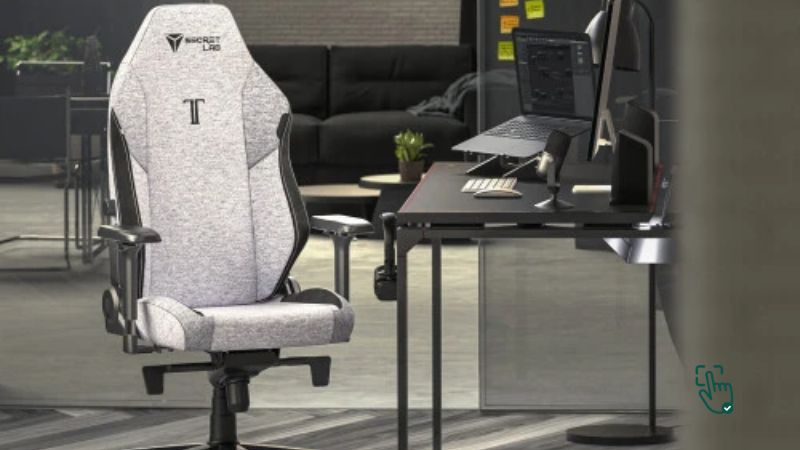
    Recommended Gift: Secretlab TITAN Evo 2024 Series
    Why? Premium materials, adjustable support, and sleek design.

    5. Subscription Services

    Not sure about their gaming hardware? Opt for a subscription service like Xbox Game Pass or PlayStation Plus. They’ll gain access to a library of games!

    • Pros: Budget-friendly and incredibly versatile.
    • Cons: Limited to their preferred platform.

    Recommended Gift: Xbox Game Pass Ultimate
    Why? Works on Xbox and PC, with access to hundreds of games.

    6. Game-Themed Merchandise

    From T-shirts to coffee mugs, game-themed merch is perfect for superfans. Look for items from popular franchises like The Legend of Zelda or Call of Duty.

    • Pros: Affordable and customizable.
    • Cons: Quality varies depending on the brand.

    Recommended Gift: The Legend of Zelda Collector’s Hoodie
    Why? Stylish, cozy, and showcases their love for the game.

    7. High-Quality Mouse and Keyboard

    For PC gamers, a responsive mouse and keyboard can make all the difference. Look for customizable options with RGB lighting.

    • Pros: Improves gaming precision.
    • Cons: High-end models can be costly.

    Recommended Gift: Logitech G Pro X Superlight Wireless Mouse & Razer Huntsman V2 Keyboard
    Why? Top-notch performance for competitive gamers.

    8. Streaming Equipment

    If the gamer in your life loves streaming or wants to start, consider gear like a quality webcam, microphone, or capture card.

    • Pros: Ideal for content creators.
    • Cons: Requires setup and technical knowledge.

    Recommended Gift: Elgato Stream Deck MK.2
    Why? Simplifies streaming with customizable shortcuts.

    9. VR Headsets as Best Gift for Gamers

    Virtual reality gaming is the next big thing. While it’s a pricier gift, the experience is unmatched.

    • Pros: Immersive gameplay and unique experiences.
    • Cons: Requires ample space and can cause motion sickness.

    Recommended Gift: Meta Quest 3
    Why? Standalone functionality with a wide library of VR games.

    10. Gaming Collectibles

    For fans of specific games or genres, collectibles like figurines, posters, or limited-edition items make memorable gifts.

    • Pros: Unique and sentimental value.
    • Cons: Some items can be hard to find.

    Recommended Gift: Funko Pop! Gaming Figurines
    Why? Affordable, fun, and easy to display.

    Common Mistakes to Avoid When Shopping for Gamers

    1. Buying Generic Gadgets: Not all tech works for gaming. Research compatibility!
    2. Ignoring Platform Preferences: Find out if they’re on PlayStation, Xbox, PC, or Switch.
    3. Choosing Poor Quality Items: Budget-friendly doesn’t mean cheap—go for trusted brands.

    FAQs About Gifts for Gamers

    Q: Do gamers prefer practical or fun gifts?
    A: Both! Practical gifts like headsets are always a win, but fun items like merch add a personal touch.

    Q: Are gaming chairs worth it?
    A: Absolutely. A quality chair is a game-changer for comfort during long sessions.

    Q: What’s a good gift for a casual gamer?
    A: A subscription service like Xbox Game Pass or a fun desk accessory like RGB lighting.

    How to Choose the Best Gifts for Gamers

    Here are some quick tips to nail your gift choice:

    1. Know Their Preferences: Research their favorite games and platforms.
    2. Set a Budget: Gaming gifts range from $20 to $500+. Choose what fits your wallet.
    3. Ask Indirectly: Casually bring up gaming accessories to gauge their interests.

    Conclusion: Make Their Gaming Dreams Come True

    The best gifts for gamers aren’t just about functionality—they’re about showing you understand their passion. Whether it’s a high-tech headset, a cozy gaming chair, or just some cool merch, there’s something on this list for every budget and personality. So, don’t stress—your perfect gamer gift is only a click away.

    Love this? Share it with your friends!

  • What Is the Best Laptop for Writers and How to Choose the Right One?

    What Is the Best Laptop for Writers and How to Choose the Right One?

    Best Laptop for Writers

    Ever stared at a blinking cursor, only to be betrayed by a sluggish laptop that kills your creative flow? Yeah, we’ve all been there—and it sucks. As a writer, your laptop isn’t just another tech tool. It’s your personal creative studio, your office on the go, and, let’s be honest, your late-night brainstorming buddy. Whether you’re hammering out chapters of your next novel, blogging from a coffee shop, or juggling client work as a freelance writer, having the right laptop can seriously level up your workflow. But with so many choices out there, how do you know which one to trust with your words? Don’t stress—I’ve got you. In this guide, we’ll explore what makes the best laptop for writers, the must-have features, and a few top picks that check all the boxes.

    What is the Best Laptop for Writers?

    The best laptop for writers combines portability, a comfortable keyboard, and long battery life. Popular choices include MacBook Air, Dell XPS 13, and Lenovo ThinkPad.

    Why Choosing the Right Laptop Matters for Writers

    Not all laptops are created equal, especially for writers. You need more than just a screen and a keyboard; you need a machine that understands your workflow. Here’s why the right laptop is essential:

    • Comfortable Typing: Writing involves hours of typing, so a responsive and ergonomic keyboard is a must.
    • Portability: Whether you work from home, cafés, or libraries, a lightweight laptop makes life easier.
    • Battery Life: Long-lasting battery means no frantic searches for power outlets mid-inspiration.
    • Display Quality: A crisp display reduces eye strain during those long writing sessions.

    Key Features to Look for in the Best Laptop for Writers

    1. Keyboard Quality

    Your keyboard is your most important tool. Look for laptops with:

    • Tactile feedback
    • Quiet keys (to avoid disturbing your muse or nearby café patrons)
    • Backlighting for late-night writing

    Example: The Lenovo ThinkPad series is renowned for its exceptional keyboards, offering a satisfying typing experience.

    2. Portability and Weight

    If you’re constantly on the go, you’ll want a laptop that doesn’t weigh you down. Ultrabooks are a popular choice among writers for their sleek design and lightweight build.

    Example: The MacBook Air weighs just 2.8 pounds, making it perfect for travel or working in different environments.

    3. Battery Life

    Long battery life is non-negotiable. Look for laptops that can last at least 8-12 hours on a single charge.

    Example: Dell XPS 13 boasts up to 12 hours of battery life, ensuring uninterrupted writing sessions.

    4. Display Quality

    A high-resolution display with anti-glare features helps reduce eye strain during long writing sessions.

    Example: HP Spectre x360 offers a 4K display option, perfect for sharp text clarity.

    5. Performance and Storage

    While writers don’t need heavy-duty specs, your laptop should handle multitasking smoothly. An SSD (Solid State Drive) is ideal for quick boot times and file access.

    Example: Acer Swift 3 features an AMD Ryzen processor and SSD storage, offering a balance of speed and efficiency.

    Top 5 Laptops for Writers

    1. MacBook Air (M2)

    The MacBook Air (M2) is hands down one of the best laptops for writers who prioritize portability, performance, and style. Weighing just under three pounds, it’s incredibly lightweight, making it perfect for those who are always on the go. Whether you’re working from a coffee shop, on a flight, or lounging on your couch, this laptop ensures a seamless writing experience. The 18-hour battery life is a game-changer, allowing you to power through long writing sessions without worrying about charging. Plus, the fanless design means it runs completely silent, so you won’t be distracted by annoying fan noise while you work.

    Another huge perk is the high-resolution Retina display, which delivers crisp text and vivid colors, reducing eye strain during long hours of writing. The Magic Keyboard is comfortable and responsive, offering just the right amount of key travel for an enjoyable typing experience.

    Of course, no laptop is perfect. The MacBook Air (M2) comes with a premium price tag, making it a significant investment. Additionally, port selection is limited—you’ll mostly rely on USB-C, which might require adapters if you use external accessories.

    Pros:
    ✅ Exceptional battery life (up to 18 hours)
    ✅ Silent operation with no fan noise
    ✅ Stunning Retina display
    ✅ Lightweight and portable

    Cons:
    ❌ Expensive
    ❌ Limited ports (USB-C only)

    Related Products:

    2. Dell XPS 13

    The Dell XPS 13 is a powerhouse laptop that perfectly balances style and functionality. With its InfinityEdge display, you get an immersive, almost borderless screen that makes writing, editing, and multitasking a breeze. The build quality is nothing short of premium, featuring a sleek aluminum chassis that’s both durable and lightweight.

    One of the standout features of the XPS 13 is its ultra-thin design, making it one of the most portable ultrabooks out there. The battery life is excellent, allowing you to work for long hours without scrambling for a charger. Writers will appreciate the crisp, vibrant display, which makes reading and writing feel incredibly smooth.

    On the downside, the shallow key travel might take some getting used to, especially if you prefer a more tactile keyboard. Additionally, the price tag is on the higher side, but considering the performance and build quality, it’s a worthy investment.

    Pros:
    ✅ Ultra-thin and lightweight design
    ✅ Excellent battery life
    ✅ Beautiful, vibrant display

    Cons:
    ❌ Expensive
    ❌ Keyboard may feel shallow to some

    Related Products:

    3. Lenovo ThinkPad X1 Carbon

    If you’re a writer who values durability and a phenomenal keyboard, the Lenovo ThinkPad X1 Carbon is the way to go. Lenovo’s ThinkPad series is legendary for its typing experience, and this model is no exception. The keys offer a satisfying amount of travel, making long writing sessions feel effortless.

    Another major advantage is its military-grade durability. This laptop is built to withstand drops, spills, and everyday wear and tear, making it a reliable choice for writers who are always on the move. The multiple port options, including USB-C and HDMI, give you more flexibility compared to other ultrabooks.

    Despite its strong performance, the ThinkPad X1 Carbon is quite pricey, and for the cost, you might expect a slightly brighter display. However, if you prioritize comfort, durability, and a fantastic keyboard, this laptop is hard to beat.

    Pros:
    ✅ Best-in-class keyboard for writers
    ✅ Military-grade durability
    ✅ Multiple ports for better connectivity

    Cons:
    ❌ Expensive for its specs
    ❌ Display brightness could be better

    Related Products:

    4. Acer Swift 3

    Looking for a budget-friendly laptop that doesn’t skimp on performance? The Acer Swift 3 might just be your best bet. It’s affordable, lightweight, and packs a decent punch, making it a solid choice for writers who want good value for money.

    One of its biggest strengths is its long battery life, allowing you to work for extended periods without constantly reaching for a charger. The compact design makes it super portable, so you can easily carry it around without feeling weighed down.

    Of course, at this price point, there are some trade-offs. The display isn’t as sharp as premium models, and the speakers are mediocre—so if you like to listen to music while writing, external speakers or headphones are a must. Still, for the price, it delivers solid performance that gets the job done.

    Pros:
    ✅ Affordable and great value for money
    ✅ Long battery life
    ✅ Compact and lightweight

    Cons:
    ❌ Mediocre speakers
    ❌ Display lacks sharpness

    Related Products:

    5. HP Spectre x360

    The HP Spectre x360 is a fantastic choice for writers who love flexibility. As a 2-in-1 laptop, it can be used as a traditional laptop, flipped into tent mode for presentations, or transformed into a tablet for handwritten notes or sketches.

    One of its biggest highlights is the stunning display—it’s bright, vibrant, and perfect for writing and editing. The premium build quality also makes it feel like a high-end device, giving you a great balance of aesthetics and functionality.

    However, the Spectre x360 is slightly heavy compared to other ultrabooks, which might be a downside if you prioritize portability. It’s also on the pricier side, but given its versatility and premium feel, it’s worth considering.

    Pros:
    ✅ Versatile 2-in-1 design
    ✅ Gorgeous display
    ✅ Premium build quality

    Cons:
    ❌ Slightly heavy for a convertible
    ❌ Pricey

    Related Products:

    Honest Reviews: The Downsides of Laptop for Writers

    While these laptops are excellent, no device is perfect. Here’s what to watch out for:

    • MacBook Air: Limited ports can be frustrating; you may need a dongle for external devices.
    • Dell XPS 13: The keyboard, while good, isn’t as tactile as the Lenovo ThinkPad.
    • Lenovo ThinkPad: Its price can be hard to justify if you’re not utilizing all its advanced features.
    • Acer Swift 3: The display is serviceable but falls short for creative professionals who need high color accuracy.
    • HP Spectre x360: Its versatility comes with added weight, making it less portable than the MacBook Air.

    Tips for Picking the Perfect Laptop for Writing

    1. Test the Keyboard: Visit a store and try out the keyboard yourself. Typing feel is subjective.
    2. Prioritize Battery Life: If you’re often writing on the go, don’t settle for anything below 8 hours.
    3. Consider Your Budget: While high-end laptops are tempting, mid-range options like the Acer Swift 3 offer excellent value.
    4. Look for Portability: If you’re a digital nomad, a lightweight laptop is essential.
    5. Don’t Overbuy: Writers don’t need gaming-level specs. Focus on comfort, portability, and battery life instead.

    FAQ: Laptops for Writers

    1. Do writers need expensive laptops?
    Not necessarily. A mid-range laptop with a comfortable keyboard and long battery life is often sufficient.

    2. Are 2-in-1 laptops good for writers?
    Yes, if you like to take notes or sketch, 2-in-1 laptops like the HP Spectre x360 are a versatile choice.

    3. What screen size is best for writers?
    A 13- to 15-inch screen strikes the right balance between portability and usability.

    Conclusion: Finding the Best Laptop for Writers

    The best laptop for writers isn’t just about the specs—it’s about finding a device that supports your creative flow. Whether you prioritize portability, keyboard comfort, or long battery life, there’s a perfect laptop out there for you. From the reliable MacBook Air to the budget-friendly Acer Swift 3, you can’t go wrong with any of these options.

    Remember, the best laptop is the one that fits your needs and lifestyle. Happy writing!

    Love this? Share it with your friends!

  • Why Should You Choose a Waterproof Fitness Tracker for Your Active Lifestyle?

    Why Should You Choose a Waterproof Fitness Tracker for Your Active Lifestyle?

    Waterproof Fitness Tracker

    Ever had your fitness tracker freak out after a sweaty workout or an unexpected downpour? If so, you’re not alone—and it’s exactly why a waterproof fitness tracker is a total game-changer for anyone living an active lifestyle. In today’s fast-paced world, keeping track of your health and fitness goals is easier than ever, but not all trackers are built to handle the elements. Whether you’re diving into the pool, running through the rain, or crushing a sweat-drenched HIIT session, a waterproof fitness tracker keeps up with you—no excuses, no interruptions. It’s durable, reliable, and designed to go where you go, helping you stay focused on your goals without worrying about water damage.

    What Is a Waterproof Fitness Tracker?

    A waterproof fitness tracker is a wearable device designed to monitor your physical activity, heart rate, sleep patterns, and more—even when exposed to water. Unlike regular trackers, these gadgets are built to withstand splashes, submersion, and sweat, making them ideal for swimmers, runners, and outdoor enthusiasts.

    A waterproof fitness tracker lets you track your health and activity during swimming, rainy runs, or sweaty gym sessions without worrying about damage.

    Why Do You Need a Waterproof Fitness Tracker?

    If you’re someone who doesn’t stop for rain, sweat, or even a pool, here’s why you should invest in a waterproof fitness tracker:

    1. Versatility Across Activities
      From tracking your laps in the pool to monitoring your heart rate during an intense spin class, these trackers have you covered.
    2. Durability and Longevity
      Waterproofing adds an extra layer of durability, ensuring your device lasts longer.
    3. Peace of Mind
      No more worrying about water damage during unexpected weather or sweaty workouts.

    Top Waterproof Fitness Trackers to Consider

    1. Fitbit Charge 5

    If you’re after a fitness tracker that looks good, performs well, and doesn’t flinch around water, the Fitbit Charge 5 might be your go-to. This thing is waterproof up to 50 meters, so you’re cool to take it in the pool, the shower, or even on sweaty summer runs. It’s got a sleek and modern design that doesn’t scream “gym junkie,” and it’s packed with helpful features like 24/7 heart rate monitoring, built-in GPS, stress management tools, and advanced sleep tracking.

    What’s really cool? The Charge 5 also comes with Fitbit’s Daily Readiness Score and EDA sensor, which gives you a heads-up when your body’s under stress. But here’s the catch—some of the more advanced features are locked behind Fitbit Premium, so you’ll need a subscription to get the full experience.

    Still, for everyday fitness goals, casual swimmers, and people who like to keep things simple and smart, the Charge 5 nails it. You’ll get about 7 days of battery life on a full charge, and syncing it with your phone is super easy too.

    Related Products: Fitbit Inspire 3, Fitbit Luxe, Garmin vivosmart 5

    2. Garmin Venu Sq 2

    Garmin doesn’t play around when it comes to fitness tracking, and the Venu Sq 2 is proof of that. It’s designed for those who want reliable tracking in a sleek package. It’s got full swim-proof capabilities and is great for water-based workouts—whether you’re doing laps or splashing around. This tracker is rated for water resistance suitable for swimming and other water sports, which gives it a bit of an edge if you’re into more than just casual fitness.

    You’ll love the bright and colorful AMOLED display—it’s super sharp and readable even under the sun. It’s also loaded with health-tracking goodies like a Pulse Oximeter, heart rate monitor, stress tracking, sleep tracking, and women’s health features. And yes, it’s got GPS for those outdoor runs.

    One of the standout features is the battery—it lasts up to 11 days in smartwatch mode, so you’re not always charging. It’s not the cheapest tracker out there, but if you’re looking for serious value and versatility in and out of the water, the Venu Sq 2 delivers big time.

    Related Products: Garmin Forerunner 55, Garmin Vivosmart 5, Fitbit Versa 4

    3. Samsung Galaxy Fit 2

    Now, if you want a fitness tracker that’s easy on the wallet but still gets the job done, check out the Samsung Galaxy Fit 2. This lightweight band is 5 ATM rated, meaning it can handle pool swims, splashes, and showers like a champ. It’s not packed with all the high-end features, but it’s perfect if you just need to track steps, heart rate, and get basic smartphone notifications on your wrist.

    It’s got a clean, colorful AMOLED display, and the design is sleek enough to wear all day. The Galaxy Fit 2 tracks your sleep, counts your calories, monitors stress, and keeps tabs on your steps and workouts. It syncs easily with Samsung Health, giving you a nice breakdown of your fitness stats in one place.

    Battery life? You’ll get up to 15 days (or even more depending on your settings), which is super impressive for a tracker in this price range. It’s not a powerhouse, but it does what it says on the tin—simple, functional, and budget-friendly.

    Related Products: Xiaomi Mi Band 8, Huawei Band 8, Amazfit Band 5

    4. Apple Watch Series 9

    Alright, let’s talk luxury. The Apple Watch Series 9 isn’t just a waterproof fitness tracker—it’s a tiny computer on your wrist. It’s swim-proof up to 50 meters and perfect for everything from pool laps to open-water swims. But fitness is only one side of what this watch can do.

    With this Apple Watch, you get advanced health features like an ECG app, blood oxygen monitoring, crash detection, and even cycle tracking for women. It’s also loaded with all the Apple extras—like Siri, smart home controls, music storage, and more. The screen is always-on, super bright, and the new chip inside makes it run smoother than ever.

    Fitness tracking is precise, with in-depth insights into your workouts, heart rate zones, sleep cycles, and more. If you’re deep in the Apple ecosystem, the Series 9 feels like a no-brainer. But yeah, it’s not cheap, and it does require an iPhone to get the most out of it.

    Bottom line? If you’re willing to invest, this is one of the most powerful waterproof fitness trackers out there.

    Related Products: Apple Watch SE (2nd Gen), Apple Watch Ultra 2, Fitbit Sense 2

    What to Look for in a Waterproof Fitness Tracker?

    Choosing the right waterproof fitness tracker can feel overwhelming, but here are some key factors to keep in mind:

    1. Water Resistance Rating
      Look for terms like 5 ATM (up to 50 meters) or IP68 (dustproof and waterproof) depending on your activities.
    2. Battery Life
      Make sure it can last through your longest workouts—or even a few days.
    3. Tracking Features
      Decide what’s most important to you: heart rate, calories, sleep, steps, or swimming metrics.
    4. App Compatibility
      Ensure the tracker syncs well with your smartphone and provides detailed insights.

    The Pros and Cons of Waterproof Fitness Trackers

    Before you make a purchase, here are some of the highs and lows of owning a waterproof fitness tracker:

    Pros:

    • Ideal for diverse activities, from swimming to hiking.
    • Durable and sweat-proof.
    • Tracks multiple metrics like heart rate, sleep, and more.

    Cons:

    • Some models require subscriptions for advanced features.
    • Battery life can vary widely, especially with GPS usage.
    • High-end models can be expensive.

    Common Issues with Waterproof Fitness Trackers

    Even the best devices aren’t perfect. Here are some drawbacks users often face:

    1. Inaccurate Metrics in Water: Some trackers struggle to provide accurate readings during underwater activities.
    2. Battery Drain: Waterproofing often comes with added features, which can drain the battery quickly.
    3. Limited Durability Over Time: Even with waterproofing, seals and casings may degrade over time.

    How to Care for Your Waterproof Fitness Tracker

    To ensure your tracker stays in top condition:

    • Rinse After Use: Especially if exposed to chlorine or saltwater.
    • Avoid High Pressure: Don’t wear it in saunas or during water sports like jet skiing.
    • Charge It Regularly: Prolonged battery drain can reduce its lifespan.

    Frequently Asked Questions (FAQ)

    1. Can I wear a waterproof fitness tracker in the shower?
    Yes, but prolonged exposure to hot water or steam can damage seals over time.

    2. Do waterproof fitness trackers work underwater?
    Yes, many models provide swimming metrics, but accuracy varies.

    3. How often should I clean my fitness tracker?
    Rinse it after every exposure to water, especially if used in a pool or the ocean.

    Conclusion: Is a Waterproof Fitness Tracker Worth It?

    A waterproof fitness tracker is more than just a cool gadget; it’s a reliable companion for anyone serious about fitness. Whether you’re swimming, running in the rain, or sweating it out at the gym, these trackers keep you on top of your game. With options ranging from budget-friendly models to premium smartwatches, there’s a tracker out there for everyone.

    Love this? Share it with your friends!

  • Why Choose a Fabric Gaming Chair and How to Pick the Best One?

    Why Choose a Fabric Gaming Chair and How to Pick the Best One?

    Fabric gaming chair, ergonomic gaming chair, breathable gaming chair, Secretlab fabric chair, Corsair T3 Rush chair

    When it comes to gaming chairs, fabric options often fly under the radar compared to their flashy leather or PU leather counterparts. But trust us—fabric gaming chairs bring comfort, durability, and style to the table. Whether you’re gearing up for a marathon gaming session or need something cozy for work-from-home days, a fabric gaming chair might just be your perfect match. Let’s dive into why these chairs are gaining popularity and how to find the best one for your setup.

    What Is a Fabric Gaming Chair?

    A fabric gaming chair is a type of gaming chair upholstered with breathable fabric instead of leather or synthetic materials. These chairs are designed for comfort and practicality, providing long-term support without the sticky feeling that leather can sometimes give.

    A fabric gaming chair offers breathability, comfort, and durability, making it ideal for long gaming sessions. It’s a great alternative to leather chairs.

    Why Choose Fabric Over Leather?

    Fabric gaming chairs are more than just a trendy option—they’re practical, comfortable, and surprisingly stylish. Here’s why fabric might win you over:

    1. Breathability: Unlike leather, fabric doesn’t trap heat. This makes it a fantastic choice for gamers who live in warmer climates or play for long hours.
    2. Durability: High-quality fabric is less prone to cracking or peeling over time.
    3. Comfort: Fabric feels softer and cozier than leather, providing a more relaxed gaming experience.
    4. Affordability: Fabric gaming chairs often come at a more budget-friendly price compared to high-end leather options.

    Top Fabric Gaming Chairs to Consider

    To make your decision easier, we’ve rounded up some of the best fabric gaming chairs on the market. Let’s compare them based on features, pros, and cons.

    1. Secretlab TITAN Evo 2022 SoftWeave®

    The Secretlab TITAN Evo 2022 is the king of fabric gaming chairs. With its SoftWeave® Plus fabric, it offers unmatched comfort and style.

    • Key Features:
      • Adjustable lumbar support.
      • SoftWeave® fabric for enhanced breathability.
      • Magnetic head pillow.
    • Pros:
      • Premium build quality.
      • Multiple size options for the perfect fit.
      • Sleek, modern design.
    • Cons:
      • Expensive.
      • Assembly can be time-consuming.

    2. Corsair T3 Rush

    The Corsair T3 Rush is perfect for gamers seeking a balance between affordability and quality.

    • Key Features:
      • Breathable soft fabric.
      • Adjustable lumbar pillow.
      • Recline up to 180°.
    • Pros:
      • Budget-friendly.
      • Comfortable for extended sessions.
      • Lightweight frame.
    • Cons:
      • Limited color options.
      • Armrests feel slightly less sturdy.

    3. Noblechairs HERO TX Fabric

    Known for its ergonomic design, the Noblechairs HERO TX Fabric is an excellent choice for serious gamers.

    • Key Features:
      • High-density cold foam upholstery.
      • Durable TX fabric.
      • Wide seat base.
    • Pros:
      • Excellent lumbar support.
      • Long-lasting materials.
      • Great for taller individuals.
    • Cons:
      • Pricey.
      • Bulkier design might not suit smaller spaces.

    How to Choose the Best Fabric Gaming Chair

    Not all fabric gaming chairs are created equal. Here are some tips to help you find the one that suits your needs:

    1. Ergonomics: Look for chairs with adjustable lumbar support, armrests, and tilt mechanisms. Proper ergonomics can prevent back and neck pain during long gaming sessions.
    2. Material Quality: High-quality fabric is key. Look for chairs with reinforced stitching and durable upholstery that resists wear and tear.
    3. Size and Fit: Gaming chairs often come in different sizes. Make sure the chair you choose is suitable for your height and weight.
    4. Design and Style: Pick a chair that complements your gaming setup. Many fabric chairs come in sleek designs with color options to match your vibe.
    5. Price: Set a budget, but don’t compromise on essential features. Fabric chairs often offer great value for money.

    Pros and Cons of Fabric Gaming Chairs

    Pros:

    • Comfortable and breathable.
    • Durable and resistant to cracking.
    • Available in various designs and colors.
    • Generally more affordable than leather chairs.

    Cons:

    • Fabric can be harder to clean compared to leather.
    • May not provide the same premium look as leather chairs.
    • Spills can cause staining if not treated quickly.

    Common Complaints About Fabric Gaming Chairs

    Even the best chairs have their downsides. Here’s what users often mention:

    1. Staining Issues: Fabric is more prone to absorbing spills, making it harder to clean.
    2. Pilling: Over time, some fabrics may develop small, fuzzy balls on the surface.
    3. Wear and Tear: While durable, fabric isn’t entirely immune to fraying or fading, especially with heavy use.

    FAQ: Fabric Gaming Chairs

    1. Are fabric gaming chairs worth it?
      Absolutely! They’re more breathable and comfortable for long gaming sessions, especially in warm climates.
    2. How do you clean a fabric gaming chair?
      Use a vacuum for dust and a mild cleaning solution for stains. Always follow the manufacturer’s care instructions.
    3. Are fabric gaming chairs as durable as leather ones?
      High-quality fabric can be just as durable, but it requires proper care to maintain its look and feel.

    Final Thoughts: Should You Get a Fabric Gaming Chair?

    If you value comfort, breathability, and affordability, a fabric gaming chair is a fantastic choice. It’s perfect for gamers who spend long hours at their desks and want a chair that feels as good as it looks. Just make sure to prioritize ergonomics and quality when making your decision.

    Love this? Share it with your friends!

  • What Are the Best Gaming Desk Accessories and Why Do You Need Them?

    What Are the Best Gaming Desk Accessories and Why Do You Need Them?

    Gaming desk accessories, RGB lighting setup, ergonomic gaming desk, cable management kit, gaming desk mat

    If you’re a gamer, you already know the setup isn’t just about a fancy PC or a sleek console—it’s the entire vibe. The right gaming desk accessories can elevate your experience from “meh” to “mind-blowing.” But where do you even start with so many options out there? Whether you’re chasing better ergonomics, RGB lighting, or just a clutter-free space, we’ve got the lowdown on everything you need to level up your gaming desk.

    What Are Gaming Desk Accessories?

    Gaming desk accessories are anything that enhances your gaming station—whether it’s about aesthetics, functionality, or comfort. These include essentials like monitor arms, RGB lighting, desk mats, headset stands, cable management kits, and more. They’re designed to improve your gaming setup, making it not only more appealing but also more efficient for those intense gaming marathons.

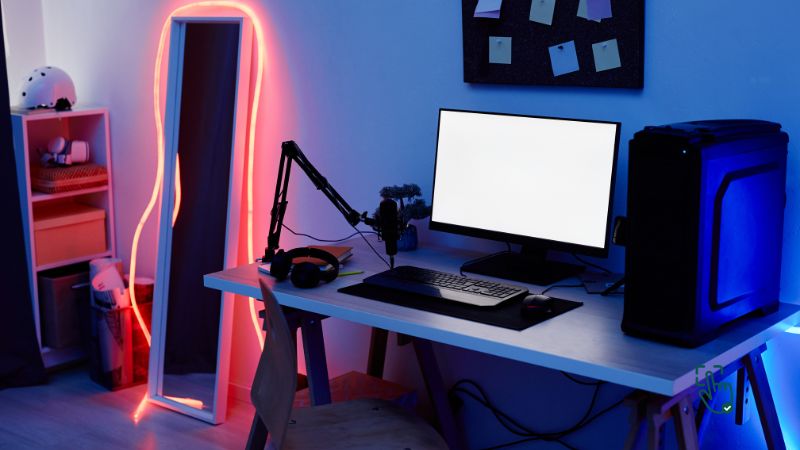
    Gaming desk accessories, like RGB lights, cable organizers, and ergonomic stands, enhance your gaming setup by boosting comfort, organization, and overall aesthetics.

    Why Invest in Gaming Desk Accessories?

    Let’s be real: a gaming desk without the right accessories is like a burger without fries—it’s fine, but it could be so much better. Here’s why you should care:

    • Ergonomics: Reduce strain on your neck, back, and wrists.
    • Organization: Keep everything tidy and avoid the dreaded spaghetti mess of cables.
    • Immersion: Create the ultimate atmosphere with RGB lighting and personalized touches.
    • Efficiency: Have everything you need within arm’s reach.

    Top Gaming Desk Accessories to Elevate Your Setup

    Let’s dive into some must-haves and see how they can totally transform your gaming experience:

    1. RGB Desk Lighting

    RGB lighting is a game-changer. Not only does it add that wow factor to your setup, but it also enhances immersion. Choose LED strips that sync with your gameplay for a more dynamic experience.

    • Pros: Affordable, customizable, and easy to install.
    • Cons: Cheap options may have poor brightness or flicker.

    Recommended Brand: Govee RGBIC LED Strip Lights
    Why? The Govee lights sync with your screen and music, creating a killer vibe.

    2. Gaming Desk Mat

    A desk mat is more than just a giant mouse pad. It protects your desk, keeps your peripherals in place, and adds style.

    • Pros: Extra-large sizes accommodate keyboards and mice; smooth surface for precision.
    • Cons: Can wear out over time.

    Recommended Brand: SteelSeries QcK XXL
    Why? It’s durable, machine washable, and has a silky-smooth surface.

    3. Monitor Arm Mounts

    Tired of craning your neck during those epic battles? A monitor arm lets you position your screen perfectly, reducing strain and freeing up desk space.

    • Pros: Adjustable height and angle, promotes good posture.
    • Cons: Requires proper installation.

    Recommended Brand: Ergotron LX Monitor Arm
    Why? It’s sturdy, flexible, and built to last.

    4. Cable Management Kit

    Nothing kills a setup vibe faster than messy cables. A cable management kit is a lifesaver for keeping wires tucked away.

    • Pros: Tidier workspace, improved safety.
    • Cons: Requires effort to set up properly.

    Recommended Brand: Velcro One-Wrap Cable Ties
    Why? Simple, affordable, and super effective.

    5. Headset Stand

    Ever misplaced your headset mid-game? A headset stand keeps it safe and accessible while adding a touch of style.

    • Pros: Prevents damage, declutters your desk.
    • Cons: Some models are overpriced for what they offer.

    Recommended Brand: Corsair ST100 RGB Premium Headset Stand
    Why? It doubles as a USB hub and features customizable RGB.

    6. USB Hubs

    Let’s face it, you can never have too many USB ports. A quality hub ensures you’re never scrambling for a spot to charge or plug in peripherals.

    • Pros: Extra connectivity; keeps your devices organized.
    • Cons: Cheap hubs can overheat.

    Recommended Brand: Anker 7-Port USB 3.0 Hub
    Why? It’s reliable, fast, and sleek.

    7. Desk Organizer Trays

    No one likes clutter. Organizer trays are perfect for keeping small items like game controllers, pens, or even snacks neatly arranged.

    • Pros: Affordable and versatile.
    • Cons: Adds one more thing to clean.

    Recommended Brand: SimpleHouseware Desk Organizer
    Why? Multiple compartments and a minimalist design.

    8. Ergonomic Chair Accessories

    While not strictly for your desk, ergonomic chair accessories like lumbar pillows or footrests can drastically improve your comfort during extended gaming sessions.

    • Pros: Reduces fatigue and improves posture.
    • Cons: Takes time to find the right fit.

    Recommended Brand: Everlasting Comfort Lumbar Pillow
    Why? It’s memory foam, adjustable, and ideal for long hours.

    How to Choose the Right Accessories

    Not every gamer has the same needs or preferences. Here’s a quick guide to help you pick the best gaming desk accessories:

    1. Identify Pain Points
      Are you dealing with a cluttered desk? Neck strain? Poor lighting? Address these issues first.
    2. Set a Budget
      You don’t need to splurge on everything at once. Start with essentials and upgrade over time.
    3. Consider Compatibility
      Make sure accessories like monitor arms or RGB lighting work with your desk and devices.
    4. Read Reviews
      User reviews are goldmines for honest opinions and potential drawbacks.

    Common Issues with Gaming Desk Accessories

    While gaming desk accessories are awesome, they’re not without flaws. Here’s the tea:

    • RGB Lights: Cheap lights can be dim or flicker annoyingly.
    • Monitor Arms: Installation can be tricky, and low-quality arms might sag over time.
    • Cable Management Kits: While they improve aesthetics, setting them up can be tedious.
    • Desk Mats: They can accumulate dirt quickly and may require regular cleaning.

    Why Transition Words Matter in Gaming Setups

    If you’re still wondering why you need all these gadgets, let me put it this way: each of these accessories serves a purpose. Plus, when combined, they create a seamless, immersive environment. Imagine transitioning from work mode to gaming mode effortlessly. Cool, right?

    FAQ: Gaming Desk Accessories

    1. Do I need all these accessories?
      Nope! Focus on the ones that solve specific problems for your setup.
    2. Are expensive brands worth it?
      Not always. Sometimes mid-range options offer the best bang for your buck.
    3. How can I make my setup unique?
      Add personal touches like custom RGB lighting patterns, themed desk mats, or display shelves for collectibles.

    Conclusion: Level Up Your Gaming Setup

    In the end, gaming desk accessories are more than just gadgets—they’re tools that enhance your experience. Whether you’re all about performance or just want your setup to look like it belongs in a YouTube video, there’s something for everyone. Start with essentials like cable management kits or desk mats, and build from there. Before you know it, your gaming desk will be the envy of your squad.

    Love this? Share it with your friends!

  • What’s the Best Cheap Mirrorless Camera for Your Budget?

    What’s the Best Cheap Mirrorless Camera for Your Budget?

    Best Cheap Mirrorless Camera

    Tired of blurry phone pics and feeling like your camera game is stuck in 2010? It might be time to step things up without spending a fortune. Enter the world of cheap mirrorless cameras—yep, you heard that right. Finding the best budget-friendly mirrorless camera might feel like searching for a unicorn, but spoiler alert: they do exist, and they’re impressive.

    These compact powerhouses offer interchangeable lenses, fast autofocus, and image quality that’ll make your smartphone weep. Whether you’re a beginner chasing better travel shots or a content creator looking to level up, there’s a mirrorless camera out there for you that won’t break the bank.

    Let’s dig into the top affordable options and see which ones are actually worth your cash.

    What is a Mirrorless Camera, and Why Should You Care?

    Before we jump into the budget-friendly options, let’s cover the basics. A mirrorless camera uses an electronic viewfinder or live screen instead of the traditional mirror mechanism in DSLRs. What does that mean for you? It’s lighter, faster, and often more portable. Plus, it delivers stunning photos and videos, rivaling pricier DSLRs.

    Best Cheap Mirrorless Camera in 2024: Our Top Picks

    Disclosure: Pick Out Right contains affiliate links. If you purchase through these links, we may earn a commission at no extra cost to you. This helps support our work. Thank you!

    Sony Alpha a6100

    The Sony Alpha a6100 is like that quiet kid in class who turns out to be a total genius. It’s sleek, smart, and super responsive when it comes to autofocus—seriously, it locks onto subjects like it has psychic powers. With 4K video and a solid APS-C sensor, your photos and videos will look way sharper and more pro than you’d expect for something around the $750 mark (with the kit lens included). It’s a compact little thing, making it perfect for travel, street photography, or low-key content creation.

    But let’s be real—there are a couple of things to keep in mind. First, the battery life is just okay, not epic. If you’re shooting all day, you’ll definitely want a spare or two. And it’s not exactly built like a tank, so you might wanna avoid using it in rough weather. Still, for beginners or hobbyists, this camera checks all the right boxes without making your wallet cry.

    Related Products: Sony Alpha a6400, Canon EOS M200, Fujifilm X-A7

    Fujifilm X-T200

    Now if you’re all about those vintage aesthetics and film-style color tones, the Fujifilm X-T200 is your camera soulmate. Around $700 gets you a kit lens and a stylish, lightweight body that screams retro while packing a ton of power. The touchscreen interface feels like using a smartphone—super intuitive and great for those who hate digging through menus. And yeah, those Fujifilm colors? Chef’s kiss.

    That said, it doesn’t come with in-body stabilization, so handheld video in low-light situations can be a little shaky unless you’re using a stabilized lens or gimbal. But for casual photography, lifestyle shoots, and even beginner YouTubing, this thing is a vibe. It looks good, shoots great, and won’t break your budget.

    Related Products: Nikon Z, Olympus OM-D E-M10 Mark IV, Sony ZV-E10

    Canon EOS M50 Mark II

    Alright vloggers and TikTok content creators—listen up. The Canon EOS M50 Mark II is made for you. It’s compact, easy to use, and the dual-pixel autofocus makes sure your face is always in focus (bless). Around $700 with a kit lens, it features a flip-out screen, solid video quality, and seamless Wi-Fi/Bluetooth connectivity so you can post on the fly. This one’s basically your video diary bestie.

    The one thing to be aware of? The Canon M-mount lens lineup is kind of limited. So if you’re someone who loves experimenting with lenses, you might feel boxed in. But if you’re looking for a plug-and-play camera that delivers on quality and ease of use, this one’s hard to beat.

    Related Products: Canon EOS R50, Sony ZV-1, Panasonic G100

    Panasonic Lumix GX85

    If you’re ballin’ on a budget but still want features like in-body stabilization, the Panasonic Lumix GX85 is your go-to. This compact little champ costs around $600 with a kit lens and offers some legit value. It has a 5-axis stabilization system, shoots 4K video, and the build quality feels more premium than its price suggests.

    The GX85 runs on a Micro Four Thirds sensor, which means it’s slightly smaller than APS-C sensors. That can affect low-light performance a bit, but for daylight shooting or travel photography, it performs like a champ. It’s also great for street photographers or creatives who want DSLR-quality pics without the weight. Battery life is decent, and it even has a built-in viewfinder.

    Related Products: Olympus PEN E-PL10, Panasonic Lumix G7, Fujifilm X-T30

    Nikon Z fc

    Okay, this one’s a bit of a flex in the “cheap” camera category—priced around $1,000 with a kit lens—but hear us out: the Nikon Z fc is worth every penny. This retro-styled mirrorless camera looks like it came straight out of the ’80s, but it’s packed with 2024 tech. The image quality? Gorgeous. The build? Solid. And the control dials on top make it feel like you’re shooting film again (minus the cost of actual film).

    There’s no in-body stabilization, which is kind of a bummer at this price, but the performance makes up for it. It’s especially good for stills and Instagram-worthy shots, and paired with the right lens, it handles video pretty well too. Plus, you’re entering Nikon’s growing Z-mount system, which has some really solid lens options.

    Related Products: Nikon Z30, Nikon Z50, Sony Alpha a6400

    What About the Cheapest Mirrorless Full-Frame Cameras?

    Full-frame cameras used to be reserved for the elite, but times are changing. Here are a couple of affordable full-frame options:

    • Sony Alpha a7 II: Starting at $1,200, this full-frame mirrorless camera is an excellent investment for enthusiasts.
    • Canon EOS RP: A solid choice for beginners looking to step into full-frame photography without spending a fortune.

    Both options are slightly pricier but offer unparalleled image quality that’s worth every penny.

    How to Choose the Best Affordable Mirrorless Camera?

    Now that you know your options, let’s talk about making the right choice. Keep these factors in mind:

    1. Budget: Define how much you’re willing to spend.
    2. Purpose: Are you into photography, videography, or both?
    3. Portability: Traveling? Go for a compact and lightweight model.
    4. Lens Availability: Check the compatibility and pricing of lenses.
    5. Future-Proofing: Invest in a camera that can grow with your skills.

    Why Are Mirrorless Cameras Cheaper Now?

    Mirrorless technology is becoming more common, making entry-level models affordable. Additionally, competition among brands drives prices down. The trick is to focus on older but still reliable models like the Sony Alpha a6100 or the Canon EOS M50 Mark II.

    Negative Reviews You Should Know About

    Let’s get real—not every affordable mirrorless camera is perfect. Some users have reported issues like:

    • Battery Life: Many budget models have limited battery capacity, so you might need spares.
    • Limited Lenses: Some systems, like the Canon EOS M-series, have fewer lens options.
    • Low-Light Performance: Smaller sensors can struggle in dim conditions.

    Understanding these drawbacks can help you make a more informed decision.

    Where to Buy the Best Cheap Mirrorless Camera?

    The best places to shop for affordable mirrorless cameras are Amazon, B&H Photo Video, and Adorama. Keep an eye on seasonal sales like Black Friday for the best deals. Don’t forget to check refurbished options—they’re often as good as new and come with warranties.

    When Should You Upgrade Your Camera?

    If your current camera is holding you back creatively, it’s time to upgrade. Whether it’s poor image quality, outdated features, or limited functionality, a mirrorless camera can open up new possibilities.

    External Resources for Learning More

    Final Thoughts: Which One Should You Buy?

    If you’re a beginner, the Sony Alpha a6100 is your best bet. For vloggers, the Canon EOS M50 Mark II shines bright. If you’re after style, the Nikon Z fc is a head-turner. No matter your choice, these affordable mirrorless cameras prove you don’t need to spend a fortune to capture stunning shots.

    Love this? Share it with your friends!

  • What’s the Best Swimming Watch? Find Out How to Pick Yours!

    What’s the Best Swimming Watch? Find Out How to Pick Yours!

    Best Swimming Watch

    Looking for the best swimming watch that keeps up with your laps and your lifestyle? Whether you’re a casual swimmer or a dedicated athlete, finding a watch that tracks your performance in water is crucial. From monitoring your strokes to keeping you connected, these waterproof smartwatches and fitness trackers for swimming can do it all. Let’s dive in and uncover which swimming watch suits you best and why they’re game-changers for aquatic enthusiasts.

    What Is a Swimming Watch, and Why Do You Need One?

    A swimming watch is not just a regular timepiece; it’s your underwater coach. These devices are designed to handle water pressure, track metrics like laps, strokes, and even heart rate while submerged. But, not all watches are created equal. Some are tailored for pool swimmers, while others shine in open water. The right watch can make your swim more efficient, helping you improve your technique and endurance.

    Best Swimming Watches of 2024: The Top Contenders

    1. Garmin Swim 2
      • Pros: Accurate lap tracking, heart rate monitoring underwater, and GPS for open water.
      • Cons: Limited smartwatch functionality compared to competitors.

    The Garmin Swim 2 is a swimmer’s dream. It’s specifically designed for water activities and offers an intuitive interface. However, if you’re looking for extensive smartwatch features like music playback or third-party app integration, you might feel a tad restricted.

    1. Apple Watch Ultra
      • Pros: Sleek design, advanced health metrics, and highly water-resistant (WR50).
      • Cons: Pricey, and battery life could be better for long swims.

    For those who love tech and style, the Apple Watch Ultra is a premium choice. It’s not just waterproof but also loaded with fitness features that extend beyond swimming. That said, its cost might be a barrier for budget-conscious swimmers.

    1. Fitbit Charge 5
      • Pros: Budget-friendly, tracks swim metrics, and offers excellent fitness tracking.
      • Cons: Doesn’t include advanced metrics like stroke detection.

    The Fitbit Charge 5 is perfect for casual swimmers who want a reliable fitness tracker without breaking the bank. While it doesn’t offer advanced swim analytics, it’s a solid choice for beginners.

    1. Samsung Galaxy Watch 6
      • Pros: Stylish, packed with features, and excellent for multisport use.
      • Cons: Some swimming metrics lack accuracy.

    If you’re someone who switches between the pool and the gym, the Samsung Galaxy Watch 6 is a versatile option. However, for hardcore swimmers, the swim-tracking features might not be as robust as Garmin’s offerings.

    How to Choose the Best Swimming Watch for You

    Selecting the right swimming watch depends on a few factors. Here’s what you need to keep in mind:

    1. Water Resistance
      • Look for a watch with a water resistance rating of 5 ATM or higher. This ensures it can handle depths of at least 50 meters.
    2. Swim Tracking Features
      • Do you want basic lap tracking, or are advanced metrics like stroke detection and SWOLF scores important to you?
    3. Comfort and Design
      • A lightweight, sleek design ensures the watch won’t feel bulky during your swim sessions.
    4. Battery Life
      • Long-lasting battery life is essential, especially if you swim frequently or for extended periods.
    5. Budget
      • Decide how much you’re willing to spend. Premium models offer more features but may be overkill for casual swimmers.

    Why Should You Consider Waterproof Smartwatches?

    If you’re looking for versatility, a waterproof smartwatch for swimming could be your best bet. These watches not only track your swim performance but also double as everyday wearables. They can sync with your smartphone, provide notifications, and even monitor your health metrics like sleep and heart rate. Watches like the Apple Watch Ultra and Samsung Galaxy Watch 6 excel in this category, blending style and functionality seamlessly.

    Fitness Tracker vs. Swimming Watch: Which One Should You Buy?

    If swimming is your primary focus, a dedicated swimming watch like the Garmin Swim 2 is ideal. It’s built for water and offers precise metrics that general fitness trackers might lack. However, if you want an all-rounder for both land and water, a fitness tracker for swimming like the Fitbit Charge 5 might suffice.

    Common Complaints About Swimming Watches

    Not everything about swimming watches is perfect. Here are some downsides to consider:

    • Price: High-end models like the Apple Watch Ultra can be expensive, making them less accessible for budget-conscious users.
    • Battery Life: Smartwatches with extensive features often have shorter battery life, which can be frustrating during long swim sessions.
    • Complexity: Some devices, especially those with advanced metrics, can be overwhelming to set up and use.

    Best Time to Buy a Swimming Watch

    The best time to buy a swimming watch is during major sales events like Black Friday, Cyber Monday, or end-of-season clearance sales. These periods often feature significant discounts on premium models.

    Where to Buy the Best Swimming Watches?

    You can find top-rated swimming watches on platforms like Amazon, Best Buy, and Garmin’s official website. Make sure to check reviews and warranty policies before purchasing.

    Final Thoughts: Which Swimming Watch Is Right for You?

    The best swimming watch ultimately depends on your needs and budget. For serious swimmers, the Garmin Swim 2 offers unbeatable features. If you’re tech-savvy and want a stylish all-rounder, the Apple Watch Ultra is worth the splurge. For casual swimmers, the Fitbit Charge 5 provides excellent value without compromising on essential features.

    Love this? Share it with your friends!

  • What’s the Best Quiet Mechanical Keyboard for Gamers and Typists? Let’s Find Out!

    What’s the Best Quiet Mechanical Keyboard for Gamers and Typists? Let’s Find Out!

    Quiet Mechanical Keyboard

    Are you tired of loud, clicky keyboards that make you feel like you’re in a typing competition every time you play or work? Finding the best quiet mechanical keyboard can transform your gaming or work experience. These keyboards offer all the tactile feedback of mechanical switches without waking up your entire household—or disturbing your Zoom meetings. So, whether you’re a gamer, writer, or casual user, this guide will help you choose the best silent mechanical keyboard to match your needs.

    What is a Mechanical Keyboard?

    A mechanical keyboard uses individual mechanical switches under each key, offering superior tactile feedback, durability, and responsiveness compared to traditional membrane keyboards. It’s ideal for gamers, typists, and professionals seeking precision and comfort.

    Why Choose a Quiet Mechanical Keyboard?

    Imagine gaming or typing late at night without the “clack-clack” sound of traditional mechanical keyboards. Quiet mechanical keyboards give you the best of both worlds—responsive keystrokes and low noise levels. Plus, they’re perfect for shared spaces like offices, dorm rooms, or home setups where noise might be an issue. These keyboards also help reduce fatigue, making them ideal for long hours of gaming or work.

    Best Quiet Mechanical Keyboards in 2025: Honest Reviews

    1. Corsair Strafe RGB MK.2 Silent

    Pros:

    ✅ Ultra-quiet Cherry MX Silent switches
    ✅ Stunning customizable RGB lighting
    ✅ Durable build with dedicated media controls

    Cons:

    ❌ On the pricey side
    ❌ Lacks ergonomic wrist support

    If you want a mechanical keyboard that delivers top-tier performance while keeping the noise levels down, the Corsair Strafe RGB MK.2 Silent is a fantastic choice. This keyboard features Cherry MX Silent switches, which are designed to reduce noise by up to 30% compared to standard mechanical switches. That means you get the same smooth keystrokes and responsiveness but without the excessive noise.

    What makes this keyboard even more appealing is its fully customizable RGB lighting, allowing you to personalize it to match your setup. Plus, it has dedicated media controls, so you can adjust volume or skip tracks without interrupting your workflow or game.

    However, it’s worth noting that this keyboard isn’t cheap. If you’re on a budget, you might want to explore other options. Also, if you’re someone who needs extra wrist support, you may find the lack of an ergonomic wrist rest a bit uncomfortable during extended use.

    Other Similar Products to Consider:

    • Corsair K70 RGB MK.2 Low Profile (Quieter low-profile switches)
    • SteelSeries Apex Pro TKL (Adjustable actuation for quieter keystrokes)

    2. Razer BlackWidow Lite Silent Mechanical Keyboard

    Pros:

    ✅ Compact and lightweight design
    ✅ Silent orange mechanical switches
    ✅ Detachable cable for portability

    Cons:

    ❌ No full RGB lighting options
    ❌ Slightly less tactile feel than other mechanical keyboards

    The Razer BlackWidow Lite is a solid pick if you want a silent mechanical keyboard that’s both compact and stylish. Unlike many of Razer’s flashier models, this one is more toned-down—perfect for office use or those who prefer a more subtle aesthetic. It features Razer’s Orange mechanical switches, which provide a tactile yet quiet typing experience.

    One standout feature is its detachable cable, making it super convenient for travel or swapping between different setups. If you’re working in a shared space or gaming late at night, you won’t have to worry about disturbing anyone with loud keystrokes.

    On the downside, if you’re a hardcore RGB lighting fan, you might be disappointed with the lack of full RGB customization—it only has white LED backlighting. Also, while the orange switches are quieter, they may feel a bit less tactile compared to traditional mechanical switches.

    Other Similar Products to Consider:

    3. Logitech G815 LIGHTSYNC RGB

    Pros:

    ✅ Low-profile mechanical design
    ✅ Super quiet GL Tactile switches
    ✅ Premium build quality with brushed aluminum

    Cons:

    ❌ Expensive compared to other options
    ❌ Slightly heavier than competing models

    If you’re looking for a sleek, quiet, and high-performance keyboard, the Logitech G815 LIGHTSYNC RGB is one of the best in the game. This keyboard features low-profile mechanical switches, which are much quieter than standard switches while still delivering a satisfying tactile feel.

    The build quality here is top-notch, with an aircraft-grade aluminum frame that gives it a sturdy yet stylish look. The RGB lighting is fully customizable, making it easy to match your setup’s aesthetic. Plus, the dedicated programmable macro keys are a huge bonus for gamers who want extra control at their fingertips.

    The only real downsides? It’s on the expensive side, so if you’re on a tight budget, this may not be the best pick. Also, it’s a bit heavier than some other options, which might be a factor if you move your keyboard around frequently.

    Other Similar Products to Consider:

    How Do Quiet Mechanical Keyboards Work?

    The secret to their silence lies in the switches. Unlike traditional mechanical switches, quiet ones like Cherry MX Silent, Kailh Quiet, or Razer Orange are engineered to reduce the noise made during keypresses. Many keyboards also come with dampeners or o-rings that further minimize sound.

    How to Pick the Best Quiet Gaming Keyboard for You?

    Before you click “Buy Now,” ask yourself these questions:

    1. What’s Your Main Purpose?
      • Gamers should look for features like RGB lighting and anti-ghosting. Typists, on the other hand, might prioritize ergonomics and key travel.
    2. Do You Need Wireless or Wired?
      • Wired keyboards offer stability, while wireless ones give you the freedom to move around.
    3. What’s Your Budget?
      • While premium keyboards like the Logitech G815 can cost over $200, there are budget-friendly options like the Keychron K3 under $100.

    Best Silent Gaming Keyboard for Hardcore Gamers

    For serious gamers, the Corsair K70 RGB MK.2 Silent is the ultimate choice. It offers:

    • Cherry MX Silent switches for ultra-quiet performance.
    • Full-key RGB customization for immersive gaming.
    • A detachable wrist rest for added comfort during marathon sessions.

    The Not-So-Great Side of Quiet Mechanical Keyboards

    Let’s keep it real—no product is perfect. Here are a few downsides:

    • Higher Cost: Quiet mechanical keyboards are often pricier than their noisy counterparts.
    • Less Tactile Feedback: Some users find that quieter switches don’t feel as satisfying as traditional ones.
    • Limited Options: While the market is growing, there are still fewer choices compared to regular mechanical keyboards.

    Final Thoughts: Which Quiet Mechanical Keyboard Should You Choose?

    If you’re a gamer, go for the Corsair Strafe RGB MK.2 Silent or the Logitech G815 LIGHTSYNC RGB. Typists might prefer the Razer BlackWidow Lite for its compact and quiet design. Ultimately, the best keyboard is the one that fits your needs, budget, and style.

    Love this? Share it with your friends!

  • What’s the Best 2-in-1 Laptop for 2025? Your Guide to Amazing Deals and Performance!

    What’s the Best 2-in-1 Laptop for 2025? Your Guide to Amazing Deals and Performance!

    2 in 1 Laptop

    Searching for the perfect balance between a laptop and a tablet? A 2-in-1 laptop is your best bet! These versatile devices combine power and portability, making them ideal for professionals, students, and gamers. But with so many options, how do you choose? This guide breaks down the best choices, the latest deals, and how to find the ultimate laptop-tablet combo that checks all the boxes.

    What is a 2-in-1 Laptop?

    A 2-in-1 laptop is a versatile device that functions as both a laptop and a tablet. It features a touchscreen, convertible or detachable design, making it perfect for multitasking, gaming, and creative work. Ideal for those seeking flexibility and portability without compromising on performance.

    Why Choose a 2-in-1 Laptop?

    Flexibility. Portability. Style.

    With a 2-in-1 laptop, you’re getting the best of both worlds. Need a traditional laptop for work? You’ve got it. Want a tablet for creative projects or binge-watching Netflix? Flip it, and you’re set! These laptops are great for multitasking, saving space, and adapting to any situation.

    Top Picks for the Best 2-in-1 Laptops in 2025

    1. Microsoft Surface Pro 9 – The Productivity Beast

    Best For: Professionals and students who need a high-performance, ultra-portable laptop.

    Pros: Lightweight, stunning touchscreen, detachable keyboard option, great battery life.

    Cons: Keyboard sold separately (ugh, why?), limited ports.

    If you’re looking for a 2-in-1 laptop that balances power and portability, the Microsoft Surface Pro 9 is hands down one of the best. It keeps Microsoft’s signature sleek design, making it lightweight enough to carry anywhere, but don’t let its slim build fool you—it’s packed with power! The 13-inch PixelSense touchscreen is a dream for creatives and note-takers, delivering vibrant colors and ultra-smooth responsiveness.

    Under the hood, it comes with Intel’s latest processors, ensuring smooth performance whether you’re editing documents, designing graphics, or binge-watching your favorite shows. Plus, the battery life is solid, lasting up to 15 hours on a single charge. That’s perfect for long workdays or travel.

    However, one downside that still annoys Surface users is that the keyboard and stylus are sold separately. You’ll have to shell out extra for the Surface Pro Signature Keyboard and Surface Slim Pen 2, which bumps up the price. Also, while the USB-C ports are great, there’s no traditional USB-A or HDMI, so you may need adapters.

    Related Products:

    2. Dell XPS 13 2-in-1 – The Premium Performer

    Best For: Everyday users who want high-end performance in a stylish design.

    Pros: Gorgeous 4K touchscreen, ultra-thin, powerful specs.

    Cons: Pricey, battery life could be better.

    Dell’s XPS 13 2-in-1 is all about premium quality. If you want something stylish and high-performing, this one is a fantastic choice. It features a stunning 13.4-inch 4K touchscreen, making it one of the best displays in any 2-in-1 laptop. The screen is not just beautiful but also highly responsive—great for drawing, watching movies, or flipping through presentations.

    Performance-wise, this laptop is no joke. It comes packed with Intel’s latest Core Ultra processors and up to 32GB of RAM, so multitasking is a breeze. Whether you’re running demanding applications, streaming, or working on big projects, it handles it all without breaking a sweat. The Intel Iris Xe graphics also help with light gaming and video editing.

    One thing to keep in mind? The battery life isn’t the best compared to competitors. While it’s decent for a workday, running high-resolution tasks will drain it faster. Plus, the premium build comes with a premium price tag, making it one of the more expensive 2-in-1 laptops. But if you want top-tier design and performance, it’s worth it.

    Related Products:

    3. HP Spectre x360 14 – The Powerhouse

    Best For: Gamers, multitaskers, and power users who want performance and flexibility.

    Pros: Amazing performance, long battery life, solid build quality.

    Cons: A little heavier than other 2-in-1s, premium price.

    If you’re after a powerful 2-in-1 laptop that doesn’t compromise on performance, the HP Spectre x360 14 is a beast. It’s got a sleek aluminum build, but it’s slightly heavier than some competitors. That extra weight, though, comes from the top-notch hardware packed inside.

    This laptop features an OLED 3K+ touchscreen, offering deep blacks and incredible colors—perfect for creatives and entertainment lovers. Whether you’re watching movies or designing graphics, the display quality is top-tier. The touchscreen is also super responsive, making it ideal for drawing or quick note-taking.

    Under the hood, it runs on Intel’s latest Core Ultra processors, with up to 32GB of RAM and 1TB SSD storage. That means whether you’re gaming, editing videos, or running multiple apps, this laptop won’t slow down. It also has Intel Arc graphics, making it capable of handling casual gaming and creative workloads.

    Battery life? Fantastic! The Spectre x360 14 can last up to 17 hours, so you won’t have to carry your charger everywhere. But because of its solid build and powerful specs, it’s slightly heavier than other 2-in-1 laptops. If portability is your biggest concern, you might want to consider lighter options.

    Related Products:

    HP Envy Urban Backpack – A stylish way to carry your laptop safely.

    HP Tilt Pen – Great for artists and note-taking.

    HP USB-C Dock – Expands connectivity options.

    How to Find the Best 2-in-1 Laptop Deals

    When shopping for a 2-in-1 laptop, timing and research are key. Keep an eye on major sales events like:

    • Black Friday and Cyber Monday: Retailers like Amazon and Best Buy slash prices during these times.
    • Back-to-School Season: Ideal for students hunting for discounts.
    • Holiday Sales: A great opportunity to snag limited-time deals.

    Who Needs a 2-in-1 Laptop?

    Honestly, just about anyone!

    • Professionals: For presentations and quick edits on the go.
    • Students: Lightweight and versatile for lectures and late-night Netflix binges.
    • Gamers: Models like the HP Spectre x360 handle demanding games with ease.
    • Artists and Creatives: The stylus support in devices like the Surface Pro 9 is a game-changer.

    What to Consider Before Buying

    Not all laptop-tablet combos are created equal. Before hitting “buy now,” here’s what to think about:

    1. Performance Needs
      • If you’re gaming or editing videos, go for a higher-spec model with a strong processor and GPU.
    2. Battery Life
      • Long-lasting battery? Yes, please. Devices like the Dell XPS 13 perform well in this department.
    3. Weight and Build
      • Want something ultra-portable? The Microsoft Surface Pro is the gold standard.
    4. Budget
      • While premium models are tempting, there are budget-friendly gems like the Lenovo Yoga series.

    When Are 2-in-1 Laptops Not the Best Choice?

    Let’s be honest: 2-in-1 laptops aren’t perfect for everyone.

    • Heavier Than Tablets: Even the lightest models can’t match the featherweight feel of a traditional tablet.
    • Pricey for Performance: You might pay more for the versatility, but not always get top-tier specs compared to standard laptops.
    • Durability Concerns: Frequent switching between laptop and tablet modes might cause wear and tear faster.

    Final Verdict: Which 2-in-1 Laptop Is Right for You?

    • For all-around excellence, Microsoft Surface Pro 9 remains a top contender.
    • For gaming enthusiasts, the HP Spectre x360 14 offers an unbeatable experience.
    • On a budget? Check out the Lenovo Yoga 7i for great value.

    Ultimately, your choice depends on your lifestyle, needs, and budget. But no matter which you pick, a 2-in-1 laptop is a fantastic way to upgrade your tech game in 2024.

    Love this? Share it with your friends!

  • What’s the Best Camera for Beginners? Here’s How to Choose!

    What’s the Best Camera for Beginners? Here’s How to Choose!

    Best Camera for Beginners

    Starting out in photography can feel overwhelming, especially when deciding on the best camera for beginners. From DSLRs to mirrorless cameras to digital cameras for beginners, the choices seem endless. Whether you’re looking for the best DSLR camera for beginners or a budget-friendly starter camera, this guide has got you covered. Let’s explore everything you need to know to pick the perfect camera for your needs—and your budget.

    What Makes a Camera Beginner-Friendly?

    Not all cameras are created equal, especially when it comes to usability for beginners. A good starter camera should include:

    • Auto Modes: These help you focus on capturing the moment without worrying about manual settings.
    • Lightweight Design: A compact camera is easier to carry around, especially if you’re new to photography.
    • Affordable Price Tag: No need to spend thousands on your first camera.
    • Tutorials and Guides: Cameras with built-in tutorials or guided settings can help you learn faster.

    The goal is to find a camera that makes learning fun, not frustrating.

    Why Should Beginners Invest in a Dedicated Camera?

    In the age of smartphones, you might wonder why you need a dedicated camera at all. The answer lies in versatility. While smartphone cameras are great for quick snaps, they lack the creative freedom offered by a real camera. Beginner-friendly cameras give you:

    • Interchangeable Lenses: Experiment with wide-angle, macro, or telephoto lenses.
    • Better Image Quality: Larger sensors mean clearer, sharper photos.
    • Manual Controls: Learn the art of photography with aperture, shutter speed, and ISO settings.

    In short, a beginner camera is a stepping stone to mastering photography.

    The Best Cameras for Beginners in 2025

    Disclosure: Pick Out Right contains affiliate links. If you purchase through these links, we may earn a commission at no extra cost to you. This helps support our work. Thank you!

    1. Canon EOS Rebel T8i – The Trusty Companion for Budding Photographers

    Starting your photography journey can be daunting, but the Canon EOS Rebel T8i – Renewed (also known as the 850D) makes it feel like a breeze. This DSLR is designed with beginners in mind, offering a user-friendly interface that doesn’t skimp on performance. Its 24.1MP APS-C sensor delivers crisp images, and the Dual Pixel autofocus ensures your subjects are always in sharp focus. The vari-angle touchscreen is a boon for those experimenting with different angles or venturing into vlogging.

    While it’s slightly bulkier than mirrorless counterparts, the T8i compensates with a comfortable grip and a battery life that outlasts many in its class. It’s compatible with a vast range of EF and EF-S lenses, allowing you to explore various photography styles as you grow. Pairing it with accessories like a sturdy tripod or a versatile camera bag can enhance your shooting experience.

    2. Sony ZV-E10 – The Vlogger’s Delight

    If you’re leaning towards content creation, the Sony ZV-E10 is a mirrorless camera that deserves your attention. Compact and lightweight, it’s tailored for vloggers and YouTubers. The 24.2MP APS-C sensor captures high-quality images and 4K videos, while the real-time Eye Autofocus keeps your subjects sharp. Its fully articulating screen is perfect for self-recording, and the built-in directional microphone ensures clear audio capture.

    Though it lacks an electronic viewfinder and has a modest battery life, these are minor trade-offs considering its video-centric features. Pairing it with a portable tripod or an external microphone can further elevate your content quality. For those transitioning from smartphone filming, the ZV-E10 offers a significant upgrade without overwhelming complexity.

    3. Nikon Z30 – Compact Powerhouse for Aspiring Creators

    The Nikon Z30 is a mirrorless camera that strikes a balance between simplicity and performance. Designed with beginners in mind, it boasts a 20.9MP APS-C sensor that delivers impressive image quality. Its user-friendly interface and compact design make it an excellent choice for those new to photography or vlogging. The camera’s flip-out screen and reliable autofocus system are particularly beneficial for content creators.

    While it doesn’t feature an electronic viewfinder, the Z30’s strengths lie in its video capabilities and ease of use. Pairing it with accessories like a versatile zoom lens or a compact camera bag can enhance your shooting experience. For those looking to delve into the world of content creation, the Nikon Z30 offers a solid foundation.

    4. Fujifilm X-T200 – Retro Charm Meets Modern Functionality

    For those who appreciate a blend of aesthetics and performance, the Fujifilm X-T200 is a mirrorless camera that delivers on both fronts. Its retro design houses a 24.2MP APS-C sensor capable of producing vibrant images. The camera’s intuitive touchscreen interface and film simulation modes allow beginners to explore creative photography with ease.

    Though its autofocus may struggle in low-light conditions, the X-T200 compensates with features like 4K video recording and a lightweight body. Pairing it with a stylish camera strap or a protective case can complement its vintage appeal. For those seeking a camera that combines style with substance, the Fujifilm X-T200 is a compelling choice.

    DSLR vs. Mirrorless: What’s Best for Beginners?

    This age-old debate often confuses first-time buyers. Let’s simplify it:

    • DSLR Cameras for Beginners:
      • Pros: Longer battery life and a more extensive range of lenses.
      • Cons: Heavier and bulkier.
    • Mirrorless Cameras for Beginners:
      • Pros: Compact design, cutting-edge technology like 4K video.
      • Cons: Shorter battery life and higher price tags.

    If you’re just starting out, a mirrorless camera is generally more beginner-friendly in 2025, thanks to its modern features and portability.

    Honest Reviews: What Beginners Should Know

    No camera is perfect, especially entry-level ones. Here’s what you might not love about beginner cameras:

    1. Limited Features: Don’t expect advanced capabilities like weather-sealing or 8K video recording.
    2. Plastic Build Quality: While lightweight, these cameras can feel less durable.
    3. Quick Outgrowing: Once you get serious about photography, you might feel the need to upgrade sooner than expected.

    Despite these drawbacks, beginner cameras are a valuable investment for learning the craft.

    How to Choose the Best Camera for Beginners

    When narrowing down your options, keep these factors in mind:

    • Budget: Decide how much you’re willing to spend. Cameras range from $500 to $1,500 for beginners.
    • Type of Photography: Whether it’s landscapes, portraits, or videos, your focus will determine the best fit.
    • Portability: Frequent travelers might prefer a compact mirrorless over a bulky DSLR.
    • Future-Proofing: Choose a camera with interchangeable lenses and room for growth.

    Best Digital Cameras for Beginners on a Budget

    If you’re looking for budget-friendly options, consider these:

    1. Canon EOS M50 Mark II (~$600): A solid mirrorless camera with excellent video capabilities.
    2. Nikon D3500 (~$500): One of the most affordable DSLRs with stellar battery life.
    3. Sony Alpha a6100 (~$700): A compact powerhouse with impressive autofocus.

    These cameras prove that you don’t need to spend a fortune to get started.

    Where to Buy Cameras for Beginners

    To find the best deals, check out:

    • Amazon: Offers frequent discounts and bundles.
    • B&H Photo Video: Known for excellent customer service and expert advice.
    • Adorama: A trusted retailer with a wide range of options.

    Final Thoughts: Which Camera Should You Pick?

    Choosing the best camera for beginners ultimately depends on your goals. If you’re drawn to classic photography, go for the Canon EOS Rebel T8i. For those who want a versatile camera for both photos and videos, the Sony ZV-E10 is unbeatable. And if you’re all about style and creativity, the Fujifilm X-T200 is the way to go.

    No matter your choice, remember that the best camera is the one that inspires you to pick it up and shoot. So go ahead—start your journey, and let your creativity shine!

    Love this? Share it with your friends!

  • What’s the Best External Hard Drive for Your Needs? A Complete Guide to SSDs and Portability

    What’s the Best External Hard Drive for Your Needs? A Complete Guide to SSDs and Portability

    Best External Hard Drive

    Running out of storage and tired of deleting files just to make room? You’re not alone—and that’s exactly where the best external hard drive comes in to save the day. Whether you’re a student with tons of project files, a gamer needing extra space for massive downloads, or a creative professional editing large videos, an external drive can be your digital lifesaver. But not all drives are built the same. From SSDs offering blazing-fast speeds to portable HDDs with massive storage at budget-friendly prices, we’ll help you navigate the chaos. Let’s dive into this complete guide and discover which external hard drive fits your needs best!

    What is an External Hard Drive, and Why Do You Need One?

    An external hard drive is a storage device that connects to your computer via USB or Thunderbolt, allowing you to save, back up, or transfer large amounts of data efficiently. However, not all external drives are the same—SSD (Solid-State Drives) are faster and more durable than traditional HDDs (Hard Disk Drives), making them ideal for users on the go.

    Best External Hard Drives in 2025

    1. Samsung T7 Portable SSD

    Alright, let’s talk about one of the fan-favorite external drives out there — the Samsung T7 Portable SSD. If you’re someone who hates waiting around while your files transfer, this one’s a no-brainer. This little beast is built for speed. I’m talking up to 1,050MB/s fast. Whether you’re moving big video files, a stack of high-res photos, or doing system backups, it handles it all without breaking a sweat (okay, maybe just a little bit warm under pressure — but that’s normal for SSDs).

    The sleek design is another win. It’s super lightweight, pocket-sized, and comes in a few color options if you’re into that. It’s also got USB 3.2 Gen 2 support, which makes a noticeable difference in speed — assuming your device can take advantage of it. Security-wise, you can enable password protection with AES 256-bit hardware encryption, which is super handy if you’re storing sensitive stuff.

    The only little downside? It tends to get a bit warm when you’re transferring massive files nonstop. But to be fair, most high-performance SSDs do the same. It’s not a dealbreaker at all, just something to keep in mind.

    So, if you’re in the market for a reliable, blazing-fast external drive that won’t weigh you down, the Samsung T7 is easily one of the best options to snag in 2025.

    Related Products: SanDisk Extreme Portable SSD, WD My Passport SSD, Crucial X9 Pro SSD

    2. Seagate Backup Plus Slim

    Now, if you’re not super concerned with speed and just want something that’s affordable and dependable, the Seagate Backup Plus Slim is where it’s at. It’s a traditional external hard drive (so yeah, not as speedy as an SSD), but it’s got a ton of storage space for the price — which is perfect for backing up your photos, videos, or even your entire laptop.

    It comes in multiple sizes, from 1TB all the way up to 5TB, and the compact build makes it pretty easy to take on the go. The drive connects via USB 3.0, so while it won’t hit SSD-level transfer speeds, it’s totally fine for everyday use. Plus, it works with both Windows and Mac, and Seagate offers backup software that’s super user-friendly, even if you’re not a tech whiz.

    One cool bonus is that it comes with a free subscription to Mylio Create and a trial of Adobe Creative Cloud Photography Plan — which is pretty awesome if you’re into photo editing or want to try it out.

    Downsides? Yeah, it’s not going to win any speed races. This drive is best for folks who need a lot of space without spending a fortune. If you’re moving tons of data every day or editing 4K videos, maybe consider an SSD. But for general backup and media storage, this one’s a winner.

    Related Products: WD Elements Portable HDD, Toshiba Canvio Basics, LaCie Mobile Drive

    3. SanDisk Extreme Portable SSD

    Alright, if you live a bit of a rugged lifestyle — or you’re just super clumsy (no judgment) — the SanDisk Extreme Portable SSD is gonna be your best friend. This thing is seriously tough. It’s got a rubberized build that can survive drops and has an IP55 rating, meaning it’s water and dust resistant. Basically, it’s ready for travel, outdoor shoots, or chaotic desk setups.

    Performance-wise, this drive is no slouch. You get read speeds up to 1,050MB/s and write speeds that are not far behind. It’s a solid option if you’re a content creator, photographer, or someone who just wants to move files without twiddling your thumbs. Plus, it supports USB-C and comes with a USB-C to USB-A adapter, so it’ll play nice with most setups.

    Yes, it’s a bit pricier compared to regular hard drives, but the speed and durability kind of justify it. And honestly, if you’ve ever dropped a cheaper drive and lost everything, you already know the peace of mind this thing gives is priceless.

    One heads-up though — since it’s an SSD, it costs more per GB than an HDD. But if you’re prioritizing performance and protection, it’s totally worth the upgrade.

    Related Products: Samsung T7 Shield, WD My Passport SSD, Crucial X10 Pro SSD

    Why Should You Choose an SSD External Hard Drive?

    Traditional HDDs offer larger storage capacities at a lower cost, but they tend to be slower and bulkier. SSD external hard drives, on the other hand, are:

    Up to 10x faster than HDDs
    More compact and portable
    Shock-resistant, reducing the risk of data loss due to drops

    Key Factors to Consider When Buying an External SSD

    Storage Capacity

    Think about how much space you need. For videos and large files, 1TB or more is recommended. For documents, 500GB might be sufficient.

    Speed

    Look for read/write speeds between 500MB/s and 2,000MB/s to ensure fast file transfers.

    Device Compatibility

    Make sure the external drive is compatible with Windows, macOS, and other operating systems you use. USB-C and Thunderbolt support are also useful for faster connections.

    Price vs. Performance

    Higher-end SSDs offer premium speeds, but if you’re not transferring large files daily, a mid-range SSD might be a better investment.

    Where to Buy a Reliable External Hard Drive?

    You can purchase external hard drives from reputable retailers like Amazon, Best Buy, and Newegg. Before buying, check reviews and ratings to avoid counterfeit or refurbished products.

    Pro Tip: Always buy from authorized sellers or directly from brands like Samsung, Seagate, or Western Digital to ensure product authenticity.

    Pros and Cons of External SSDs

    Advantages:

    Faster file transfers compared to HDDs
    More compact and travel-friendly
    Less prone to physical damage due to no moving parts

    Limitations:

    More expensive than traditional HDDs
    Storage capacity can be limited at lower price points
    Some models require additional software for encryption

    Final Verdict: Which External Hard Drive is Best for You?

    • If speed and durability are your top priorities, the Samsung T7 Portable SSD is an excellent choice.
    • If you need a rugged and travel-friendly option, the SanDisk Extreme Portable SSD is worth considering.
    • If you’re on a budget and need more storage, the Seagate Backup Plus Slim is a solid HDD option.

    Ultimately, the best external hard drive for you depends on your storage needs, budget, and usage habits. Choose wisely and enjoy seamless storage expansion!

    Love this? Share it with your friends!