Author: Alfred Rilloraza

  • Which is the Best VR Headset for an Immersive Experience?

    Which is the Best VR Headset for an Immersive Experience?

    VR Headset

    Virtual reality (VR) headsets have revolutionized the way we experience digital content, offering immersive experiences in gaming, entertainment, and professional applications. Choosing the best VR headset can be overwhelming due to the variety of options available. This guide will help you understand how to choose the best VR headset for your needs.

    Why Choosing the Right VR Headset Matters

    Before diving into the specifics of selecting a VR headset, it’s important to understand why this decision is crucial:

    • Immersive Experience: The right headset offers a fully immersive experience with high-resolution visuals and precise motion tracking.
    • Comfort and Usability: A comfortable headset allows for extended use without discomfort.
    • Compatibility: Ensures the headset works well with your existing hardware and software.
    • Future-Proofing: A good VR headset is equipped to handle future VR advancements.

    Given these benefits, choosing the best VR headset is essential for maximizing your virtual reality experience.

    Key Features to Look for in the Best VR Headset

    Display Quality

    The display quality is a critical aspect of any VR headset. Look for headsets with high resolution (at least 1080×1200 per eye) and a high refresh rate (90Hz or higher) to ensure clear, smooth visuals.

    Field of View

    A wider field of view (FOV) enhances immersion by providing a more expansive view. Aim for a headset with an FOV of at least 100 degrees.

    Comfort and Fit

    Comfort is key for extended VR sessions. Look for adjustable head straps, lightweight designs, and ample padding. Adjustable interpupillary distance (IPD) is also important for a comfortable fit.

    Tracking and Controllers

    Accurate motion tracking and responsive controllers are crucial for an immersive VR experience. Look for headsets with inside-out tracking or external sensors for precise tracking. Controllers should be ergonomic and offer good button placement.

    Compatibility and Platform

    Ensure the VR headset is compatible with your gaming console, PC, or standalone applications. Some headsets are platform-specific, while others offer broader compatibility.

    Price and Value

    VR headsets come in a wide range of prices. Determine your budget and find a headset that offers the best value for your money, balancing features, performance, and cost.

    Top VR Headsets of 2025

    Disclosure: Pick Out Right contains affiliate links. If you purchase through these links, we may earn a commission at no extra cost to you. This helps support our work. Thank you!

    1. Meta Quest 2 – The All-Around Champ

    The Meta Quest 2 has solidified its position as a top-tier VR headset in 2025. Building upon its predecessor’s success, this version boasts a high-resolution display that brings virtual worlds to life with vibrant colors and sharp details. The 1832 x 1920 pixels per eye resolution ensures that every game and experience is immersive and visually stunning.

    Under the hood, the Quest 2 is powered by the Qualcomm Snapdragon XR2 processor, delivering smooth performance across a wide range of applications. Whether you’re diving into action-packed games or exploring educational content, this headset handles it with ease. The 6GB RAM ensures multitasking is a breeze, and with storage options up to 256GB, you’ll have ample space for your VR library.

    One of the standout features is its wireless design, allowing users to move freely without being tethered to a PC or console. The built-in tracking system accurately captures movements, enhancing the overall experience. Additionally, the intuitive controllers provide precise input, making interactions feel natural and responsive.

    In terms of design, the Quest 2 is lightweight and comfortable, ensuring extended VR sessions don’t lead to discomfort. The adjustable head strap and facial interface accommodate various head sizes and shapes. Moreover, the headset’s compatibility with a vast library of games and applications makes it a versatile choice for both newcomers and seasoned VR enthusiasts.

    To extend your VR sessions, consider pairing the Meta Quest 2 with a high-capacity power bank like the ANKER PowerCore Essential 20000. For enhanced comfort, accessories such as the Mophie Charge Stream powerstation Wireless can provide additional support and convenience during gameplay.

    2. Valve Index – Precision and Performance

    The Valve Index continues to impress in 2025, offering a premium VR experience for enthusiasts and professionals alike. Its dual 1440 x 1600 RGB LCDs provide sharp visuals with minimal screen-door effect, ensuring immersive gameplay. The 120Hz refresh rate, with an experimental 144Hz mode, delivers smooth motion, reducing motion sickness and enhancing realism.

    One of the Index’s standout features is its precise tracking system. Utilizing external base stations, it captures movements with exceptional accuracy, making it ideal for applications that require fine motor control. The ergonomic controllers, known as “Knuckles,” allow for individual finger tracking, providing a more natural and intuitive interaction within virtual environments.

    Comfort is paramount with the Index. The adjustable head strap and face gasket ensure a snug fit, accommodating various head sizes. The built-in speakers deliver high-quality audio without the need for headphones, enhancing immersion without compromising comfort.

    While the Valve Index requires a connection to a capable PC, the performance and experience it offers are unparalleled. It’s a top choice for users seeking the highest fidelity in VR experiences, from gaming to simulation and professional applications.

    To keep your Valve Index powered during extended sessions, consider a reliable power bank like the UGREEN 20000mAh 100W Power Bank, Nexode Portable Charger Power Bank. For added comfort, accessories such as the Supreme Mophie Powerstation Wireless XL can enhance your VR setup.

    3. PlayStation VR – Console Gaming in VR

    PlayStation VR remains a strong contender in 2025, especially for console gamers. Designed to work seamlessly with the PlayStation 4 and PlayStation 5, it offers an accessible entry point into virtual reality. The OLED display provides vibrant colors and deep blacks, enhancing the visual experience. With a 120Hz refresh rate, motion appears smooth, reducing the likelihood of motion sickness.

    The headset’s design prioritizes comfort, featuring an adjustable headband and balanced weight distribution. The inclusion of 3D audio technology immerses players in the game world, providing spatial awareness and enhancing gameplay. The PlayStation VR boasts a robust library of exclusive titles, catering to a wide range of genres and preferences.WIRED

    While it may not match the resolution of some high-end PC VR headsets, the PlayStation VR delivers a compelling experience for console users. Its ease of setup and user-friendly interface make it an excellent choice for those new to virtual reality.

    To enhance your PlayStation VR experience, consider accessories like the ANKER PowerCore Essential 20000 for extended playtime. Additionally, the Supreme Mophie Powerstation Wireless XL can provide added convenience during gaming sessions.

    4. HTC Vive Pro 2 – High-End PC VR

    The HTC Vive Pro 2 stands out in 2025 as a high-end VR headset tailored for PC users seeking top-tier performance. Its 5K resolution (2448 x 2448 pixels per eye) delivers incredibly sharp visuals, making it ideal for detailed simulations and professional applications. The 120Hz refresh rate ensures smooth motion, enhancing the overall experience.

    Comfort is a key focus for the Vive Pro 2. The adjustable head strap and balanced weight distribution allow for extended use without discomfort. The headset’s compatibility with SteamVR tracking provides precise movement detection, essential for immersive gameplay and applications requiring fine motor control.

    While the Vive Pro 2 requires a powerful PC to operate effectively, its performance and visual fidelity are unmatched. It’s a top choice for professionals and enthusiasts who demand the best in virtual reality experiences.

    To support extended sessions with the HTC Vive Pro 2, consider a high-capacity power bank like the Xiaomi 20000mAh Redmi Power Bank. For added comfort and convenience, accessories such as the Supreme Mophie Powerstation Wireless XL can enhance your VR setup.

    5. HP Reverb G2 – High-Resolution Clarity

    The HP Reverb G2 continues to impress in 2025 with its high-resolution displays and comfortable design. Featuring 2160 x 2160 pixels per eye, it offers sharp visuals that enhance immersion in both gaming and professional applications. The headset’s lightweight build and adjustable head strap ensure comfort during extended use.

    One of the Reverb G2’s strengths is its compatibility with Windows Mixed Reality and SteamVR platforms, providing access to a vast library of content. The improved tracking system offers accurate movement detection without the need for external sensors, simplifying setup and use.

    While the controller tracking may not match the precision of some high-end systems, the Reverb G2 delivers an excellent balance of performance and affordability. It’s an ideal choice for users seeking high-resolution visuals without the complexity of more advanced setups.

    To extend your HP Reverb G2 sessions, a reliable power bank like the ANKER PowerCore Essential 20000 can keep you powered up. For added convenience, accessories such as the Supreme Mophie Powerstation Wireless XL can enhance your VR experience.

    6. Samsung Odyssey+ – Vibrant Visuals on a Budget

    The Samsung Odyssey+ remains a viable option in 2025 for those seeking a quality VR experience without breaking the bank. Its AMOLED display offers vibrant colors and deep blacks, enhancing the visual experience. The anti-screen door effect technology reduces the grid-like pattern seen in some VR displays, providing a more immersive view.

    The Odyssey+ features inside-out tracking, eliminating the need for external sensors and simplifying setup. Its compatibility with both Windows Mixed Reality and SteamVR platforms ensures access to a wide range of content. The ergonomic design and adjustable head strap provide comfort during extended sessions.

    While it may not match the resolution or tracking precision of higher-end models, the Samsung Odyssey+ delivers a solid VR experience for its price point. It’s an excellent choice for newcomers to virtual reality or those seeking an affordable secondary headset.

    To enhance your Samsung Odyssey+ experience, consider a high-capacity power bank like the Xiaomi Power bank 3 20000mAh Pro. Accessories such as the Supreme Mophie Powerstation Wireless XL can provide added comfort and convenience during gameplay.

    Steps to Choosing the Best VR Headset

    Assess Your Needs

    Consider the type of VR experiences you are interested in, such as gaming, professional applications, or casual use. Determine your budget and prioritize the features that matter most to you, such as display quality, comfort, and tracking accuracy.

    Compare Key Features

    Evaluate the key features of different VR headsets, including display resolution, FOV, comfort, tracking, and compatibility. Compare these features to find the best fit for your needs.

    Read Reviews and Testimonials

    Check online reviews and testimonials from other users. Their experiences can provide insights into the headset’s performance, build quality, and overall user experience.

    Test for Comfort and Usability

    If possible, try out the headsets in a store to assess comfort and usability. Ensure the headset fits well and provides the visual and motion tracking performance you need for an immersive VR experience.

    Finalize Your Choice

    After thorough research and comparisons, finalize your choice and purchase the VR headset that best suits your needs. Consider your budget and prioritize features that matter most to your VR experience.

    Conclusion

    Choosing the best VR headset involves evaluating your needs and comparing key features among various options. By focusing on display quality, comfort, tracking accuracy, compatibility, and price, you can find a headset that meets your requirements. Explore the top options available, read reviews, and make an informed decision based on your VR needs. A good VR headset enhances your virtual reality experience, providing the immersive audio and visual performance you need to fully enjoy your favorite VR content.


    Love this? Share it with your friends!

  • Top Picks for the Best Vacuum Cleaner for Home

    Top Picks for the Best Vacuum Cleaner for Home

    Best Vacuum Cleaner for Home

    When it comes to keeping your home clean, a good vacuum cleaner is an absolute must. Whether you’re dealing with pet hair, dust, or crumbs from last night’s snack, having the best vacuum cleaner for home use can make a world of difference. Let’s dive into why you need one, what to look for, and our top picks!

    Why You Need the Best Vacuum Cleaner for Home

    A clean home is a happy home. But beyond aesthetics, a good vacuum cleaner can significantly improve the air quality in your home by trapping allergens and dust. This is particularly important if you or anyone in your family suffers from allergies or asthma. Plus, who doesn’t love the look and feel of freshly vacuumed carpets?

    What to Look for in the Best Vacuum Cleaner for Home

    Power and Suction

    One of the first things to consider is the power and suction capabilities. You want a vacuum that can handle different types of debris and work on various surfaces, from hardwood floors to plush carpets.

    Filtration System

    A high-quality filtration system, such as a HEPA filter, is crucial. It ensures that the vacuum captures even the smallest particles, keeping your home’s air clean and reducing allergens.

    Ease of Use

    Look for features that make the vacuum easy to use, like a lightweight design, swivel steering, and an easy-to-empty dustbin. Cordless models offer more convenience but might have shorter battery life.

    Attachments and Accessories

    Consider what kind of attachments come with the vacuum. A good set of tools can help you clean upholstery, tight corners, and other hard-to-reach areas effectively.

    Our Top Picks for the Best Vacuum Cleaner for Home

    1. Dyson V11 Torque Drive

    The Dyson V11 Torque Drive is a powerhouse. It’s cordless, has strong suction, and adapts to different floor types automatically. It also has a long battery life and an LCD screen that displays performance and battery life in real-time. Check it out.

    2. Shark Navigator Lift-Away

    The Shark Navigator Lift-Away is perfect for those who need a versatile and affordable option. It features a detachable canister for portable cleaning and a HEPA filter to trap dust and allergens. Learn more.

    3. iRobot Roomba i7+

    If you’re looking for a hands-off cleaning experience, the iRobot Roomba i7+ is your best bet. This smart vacuum maps your home and cleans on its own, and it even empties its own dustbin. Discover more.

    4. Miele Complete C3 Marin

    For those willing to invest in a premium vacuum, the Miele Complete C3 Marin offers unmatched performance. It’s incredibly powerful, with adjustable suction settings and a HEPA filter. It’s also exceptionally quiet. Find out more.

    5. Bissell Cleanview Swivel Pet

    Pet owners will appreciate the Bissell Cleanview Swivel Pet, designed specifically for tackling pet hair. It comes with specialized pet tools and a powerful multi-cyclonic suction system. Read more.

    Maintenance Tips for Your Vacuum Cleaner

    1. Regularly Empty the Dustbin or Bag: Keeping the dustbin or bag empty ensures maximum suction power.
    2. Clean the Filters: Wash or replace the filters as recommended by the manufacturer to maintain efficiency.
    3. Check for Blockages: Regularly check the hose and brush roll for blockages to keep your vacuum running smoothly.
    4. Replace Worn Parts: Over time, parts like belts and brush rolls may need to be replaced. Check these regularly to keep your vacuum in top shape.

    Conclusion

    Choosing the best vacuum cleaner for home can significantly improve your living environment. Whether you opt for a high-tech model like the Dyson V11 or a budget-friendly option like the Shark Navigator, having a reliable vacuum makes cleaning a breeze. So, go ahead and pick the one that suits your needs best, and enjoy a cleaner, healthier home!

    Further Reading about Home Equipment Needs

    Portable Table Lamp
    Air Purifier and Humidifier
    IP Security Camera

  • Why You Need an Air Purifier and Humidifier for a Healthier Home

    Why You Need an Air Purifier and Humidifier for a Healthier Home

    Air Purifier and Humidifier

    When it comes to creating a healthy home environment, an air purifier and humidifier are two gadgets that can make a world of difference. Whether you’re battling allergies, dry skin, or just want to breathe cleaner air, these devices are game-changers. So, why should you consider getting an air purifier and humidifier for your home? Let’s break it down.

    What is an Air Purifier?

    An air purifier is a device designed to remove contaminants from the air in a room. These devices are especially helpful for people with allergies, asthma, or other respiratory conditions. By trapping pollutants like dust, pollen, and pet dander, air purifiers ensure that the air you breathe is cleaner and healthier.

    What is a Humidifier?

    A humidifier adds moisture to the air to prevent dryness that can cause irritation in many parts of the body. Humidifiers can be particularly effective for treating dryness of the skin, nose, throat, and lips. They can also ease some of the symptoms caused by the flu or common cold.

    Benefits of Using an Air Purifier and Humidifier Combo

    Improved Air Quality

    Combining an air purifier with a humidifier ensures that not only is the air in your home free of contaminants, but it’s also at an optimal humidity level. This combination can make your home environment more comfortable and healthier.

    Relief from Allergies and Asthma

    Air purifiers trap airborne allergens, which can significantly reduce symptoms for allergy and asthma sufferers. Meanwhile, a humidifier can keep airways moist, which makes breathing easier.

    Skin and Hair Health

    Dry air can wreak havoc on your skin and hair, leading to dryness, itching, and even cracking. A humidifier adds the necessary moisture to the air, helping you maintain healthy skin and hair.

    Better Sleep

    Good air quality and optimal humidity levels can lead to better sleep. Clean air reduces the likelihood of waking up with a stuffy nose or dry throat, and proper humidity can prevent dry skin and nasal passages.

    Choosing the Best Air Purifier and Humidifier

    Coverage Area

    Ensure the device you choose can handle the size of the room where you plan to use it. Most manufacturers provide a recommended room size for their devices.

    Filter Types

    Air purifiers come with various types of filters, including HEPA, activated carbon, and pre-filters. HEPA filters are particularly effective at trapping small particles.

    Humidity Control

    Look for a humidifier with adjustable humidity settings so you can maintain the perfect moisture level in your home.

    Noise Level

    Check the noise levels of the devices, especially if you plan to use them in a bedroom or living area. Some models are designed to be ultra-quiet.

    Top Picks for Air Purifier and Humidifier Combos

    1. Dyson Pure Humidify+Cool: Combines an air purifier, humidifier, and fan in one. Features HEPA filtration and UV-C light for sterilizing water. Learn more.
    2. LEVOIT H132: Compact and efficient with a true HEPA filter. It’s a budget-friendly option that offers powerful air purification. Check it out.
    3. Venta LW25 Airwasher: Functions as both an air purifier and humidifier, using water to trap dust and allergens. More details.

    Installation and Maintenance Tips

    1. Placement: Position your air purifier and humidifier in a central location where they can effectively cover the room. Avoid placing them too close to walls or furniture.
    2. Regular Cleaning: Clean and replace filters as recommended by the manufacturer. For humidifiers, ensure you clean the tank and replace the water regularly to prevent mold and bacteria growth.
    3. Monitor Humidity Levels: Use a hygrometer to monitor the humidity levels in your home. Aim for a relative humidity of 30-50% for optimal comfort and health.

    Conclusion

    Investing in an air purifier and humidifier can significantly enhance the quality of air in your home, providing numerous health benefits. From reducing allergens and respiratory issues to maintaining healthy skin and ensuring better sleep, these devices are essential for a comfortable and healthy living space.

    So, if you’re looking to improve your home environment, consider getting an air purifier and humidifier combo today. You’ll breathe easier, sleep better, and enjoy a healthier lifestyle.

    Further Reading about Home Equipment Needs

    Best Vacuum Cleaner for Home
    Portable Table Lamp
    IP Security Camera

  • Best Buy Gaming Laptops: Which One Should You Choose?

    Best Buy Gaming Laptops: Which One Should You Choose?

    Best Buy Gaming Laptops at pickoutright.com

    Choosing the best gaming laptop can significantly enhance your gaming experience, providing the power, speed, and graphics you need. With so many options available, finding the right gaming laptop can be overwhelming. This guide will help you understand how to choose the best buy gaming laptops to meet your specific needs and preferences.

    Why Choosing the Right Gaming Laptop Matters

    Before diving into the specifics of selecting a gaming laptop, it’s essential to understand why this decision is crucial:

    • Performance: A powerful gaming laptop ensures smooth gameplay and can handle demanding games.
    • Graphics Quality: High-quality graphics are essential for an immersive gaming experience.
    • Portability: Gaming laptops offer the flexibility to game on the go.
    • Future-Proofing: Investing in a good gaming laptop ensures it can handle future game releases.

    Given these benefits, choosing the best buy gaming laptop is essential for maximizing your gaming experience.

    Key Features to Look for in the Best Buy Gaming Laptops

    Processor

    A powerful processor (CPU) is crucial for running games smoothly. Look for laptops with the latest Intel Core i7 or i9, or AMD Ryzen 7 or 9 processors. These CPUs provide the necessary speed and efficiency for gaming.

    Graphics Card

    The graphics card (GPU) is one of the most important components of a gaming laptop. Look for laptops with dedicated GPUs like NVIDIA GeForce RTX series or AMD Radeon RX series. These GPUs offer high performance and realistic graphics.

    RAM

    For gaming, at least 16GB of RAM is recommended. More RAM ensures better multitasking and smooth gameplay, especially for resource-intensive games.

    Storage

    Solid State Drives (SSDs) provide faster load times and better performance compared to traditional Hard Disk Drives (HDDs). Look for laptops with at least 512GB SSD, and consider additional HDD storage for larger game libraries.

    Display

    A high-quality display enhances your gaming experience. Look for Full HD (1920×1080) resolution at a minimum, with refresh rates of 120Hz or higher for smoother visuals. Consider IPS panels for better color accuracy and viewing angles.

    Cooling System

    Gaming laptops generate a lot of heat, so an efficient cooling system is crucial to maintain performance and prevent overheating. Look for laptops with advanced cooling technologies and multiple fans.

    Battery Life

    While gaming laptops are not known for long battery life, it’s still important for portability. Look for laptops with decent battery life to ensure you can game on the go without constantly needing a power outlet.

    Top Best Buy Gaming Laptops

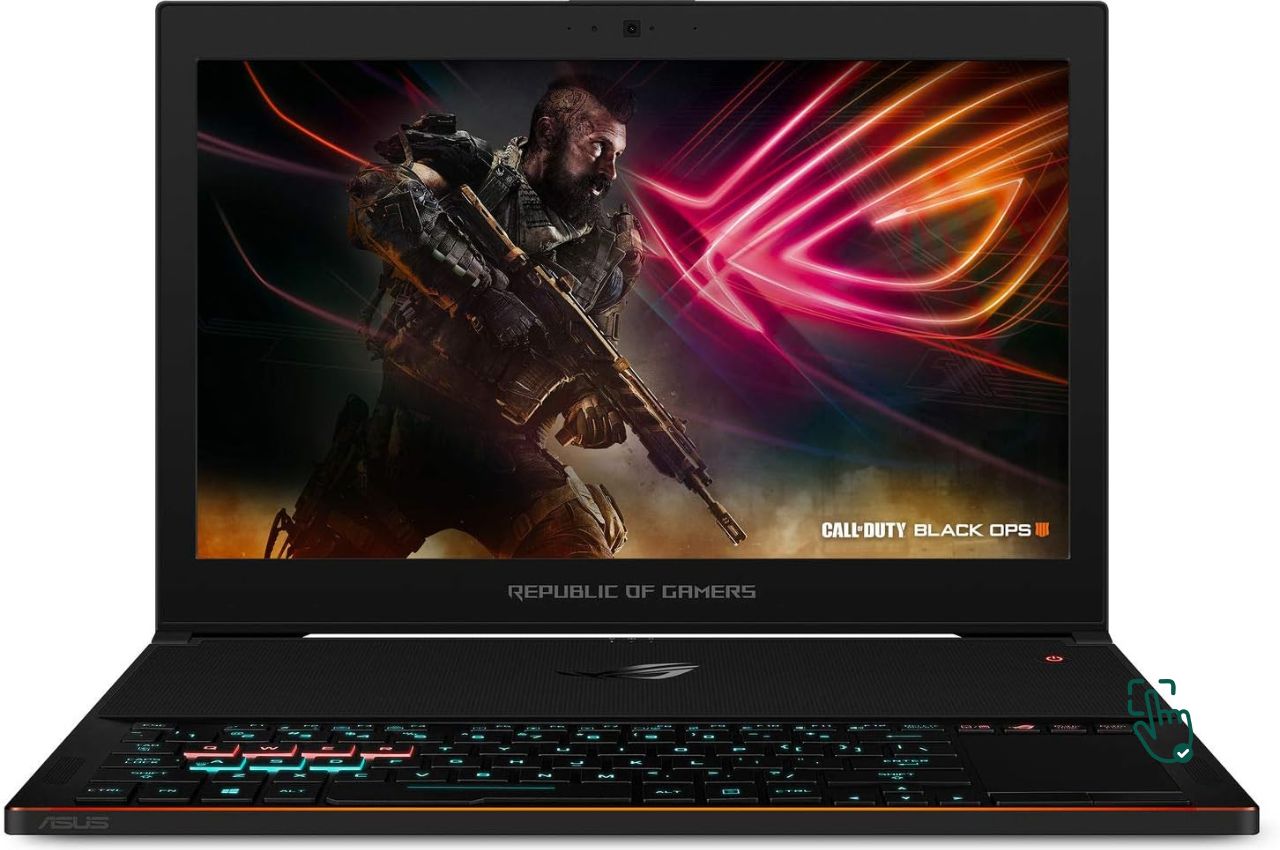
    ASUS ROG Zephyrus G14

    The ASUS ROG Zephyrus G14 is known for its powerful AMD Ryzen 9 processor and NVIDIA GeForce RTX 3060 GPU. It offers a compact design, excellent performance, and a 120Hz display, making it a top choice for gamers.

    Acer Predator Helios 300

    The Acer Predator Helios 300 features an Intel Core i7 processor, NVIDIA GeForce RTX 3060 GPU, and a 144Hz display. It’s a great value for its performance, making it a popular choice among gamers.

    Razer Blade 15

    The Razer Blade 15 combines sleek design with high performance. It features an Intel Core i7 processor, NVIDIA GeForce RTX 3070 GPU, and a 144Hz display. Its build quality and aesthetics make it a premium choice for gamers.

    MSI GS66 Stealth

    The MSI GS66 Stealth offers a balance of performance and portability. It features an Intel Core i9 processor, NVIDIA GeForce RTX 3080 GPU, and a 240Hz display. Its thin and lightweight design makes it ideal for gaming on the go.

    Dell G5 15 SE

    The Dell G5 15 SE is an affordable option with impressive specs. It features an AMD Ryzen 7 processor, AMD Radeon RX 5600M GPU, and a 144Hz display. It’s a great choice for gamers on a budget.

    Lenovo Legion 5 Pro

    The Lenovo Legion 5 Pro offers a powerful AMD Ryzen 7 processor, NVIDIA GeForce RTX 3070 GPU, and a 165Hz display. Its robust performance and quality build make it a reliable choice for serious gamers.

    Steps to Choosing the Best Buy Gaming Laptop

    Assess Your Needs

    Consider the type of games you play and the level of performance you need. Determine your budget and prioritize the features that matter most to you, such as graphics, processor, and display quality.

    Compare Key Features

    Evaluate the key features of different gaming laptops, including processor, GPU, RAM, storage, display, cooling system, and battery life. Compare these features to find the best fit for your gaming needs.

    Read Reviews and Testimonials

    Check online reviews and testimonials from other gamers. Their experiences can provide insights into the laptop’s performance, build quality, and overall user experience.

    Test for Comfort and Usability

    If possible, visit a store and test out the laptops. Check the keyboard, trackpad, and overall build quality. Ensure the laptop is comfortable to use for extended gaming sessions.

    Finalize Your Choice

    After thorough research and comparisons, finalize your choice and purchase the gaming laptop that best suits your needs. Consider your budget and prioritize features that matter most to your gaming experience.

    Conclusion

    Choosing the best buy gaming laptop involves evaluating your needs and comparing key features among various options. By focusing on performance, graphics quality, RAM, storage, display, cooling system, and battery life, you can find a gaming laptop that meets your requirements. Explore the top options available, read reviews, and make an informed decision based on your gaming needs. A good gaming laptop enhances your gaming experience, providing the power and speed you need to enjoy your favorite games.

    For more tips on selecting the right tech gear for graphic design, check out our other resources on gaming essentials. For further reading on gaming laptop reviews and comparisons, visit this authoritative guide.

  • How to Choose the Best Gaming Headset for an Immersive Experience

    How to Choose the Best Gaming Headset for an Immersive Experience

    Gaming Headset

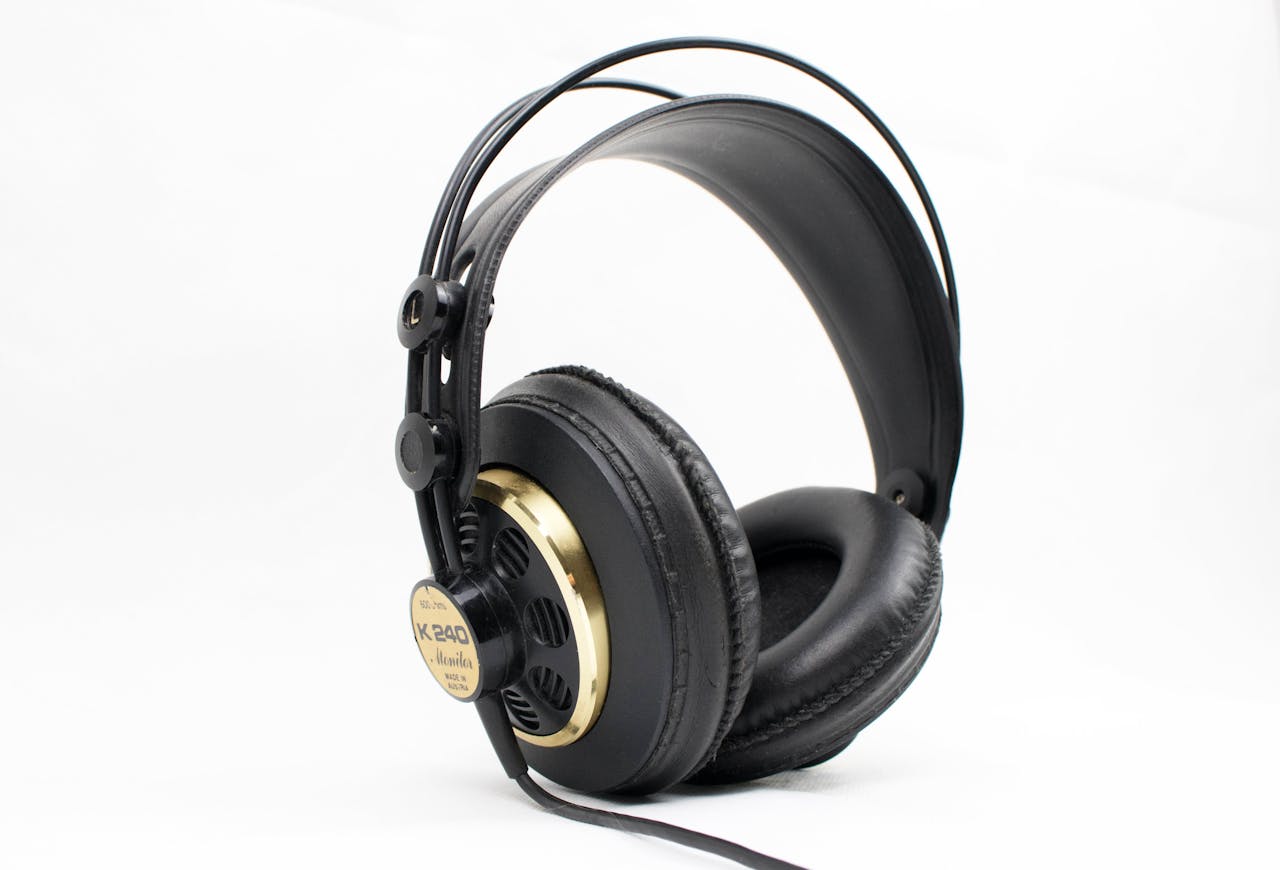
    Choosing the right gaming headset is essential for an immersive gaming experience. A good headset enhances sound quality, communication, and comfort during extended gaming sessions. With numerous options available, finding the perfect gaming headset can be overwhelming. This guide will help you understand how to choose the best gaming headset for your needs.

    Why Choosing the Right Gaming Headset Matters

    Before diving into the specifics of selecting a gaming headset, it’s important to understand why this decision is crucial:

    • Sound Quality: A high-quality headset provides clear and immersive audio, enhancing your gaming experience.
    • Communication: A good microphone ensures clear communication with teammates during multiplayer games.
    • Comfort: Comfortable headsets allow for long gaming sessions without discomfort.
    • Immersion: Surround sound and noise cancellation features can significantly increase immersion in the game.

    Given these benefits, choosing the best gaming headset is essential for maximizing your gaming experience.

    Key Features to Look for in the Best Gaming Headset

    Sound Quality

    The most crucial aspect of a gaming headset is sound quality. Look for headsets with high-quality drivers that provide clear, rich, and balanced audio. Features like surround sound (7.1 or virtual surround sound) can enhance your gaming experience by providing spatial awareness.

    Microphone Quality

    A good microphone is essential for clear communication in multiplayer games. Look for headsets with noise-canceling microphones that reduce background noise and ensure your voice is heard clearly.

    Comfort and Fit

    Comfort is key for long gaming sessions. Look for headsets with adjustable headbands, plush ear cups, and lightweight designs. Memory foam ear cushions and breathable materials can also enhance comfort.

    Connectivity

    Gaming headsets come with various connectivity options, including wired (USB or 3.5mm) and wireless (Bluetooth or proprietary wireless technology). Choose a connectivity option that best suits your gaming setup and preferences.

    Durability

    Durability is important for ensuring your headset lasts. Look for headsets made with high-quality materials like metal or reinforced plastic. Detachable cables and replaceable ear pads can also extend the lifespan of your headset.

    Additional Features

    Additional features like RGB lighting, customizable sound profiles, and on-ear controls can enhance your gaming experience. These features are not essential but can add extra convenience and personalization options.

    Top Gaming Headsets

    Disclosure: Pick Out Right contains affiliate links. If you purchase through these links, we may earn a commission at no extra cost to you. This helps support our work. Thank you!

    🎧 SteelSeries Arctis Nova Pro Wireless – The Audiophile’s Dream

    If you’re on the hunt for a gaming headset that delivers top-notch audio quality, the SteelSeries Arctis Nova Pro Wireless is a standout choice. This headset offers dual wireless connectivity, allowing you to switch seamlessly between 2.4GHz and Bluetooth connections. Whether you’re gaming on your PC, console, or mobile device, this headset has you covered.

    One of the key features of the Arctis Nova Pro Wireless is its active noise cancellation (ANC). This technology helps to block out background noise, immersing you fully in your game. Additionally, the headset comes with a wireless transmitter base station that provides low-latency audio and easy access to controls like EQ settings and chat mix. This ensures that your audio is always perfectly balanced, whether you’re coordinating with your team or enjoying the game’s soundtrack.

    Comfort is another area where this headset excels. The adjustable headband and plush ear cushions make it suitable for long gaming sessions without causing discomfort. Plus, the Infinity Power System allows for hot-swappable batteries, so you can keep gaming without interruption.

    For extended gaming sessions, consider pairing this headset with a high-capacity power bank like the Anker PowerCore Essential 20000mAh. This ensures that your devices stay charged, keeping you in the game longer.

    🎧 HyperX Cloud II – The Comfort King

    The HyperX Cloud II has long been a favorite among gamers, and for good reason. This headset offers exceptional comfort, thanks to its memory foam ear cushions and padded headband. Whether you’re in the middle of a marathon gaming session or just playing casually, the Cloud II ensures you stay comfortable throughout.

    Audio quality is another strong suit of the Cloud II. With 53mm drivers, it delivers clear and immersive sound, enhancing your gaming experience. The 7.1 virtual surround sound feature provides accurate positional audio, giving you an edge in competitive games where sound cues are crucial.

    The detachable noise-canceling microphone ensures clear communication with your teammates, and the durable aluminum frame adds to the headset’s longevity. It’s compatible with multiple platforms, including PC, PS4, and Xbox One, making it a versatile choice for gamers.

    To keep your devices charged during long gaming sessions, the RAVPOWER Pioneer 10000mAh PD 15W 3 Port Power Bank is a handy accessory. Its compact design makes it easy to carry, ensuring you never run out of power.

    🎧 Razer BlackShark V2 – The Competitive Edge

    For gamers seeking a competitive edge, the Razer BlackShark V2 is a top contender. This headset features advanced drivers and THX Spatial Audio, delivering precise and immersive sound. Whether you’re tracking enemy footsteps or enjoying the game’s soundtrack, the audio quality is impressive.

    The BlackShark V2 is designed with comfort in mind. Its lightweight build and memory foam ear cushions ensure that you can game for hours without discomfort. The detachable noise-canceling microphone provides clear communication, essential for team-based games.

    Compatibility is another strength of this headset. It’s suitable for PC, PS4, Xbox One, and even mobile devices, making it a versatile choice for gamers who play across multiple platforms.

    To enhance your gaming setup, consider the Supreme Mophie Powerstation Wireless XL. This power bank offers wireless charging capabilities, ensuring your devices stay powered up without the hassle of cables.

    🎧 Logitech G Pro X – The Pro Gamer’s Choice

    The Logitech G Pro X is designed with professional gamers in mind. It features Blue VO!CE microphone technology, providing clear and customizable voice communication. This ensures that your teammates hear you loud and clear, which is crucial in competitive gaming.

    Audio quality is another highlight of the G Pro X. With 7.1 surround sound, it delivers immersive audio, allowing you to pinpoint in-game sounds with precision. The headset’s durable construction and comfortable design make it suitable for long gaming sessions.

    The G Pro X is compatible with Logitech’s G HUB software, allowing for extensive customization of audio settings. This means you can tailor the sound to your preferences, enhancing your overall gaming experience.

    To keep your devices charged, the Xiaomi MI 50W Power Bank 2000, 20000mah is a reliable choice. Its fast-charging capabilities ensure that your devices are ready to go when you are.

    🎧 Astro A50 Wireless – The Premium Pick

    If you’re looking for a premium wireless gaming headset, the Astro A50 Wireless is a top-tier option. It offers high-quality audio with Dolby Atmos support, providing an immersive gaming experience. The headset’s comfortable design and long battery life make it ideal for extended gaming sessions.

    The A50 comes with a wireless base station, allowing for easy charging and connectivity. Its precise microphone ensures clear communication, and the headset’s build quality ensures durability. It’s compatible with multiple platforms, including PC and consoles, making it a versatile choice for gamers.

    Related Products: To ensure your devices stay powered, the Anker PowerCore Essential 20000mAh Power Bank is a great companion. Its high capacity ensures that your devices remain charged during long gaming sessions.

    🎧 Corsair HS70 Pro – The Budget-Friendly Option

    For gamers on a budget, the Corsair HS70 Pro offers excellent value. It provides wireless audio performance with 7.1 surround sound, enhancing your gaming experience. The headset’s comfortable design and detachable noise-canceling microphone make it a solid choice for gamers.

    The HS70 Pro’s durable construction ensures longevity, and its on-ear controls provide easy access to volume and mute functions. While it may lack some of the advanced features of higher-end models, it delivers reliable performance at an affordable price.

    Related Products: To keep your devices charged, consider the Omni 40C+ 38400mah/142wh Professional Premium Portable Power Bank. Its compact size and multiple ports make it a convenient accessory for gamers on the go.gamers.

    Steps to Choosing the Best Gaming Headset

    Assess Your Needs

    Consider the type of games you play and your gaming setup. Determine your budget and prioritize the features that matter most to you, such as sound quality, microphone quality, comfort, and connectivity.

    Compare Key Features

    Evaluate the key features of different gaming headsets, including sound quality, microphone quality, comfort, connectivity, and durability. Compare these features to find the best fit for your gaming needs.

    Read Reviews and Testimonials

    Check online reviews and testimonials from other gamers. Their experiences can provide insights into the headset’s performance, build quality, and overall user experience.

    Test for Comfort and Sound Quality

    If possible, try out the headsets in a store to assess comfort and sound quality. Ensure the headset fits well and provides the audio performance you need for an immersive gaming experience.

    Finalize Your Choice

    After thorough research and comparisons, finalize your choice and purchase the gaming headset that best suits your needs. Consider your budget and prioritize features that matter most to your gaming experience.

    Conclusion

    Choosing the best gaming headset involves evaluating your needs and comparing key features among various options. By focusing on sound quality, microphone quality, comfort, connectivity, and durability, you can find a headset that meets your requirements. Explore the top options available, read reviews, and make an informed decision based on your gaming needs. A good gaming headset enhances your gaming experience, providing the immersive audio and clear communication you need to excel in your favorite games.

    Love this? Share it with your friends!

  • Why an IP Security Camera Is a Must-Have for Your Home

    Why an IP Security Camera Is a Must-Have for Your Home

    IP Security Camera

    In today’s world, keeping an eye on your home has never been easier, thanks to the marvel that is the IP security camera. These nifty gadgets are not only smart but also provide a sense of security that traditional cameras can’t match. So, what makes an IP security camera a must-have for your home? Let’s dive in.

    What Is an IP Security Camera?

    An IP security camera, also known as an Internet Protocol camera, is a type of digital video camera that receives and sends video footage via the internet. Unlike traditional closed-circuit television (CCTV) cameras, IP cameras don’t need a local recording device. Instead, they can store video on a networked server or in the cloud.

    Why Choose an IP Security Camera?

    Easy Installation

    Setting up an IP security camera is a breeze. All you need is a power source and a Wi-Fi connection. No drilling holes in your walls or running meters of cable. You can even opt for battery-operated models if power outlets are scarce.

    Remote Monitoring

    With an IP security camera, you can check in on your home from anywhere in the world. Got an internet connection? You’re good to go. Just open the app on your smartphone or tablet and see live footage of your property.

    High-Quality Video

    Most IP security cameras offer high-definition video, some even in 4K. This means you get clear, crisp images that make it easy to see what’s happening, whether it’s day or night.

    Smart Features

    Modern IP cameras come packed with features like motion detection, facial recognition, and two-way audio. You can get alerts when someone steps onto your property or even talk to visitors through the camera.

    Key Features to Look For

    Resolution

    Higher resolution means clearer video. Look for cameras with at least 1080p resolution for the best balance between quality and storage space.

    Night Vision

    Ensure the camera has good night vision capabilities. Infrared LEDs can help capture clear images even in complete darkness.

    Field of View

    A wider field of view means the camera can cover more area. Consider cameras with at least a 120-degree field of view.

    Storage Options

    Choose a camera that offers flexible storage options, whether it’s cloud storage or a local SD card.

    Top Picks for IP Security Cameras

    1. Arlo Pro 3: Offers 2K video resolution, color night vision, and a 160-degree field of view. Learn more.
    2. Ring Stick Up Cam: Great for both indoor and outdoor use, with 1080p HD video and customizable motion detection. Check it out.
    3. Nest Cam IQ: Known for its high-quality video, facial recognition, and robust smart home integration. More details.

    Installation Tips

    1. Choose the Right Location: Place cameras at entry points like doors and windows, but ensure they are out of reach to avoid tampering.
    2. Optimize Wi-Fi: Ensure your camera is within range of your Wi-Fi router. If needed, use a Wi-Fi extender to boost the signal.
    3. Regular Maintenance: Clean the camera lens regularly and check for firmware updates to keep it functioning optimally.

    Conclusion

    An IP security camera is a game-changer for home security. With easy installation, remote monitoring, and high-quality video, it’s a smart investment to keep your home safe. Choose a camera that fits your needs, and enjoy the peace of mind that comes with knowing you can keep an eye on things from anywhere.

    Remember, security isn’t just about having the right tools but also using them effectively. So, get your IP security camera set up today and stay safe!

    Further Reading about Home Equipment Needs

    Best Vacuum Cleaner for Home
    Portable Table Lamp
    Air Purifier and Humidifier

  • Why You Need a Portable Table Lamp in Your Life

    Why You Need a Portable Table Lamp in Your Life

    Portable Table Lamp

    Introduction

    Ever find yourself needing a bit more light in a room but don’t want to deal with the hassle of installing new fixtures? Enter the portable table lamp. This nifty little device can completely change your lighting game, and it’s so easy to move around that you’ll wonder how you ever lived without one. Let’s dive into why a portable table lamp is the ultimate addition to your home setup.

    What Makes a Portable Table Lamp So Great?

    Versatility and Convenience

    First things first, a portable table lamp is incredibly versatile. Need a reading light in the bedroom? Check. A soft glow for your late-night work sessions in the office? Double check. The best part? You can move it around wherever and whenever you need it. No more fumbling in the dark or straining your eyes because the overhead light is too harsh.

    Style Meets Function

    Not only are portable table lamps functional, but they also come in a variety of styles to suit any décor. From sleek, modern designs to vintage-inspired pieces, there’s something for everyone. They can serve as a statement piece on your desk or blend seamlessly into your living room aesthetic.

    Energy Efficiency

    Many portable table lamps now come with energy-efficient LED bulbs. This means you’re not only getting great lighting but also saving on your electricity bill. Plus, LEDs have a longer lifespan than traditional bulbs, so you won’t have to replace them as often.

    Top Features to Look for in a Portable Table Lamp

    Adjustable Brightness

    One of the key features you’ll want to look for is adjustable brightness. This allows you to set the perfect lighting for any situation, whether you need a bright light for studying or a dim light for relaxing.

    Rechargeable Battery

    A portable table lamp with a rechargeable battery takes convenience to the next level. You can use it anywhere without worrying about finding a power outlet. Just charge it up and you’re good to go!

    Built-in USB Port

    Some modern portable lamps come with built-in USB ports, making it easy to charge your devices. This is especially handy if you’re using the lamp on your desk or bedside table.

    Our Top Picks for the Best Portable Table Lamps

    1. Philips Hue Go

    The Philips Hue Go is a smart, portable table lamp that offers a wide range of colors and adjustable brightness. You can control it via an app, and it even integrates with smart home systems like Alexa and Google Assistant. Check it out.

    2. TaoTronics LED Desk Lamp

    This lamp is perfect for those who need a reliable, functional light. It features five color modes and seven brightness levels, plus a USB charging port. The sleek design fits well in any modern home. Learn more.

    3. LumiCharge II

    The LumiCharge II is a multifunctional lamp that includes a wireless charger, USB port, and a digital clock. It’s perfect for a home office or bedside table, offering everything you need in one compact device. Discover more.

    4. BenQ e-Reading LED Desk Lamp

    For those who spend a lot of time reading or working at a desk, this lamp provides the perfect lighting. It has a wide lighting range and adjustable color temperature to reduce eye strain. Find out more.

    5. Aukey Touch Sensor Bedside Lamp

    This stylish lamp features a touch sensor for easy control and adjustable brightness levels. It’s rechargeable and portable, making it perfect for any room in your home. Read more.

    How to Make the Most of Your Portable Table Lamp

    1. Reading Nook: Create a cozy reading nook by placing your portable table lamp next to your favorite chair.
    2. Work Space: Improve your productivity by adding a portable lamp to your desk for better lighting during late-night work sessions.
    3. Ambiance: Use your lamp to set the mood in any room by adjusting the brightness and color temperature.
    4. Outdoor Lighting: Take your lamp outside for evening gatherings or camping trips. Just make sure it’s charged!

    Conclusion

    A portable table lamp is a game-changer for any home. With their versatility, style, and convenience, you’ll find endless uses for them. Whether you’re reading, working, or just relaxing, the right lamp can make all the difference. So, go ahead and pick the one that suits your needs best, and enjoy the perfect lighting anywhere in your home.

    Further Reading about Home Equipment Needs

    Best Vacuum Cleaner for Home
    Air Purifier and Humidifier
    IP Security Camera

  • How Elementor AI is Revolutionizing Website Building

    How Elementor AI is Revolutionizing Website Building

    Elementor AI

    Elementor AI is transforming the way we build websites, offering advanced features that enhance design, functionality, and user experience. With the integration of artificial intelligence, Elementor provides users with powerful tools to create stunning websites with ease. This guide will explore how Elementor is revolutionizing website building and why it might be the right choice for you.

    Why Choosing Elementor AI Matters

    Before diving into the specifics of Elementor AI, it’s important to understand why this tool is significant:

    • Efficiency: AI-driven tools streamline the design process, saving time and effort.
    • Creativity: AI features can inspire creativity, providing unique design ideas and solutions.
    • User Experience: Enhanced functionality leads to better user experiences and higher engagement.
    • Competitiveness: Staying ahead with AI technology can give your website a competitive edge.

    Given these benefits, understanding how AI works and its key features can help you make an informed decision for your web development needs.

    Key Features of Elementor AI

    AI-Powered Design Suggestions

    Elementor AI offers intelligent design suggestions based on your content and preferences. These AI-driven recommendations help you create visually appealing and cohesive designs that match your brand identity.

    Automated Content Creation

    With Elementor AI, you can generate content automatically. Whether you need blog posts, product descriptions, or page content, AI algorithms can produce high-quality text tailored to your audience.

    Smart Image Editing

    AI-powered image editing tools in Elementor allow you to enhance and optimize images effortlessly. Features like automatic cropping, resizing, and background removal make image management more efficient.

    Predictive SEO

    Elementor AI includes predictive SEO tools that analyze your content and provide optimization tips. These insights help improve your website’s search engine ranking, driving more organic traffic to your site.

    Personalized User Experience

    AI algorithms in Elementor can analyze user behavior and preferences, allowing you to create personalized experiences for your visitors. This leads to higher engagement and conversion rates.

    Automated A/B Testing

    Elementor AI simplifies A/B testing by automatically setting up and analyzing different design and content variations. This helps you determine the most effective strategies for your website.

    How Elementor AI Enhances Web Development

    Speed and Efficiency

    It significantly speeds up the web development process. Automated design suggestions, content creation, and image editing reduce the time and effort required to build and maintain your website.

    Improved Design Quality

    With AI-driven design suggestions and smart editing tools, you can achieve professional-quality designs without extensive design skills. This ensures your website looks polished and visually appealing.

    Enhanced SEO Performance

    Predictive SEO tools help you optimize your content for search engines, improving your website’s visibility and ranking. This leads to more traffic and better overall performance.

    Better User Engagement

    Personalized experiences and content tailored to your audience’s preferences result in higher engagement and satisfaction. This can lead to increased loyalty and conversions.

    Data-Driven Decisions

    Automated A/B testing and analytics provide valuable insights into what works best for your website. This data-driven approach allows you to make informed decisions and continually improve your site’s performance.

    Steps to Get Started with Elementor AI

    Install Elementor

    Begin by installing the Elementor plugin on your WordPress website. Ensure you have the latest version to access all AI-powered features.

    Explore AI Features

    Familiarize yourself with the various AI tools available in Elementor. Take the time to explore design suggestions, content generation, image editing, and SEO optimization.

    Customize Your Settings

    Adjust the AI settings to match your preferences and goals. Customize the design recommendations, content styles, and SEO parameters to align with your brand and audience.

    Implement AI Tools

    Start using the AI tools in your web development process. Apply design suggestions, generate content, edit images, and optimize for SEO. Monitor the results and make adjustments as needed.

    Analyze and Optimize

    Regularly analyze the performance of your website using Elementor’s analytics and A/B testing tools. Use the insights gained to optimize your design, content, and user experience continually.

    Conclusion

    Elementor AI is revolutionizing website building by offering advanced AI-powered tools that enhance efficiency, creativity, and user experience. By leveraging intelligent design suggestions, automated content creation, smart image editing, and predictive SEO, you can create stunning, high-performing websites with ease. Understanding and utilizing these features will give you a competitive edge in the digital landscape.

    For more tips on web development and design, check out our other resources on Elementor and AI technology. For further reading on Elementor AI features and benefits, visit this authoritative guide.

  • Why Choose a Dual Monitor Setup for Enhanced Productivity?

    Why Choose a Dual Monitor Setup for Enhanced Productivity?

    Dual Monitor

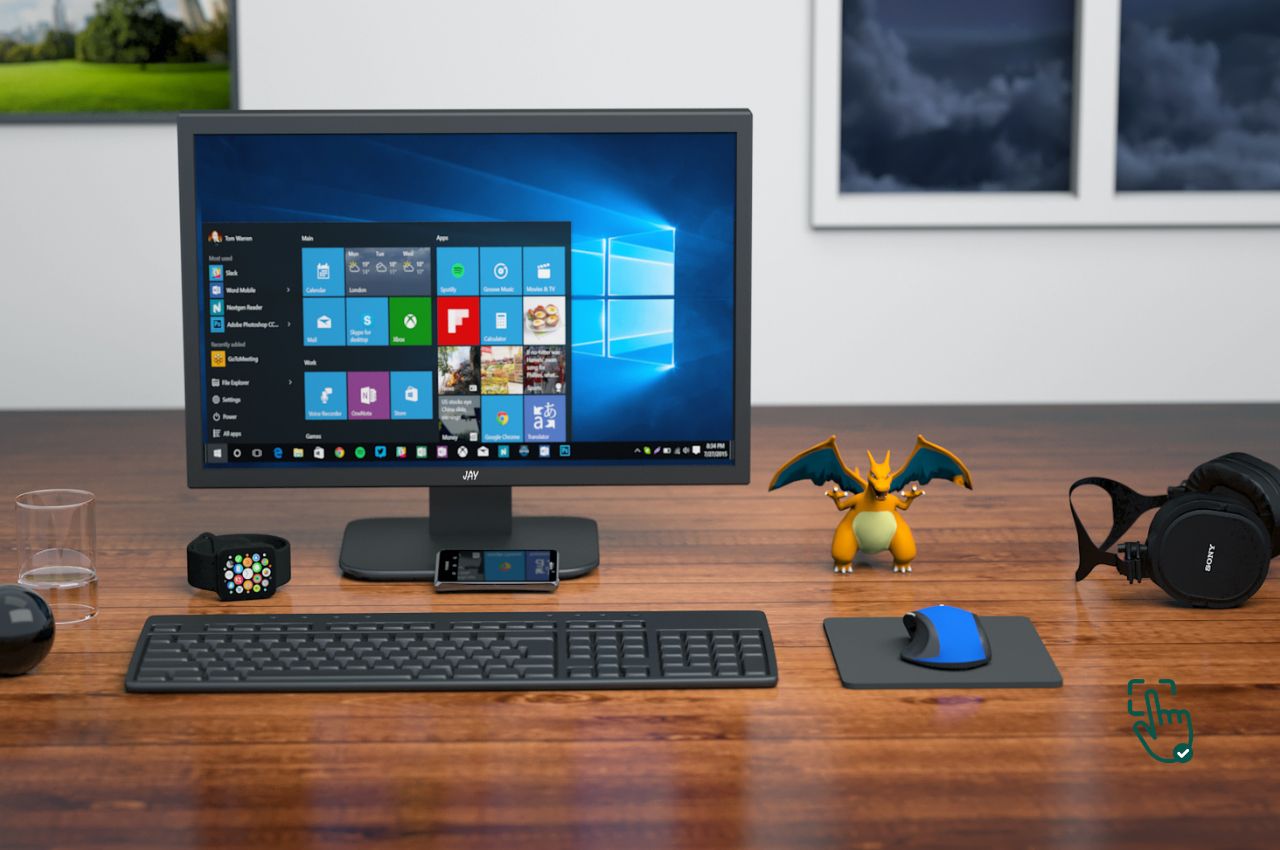
    Choosing a dual monitor setup can significantly enhance your productivity, providing more screen real estate and improving multitasking capabilities. With numerous options available, setting up the perfect dual monitor configuration can be overwhelming. This guide will help you understand why a dual monitor setup is essential and how to choose the best one for your needs.

    Why Choosing the Right Dual Monitor Setup Matters

    Before diving into the specifics of selecting a dual monitor setup, it’s essential to understand why this decision is crucial:

    • Increased Productivity: Dual monitors allow you to work on multiple tasks simultaneously without constantly switching between windows.
    • Better Multitasking: You can run different applications side by side, such as having a document on one screen and a spreadsheet on the other.
    • Enhanced Collaboration: Sharing information with colleagues is easier when you have more screen space.
    • Improved Workflow: A dual monitor setup can streamline your workflow, making it easier to organize and access information.

    Given these benefits, choosing the right dual monitor setup is essential for maximizing your efficiency and productivity.

    Key Features of a Good Dual Monitor Setup

    Screen Size and Resolution

    The best dual monitor setups feature screens that are large enough to provide ample workspace. Consider monitors that are at least 24 inches with resolutions of 1080p or higher for clear and sharp visuals. Matching the resolution of both monitors ensures a seamless viewing experience.

    Connectivity Options

    Ensure your monitors have sufficient connectivity options, such as HDMI, DisplayPort, and USB ports, to connect to your computer and other peripherals. Having multiple ports provides flexibility and convenience.

    Adjustability

    Look for monitors with adjustable stands that allow you to change the height, tilt, and swivel. This ensures ergonomic comfort and better viewing angles during extended use. VESA mount compatibility is also a plus if you plan to use monitor arms.

    Bezel Size

    Thin bezels are ideal for dual monitor setups as they minimize the gap between screens, providing a more cohesive viewing experience. This is especially important if you frequently move windows between screens.

    Panel Technology

    Monitors with IPS (In-Plane Switching) panels offer better color accuracy and wider viewing angles compared to TN (Twisted Nematic) panels. Choose IPS panels for tasks that require color precision, such as graphic design or photo editing.

    Additional Features

    Some monitors offer extra features like built-in speakers, USB hubs, and blue light filters. These features can enhance the functionality and comfort of your dual monitor setup.

    Top Dual Monitor Options

    Dell UltraSharp U2415

    The Dell UltraSharp U2415 is a 24-inch monitor with an IPS panel and 1920×1200 resolution. It features ultra-thin bezels, multiple connectivity options, and an adjustable stand, making it a top choice for a dual monitor setup.

    ASUS ProArt PA248QV

    The ASUS ProArt PA248QV is a 24.1-inch monitor with an IPS panel and 1920×1200 resolution. It offers excellent color accuracy, a wide range of connectivity options, and a fully adjustable stand, making it ideal for creative professionals.

    HP VH240a

    The HP VH240a is a 24-inch monitor with an IPS panel and 1080p resolution. It features thin bezels, built-in speakers, and a highly adjustable stand, providing great value for a dual monitor setup.

    LG 27UK850-W

    The LG 27UK850-W is a 27-inch 4K monitor with an IPS panel. It offers USB-C connectivity, HDR10 support, and an adjustable stand. Its high resolution and excellent color accuracy make it a great choice for a dual monitor setup.

    BenQ PD2700Q

    The BenQ PD2700Q is a 27-inch monitor with a 1440p resolution and IPS panel. It offers excellent color accuracy, multiple connectivity options, and a fully adjustable stand, making it suitable for professionals who need precise color reproduction.

    Samsung CH890

    The Samsung CH890 is a 34-inch ultra-wide monitor with a 3440×1440 resolution and VA panel. It offers USB-C connectivity, excellent contrast ratios, and an ergonomic stand. Its wide screen provides ample space for multitasking in a dual monitor setup.

    Steps to Setting Up the Best Dual Monitor Configuration

    Assess Your Needs

    Consider the type of tasks you will be performing and the level of screen space you require. Determine your budget and prioritize the features that matter most to you, such as screen size, resolution, and adjustability.

    Compare Key Features

    Evaluate the key features of different monitors, including screen size, resolution, connectivity, adjustability, bezel size, and panel technology. Compare these features to find the best fit for your dual monitor setup.

    Read Reviews and Testimonials

    Check online reviews and testimonials from other users. Their experiences can provide insights into the monitor’s performance, build quality, and overall user experience.

    Test for Comfort and Usability

    If possible, visit a store and test out the monitors. Assess their visual quality, comfort, and overall usability to ensure they meet your expectations and preferences.

    Finalize Your Choice

    After thorough research and comparisons, finalize your choice and purchase the monitors that best suit your needs. Ensure they are compatible with your computer and other peripherals.

    Conclusion

    Choosing the best dual monitor setup involves evaluating your needs and comparing key features among various options. By focusing on screen size, resolution, connectivity, adjustability, bezel size, and panel technology, you can find a setup that meets your requirements. Explore the top options available, read reviews, and make an informed decision based on your workspace needs. A good double monitor setup enhances your productivity, providing the screen space and versatility you need for an efficient work environment.

    For more tips on selecting the right office gear, check out our other resources on workspace essentials. For further reading on dual monitor reviews and comparisons, visit this authoritative guide.

  • Top Picks for the Best Amazon Desktop Computers in 2024

    Top Picks for the Best Amazon Desktop Computers in 2024

    Amazon Desktop

    Finding the perfect desktop computer on Amazon can be a daunting task with the vast number of options available. Whether you’re looking for a high-performance gaming rig, a reliable work machine, or a versatile all-in-one PC, Amazon has it all. This guide will help you navigate through the best Amazon desktop computers, ensuring you find the ideal one for your needs.

    Why Buy a Desktop Computer on Amazon?

    Variety

    Amazon offers a wide variety of desktop computers from different brands, catering to various needs and budgets. Whether you’re a gamer, a professional, or a casual user, you’ll find numerous options on Amazon.

    Convenience

    Shopping for a desktop computer on Amazon is convenient. You can compare different models, read reviews, and make a purchase from the comfort of your home. Plus, Amazon often offers fast shipping and easy returns.

    Competitive Pricing

    Amazon frequently offers competitive pricing and deals on desktop computers. With options for financing and discounts, you can often find a better deal on Amazon than at a physical store.

    Key Features to Consider in an Amazon Desktop

    Performance

    Look for desktops with the latest processors, sufficient RAM, and fast storage options. For high-performance needs, consider desktops with Intel Core i7/i9 or AMD Ryzen 7/9 processors, at least 16GB of RAM, and SSD storage.

    Graphics

    For gaming or graphic-intensive tasks, a dedicated graphics card is essential. Consider desktops with NVIDIA GeForce RTX or AMD Radeon RX series GPUs for the best performance.

    Connectivity

    Ensure the desktop has enough USB ports, HDMI outputs, and other necessary connections for your peripherals. Bluetooth and Wi-Fi capabilities are also important for wireless connectivity.

    Upgradability

    Consider desktops that allow easy upgrades. This ensures that you can enhance your system’s performance in the future without needing to buy a new machine.

    Design and Form Factor

    Choose a design and form factor that fits your space and aesthetic preferences. Options range from compact mini PCs to larger tower units and sleek all-in-one desktops.

    Price

    Set a budget and look for desktops that offer the best features within that range. Amazon provides options across all price points, so you can find something that meets your needs without breaking the bank.

    Top Amazon Desktop Computers

    Finding the perfect desktop computer can be overwhelming with so many options available. Whether you’re a gamer, a professional, or just need a reliable machine for everyday use, choosing the right one matters. Below, we break down some of the best desktop computers on Amazon, giving you a closer look at their features, performance, and who they’re best suited for.

    1. HP Pavilion Gaming Desktop – Affordable Power for Casual Gamers

    When it comes to budget-friendly gaming desktops, the HP Pavilion Gaming Desktop is a solid pick. It balances price and performance, making it an excellent option for casual gamers and multitaskers who need a reliable machine without breaking the bank.

    Performance That Gets the Job Done

    Powered by an Intel Core i5 processor, this desktop ensures smooth performance for everyday computing and light gaming. The NVIDIA GTX 1650 graphics card adds enough power to run games like Fortnite, Minecraft, and Apex Legends at decent settings. With 8GB of RAM, multitasking is relatively smooth, though upgrading to 16GB would significantly improve performance.

    Storage & Expandability

    It includes a 256GB SSD, which provides fast boot times and quick loading speeds. However, if you need more storage for games, videos, or work files, an external hard drive or an additional HDD/SSD upgrade is recommended.

    Who Should Buy This?

    This PC is great for:

    • Casual gamers looking for an entry-level gaming desktop.
    • Students and home office users who need reliable performance for work, browsing, and media consumption.
    • Those on a budget who still want decent graphics performance.

    2. Dell XPS Tower – A Powerful & Upgradeable Choice

    If you need a high-performance desktop that’s both powerful and upgradeable, the Dell XPS Tower is a fantastic pick. It’s built to handle demanding tasks, from video editing to intensive gaming, while still being future-proof for hardware upgrades.

    Performance & Graphics

    At its core, this desktop features an Intel Core i7 processor paired with 16GB of RAM, ensuring smooth multitasking, fast processing, and the ability to run power-hungry applications. The NVIDIA GTX 1660 Ti graphics card makes it a great mid-range gaming PC, capable of handling AAA games at high settings.

    Storage & Design

    You’ll get a 512GB SSD, which is fast and responsive, but if you need more space, the XPS Tower is easy to upgrade with additional storage drives and RAM. The sleek, minimalistic design also makes it a good fit for both home and office environments.

    Who Should Buy This?

    This desktop is perfect for:

    • Gamers who want a mid-range gaming experience.
    • Creative professionals who need power for video editing, graphic design, and music production.
    • Users looking for upgradability to extend the lifespan of their PC.

    3. Apple iMac – The Best All-in-One for Creatives

    If you’re looking for a desktop that combines style, performance, and a stunning display, the Apple iMac is a top-tier choice. It’s ideal for creatives who work with photo editing, video production, or music creation.

    Retina Display & Performance

    The Retina 5K display is a standout feature, offering crisp visuals, accurate colors, and incredible brightness, making it one of the best displays on any desktop. Under the hood, the iMac is powered by an Intel Core i5 processor, 8GB of RAM, and a Radeon Pro 5300 graphics card, delivering smooth performance for professional software like Adobe Photoshop, Final Cut Pro, and Logic Pro X.

    Storage & Ecosystem Integration

    Apple includes a 256GB SSD, ensuring fast boot times and seamless operation. If you’re deep into the Apple ecosystem, the iMac works seamlessly with iPhones, iPads, and MacBooks, making file transfers and multitasking a breeze.

    Who Should Buy This?

    • Creative professionals in need of a high-quality display and reliable performance.
    • Apple users who want a seamless experience across their devices.
    • Casual users looking for a stylish and powerful all-in-one desktop.

    4. Lenovo IdeaCentre AIO 3 – A Compact All-in-One for Everyday Use

    For those looking for an affordable, space-saving all-in-one desktop, the Lenovo IdeaCentre AIO 3 is a strong contender. It’s designed for home office use, students, and families who need a reliable computer for basic tasks.

    Performance & Display

    Equipped with an AMD Ryzen 5 processor and 16GB of RAM, this desktop is more than capable of handling web browsing, document editing, and light content creation. The 27-inch Full HD display provides a comfortable viewing experience for work and entertainment.

    Storage & Design

    The 256GB SSD ensures fast performance, and the sleek, modern design saves desk space. With fewer cables and a minimalistic look, it’s a great fit for small office setups.

    Who Should Buy This?

    • Families & students who need a simple, reliable PC.
    • Home office users who want a clutter-free workspace.
    • Casual users who prioritize design and functionality.

    5. ASUS ROG Strix GA15 – A Gaming Beast for Performance Lovers

    If gaming is your priority, the ASUS ROG Strix GA15 delivers top-notch graphics, speed, and cooling. It’s built for serious gamers who demand high frame rates and stunning visuals.

    Performance & Graphics

    This machine features an AMD Ryzen 7 processor, 16GB of RAM, and an NVIDIA GeForce RTX 3060 graphics card, making it one of the best gaming desktops in this price range. Expect high FPS in AAA games like Call of Duty, Cyberpunk 2077, and Assassin’s Creed.

    Storage & Gaming Features

    With a 1TB SSD, there’s plenty of room for your game library. It also includes custom cooling for extended gaming sessions and RGB lighting for that premium gaming aesthetic.

    Who Should Buy This?

    • Gamers who want high performance at a competitive price.
    • Streamers & content creators who need power for live streaming and video editing.
    • Tech enthusiasts who love customizable gaming setups.

    How to Choose the Best Amazon Desktop

    Identify Your Needs

    Consider what you’ll be using the desktop for. Gaming, professional work, casual use, and content creation all have different requirements. Identifying your primary use will help narrow down your choices.

    Compare Specifications

    Look at the specifications of different models and compare them. Focus on the processor, RAM, storage, and graphics capabilities. Choose the one that best meets your needs and budget.

    Read Reviews

    Customer reviews provide valuable insights into the performance and reliability of the desktop. Pay attention to both positive and negative reviews to get a balanced understanding of the product.

    Check for Deals

    Amazon often has deals and discounts on desktop computers. Keep an eye out for special promotions, especially during sales events like Prime Day, Black Friday, and Cyber Monday.

    Consider Warranty and Support

    Ensure the desktop comes with a warranty and consider the manufacturer’s customer support reputation. This is important for peace of mind and assistance if any issues arise.

    Conclusion

    Choosing the best Amazon desktop computer involves understanding your needs, comparing key features, reading reviews, and considering deals and support options. With the variety of choices available on Amazon, you’re sure to find a desktop that meets your requirements and budget. Whether you’re a gamer, professional, or casual user, Amazon has a desktop computer that’s perfect for you.

    For more tips on selecting the right desktop computer, check out our other guides on technology. For further reading on desktop computer reviews and comparisons, visit this comprehensive resource.

  • How to Choose the Best WordPress Page Builder?

    How to Choose the Best WordPress Page Builder?

    Best WordPress Page Builder

    Selecting the best WordPress page builder is crucial for creating stunning and functional websites without the need for coding skills. With numerous options available, finding the right one can be overwhelming. This guide will help you understand how to choose the best WordPress page builder for your website needs.

    Why Choose a WordPress Page Builder?

    Before delving into the specifics of selecting a page builder, it’s essential to understand the advantages they offer:

    • Ease of Use: Page builders allow you to design and customize your website visually, using drag-and-drop interfaces.
    • Flexibility: They offer a wide range of pre-designed templates and elements, enabling you to create unique layouts and designs.
    • Time-Saving: Page builders streamline the website building process, reducing development time and costs.
    • No Coding Required: With a page builder, you can create professional-looking websites without any coding knowledge.

    Given these benefits, choosing the best WordPress page builder is crucial for maximizing your website’s potential.

    Key Features to Look for in the Best WordPress Page Builder

    Intuitive Interface

    The best WordPress page builder should have a user-friendly interface that is easy to navigate and understand. Look for drag-and-drop functionality and intuitive controls for designing your pages.

    Customization Options

    Choose a page builder that offers a wide range of customization options, including layout settings, color schemes, font styles, and spacing controls. This ensures you can create a website that reflects your brand identity.

    Pre-designed Templates

    Look for a page builder that provides a library of pre-designed templates for different types of websites, such as blogs, portfolios, e-commerce stores, and business websites. These templates can serve as starting points for your designs.

    Responsiveness

    Ensure the page builder generates responsive designs that look good on all devices, including desktops, tablets, and smartphones. Responsive design is essential for providing a seamless user experience across various screen sizes.

    Compatibility

    Check that the page builder is compatible with your WordPress theme and other plugins you may be using. Compatibility issues can cause conflicts and hinder your website’s performance.

    Top WordPress Page Builders

    Building a website used to be all about coding, but thanks to WordPress page builders, even total beginners can create stunning, professional-looking sites without touching a single line of code. These tools let you drag, drop, and customize everything to match your vision. Whether you’re a small business owner, a blogger, or an eCommerce entrepreneur, the right page builder can make all the difference. Let’s break down the top WordPress page builders to help you find the perfect fit.

    1. Elementor – The Most Popular & User-Friendly Page Builder

    If you’ve ever searched for a WordPress page builder, Elementor is probably the first name you came across—and for good reason. This drag-and-drop builder is a game-changer, allowing you to create stunning pages in real-time without needing any coding skills. The free version itself is quite powerful, offering tons of widgets, basic templates, and responsive design options. But if you’re serious about customization, the Pro version unlocks premium templates, theme-building features, and advanced motion effects.

    One of the best things about Elementor is its ease of use. Even if you’re new to WordPress, the intuitive interface makes designing a website feel effortless. Want a full-width hero section? Just drag it in. Need to tweak the spacing? Adjust it with sliders—no CSS required. Plus, it works seamlessly with most WordPress themes, making it a solid choice for almost any website.

    Pros:
    ✔️ Super easy to use with a live drag-and-drop editor
    ✔️ Tons of widgets and integrations
    ✔️ Works with almost any WordPress theme

    Cons:
    ❌ Some features require the Pro version
    ❌ Can slow down websites if not optimized properly

    Related Products:


    2. Divi Builder – The Ultimate Customization Powerhouse

    Divi Builder isn’t just a page builder—it’s an entire website design framework. Developed by Elegant Themes, it comes bundled with the Divi theme, but you can also use it with other themes. What sets Divi apart is its endless customization options. You can tweak fonts, colors, layouts, and effects with just a few clicks. Plus, it has a real-time editor, so you can see changes instantly.

    A major highlight of Divi is its vast library of pre-made templates. Whether you’re building a portfolio, an eCommerce store, or a business website, Divi provides professionally designed layouts to get you started. It also includes a split-testing feature, which is perfect for marketers looking to optimize conversions. However, it does come with a learning curve—beginners might need a bit of time to get used to all the options.

    Pros:
    ✔️ Fully customizable with advanced design features
    ✔️ Packed with high-quality pre-built templates
    ✔️ Built-in A/B testing for optimizing page performance

    Cons:
    ❌ Can be overwhelming for beginners
    ❌ Slightly heavier than other builders, requiring performance optimization

    Related Products:


    3. Beaver Builder – The Lightweight & Reliable Option

    If you’re looking for a rock-solid, no-fuss page builder that won’t slow down your site, Beaver Builder is a fantastic option. Known for its stability and clean code, this page builder is trusted by developers and website owners alike. It features a simple drag-and-drop editor, customizable modules, and full support for WooCommerce.

    One of the biggest advantages of Beaver Builder is its performance. Unlike some other builders that add unnecessary bloat, Beaver Builder keeps things lightweight, ensuring your website remains fast. It’s also fully responsive, meaning your pages will look great on any device. While it doesn’t have as many fancy design options as Elementor or Divi, it’s a great pick if you prioritize speed and stability.

    Pros:
    ✔️ Lightweight and performance-friendly
    ✔️ Developer-friendly with clean code
    ✔️ Works great with WooCommerce

    Cons:
    ❌ Fewer design features compared to Elementor and Divi
    ❌ Some advanced options require paid add-ons

    Related Products:

    • Beaver Builder Pro
    • GeneratePress Theme (optimized for Beaver Builder)
    • Beaver Themer Add-on

    4. WPBakery Page Builder – The Veteran with Endless Add-ons

    WPBakery Page Builder, formerly known as Visual Composer, is one of the oldest and most widely used page builders for WordPress. It’s been around for years, and many premium WordPress themes include it as their default page builder. This builder gives you both a backend and a frontend editor, so you can work in whatever style you prefer.

    What makes WPBakery stand out is its extensive library of elements and add-ons. If you love flexibility, you’ll appreciate the sheer number of design options available. However, its interface feels a bit outdated compared to newer builders like Elementor. Plus, it’s not as beginner-friendly, which might make the learning curve steeper for first-time users.

    Pros:
    ✔️ Tons of built-in elements and templates
    ✔️ Works with most WordPress themes
    ✔️ Both backend and frontend editing options

    Cons:
    ❌ Not as modern or intuitive as newer page builders
    ❌ Can feel sluggish if too many elements are used

    Related Products:

    • WPBakery Page Builder Plugin
    • WPBakery Add-ons Pack
    • Bridge Theme (comes with WPBakery)

    5. Thrive Architect – The Best Choice for Marketers

    If your goal is to build high-converting landing pages, Thrive Architect is hands down one of the best page builders for the job. Designed with marketing in mind, this builder comes with conversion-focused elements like call-to-action buttons, testimonials, countdown timers, and lead-generation forms. It’s perfect for entrepreneurs, course creators, and online businesses looking to boost sales.

    Thrive Architect offers a true front-end editing experience, so what you see is exactly what you get. It also includes pre-made templates optimized for conversions, meaning you can launch sales pages, webinars, or product showcases without starting from scratch. However, if you’re looking for a general-purpose builder, this one might feel a bit too specialized.

    Pros:
    ✔️ Built for conversions with marketing-focused elements
    ✔️ Includes pre-made landing page templates
    ✔️ Fully integrates with email marketing services

    Cons:
    ❌ Best suited for marketing pages, not general web design
    ❌ No free version available

    Related Products:

    • Thrive Architect Plugin
    • Thrive Leads (for list building)
    • Leadpages (alternative landing page builder)

    Steps to Choosing the Best WordPress Page Builder

    Define Your Needs

    Consider your website goals, design preferences, and level of technical expertise. This will help you narrow down your options and choose a page builder that meets your specific requirements.

    Research and Compare

    Explore different page builders and compare their features, pricing plans, and user reviews. Look for demos or free trials to test out the builders before making a decision.

    Consider Integration

    If you’re using other WordPress plugins or tools, ensure compatibility with your chosen page builder. Integration with third-party tools can enhance your website’s functionality and performance.

    Test Performance

    Evaluate the performance of each page builder, considering factors such as page loading speed, resource usage, and SEO optimization. Choose a builder that provides fast and reliable performance.

    Make an Informed Decision

    Based on your research and testing, make an informed decision and select the best WordPress page builder for your website. Consider factors such as usability, customization options, responsiveness, and compatibility.

    Conclusion

    Choosing the best WordPress page builder is essential for creating a visually appealing and functional website. By considering factors such as ease of use, customization options, responsiveness, and compatibility, you can find a page builder that meets your specific needs. Explore the top options available, test them out, and make an informed decision based on your requirements. With the right page builder, you can design a website that stands out and achieves your goals.

    For more tips on WordPress website development and design, check out our other resources on website building. For further reading on page builder reviews and comparisons, visit this authoritative guide.

  • Top Choices for the Best Gaming Speakers in 2024

    Top Choices for the Best Gaming Speakers in 2024

    best gaming speakers

    Finding the best gaming speakers can significantly enhance your gaming experience, providing immersive and high-quality sound. With numerous options available, selecting the best speakers can be overwhelming. This guide will help you understand how to choose the best speakers that meet your specific needs and preferences.

    Why Choosing the Right Gaming Speakers Matters

    Before diving into the specifics of selecting the best gaming speakers, it’s essential to understand why this decision is crucial:

    • Audio Quality: High-quality speakers provide clear, balanced, and immersive sound for a better gaming experience.
    • Immersion: Good speakers enhance the immersive experience, making games feel more realistic and engaging.
    • Competitive Advantage: Accurate sound can improve your gameplay by allowing you to hear subtle audio cues.
    • Versatility: The best gaming speakers can also enhance your experience with movies, music, and other media.

    Given these benefits, choosing the right gaming speakers is essential for maximizing your overall gaming experience.

    Key Features of Good Gaming Speakers

    Sound Quality

    The best gaming speakers offer clear, balanced sound with good bass, mids, and highs. Look for speakers with a wide frequency range and minimal distortion to ensure high audio fidelity.

    Surround Sound

    Surround sound systems provide a more immersive experience by delivering audio from multiple directions. Look for speakers with 5.1 or 7.1 surround sound capabilities for the best experience.

    Connectivity

    Good gaming speakers offer various connectivity options, including 3.5mm audio jacks, USB, Bluetooth, and optical inputs. Multiple input options provide flexibility for connecting different devices.

    Size and Design

    Consider the size and design of the speakers. Compact speakers save space and maintain a clean desk setup, while larger speakers can offer better sound quality but may require more room.

    Additional Features

    Some gaming speakers come with additional features like built-in amplifiers, RGB lighting, and control pods. These features can enhance the overall sound quality and provide a more customizable audio experience.

    Price

    While you don’t need to spend a fortune, investing in quality speakers can provide better audio performance and durability. Compare prices and features to find the best value for your budget.

    Top Gaming Speakers

    Logitech G560 LIGHTSYNC

    The Logitech G560 LIGHTSYNC speakers offer excellent sound quality with DTSUltra surround sound and customizable RGB lighting. They feature Bluetooth connectivity and multiple input options, making them one of the best gaming speakers available.

    Razer Nommo Pro

    The Razer Nommo Pro provides THX-certified premium audio with a downward-firing subwoofer and Dolby Virtual Surround Sound. It features RGB lighting, multiple connectivity options, and a sleek design, making it ideal for any gaming setup.

    Creative Pebble 2.0

    The Creative Pebble 2.0 speakers are compact and offer excellent sound quality for their size. They feature a unique 45-degree elevated design for better sound projection and easy connectivity, providing great value for budget-conscious gamers.

    Audioengine A2+ Wireless

    The Audioengine A2+ Wireless speakers offer high-fidelity audio with built-in DAC and Bluetooth connectivity. They provide rich, detailed sound and a compact design, making them perfect for audiophiles seeking premium gaming speakers.

    Edifier R1280DB

    The Edifier R1280DB speakers offer rich sound with built-in amplifiers and multiple input options, including Bluetooth and optical. They feature a classic wooden design and provide excellent audio quality, making them one of the best gaming speakers for both aesthetics and performance.

    Bose Companion 2 Series III

    The Bose Companion 2 Series III speakers offer excellent sound quality with clear highs and rich bass. They feature a compact design, easy setup, and multiple input options, making them a top choice for gaming and multimedia use.

    Steps to Choosing the Best Gaming Speakers

    Assess Your Needs

    Consider the type of audio experience you want and the features you need most. Determine your budget and prioritize the features that matter most to you, such as sound quality, connectivity, and design.

    Compare Key Features

    Evaluate the key features of different gaming speakers, including sound quality, surround sound capabilities, connectivity, size and design, additional features, and price. Compare these features to find the best fit for your needs.

    Read Reviews and Testimonials

    Check online reviews and testimonials from other users. Their experiences can provide insights into the speakers’ performance, build quality, and overall user experience.

    Test for Sound Quality and Usability

    If possible, visit a store and test out the speakers. Assess their sound quality, volume, and overall usability to ensure they meet your expectations and preferences.

    Finalize Your Choice

    After thorough research and comparisons, finalize your choice and purchase the gaming speakers that best suit your needs. Ensure they meet your budget and prioritize the features that matter most to your audio experience.

    Conclusion

    Choosing the best gaming speakers involves evaluating your needs and comparing key features among various options. By focusing on sound quality, surround sound capabilities, connectivity, size and design, additional features, and price, you can find speakers that meet your requirements. Explore the top options available, read reviews, and make an informed decision based on your needs and preferences. Good gaming speakers enhance your gaming experience, providing clear and immersive sound for all your multimedia activities.

    For more tips on selecting the right audio gear, check out our other resources on audio technology. For further reading on gaming speaker reviews and comparisons, visit this authoritative guide.